This topic describes how to view the details of slow query logs for ApsaraDB RDS for MySQL. It also answers frequently asked questions (FAQs) about SQL logging criteria, statement truncation, time discrepancies, and differences in log counts.
Overview
The slow query log feature is enabled by default for ApsaraDB RDS for MySQL instances. For more information, see Collection policy for the slow query logs of ApsaraDB RDS for MySQL. To view other types of logs, see View error logs and slow query logs.
Usage notes
If an instance generates more than 600 slow query log entries within one minute, some log entries may be lost. You can mitigate this issue by upgrading the minor engine version to 20191212 or later.
If an SQL statement is longer than 8,192 bytes, the slow query log truncates the statement.
Query logs on the Slow Log Analysis page
Log on to the ApsaraDB RDS console and go to the Instances page. In the top navigation bar, select the region in which the RDS instance resides. Then, find the RDS instance and click the instance ID.
In the left-side navigation pane, choose Autonomy Services > Slow Query Logs.
On the Slow Log Analysis tab, select a time range. The console then displays the slow query log statistics and details for that range.
The average execution time in slow query log statistics is measured in seconds, while the average latency in full SQL statistics is measured in milliseconds. The two modules use different time granularities and correspond to different API operations: slow query log statistics correspond to the
DescribeSlowLogsoperation, which returns values in seconds, while full SQL statistics correspond to theDescribeSQLLogReportListoperation, which returns values in milliseconds.NoteYou can also go to the Logs page of the instance and click the Slow Log Details tab to view slow query log details.
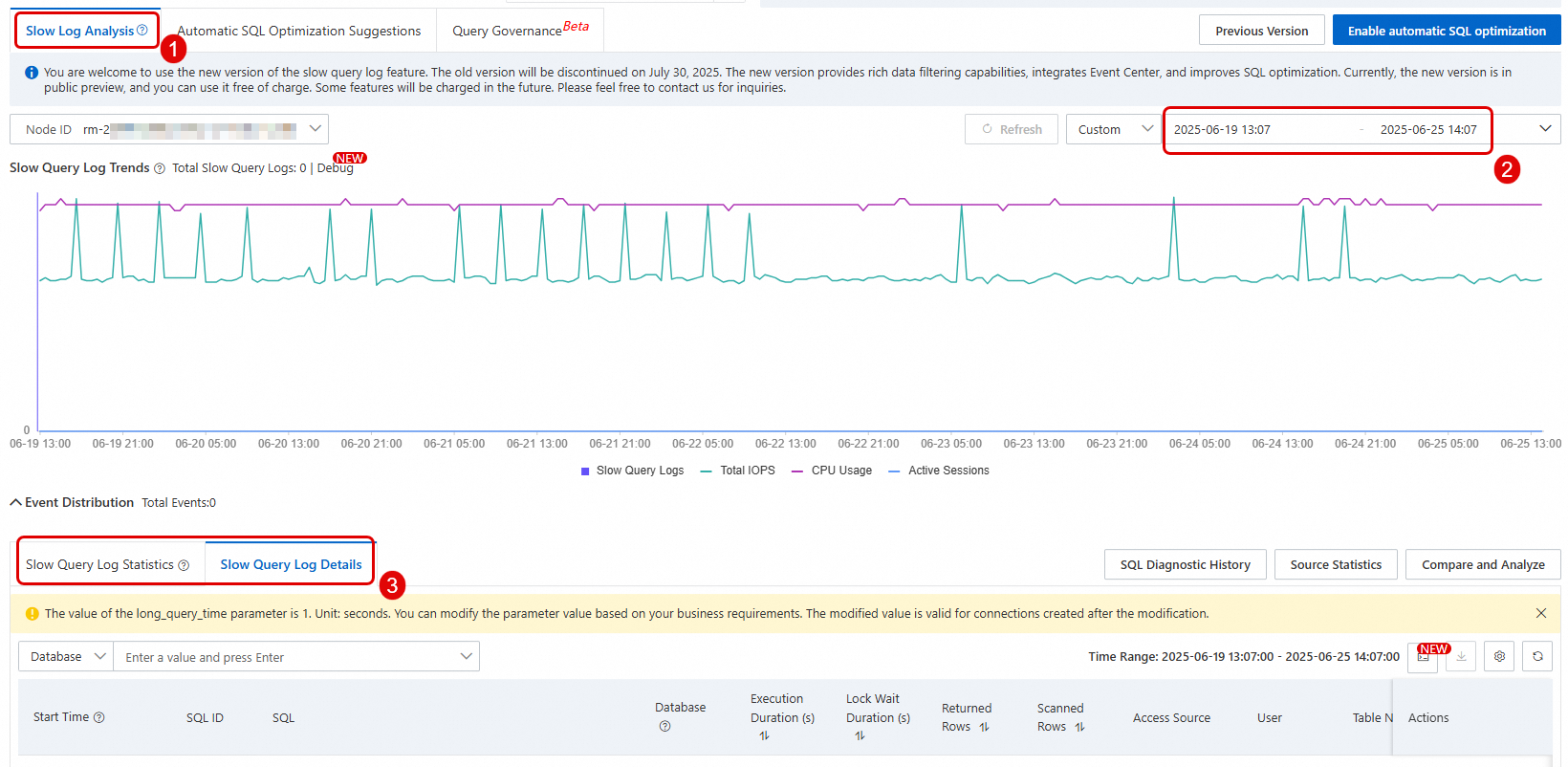 Important
The slow query log details include information such as SQL statement, access source, database, and execution time. The User field displays the name of the database account that executed the SQL statement. It is not the Resource Access Management (RAM) user that you use to log on to the Alibaba Cloud Management Console. The User field is available only when you choose Autonomy Services > Slow Query Logs > Slow Log Details in the left-side navigation pane of Database Autonomy Service (DAS). The Slow Log Details tab on the Logs page does not include this field. The timestamp in the slow query log indicates the start time of the SQL execution for minor engine versions 20211231 (MySQL 5.7.35), 20220530 (MySQL 8.0.25), and later. For earlier versions, the timestamp indicates the end time of the SQL execution.
To export slow query log details, see Slow Log Analysis.