Learn about the available models and choose the right one for your task
QwenWork comes with multiple world-class AI models and a flexible selection mechanism, helping you find the best balance between efficiency, quality, and cost.
QwenWork's model list is continuously updated. We keep introducing excellent new models from the industry, and replace or retire older ones based on performance and market conditions, keeping the model list high-quality and reliable.Available Models
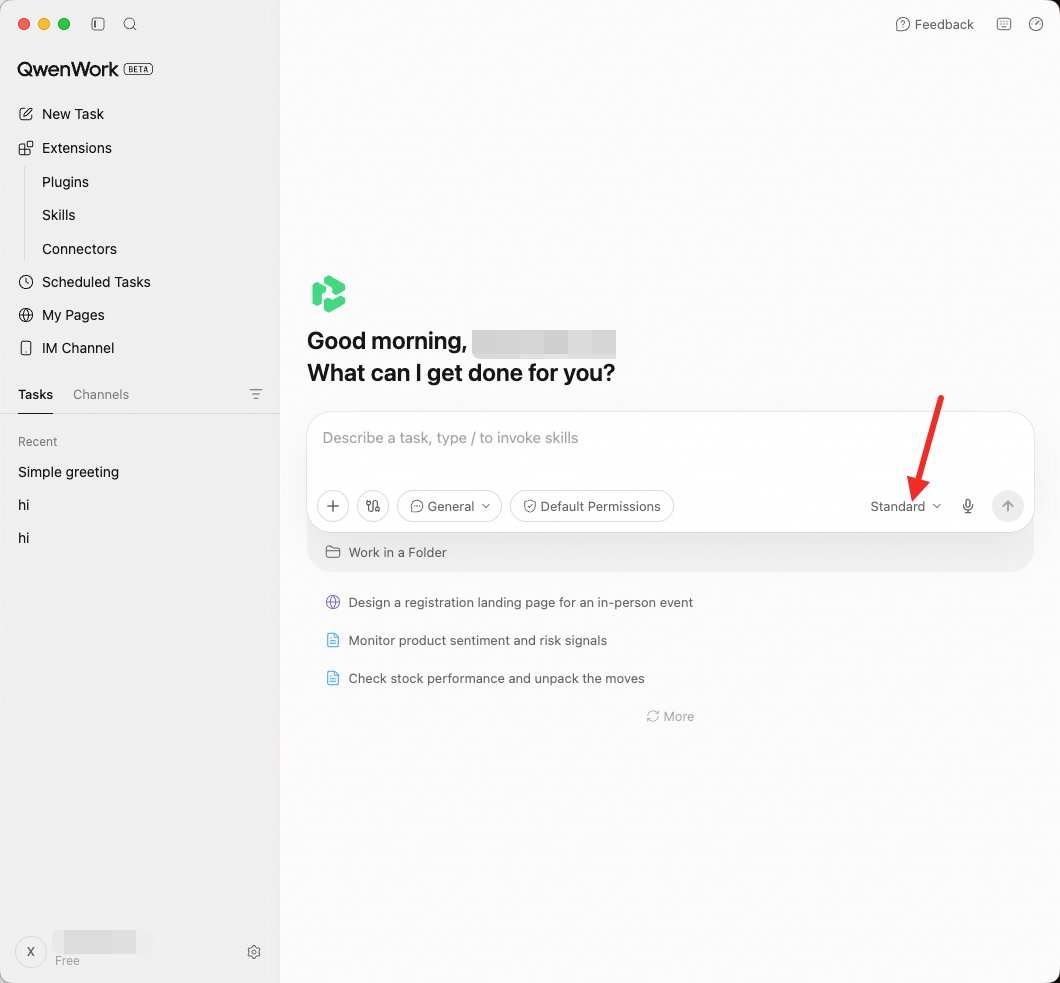
The model selector offers the following options:
Model | Description | Recommended for |
Basic | Smart and efficient, suited to everyday tasks | Simple Q&A, file format conversion, copy polishing, information lookups |
Advanced | Strong and well-rounded, handles important tasks reliably | Key project decisions, critical analysis, and tasks that need stable output quality |
How to Choose
Different models suit different types of tasks. Here are some suggestions:
Tasks suited to Basic
Format conversion (PDF to Word, CSV to Excel)
Simple file organization and renaming
Basic copy edits and translation
Templated content generation (e.g., fixed-format emails)
Quick information lookups
Tasks suited to Advanced
Key decisions and analysis for important projects
Tasks that require stable, reliable output quality
Research and writing of medium complexity
Work that sits between everyday tasks and deep reasoning
Tasks suited to Qwen3.8-Max
Tasks that need the strongest Qwen reasoning capability
Advanced analysis and complex problem solving built on Qwen
Long-form writing with extremely high requirements on generation quality
How to Switch
1. Find the model selector
Next to the chat input box, click the model dropdown menu.
2. Choose a model
Select one of Advanced / Basic / Qwen3.8-Max.
3. Takes effect immediately
Your choice takes effect immediately, and the new model applies to the rest of the current conversation. There is no need to start a new conversation.
Switching Within a Task
You can switch models at any time while a task is running. For example:
Start with Basic and let the AI handle the data collection in the first few steps
When you reach a step that needs deep analysis, switch to Advanced
Switch back to Basic for the final formatting and output step
Switching models does not lose context — the AI continues from where it left off.
Credits Consumption and Management
Different models consume Credits differently. Click the usage icon (⏱) at the top right of the interface to view your balance and usage details.
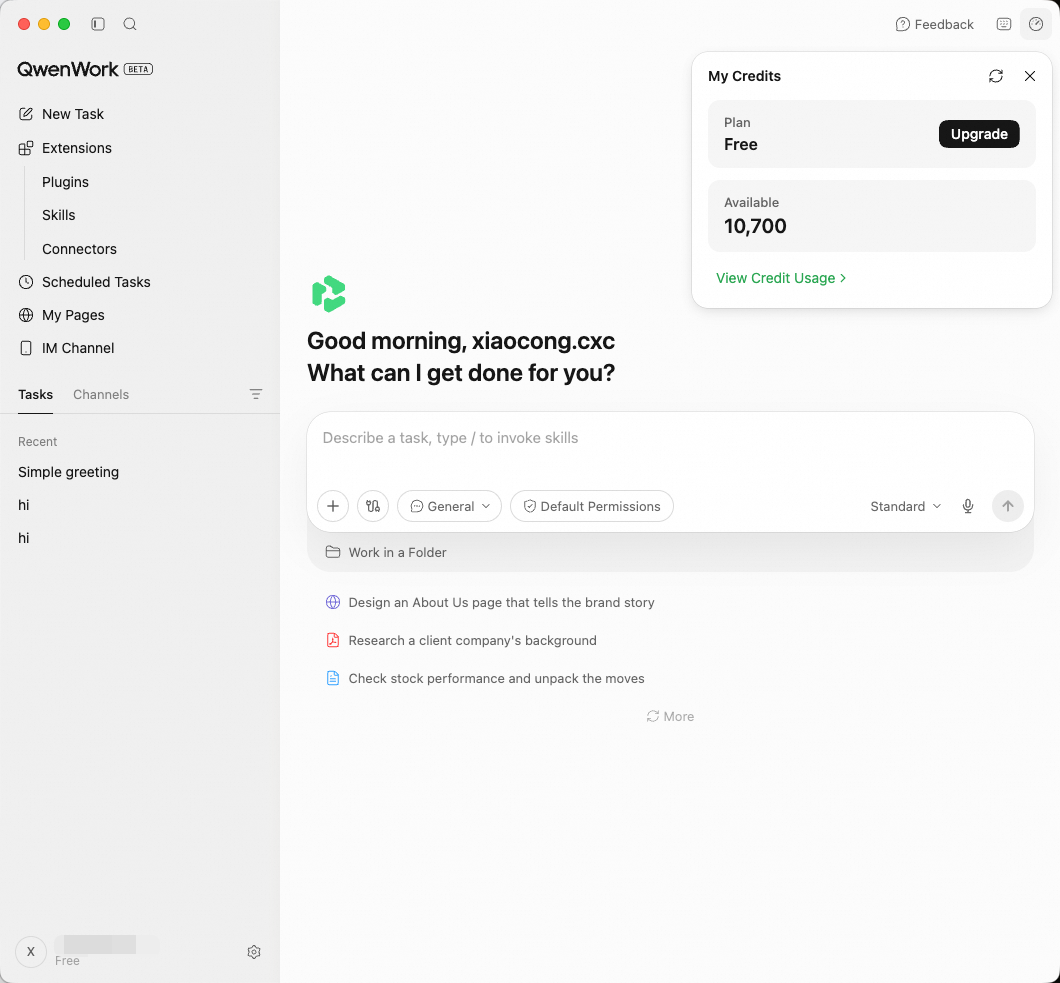
We recommend running a workflow end to end once to understand the cost. This is especially important for Scheduled Tasks that run regularly — it helps you estimate your daily/weekly Credits consumption.When your Credits balance runs low:
You can purchase additional Credits in your account settings
Switch to Advanced or Basic to reduce consumption
See the Pricing page for details