Feature overview
A virtual event is a process in which multiple events are packaged together and analyzed as one event entity in Analytics.
Operation Description
Product Path
"behavior analysis"-"home"-"virtual events" 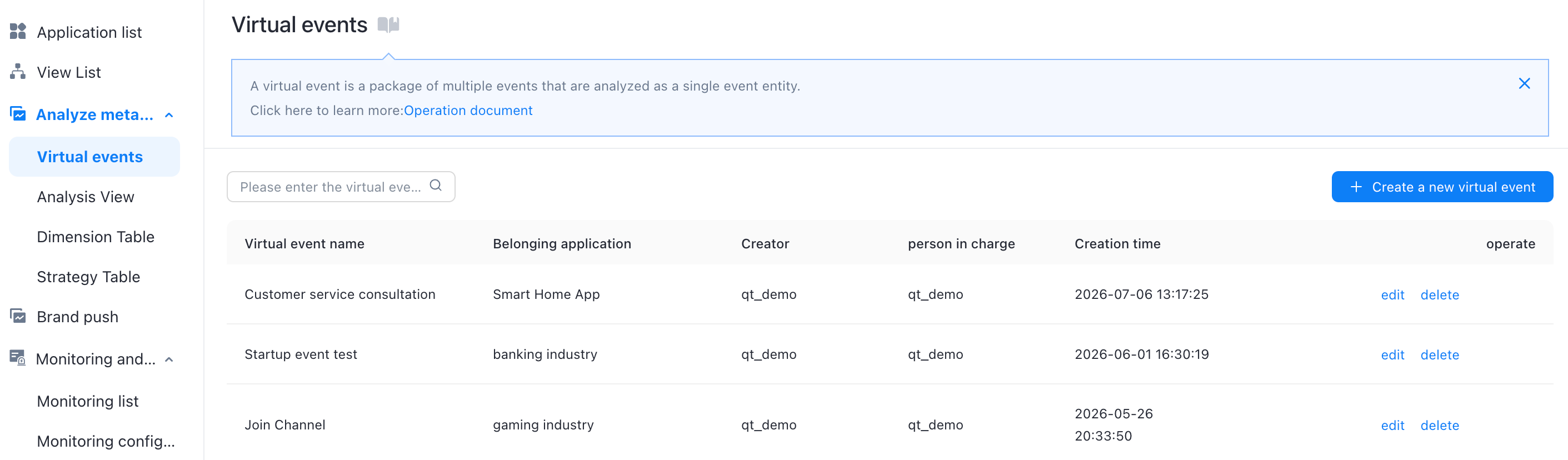
Create a virtual event
1. Click Create Virtual Event. The Create Virtual Event dialog box appears.
2. To create a virtual event, you need to fill in the following information 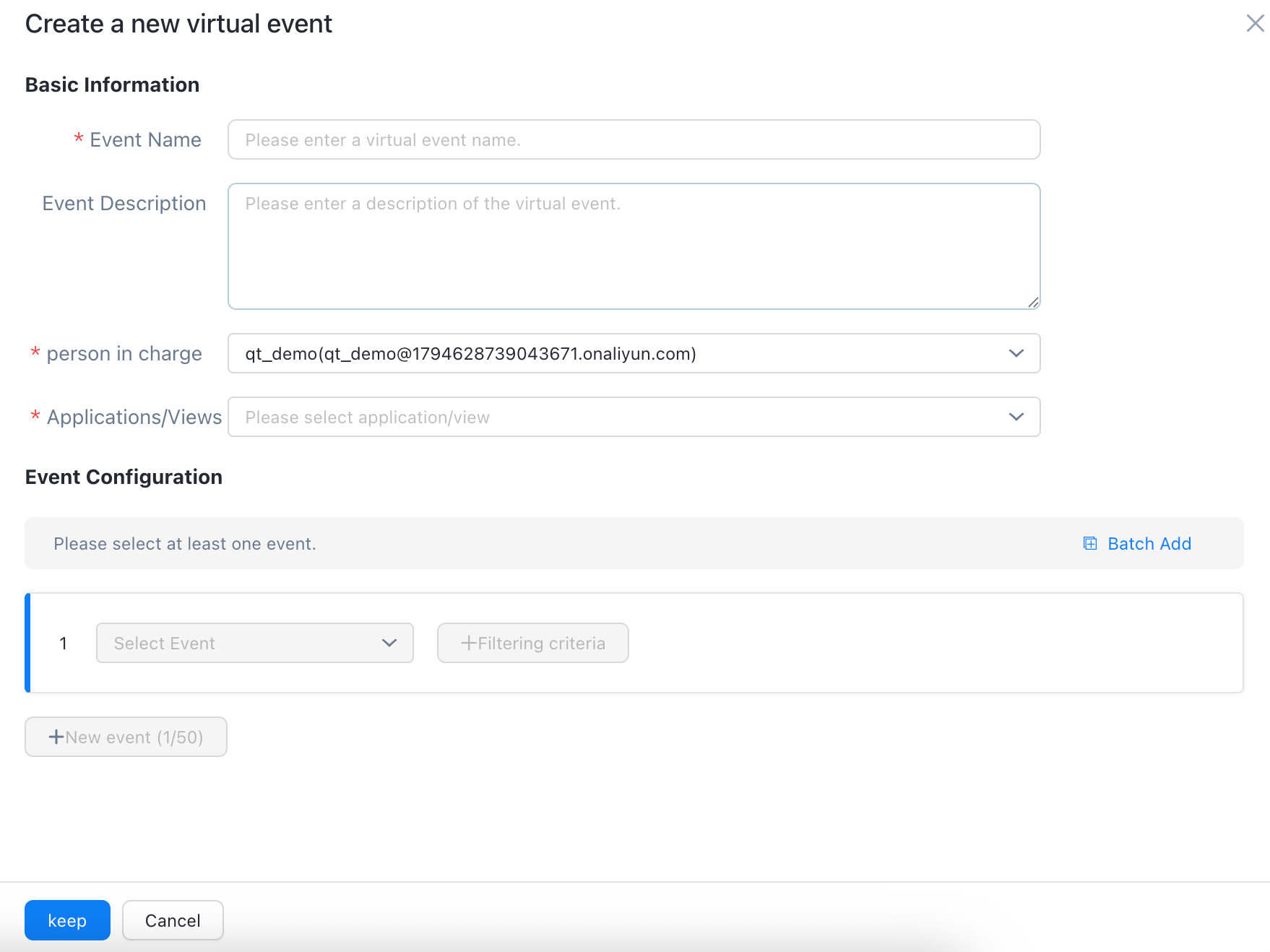
Basic information
Event Name: required. You can customize the event name.
"event description": not required, can be used to describe the usefulness of the virtual event
Owner: drop-down list to select the owner of the virtual event
Application /View: Select an existing application /view from the drop-down list
Select an application: The virtual event takes effect only in the selected application.
Select a specific view: the virtual event takes effect only in the selected view
Event configuration
Please select at least one event and at most 50 events
You can select events and filter conditions in the event selection box. You can click Add Event to add events based on your business requirements.
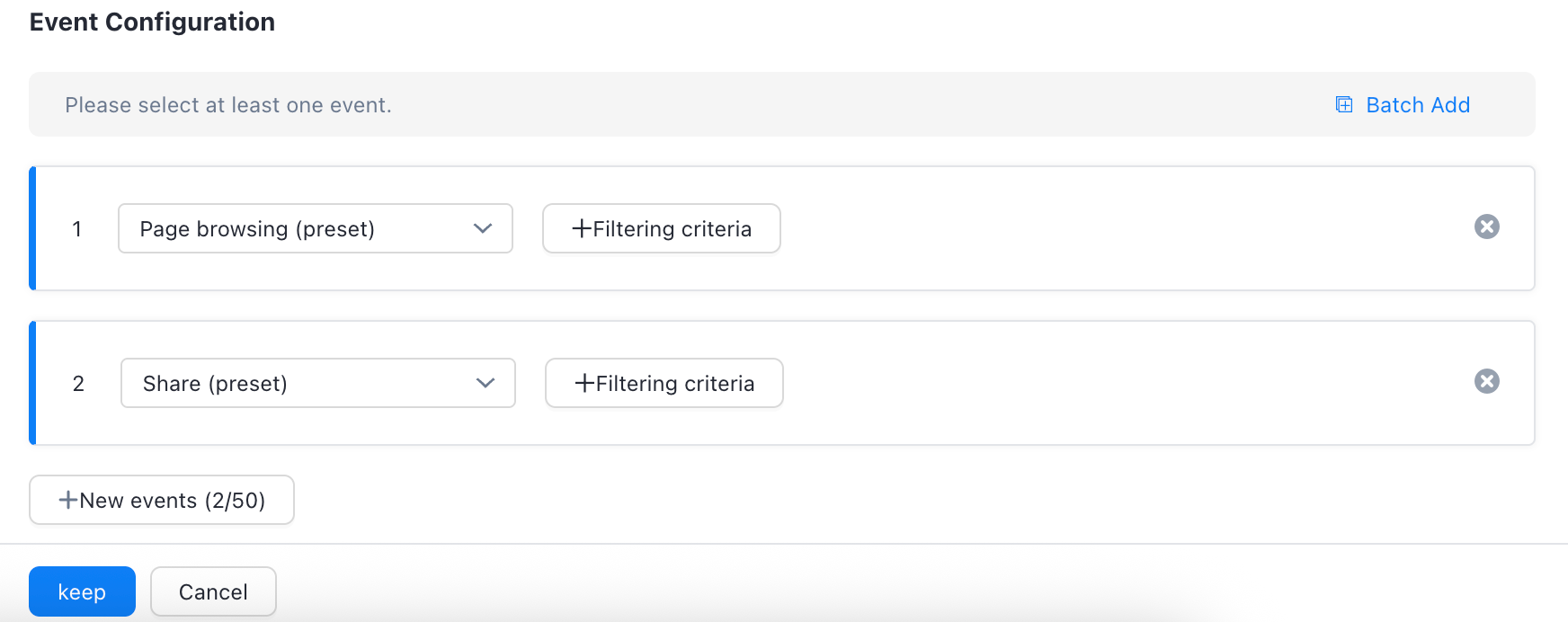
After you complete the preceding operations, click Actions to create a virtual event.
Batch Add
You can add virtual events at a time. Click Batch Add to open the Batch Add dialog box.
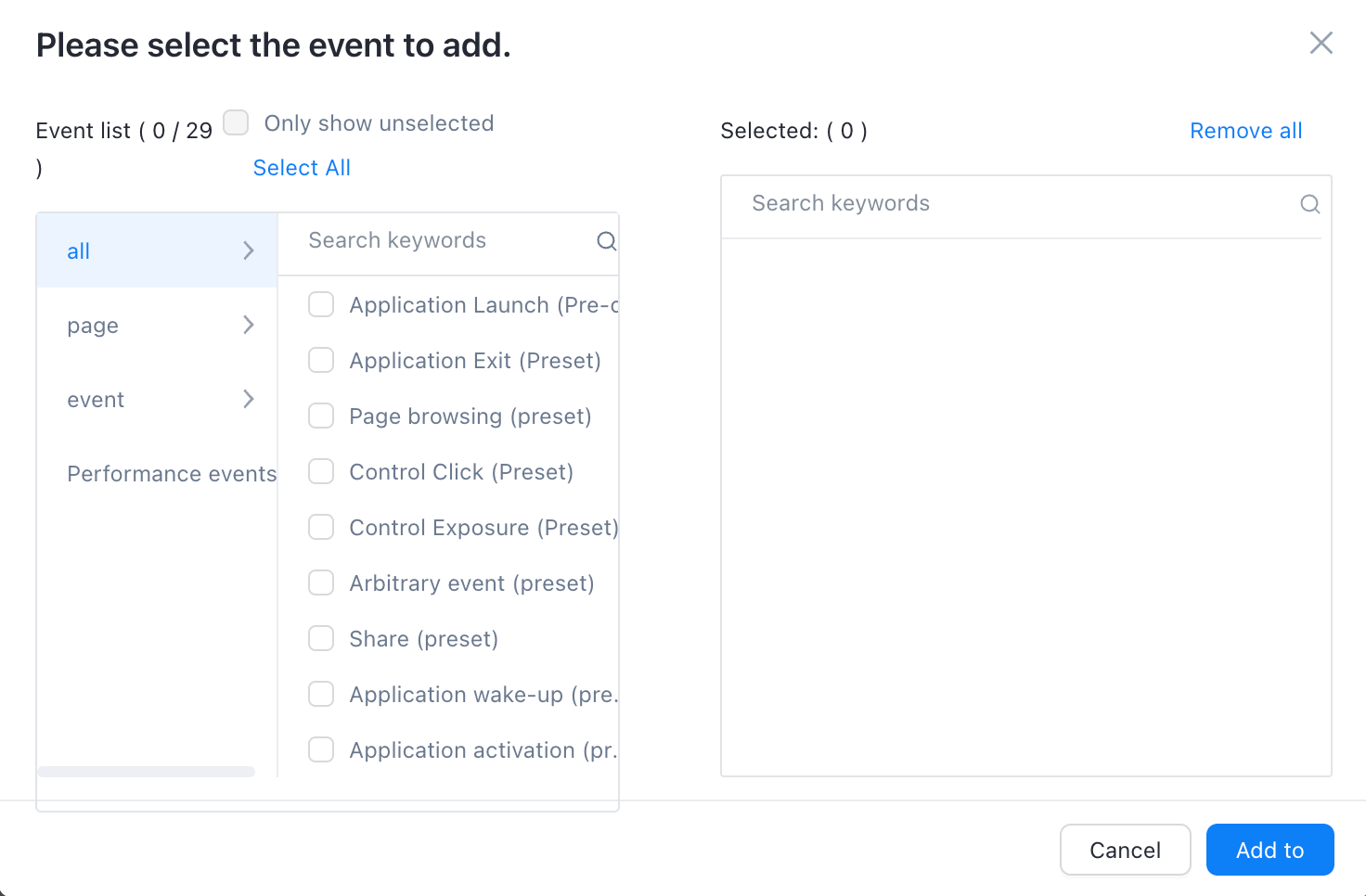
You can select events and filter conditions in the event selection box. You can click Add Event to add events based on your business requirements. After you complete the preceding operations, click Actions to create a virtual event.
Edit and delete virtual events
In the virtual event list of the virtual event page, you can edit and delete the virtual event.
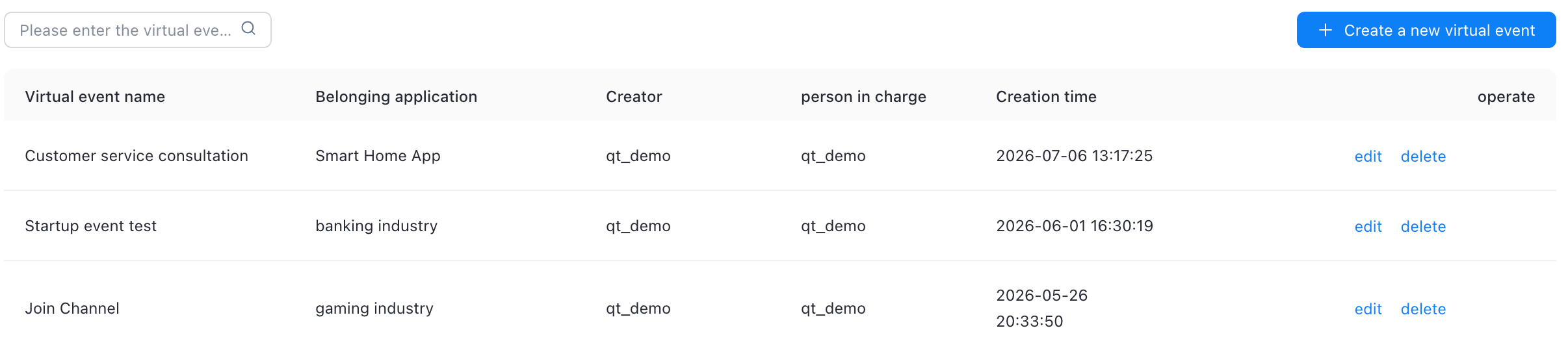
Click Edit to edit the virtual event within the permissions of the account.
If you click Delete, you can delete the virtual events within the permissions of the account. After the virtual events are deleted, they cannot be recovered but can be recreated.