Overview
Before creating an application, you need to create an organization. An organization is a business concept. An application needs to belong to one organization. For example, a customer has multiple subsidiaries or sub-business departments that are responsible for different applications. In this case, you need to create multiple organizations and then create applications under different organizations.
Operation Description
Feature Path
After entering the Quick Tracking product background, click Management Console in the navigation menu bar or the nut icon on the right side of the top of the system to enter the organization application management interface. (Note: For the public cloud, you must first enter the Alibaba Cloud Management Console. Privatized deployment customers can directly access the product background.) 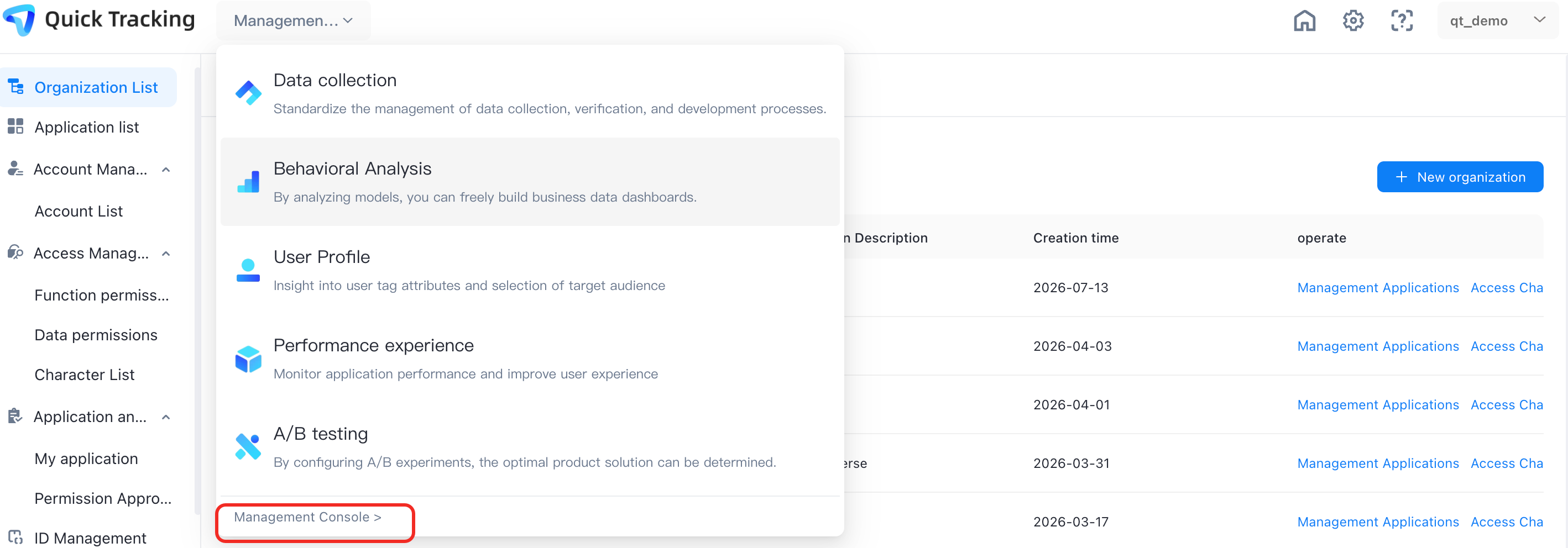
2. Create an organization
An organization is a business concept. If multiple applications belong to different teams, you can create multiple organizations to manage these applications. When entering for the first time, there will be novice operation guidelines. Users can follow the guidelines to create new organizations and applications. 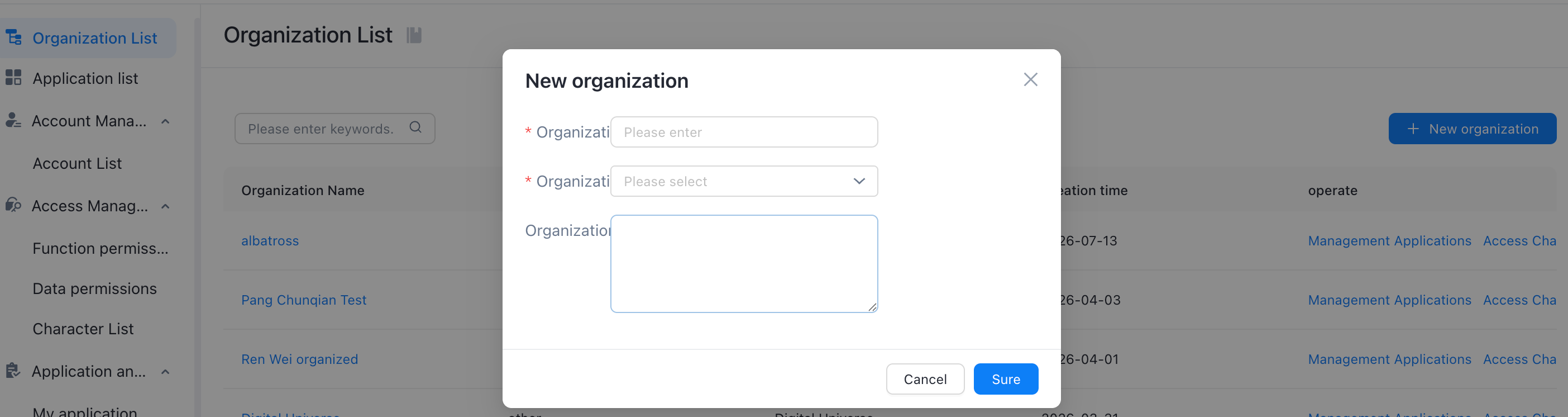
Click Create Organization in the upper-right corner. The Create Organization dialog box appears. Enter the organization information and click OK.
3. Manage the organization list
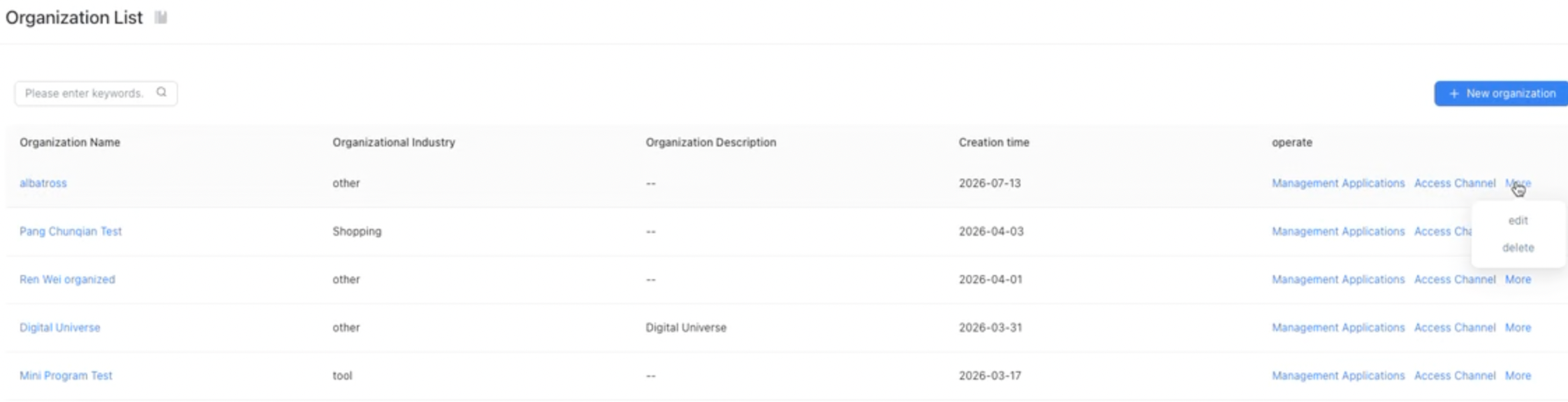
On the organization management page, in addition to the operation of creating a new organization, there are some other operation buttons, which are described below:
1. Manage applications: Click to go to the application management interface under the organization, in which you can create new applications, and perform tracking management and integration operations on applications;
2. Edit: You can modify the organization name and industry information;
3. Delete: You can delete the current organization. When you delete the organization, the applications under the organization are also deleted (note when you perform this operation).
4. Touch Channel: You can set the push channel for monitoring alerts through the touch channel, such as email and webhook. After setting, the information of monitoring alerts can be reached through this channel. For more information, see Touch Channel.