Overview
Auto-tracking is a preset event that is reported. It mainly covers regular basic analysis events such as page views, button clicks, startup, and exit. All tracking must be completed by developers. After you initialize and integrate the SDK provided by Quick Tracking, you do not need to do too much research and development work. The interaction behavior generated when real customers use it is automatically triggered and reported. The collection covers a wide range of areas, but has high requirements on storage and bandwidth costs.
Description
1. Auto-tracking
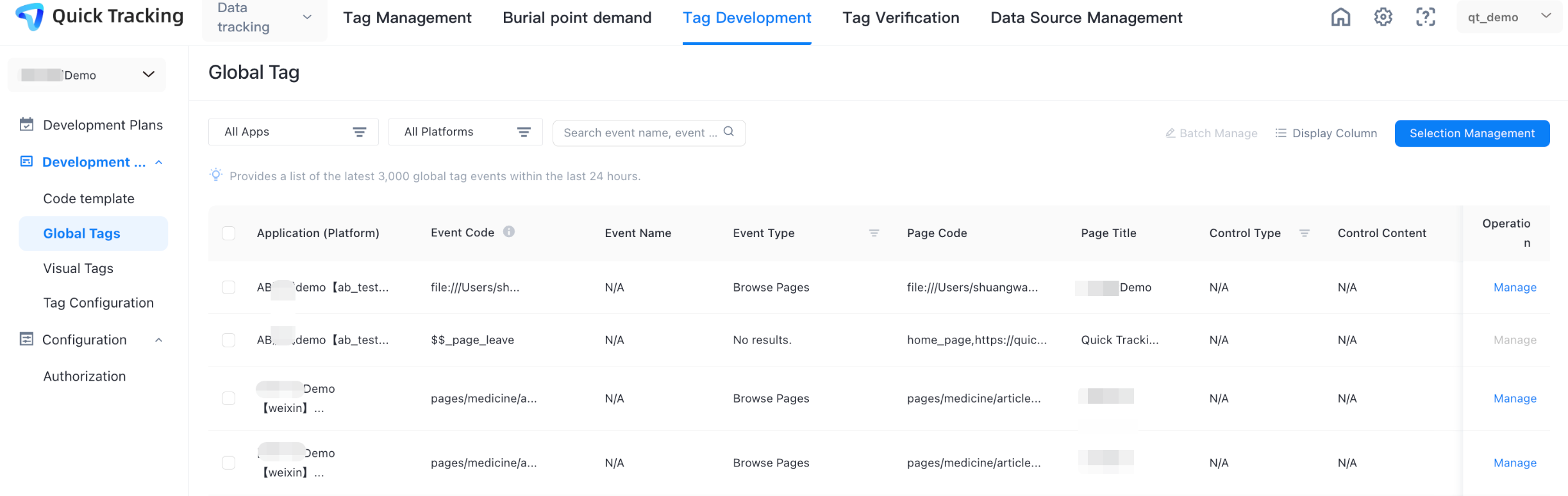
The entry mode of the auto-tracking function is: data collection-> tracking development-> auto-tracking. The specific path is shown in the figure:
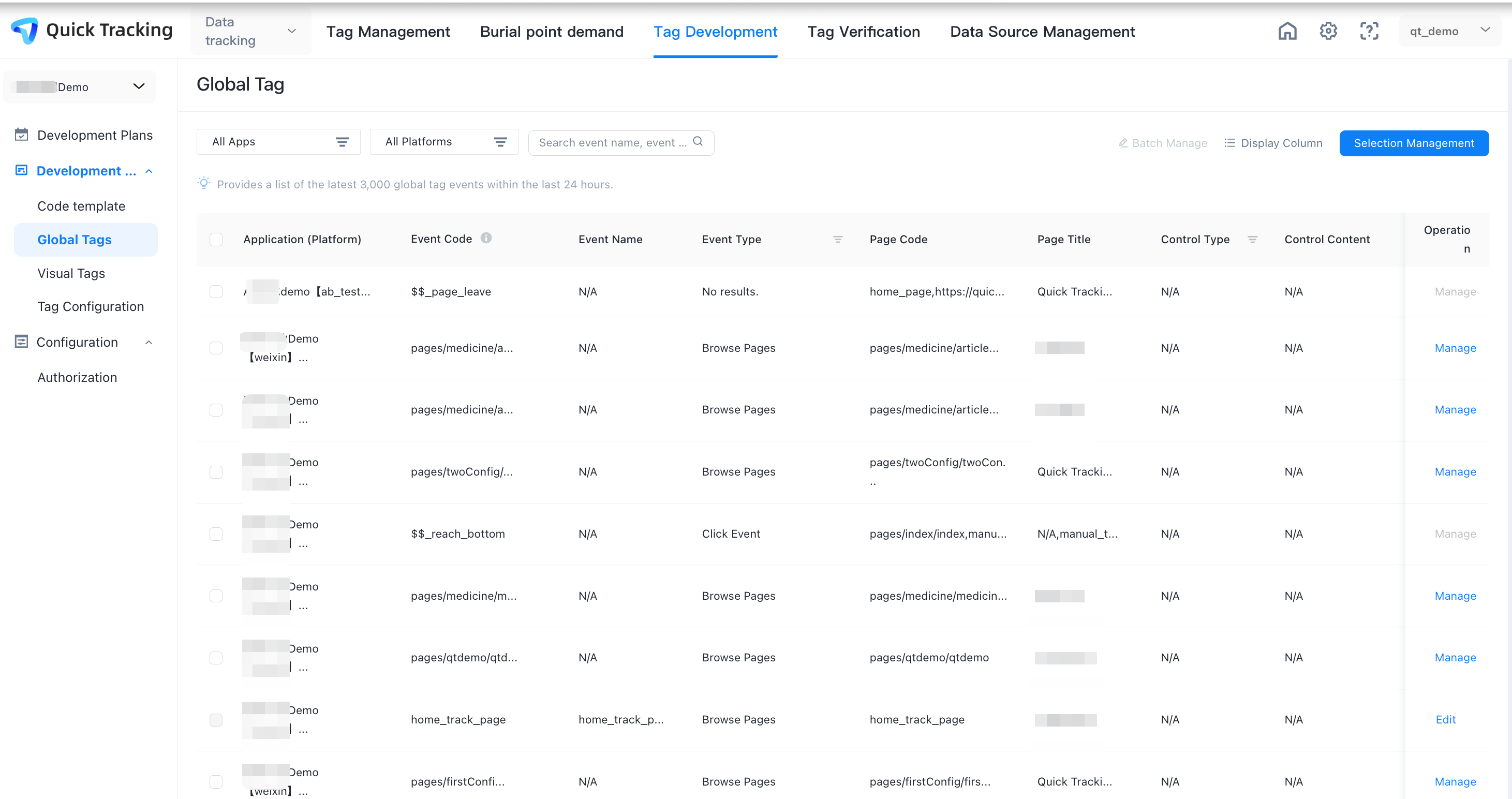
2. List of all auto-tracking
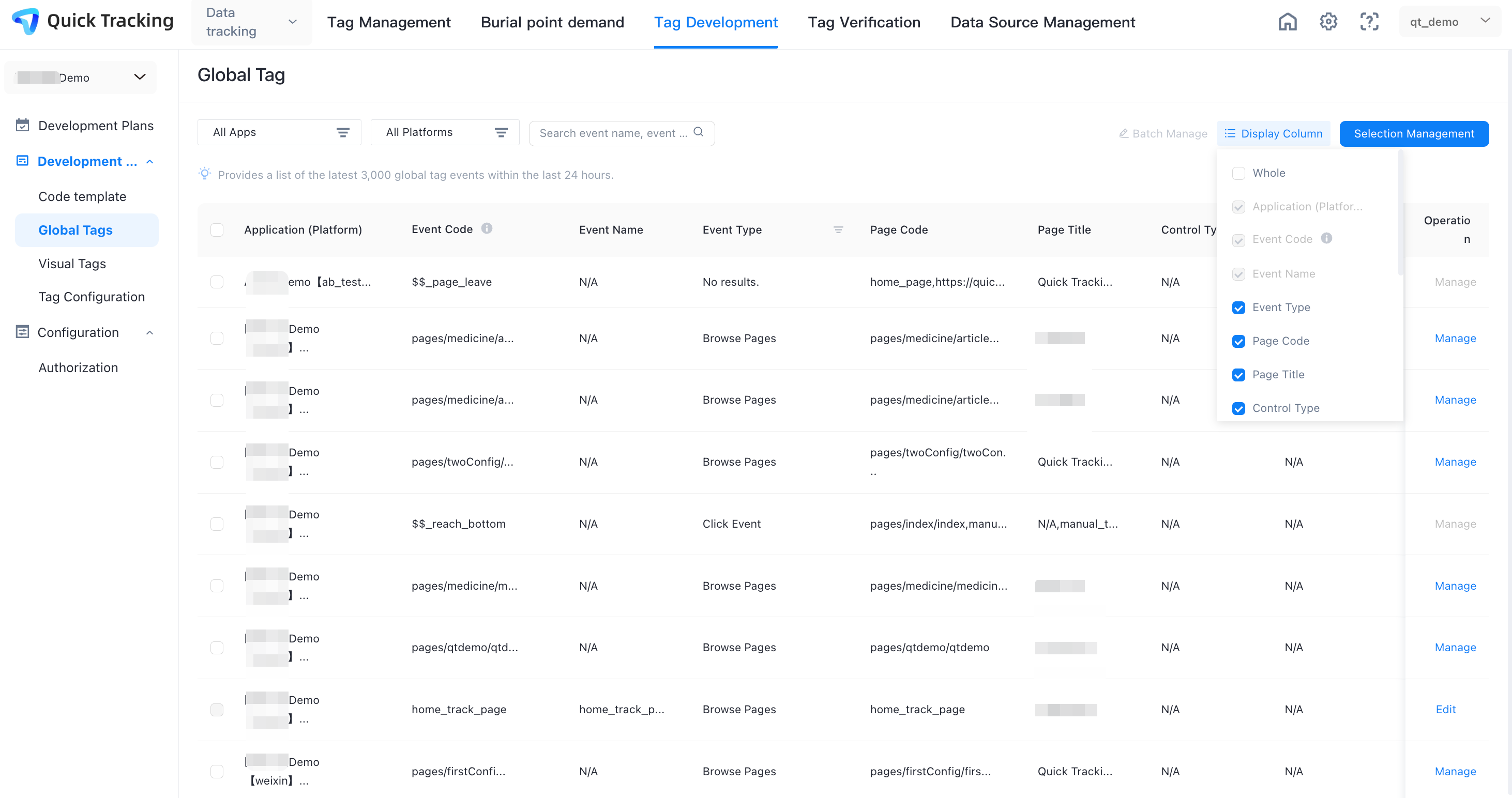
The events reported by the auto-tracking are the system events of control clicks, exposures, and page views captured by the collection SDK automatic listening. These events are all displayed in the "Auto-tracking list". You can select the events you care about for management. The following content is reported for auto-tracking events:
Application (Platform): the appkey of the application where the event is triggered.
Event code: The event code is automatically generated by the SDK. The generation logic is "hash (control path)", which ensures that it can uniquely represent a control. The SDK also provides the corresponding API. You can modify this value in the code.
Event Name: The event name of an unmanaged auto-tracking event is empty by default (N/A) and is not displayed in the analysis. You select an auto-tracking event that you manage to set its event name. Once set, it can be displayed in analysis.
Event attribute: The auto-tracking provides an API to set the property. If it is set, it will be displayed here. If it is not set, it will be empty (N/A).
Page Code: the code of the page where the control is located. The default value is as follows, and the API can be modified.
android: default is activity
iOS: defaults to classname
mini programs: The default value is page path.
Web: The default is the page URL (without parameters)
Page Name: The name of the page assigned by the page code management in the QT background. If it is not managed, it is empty (N/A)
page title: the title content of the page
Control type: The official type of the control, such as "Button"
Control content: the text carried on the control
Control location: Control path
Control ID: When a control sets an ID, it reports content
Control filters: control selector
Control name: available only for Web. When the control sets the name, it reports the content
Control Style Name: The class name of the control
3. Auto-tracking management
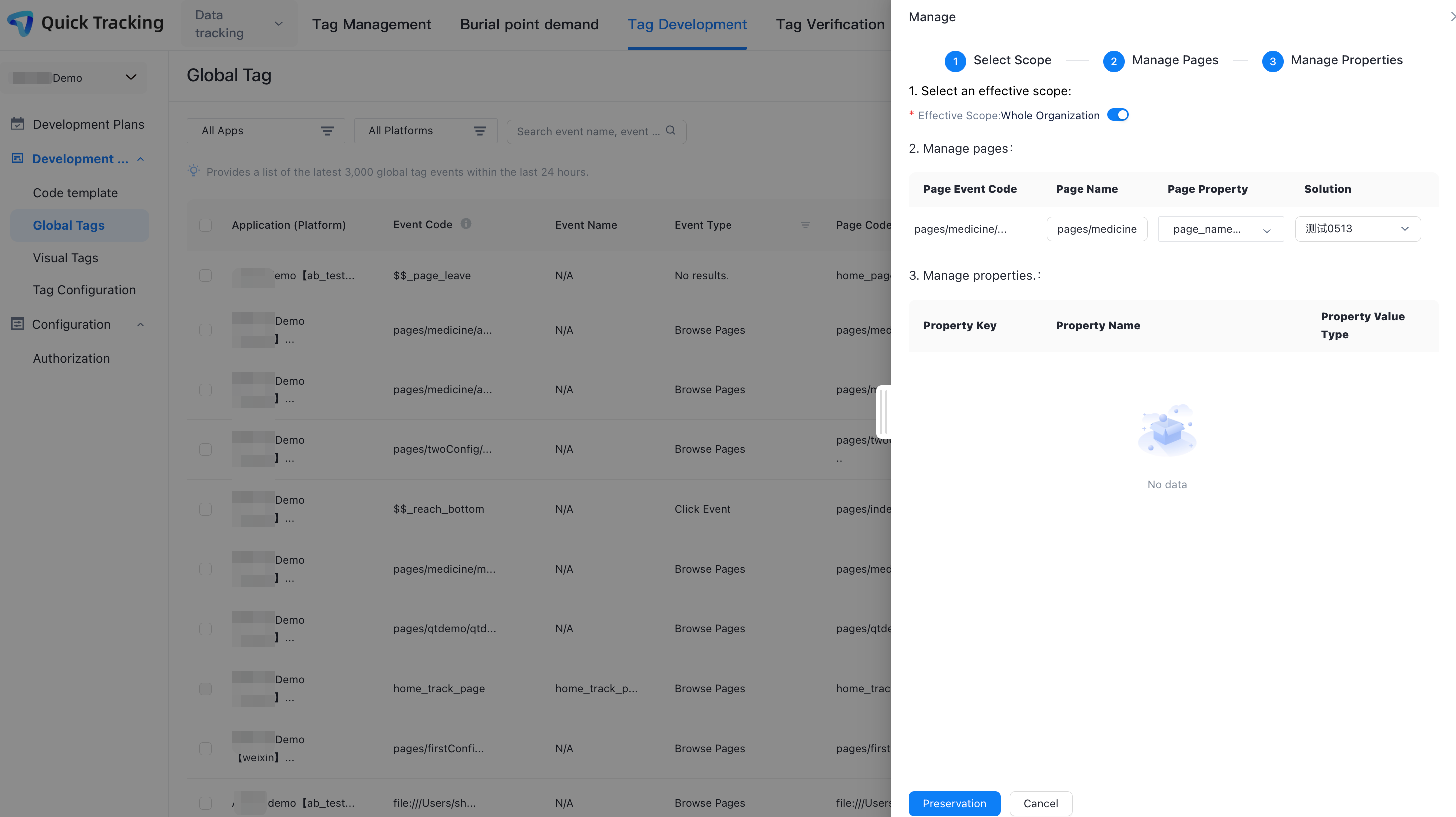
For events that are not managed, you can click "Manage" in the Actions column to manage the relevant events, pages, and attributes. Only managed events are displayed for analysis.
Set Effective Range: Select the application range of the event.
Manage pages: Set the page name, page properties, and attribution scheme of the page event code
Manage attributes: Set attribute name and attribute type
4. Segmentation management
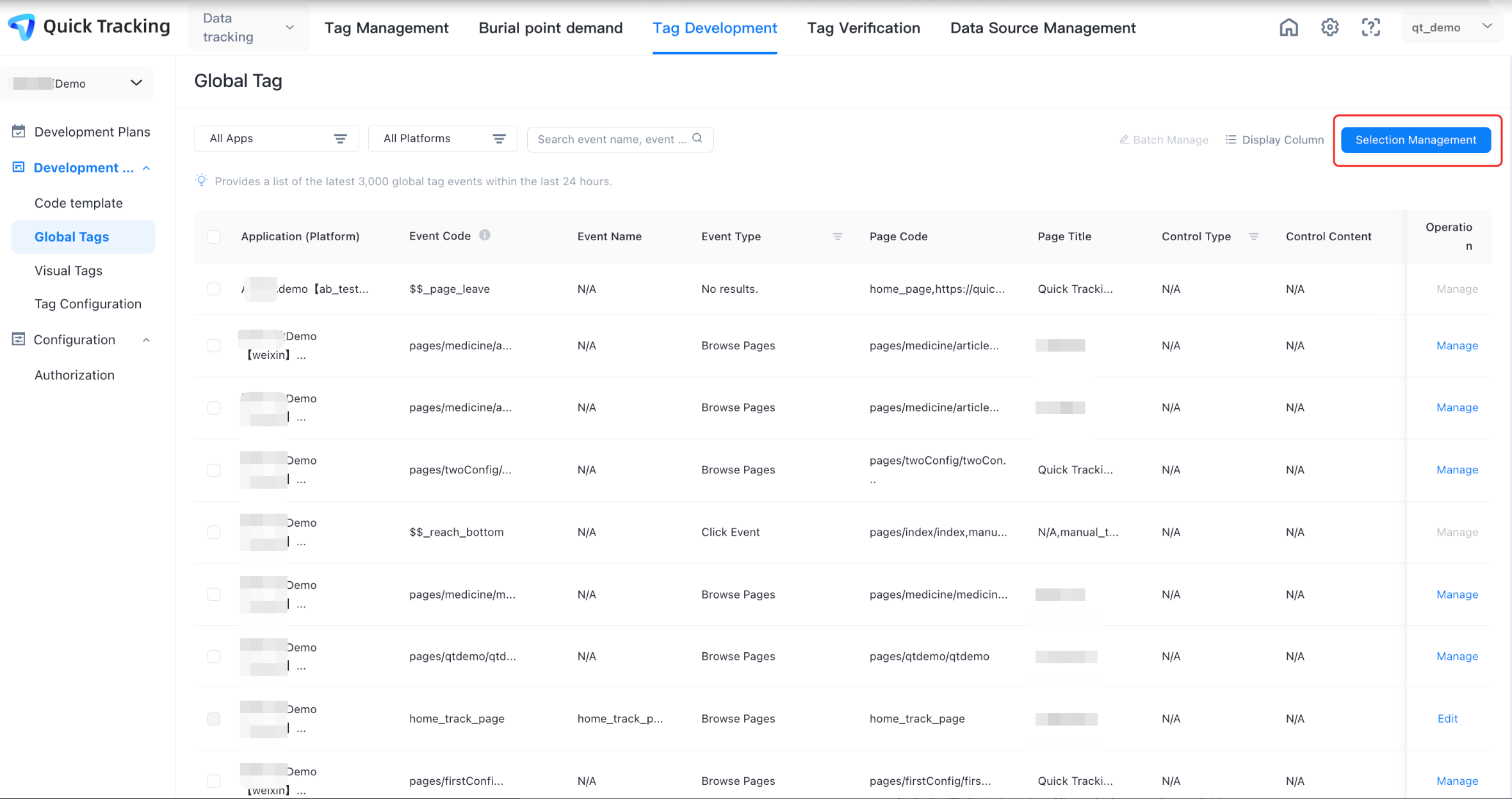
The reported tracking content is automatically tracked by the SDK and the readability of the it is poor during auto-tracking management. The segmentation management feature is provided to help business engineers better manage auto-tracking events.
Click "Segmentation Management" and select a platform for tracking management.
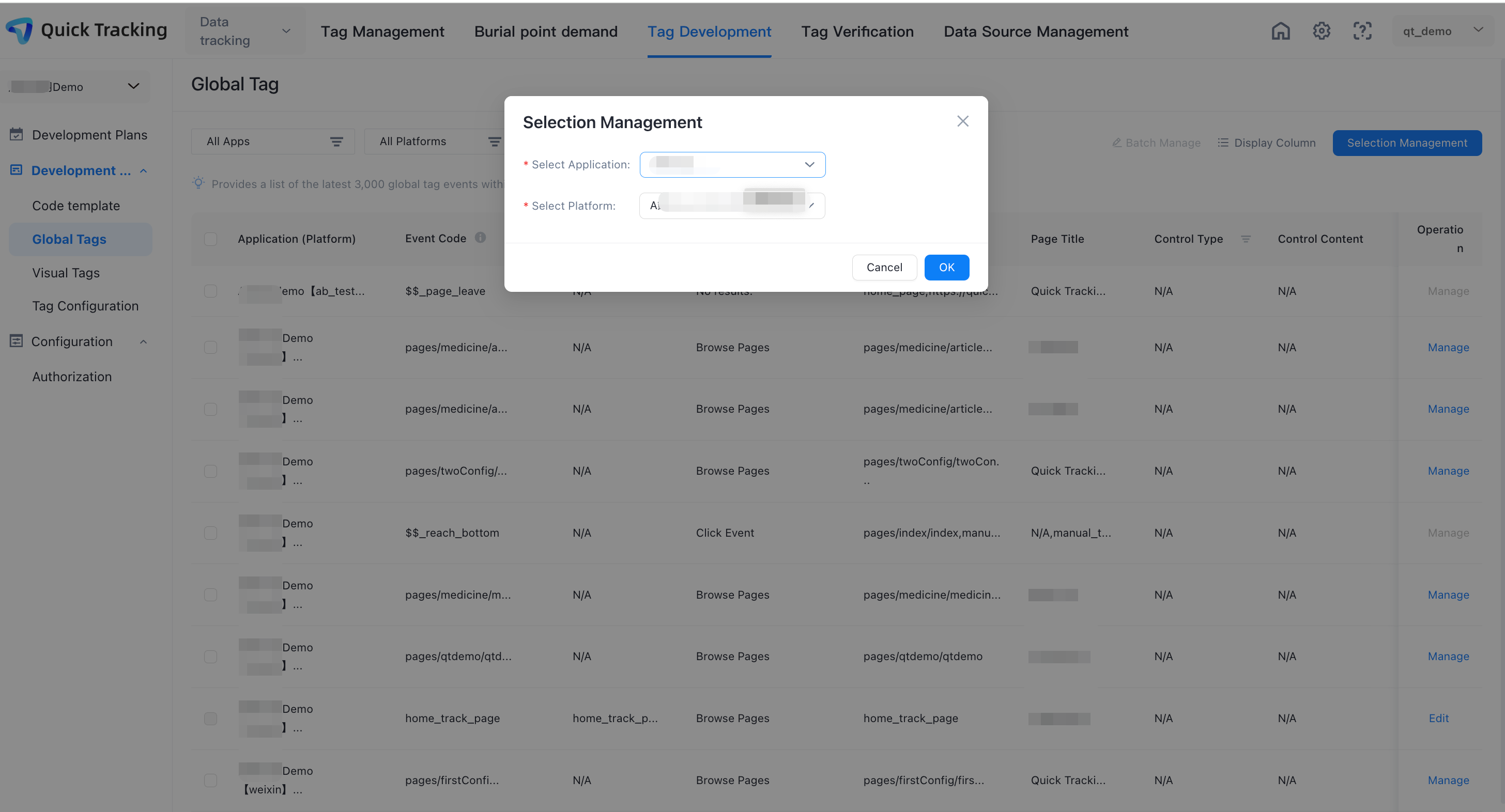
"Segmentation Management" connection
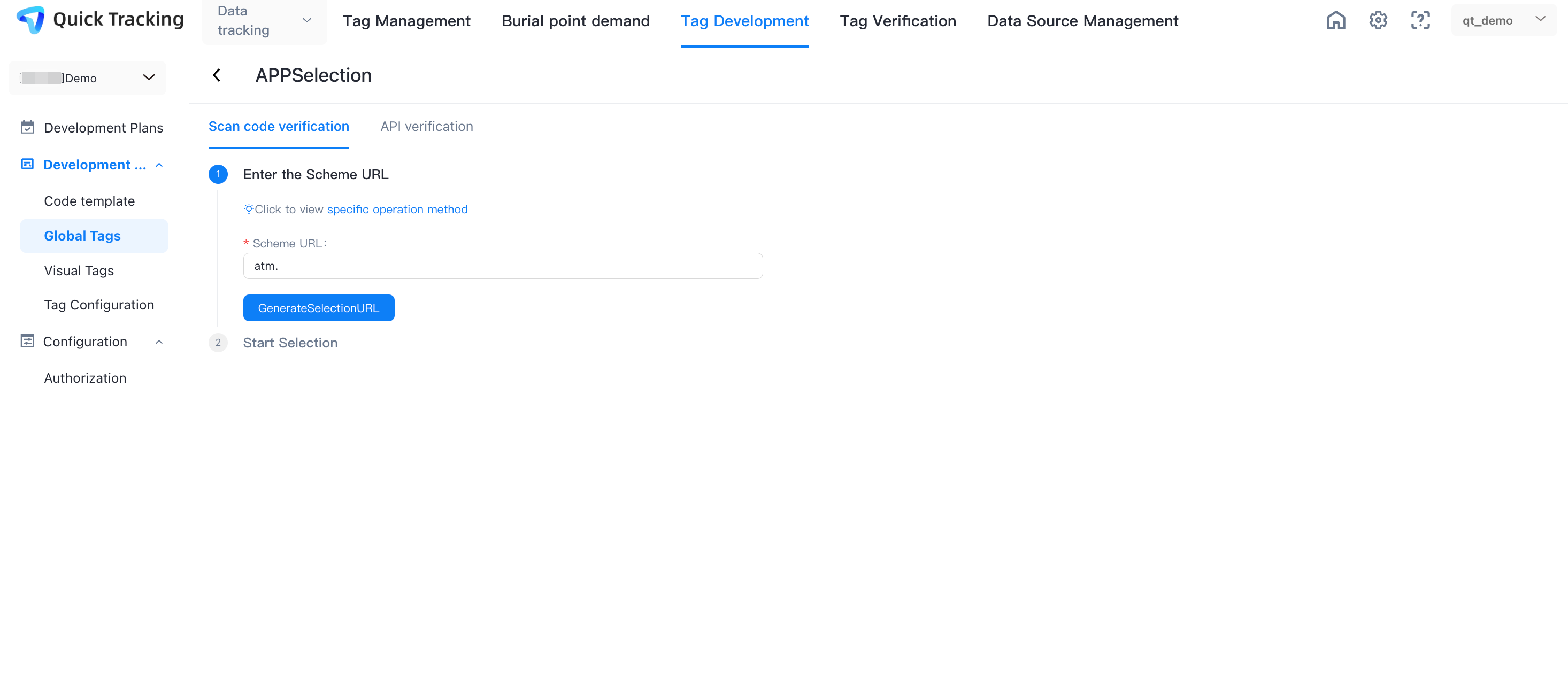
On the application side, configure the SchemeURL parameter. The configuration logic of this feature is the same as the configuration logic of tracking verification.
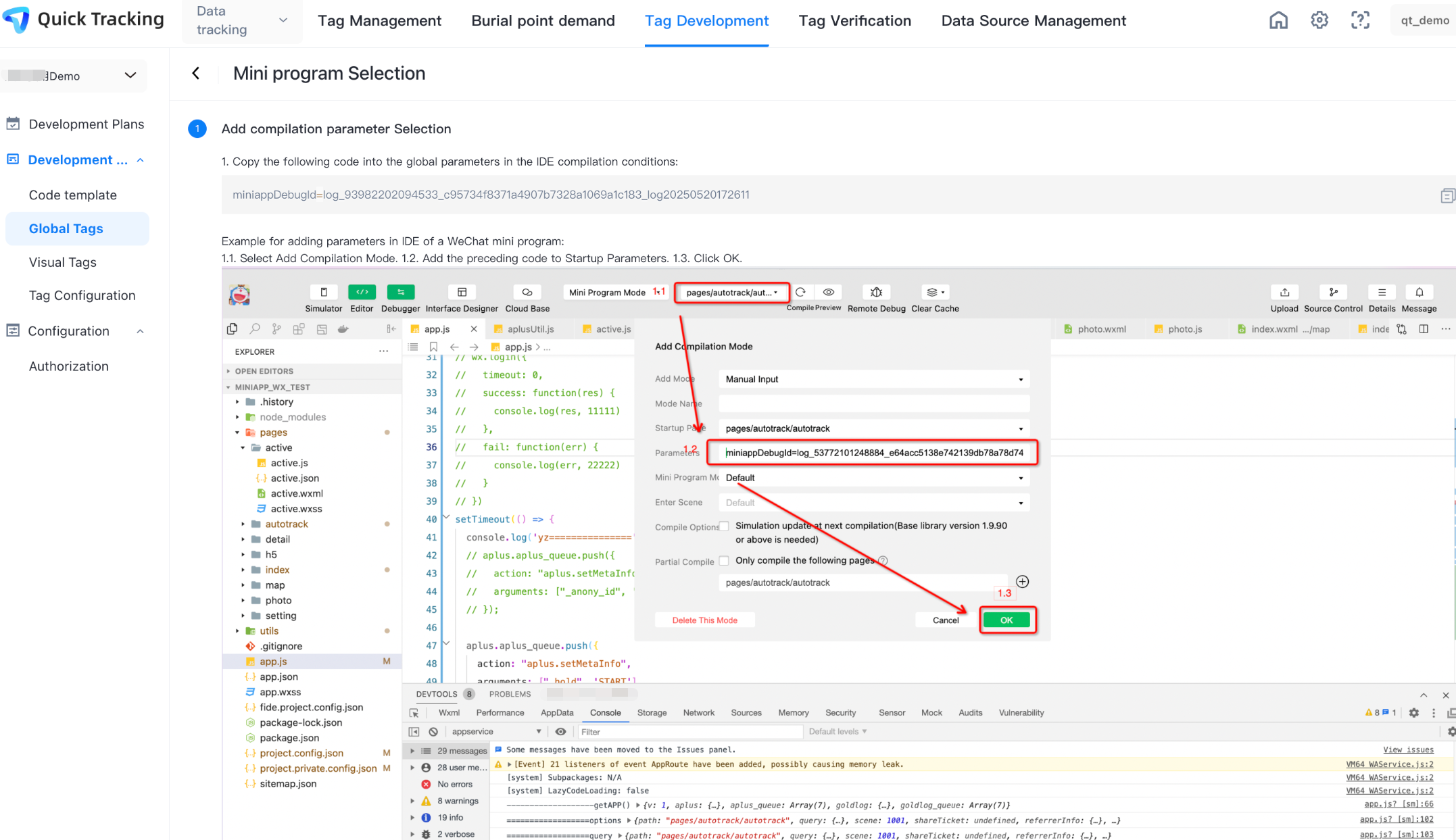
On the mini program side, follow the instructions that are displayed on the page to set miniappDebugId to the value of Startup Parameters.
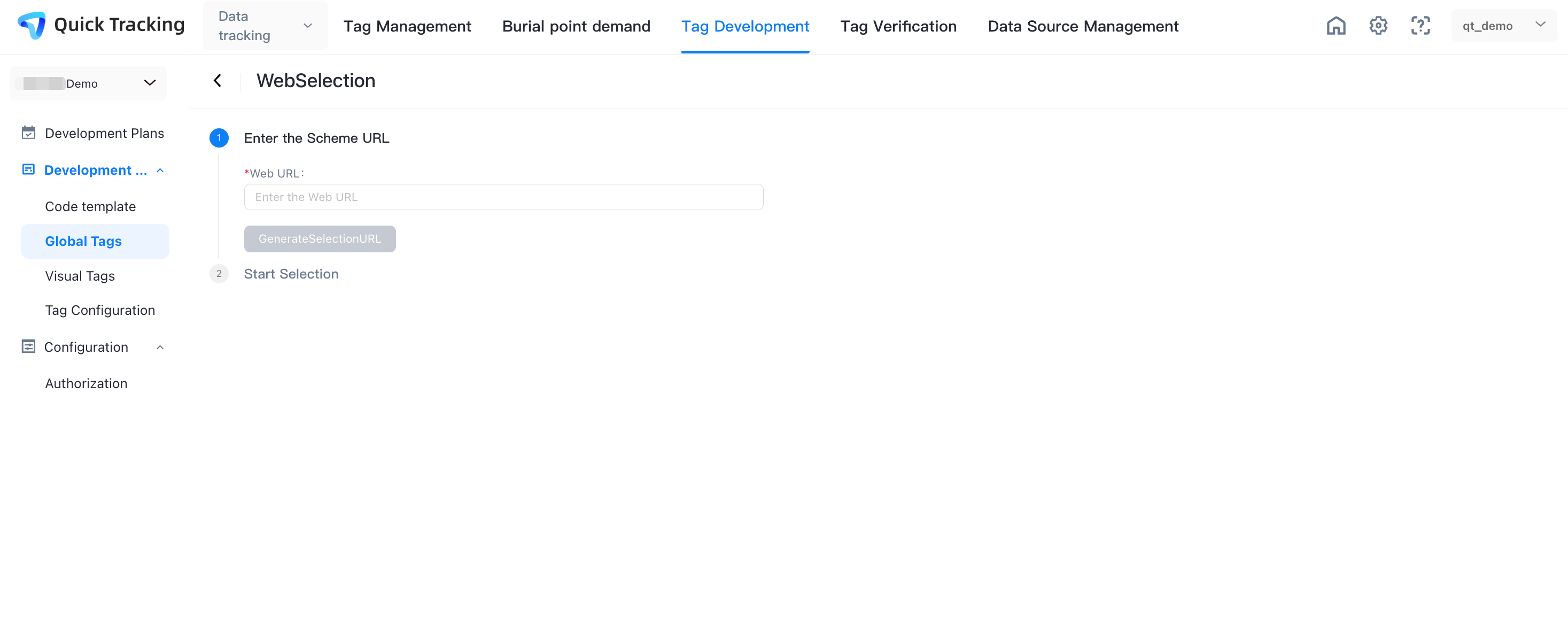
The web side needs to enter the URL into the page input box;
Segmentation management
In the segmentation management, you can trigger a control event on the app, web, or mini program side. The collected auto-tracking events are displayed on the interface. You can manage an event after the event is triggered. The management mode is the same as the mode that is displayed in auto-tracking list.
Management and Analysis
1. How do I analyze unmanaged auto-tracking events?
Unmanaged auto-tracking events exist in the "Any Event (Preset)", "Page Browsing Event (Preset)", "Control Click Event (Preset)", and "Control Exposure Event (Preset)" of the analysis. The details are as follows:
App
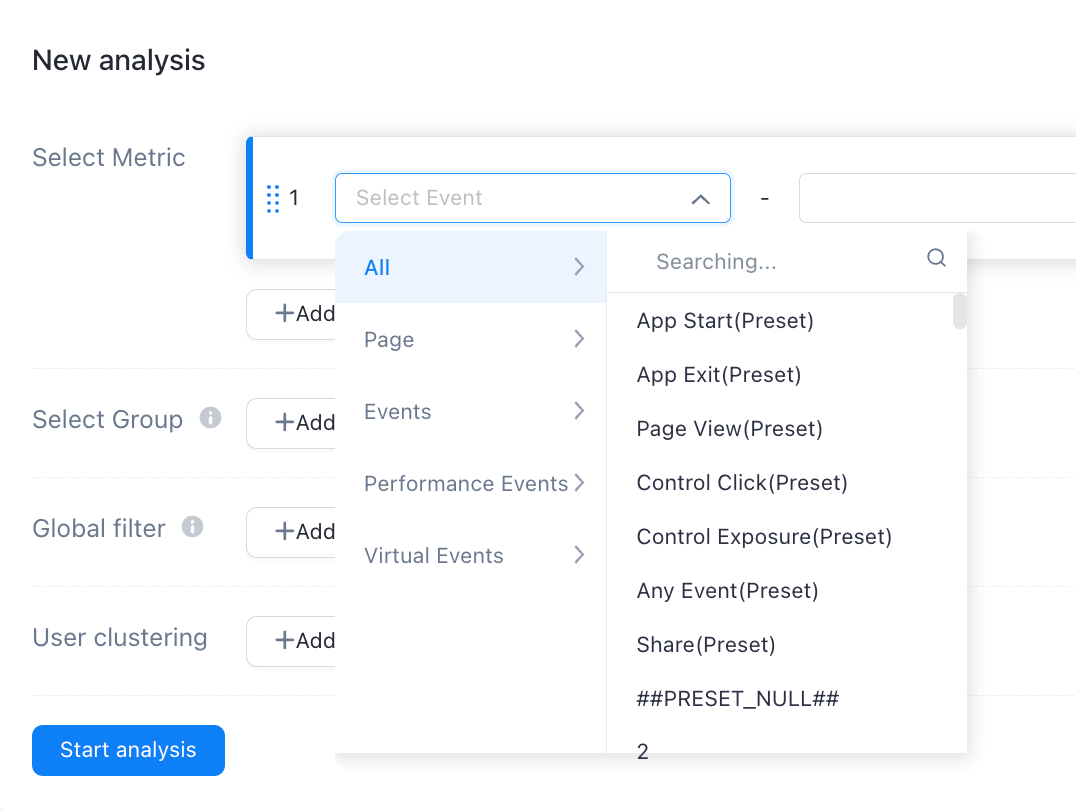
Event name | Page display |
Page browsing (preset) | 1. In event analysis, funnel analysis, retention analysis, distribution analysis, and interval analysis, you can use the "Automatic Collection" property in the system properties. If you select "Yes", page browsing events in auto-tracking points are filtered. 2. In the system attributes, there are also page title and control type for the auto-tracking page browsing event attributes. The values of the control type are UIViewController, Activity, and Fragment. UIViewController refers to iOS pages, Activity and Fragment refer to android pages. 3. session analysis model, for "page browsing (preset)" page title, whether automatic collection and control type attributes are in the event attributes. 4. If you call the page attribute reporting API, the following page attributes are reported: ● need to be managed in event attributes ● The managed event attributes, in any analysis model, need to be revealed in the event attribute column. |
Control click (preset) | 1. In event analysis, funnel analysis, retention analysis, distribution analysis, and interval analysis, you can use the "Automatic Collection" attribute in system attributes. If you select "Yes", control click events in auto-tracking points are filtered. 2. In the system attributes, the click event attributes for the auto-tracking control include: control ID, control type, control filter, control position, control content, control name, control style name and page title. 3. Session analysis model. The control ID, control type, control filter, control position, control content, control name, control style name, page title, and whether to automatically collect attributes of "control click (preset)" are included in the event attributes. 4. If you call the auto-tracking click event attribute reporting API, the reported event attributes are as follows: ● need to be managed in event attributes ● The managed event attributes, in any analysis model, need to be revealed in the event attribute column. |
Any event (preset) | 1. In event analysis, funnel analysis, retention analysis, distribution analysis, and interval analysis, you can use the "Automatic Collection" attribute in the system attributes. If you select "Yes", auto-tracking events are filtered. 2. Among the system attributes, there are also control ID, control type, control filter, control position, control content, control name, control style name and page title for the auto-tracking event attributes. 3. session analysis model. The control ID, control type, control filter, control position, control content, control name, control style name, page title, and whether to automatically collect attributes of "Any Event (Preset)" are included in the event attributes. 4. If you call the auto-tracking attribute reporting API, the following event attributes are reported: ● need to be managed in event attributes● The managed event attributes, in any analysis model, need to be revealed in the event attribute column. |
web
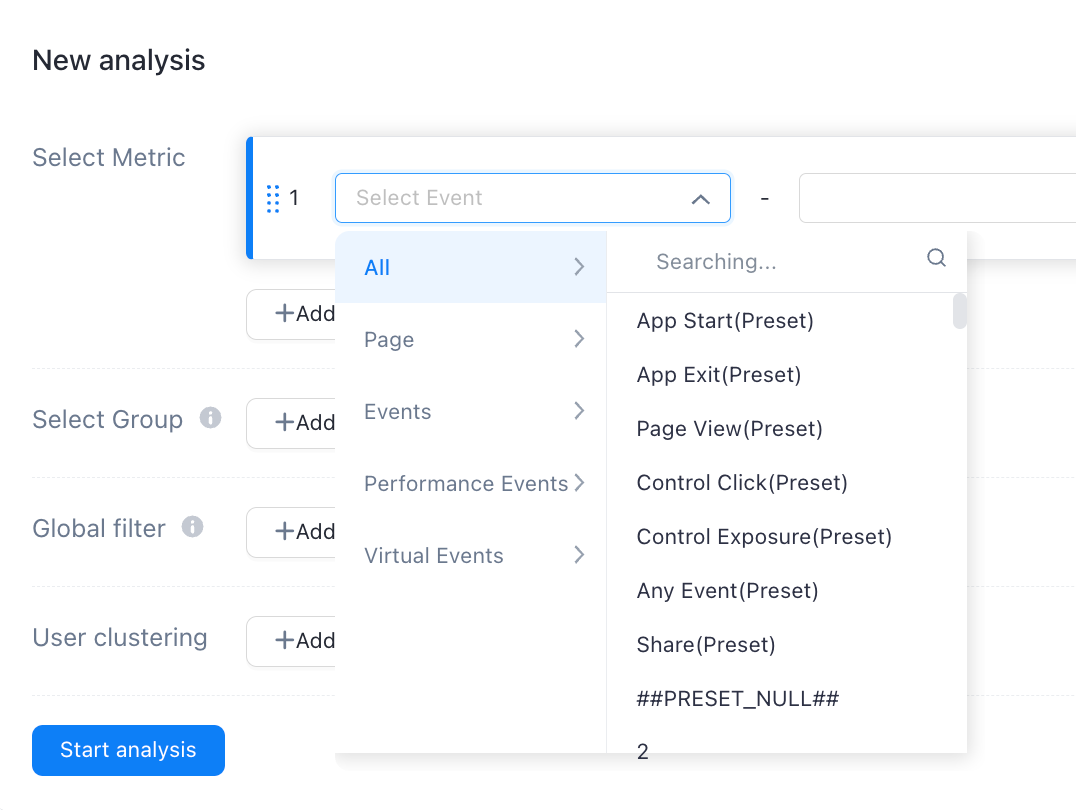
Event name | Page display |
Page browsing (preset) | 1. In event analysis, funnel analysis, retention analysis, distribution analysis, and interval analysis, you can use the "Automatic Collection" attribute in the system attributes. If you select "Yes", page browsing events in auto-tracking are filtered. 2. In the system attributes, the page browsing event attributes for auto-tracking also include: page title. 3. For the session analysis model, the page title of "page browsing (preset)" and whether to automatically collect attributes are included in the event attributes. 4. If you call the page attribute reporting API, the following page attributes are reported: ● need to be managed in event attributes ● The managed event attributes, in any analysis model, need to be revealed in the event attribute column. |
Control click (preset) | 1. In event analysis, funnel analysis, retention analysis, distribution analysis, and interval analysis, you can use the "Automatic Collection" attribute in system attributes. If you select "Yes", control click events in auto-tracking are filtered. 2. In the system attributes, the click event attributes for the auto-buried control include: control ID, control type, control filter, control position, control content, control name, control style name and page title. 3. Session analysis model. The control ID, control type, control filter, control position, control content, control name, control style name, page title, and whether to automatically collect attributes of "control click (preset)" are included in the event attributes. 4. If you call the auto-tracking click event attribute reporting API, the following event attributes are reported: ● need to be managed in event attributes ● The managed event attributes, in any analysis model, need to be revealed in the event attribute column. |
Control exposure (preset) | 1. In event analysis, funnel analysis, retention analysis, distribution analysis, and interval analysis, you can use the "Automatic Collection" attribute in the system attributes. If you select "Yes", the control exposure events in auto-tracking are filtered. 2. In the system attributes, the exposure event attributes for the fully embedded control include: control ID, control type, control filter, control position, control content, control name, control style name and page title. 3. Session analysis model. The control ID, control type, control filter, control position, control content, control name, control style name, page title, and whether to automatically collect attributes of "control exposure (preset)" are included in the event attributes. 4. If you call the auto-tracking exposure event attribute reporting API, the following event attributes are reported: ● need to be managed in event attributes ● The managed event attributes, in any analysis model, need to be revealed in the event attribute column. |
Any event (preset) | 1. In event analysis, funnel analysis, retention analysis, distribution analysis, and interval analysis, you can use the "Automatic Collection" attribute in the system attributes. If you select "Yes", auto-tracking events are filtered. 2. Among the system attributes, there are also control ID, control type, control filter, control position, control content, control name, control style name and page title for the auto-tracking event properties. 3. session analysis model. The control ID, control type, control filter, control position, control content, control name, control style name, page title, and whether to automatically collect attributes of "Any Event (Preset)" are included in the event attributes. 4. If you call the auto-tracking attribute reporting API, the following event attributes are reported: ● need to be managed in event attributes ● The managed event attributes, in any analysis model, need to be revealed in the event attribute column. |
Mini programs
of
Event name | Page display |
Page browsing (preset) | 1. In event analysis, funnel analysis, retention analysis, distribution analysis, and interval analysis, you can use the "Automatic Collection" attribute in the system attributes. If you select "Yes", page browsing events in auto-tracking are filtered. 2. session analysis model, for "page browsing (preset)" page title, whether automatic collection and control type properties are in the event attributes. 3. If you call the page attribute reporting API, the following page attributes are reported: ● need to be managed in event attributes ● The managed event attributes, in any analysis model, need to be revealed in the event attribute column. |
Control click (preset) | 1. In event analysis, funnel analysis, retention analysis, distribution analysis, interval analysis, and session analysis, you can use the "Automatic Collection" attribute in the system attributes. If "Yes" is selected, control click events in auto-tracking are filtered. 2. If you call the auto-tracking click event attribute reporting API, the following event attributes are reported: ● need to be managed in event attributes ● The managed event attributes, in any analysis model, need to be revealed in the event attribute column. |
Control exposure (preset) | 1. In event analysis, funnel analysis, retention analysis, distribution analysis, interval analysis, and session analysis, you can use the "Automatic Collection" attribute in the system attributes. If you select "Yes", all control exposure events in auto-tracking are filtered. 2. If you call the auto-tracking exposure event attribute reporting API, the following event attributes are reported: ● need to be managed in event attributes ● The managed event attributes, in any analysis model, need to be revealed in the event attribute column. |
Any event (preset) | 1. In event analysis, funnel analysis, retention analysis, distribution analysis, interval analysis, and session analysis, you can use the "Automatic Collection" attribute in the system attributes. If you select "Yes", all the auto-tracking events are filtered. 2. If you call the auto-tracking event attribute reporting API, the following event attributes are reported: ● need to be managed in event attributes ● The managed event attributes, in any analysis model, need to be revealed in the event attribute column. |
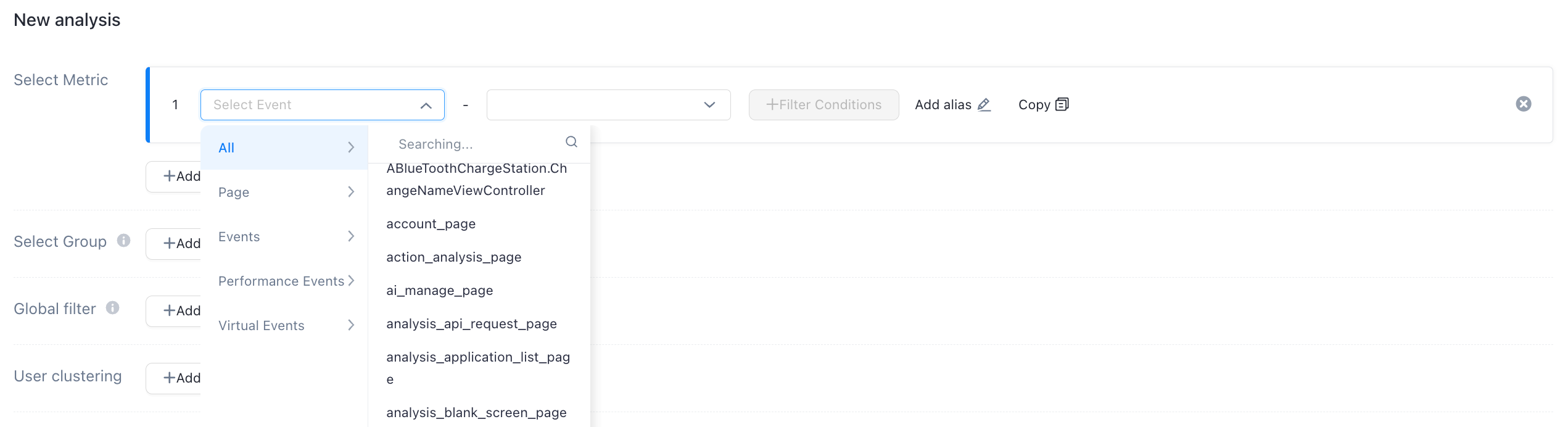
2. How do I analyze a managed auto-tracking event?
Managed auto-tracking events are displayed independently based on the event name and event type. The analyzed attributes include auto-tracking events.
of