This topic describes how to authorize a RAM subaccount to access the QT console.
By default, a system error occurs when a RAM subaccount attempts to access the QT management console. An Alibaba Cloud account must grant permissions to the subaccount before the subaccount can access the console.
The following error message is displayed if the RAM subaccount is not authorized.

The RAM authorization process is as follows:
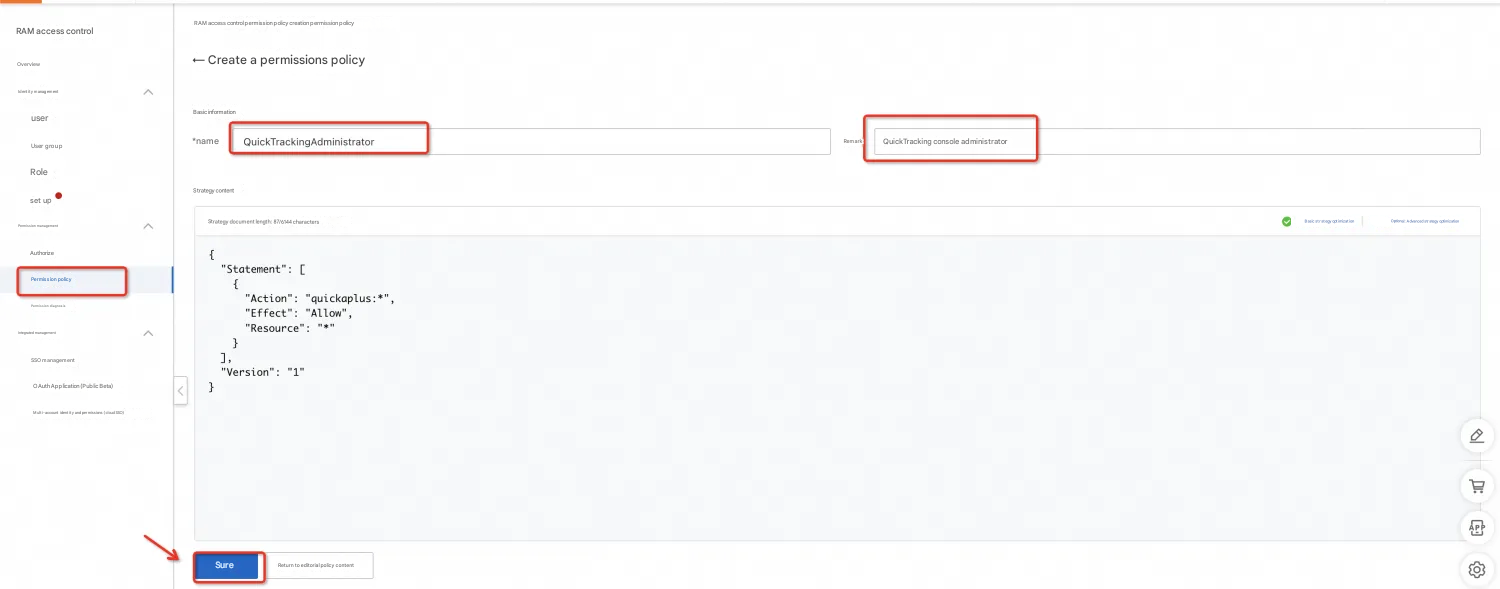
1. Create a custom permission in RAM. For more information, see RAM Access Policy Management.
Type: Script editor

The creation script is as follows:
{
  "Statement": [
    {
      "Action": [
        "quickaplus:*"
      ],
      "Effect": "Allow",
      "Resource": [
        "*"
      ]
    }
  ],
  "Version": "1"
}
After you create the script, save the access policy.
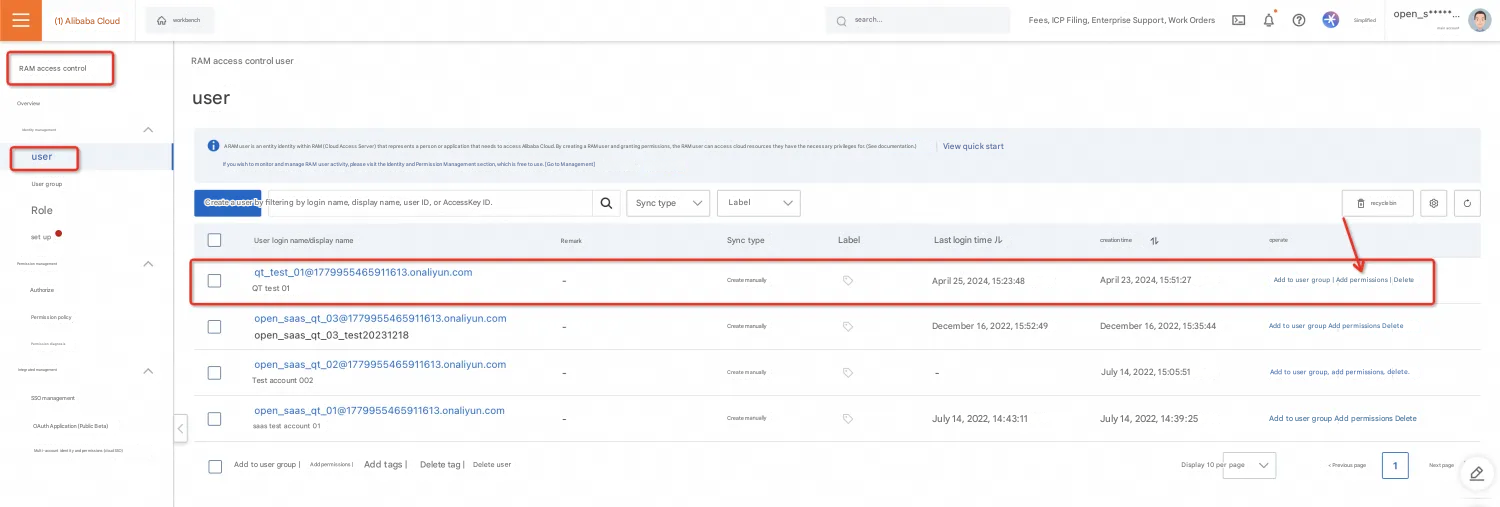
Grant the newly created access policy to the RAM user who needs to access the QT console. For more information, see RAM Authorization Management.
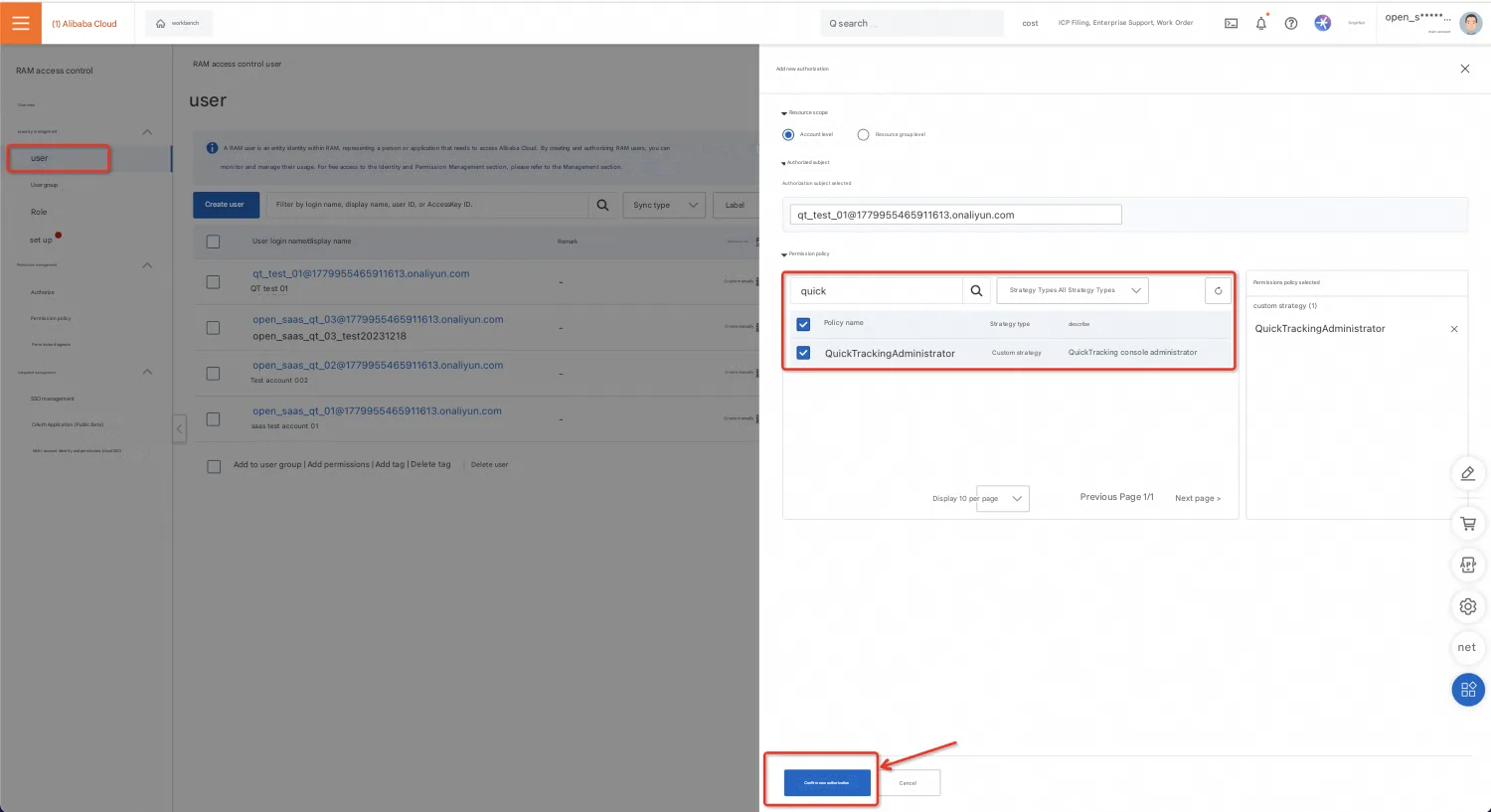
The RAM subaccount can now access the QT management console.