Here are some suggestions to help you achieve the best performance for your custom visualization components.
Update the SDK
We regularly release new API versions. To fully leverage the Quick BI platform, use the latest SDK versions, such as @quickbi/bi-open-sdk or @quickbi/bi-open-react-sdk.
Third-party Library CDN
If your custom visualization components share the same third-party libraries, host them on a CDN. This reduces component size and improves loading speed. For example, if you want to use ECharts to develop Chart A and Chart B.
On the custom visualization management page, you can modify the third-party library information for both Chart A and Chart B. Enter the ECharts CDN URL: https://g.alicdn.com/code/lib/echarts/5.4.0/echarts.min.js.
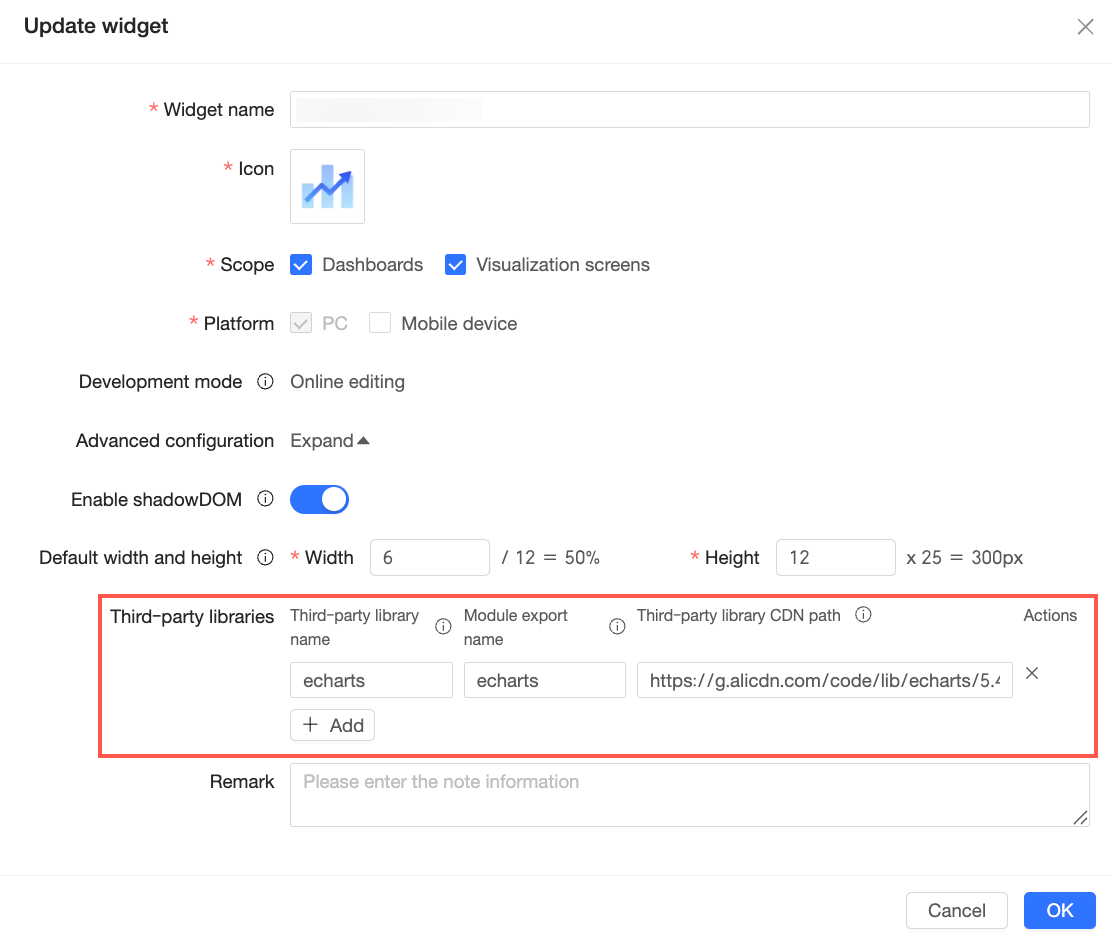
For professional mode, you must also modify the qbi.config.ts build configuration file. Add the third-party library to the externals configuration. Then, run npm run build && npm run bundle to generate and upload the development package.
export default defineConfig({
  externals: {
    lodash: '_',
    react: 'React',
    'react-dom': 'ReactDOM',
    moment: 'moment',
    // Set ECharts as an external dependency
    echarts: 'echarts',
  },
});
Use Built-in Libraries
The Quick BI custom visualization sandbox provides the following built-in libraries:
react - 16.12.0
react-dom - 16.12.0
lodash - 4.17.20
moment - 2.29.1
These libraries are available as global variables in the sandbox. For optimal component performance, prioritize using these specific versions.
Reduce the Meta File Size
To optimize the host page's first-screen loading speed, avoid importing too many third-party libraries into meta.js. This is because Quick BI immediately executes meta.js for custom visualization components upon entering the host page. Therefore, the compiled size of meta.js must remain sufficiently small.
Cache DOM Nodes
When you retrieve nodes from the DOM, cache them for reuse in later calculations or loop iterations. Caching improves application efficiency, provided you do not add or delete other nodes in the same area.
Avoid DOM Manipulation
Limit DOM manipulation as much as possible. Insertion operations, such as prepend(), append(), and after(), are time-consuming. Avoid using them unless they are necessary.