Drill down, scroll up, and expand dimension values in ad hoc analysis tables to explore data at different levels of granularity.
Drill down and scroll dimension values
If dimension fields in a dataset use a hierarchical structure, you can drill down any dimension field that is not in the last layer of the hierarchy to query data at a finer granularity.
For example, in the following geographic hierarchy, you can drill down from region to province, and from province to city.
Right-click a dimension value at a sub-level to scroll up to the previous level. 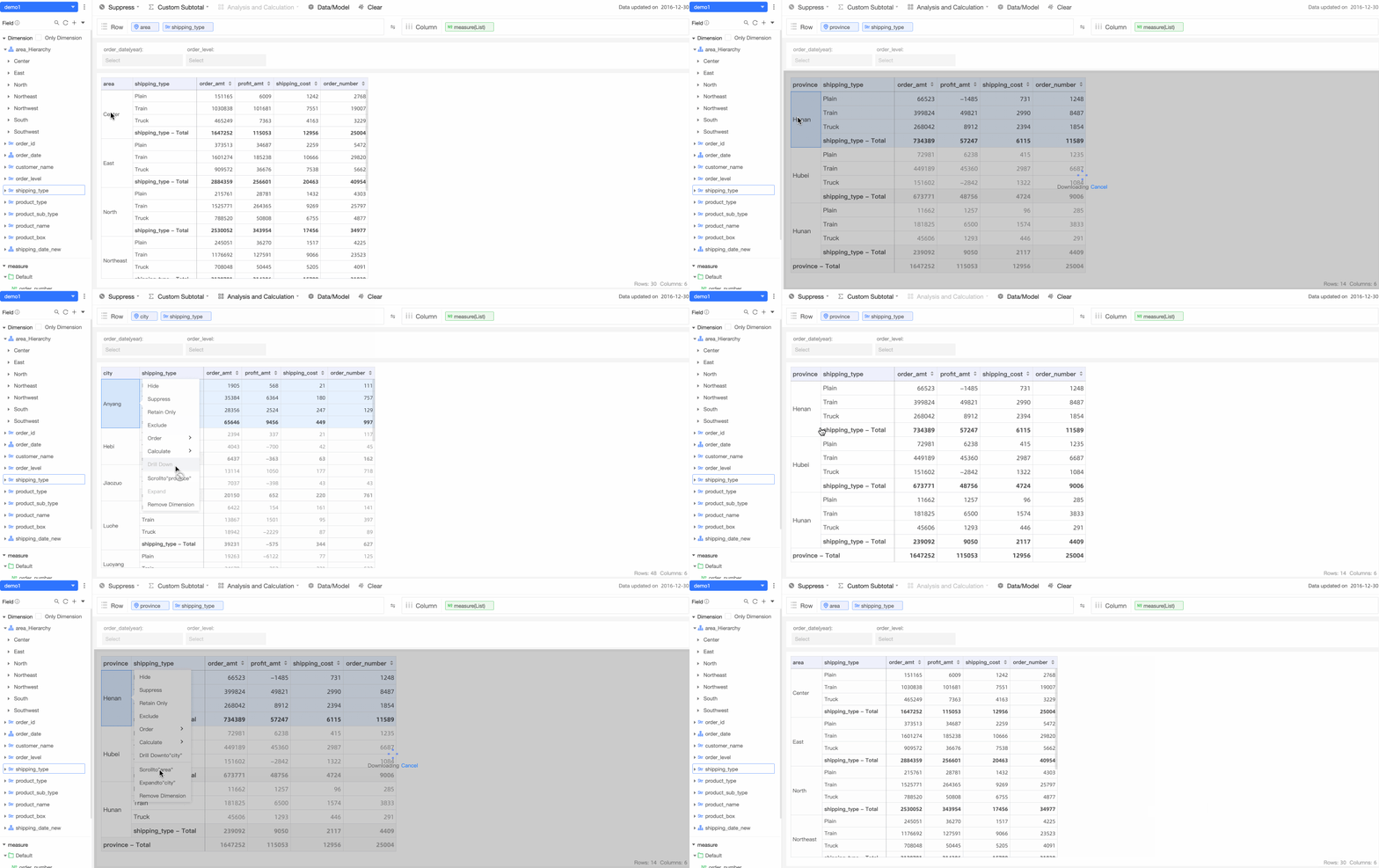
Column dimensions also support drill-down and scroll-up. For example, you can drill down the date dimension in the table header from year to quarter, and then to month. 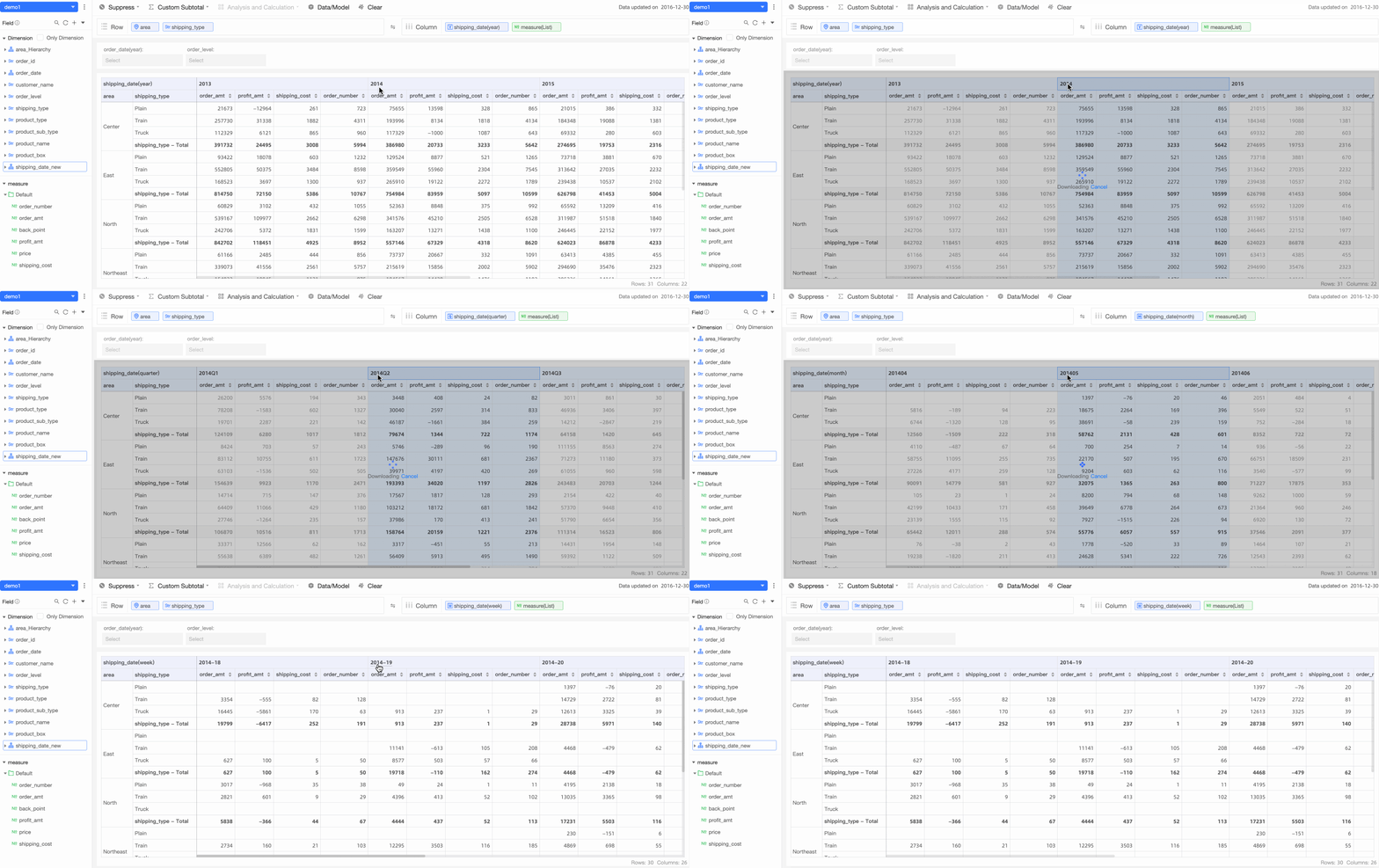
Show
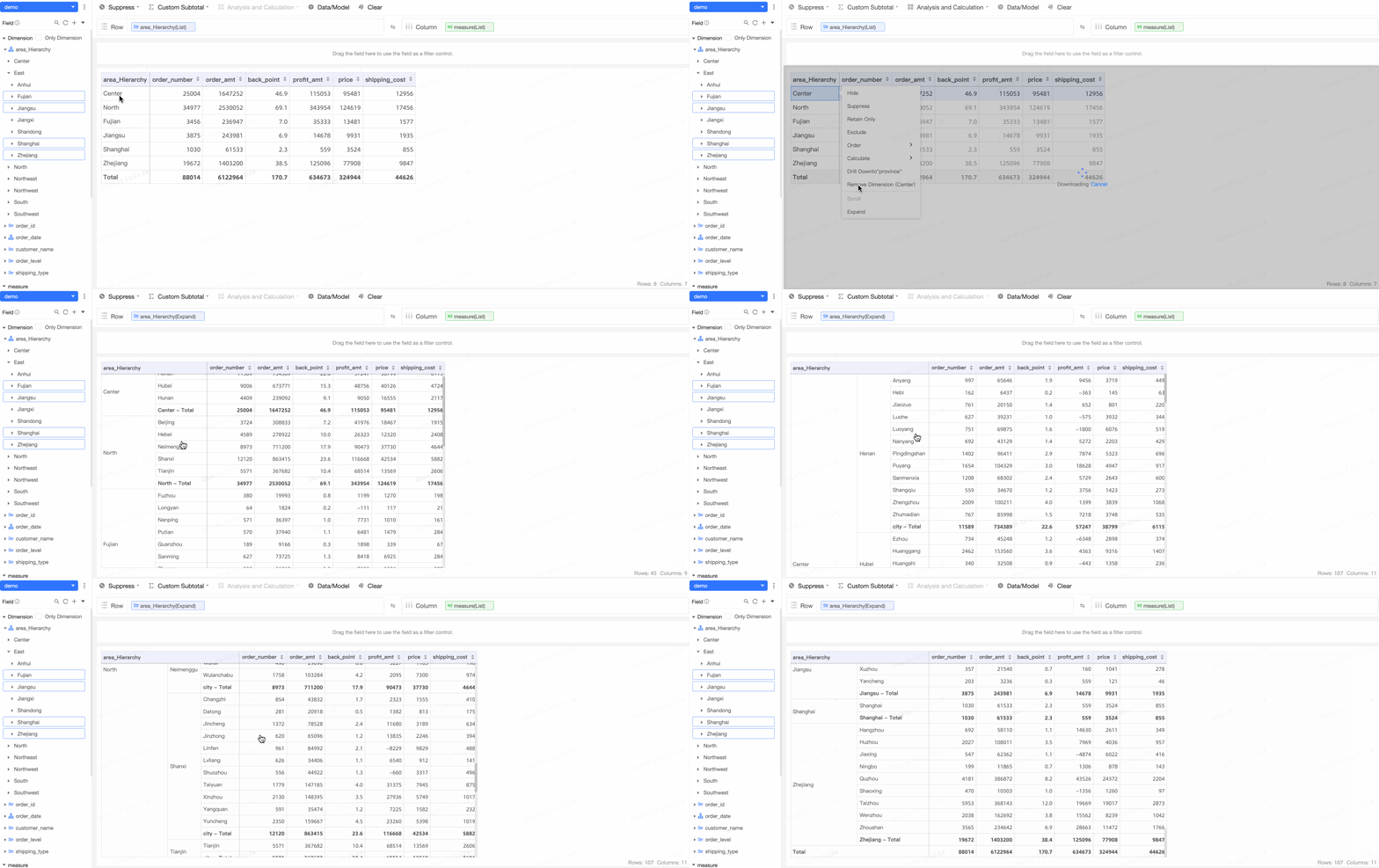
If dimension fields in a dataset use a hierarchical structure, you can expand any dimension field that is not in the last layer of the hierarchy. Unlike drill-down, which shows only data at the next layer, expanding displays multiple layers of data at the same time. After a dimension field is expanded to the last layer, the Expand menu is dimmed.
Expanding applies to the entire dimension of the selected row. For example, if the current dimension is area and you select the Northwest dimension value and click Expand, all values of province are added. 
Ad hoc analysis also supports expanding dimension values at different levels. For example, the following table shows data for Central China and North China along with the four provinces of Jiangsu, Jiangxi, Zhejiang, and Fujian. When you expand the dimension values, each value is automatically expanded to the next level based on its current level. Values that have already reached the last level are merged and not expanded further.