Execute the operation to drop the processed data to the database. You can choose to export data to an existing destination database table (each time you write data to the destination database, the original data in the table is deleted and new data is inserted), export data to a new database table, or export data to a dataset.
Prerequisites
Data processing is configured. For more information, see Data processing.
Limits
To export data, you must have permissions on the dataset or data source.
If the output type is Dataset, you must have the Create (Edit) permission on the dataset.
If the output type is a data source table, you must have permissions to use the data source.
Procedure
When you export data, you can export data to an existing destination database table. Each time you write data, the original data in the table is deleted and new data is inserted into the table. You can also export data to a new database table. You can also export data to a dataset.
Drag Data Output from the left-side node section to the canvas section.
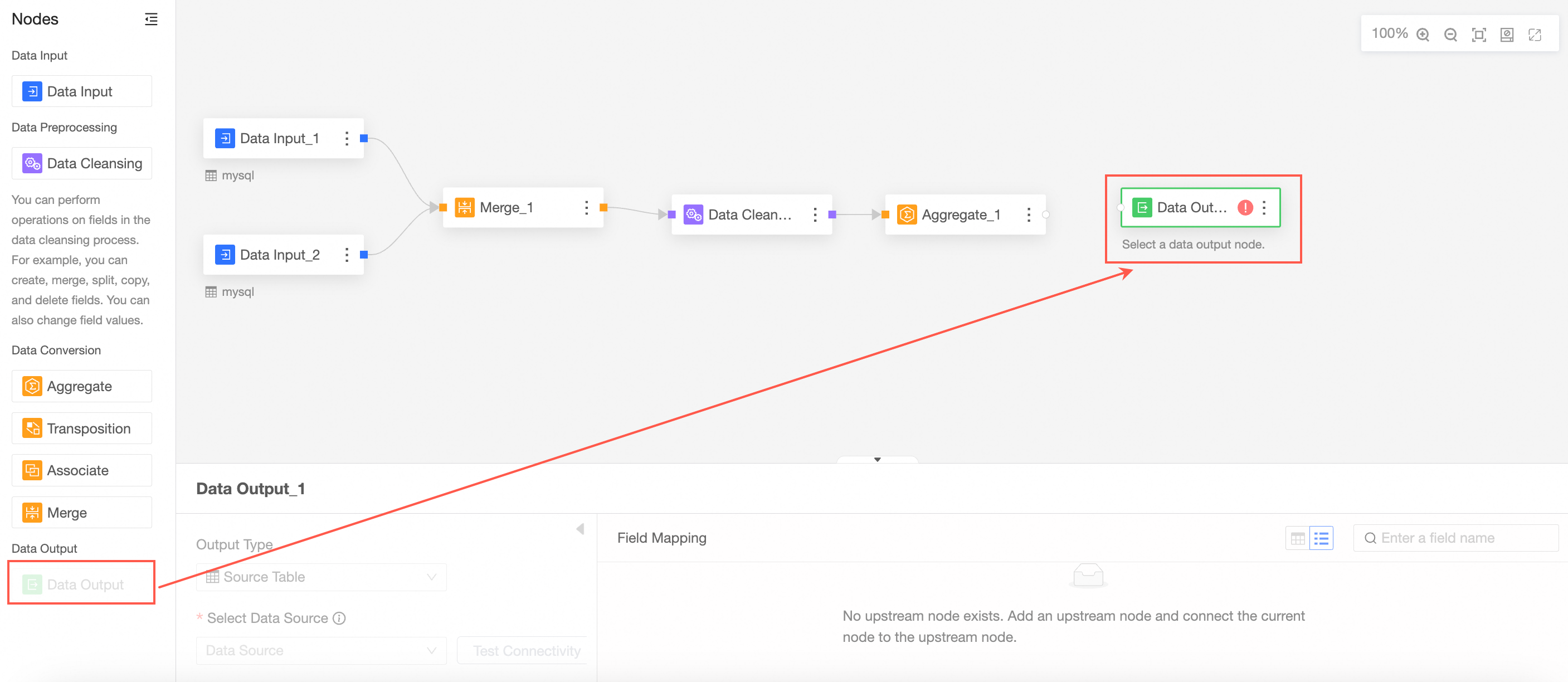
Connect to the node from which you want to export data.

In the Data Output Node Configuration section, configure the output data.
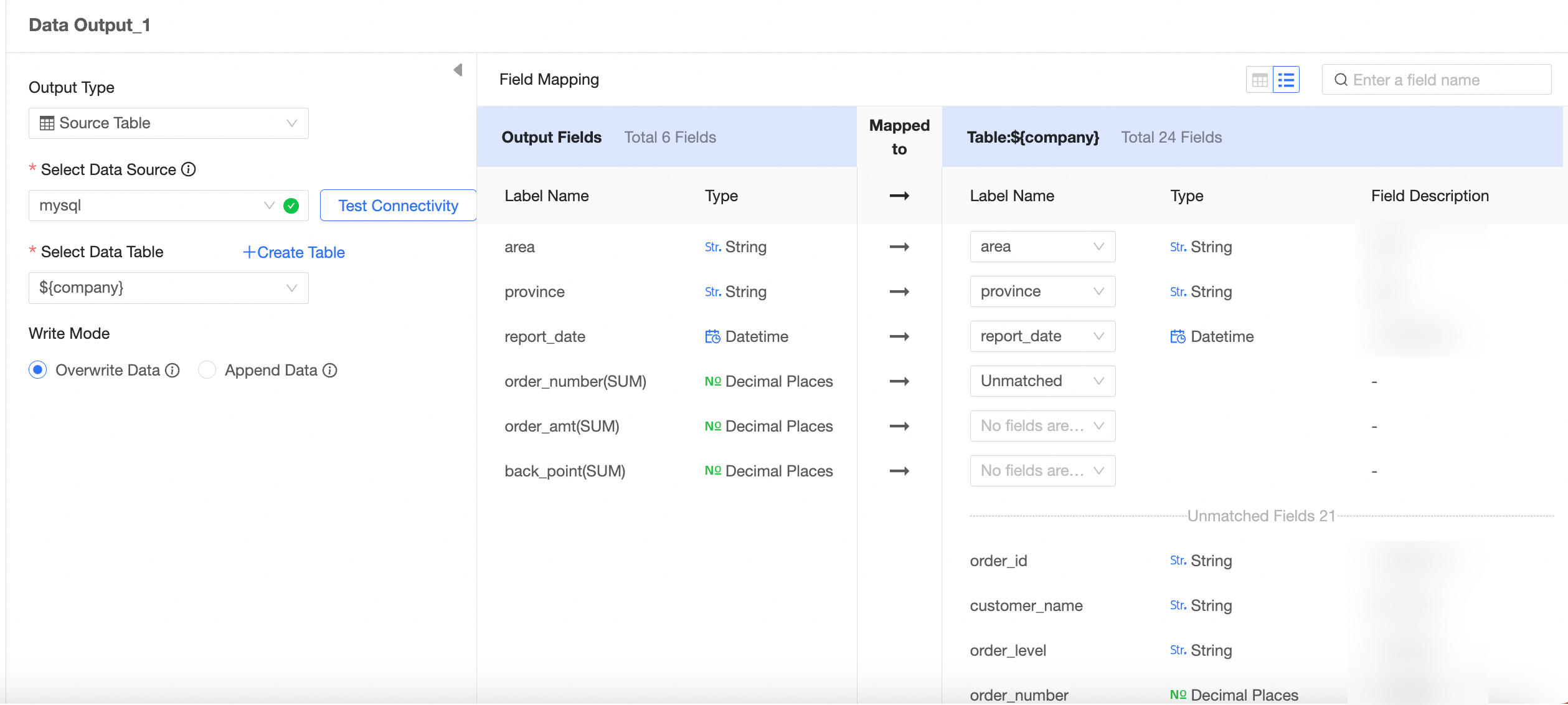
The output type is data source table.
The output data is written to an existing data table.
Importantpartition table: Each write operation deletes existing data and inserts new data into the table. Proceed with caution.
Non-partition table:
Overwrite data: Each write will overwrite the previous data. Proceed with caution.
Append data: If the primary key and constraint do not conflict, data is inserted. If the primary key and constraint are constraint violation, an error is reported.
The output data is written to the new data table.
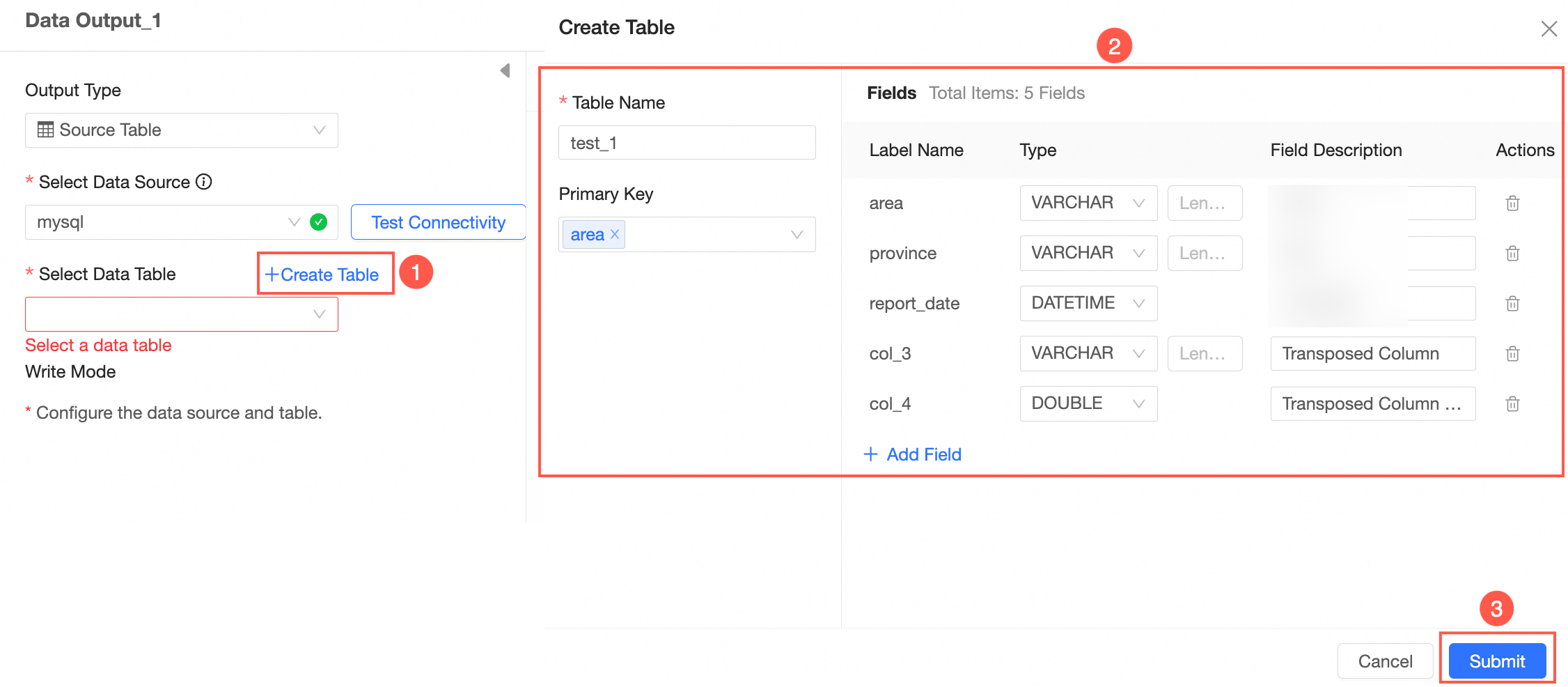 Note
NoteA field description cannot contain the following special character: ',;"+%-.
The output type is Dataset.
The output data is written to the dataset.
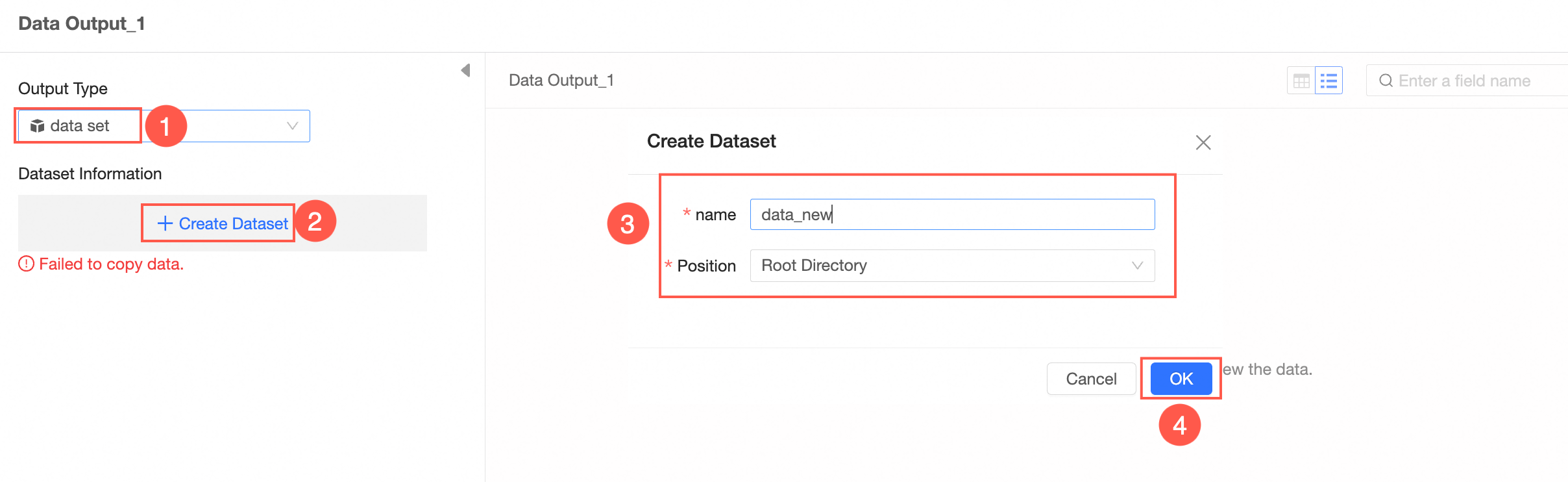
After you click OK, the dataset is saved. You can continue to edit the dataset, open the dataset, or create a new dataset.
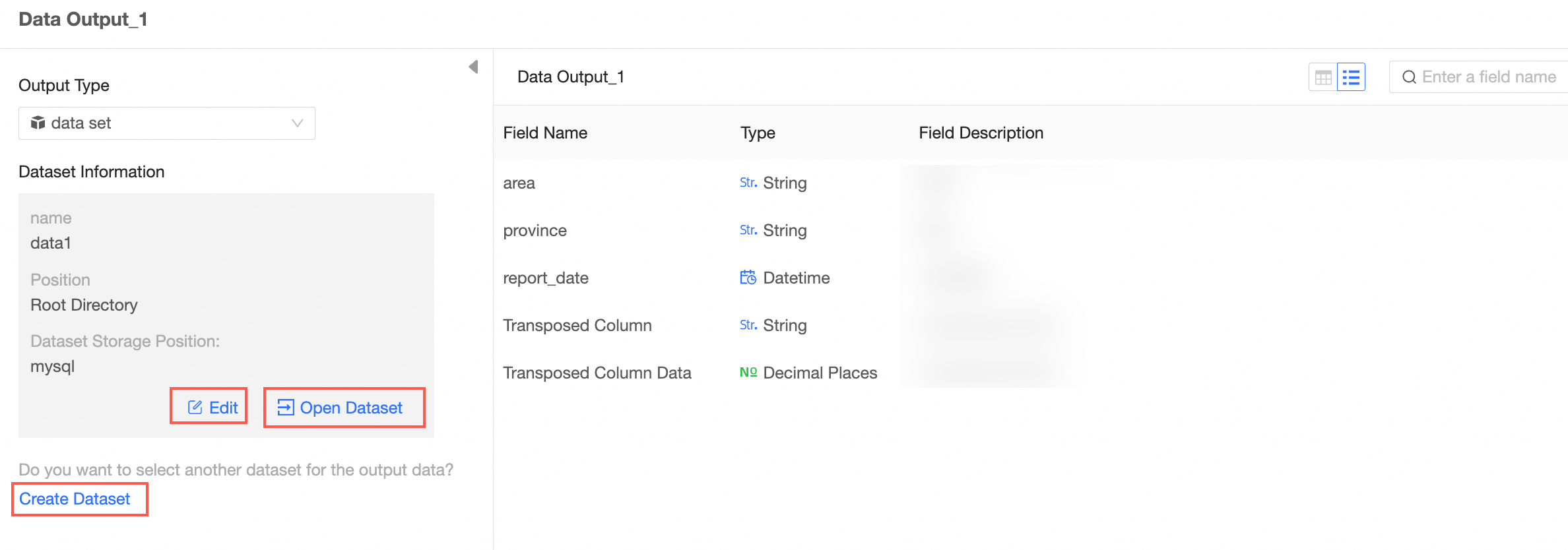 Note
NoteIf you set Output Type to Datasets, you must configure the workspace information in the Workspace Information section. For more information, see Create and manage workspaces.
View data details.
You can view Data Details and Field List.
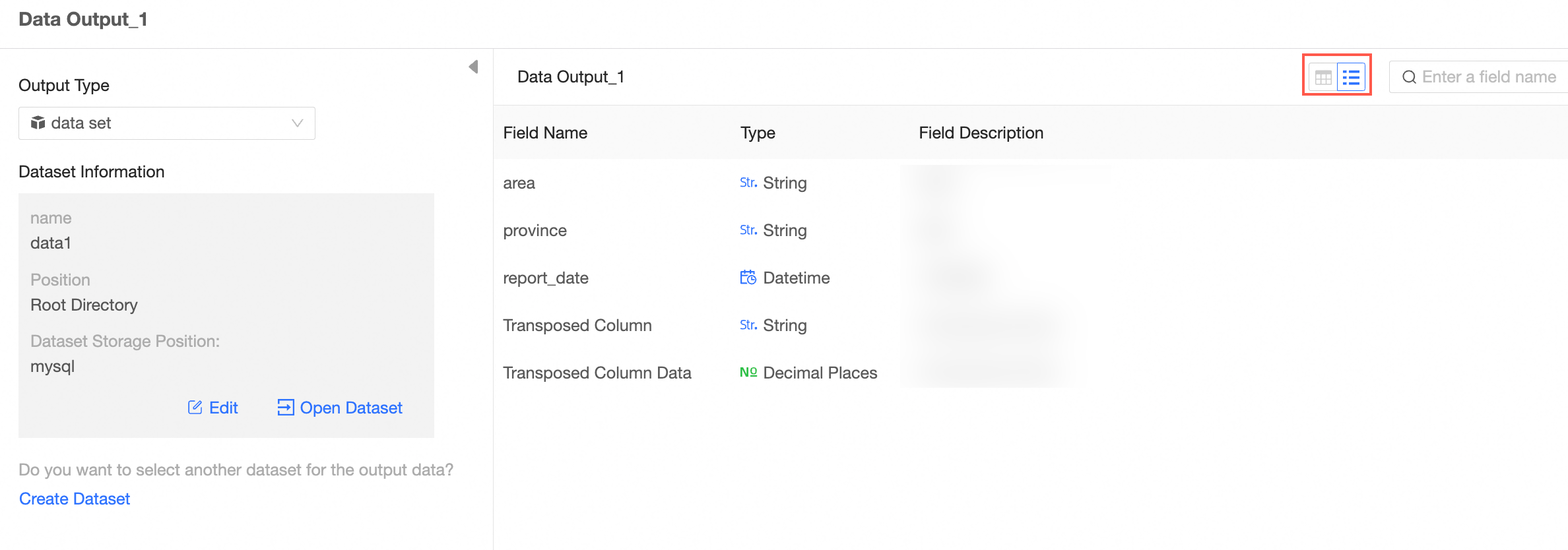
Usage notes
You can configure only one data output node.
After data is output, you need to perform a publish task before you can write data to the database table. For more information, see Publish a task.