Organization administrators can modify the basic information about the organization.
Procedure
Log on to the Quick BI console.
On the Quick BI homepage, follow the instructions in the following figure to go to the Organization Information page.
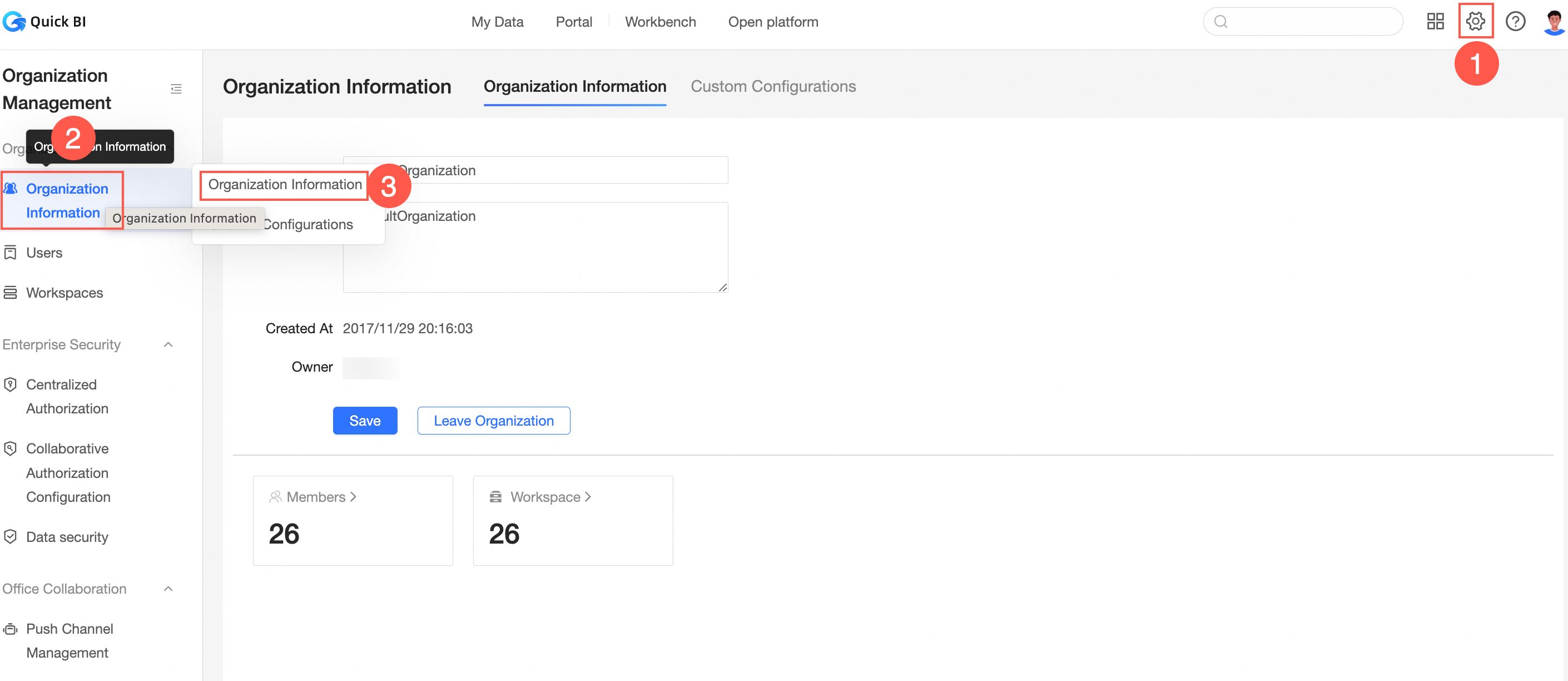
Modify the organization information and click Modify Organization Information.
What to do next
If you want to leave the organization, click Leave Organization.
Note
If your logon account is the owner of the organization, you cannot leave the organization.
After you leave the organization, the account can be added to other organizations.