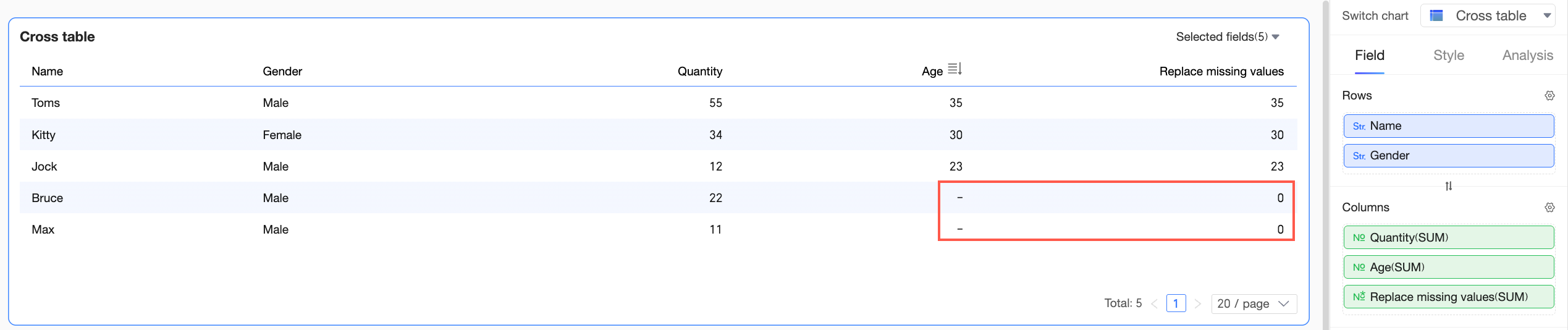
In Quick BI, you can replace empty values and empty characters with specified content. This operation modifies the underlying data, not just the display format.
Prerequisites
A dataset has been created. For more information, see Create a dataset.
Limitation
This feature does not support calculated fields.
Procedure
-
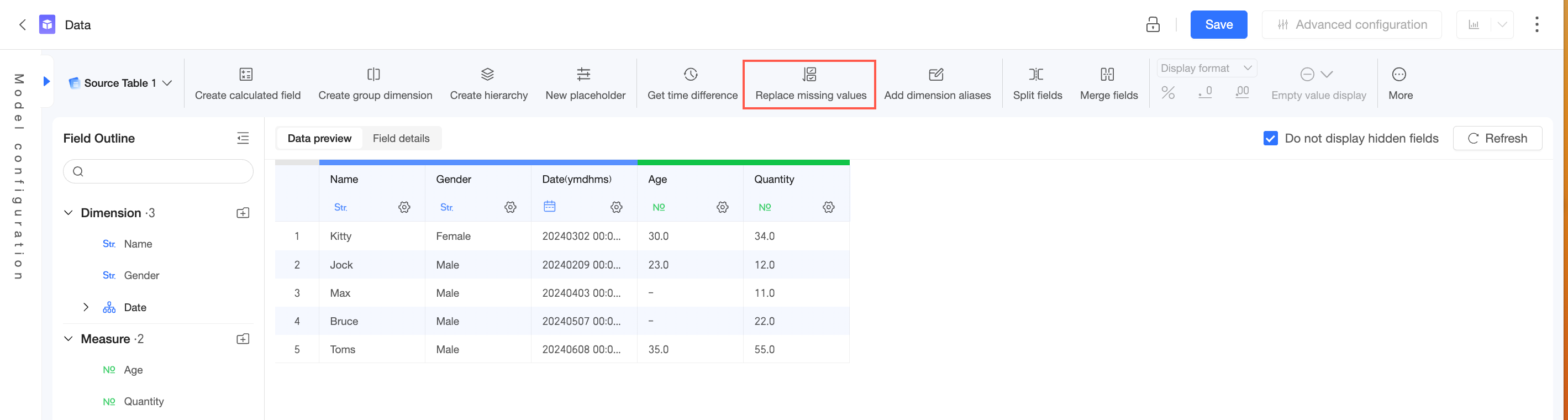
On the data processing page, click Replace Missing Values.
-
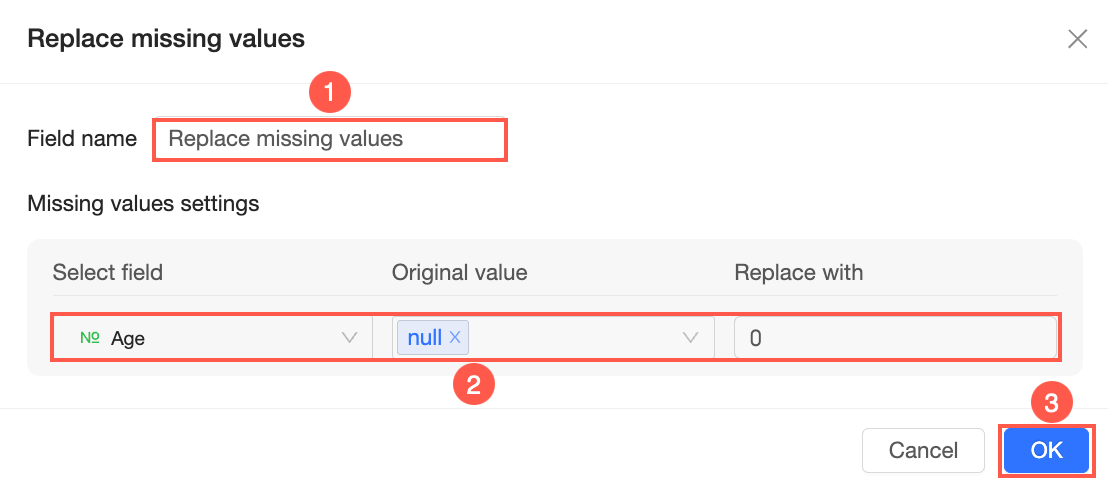
In the Replace Missing Values dialog box, enter a Field Name, select a field from the Select Field list, select an Initial Value, enter a value for Replace With, and then click OK.
-
View the result.
The new field with replaced values can be used in dashboards, workbooks, data dashboards, and Downloads. For example, drag the new field to the Columns area of a cross table on a dashboard: