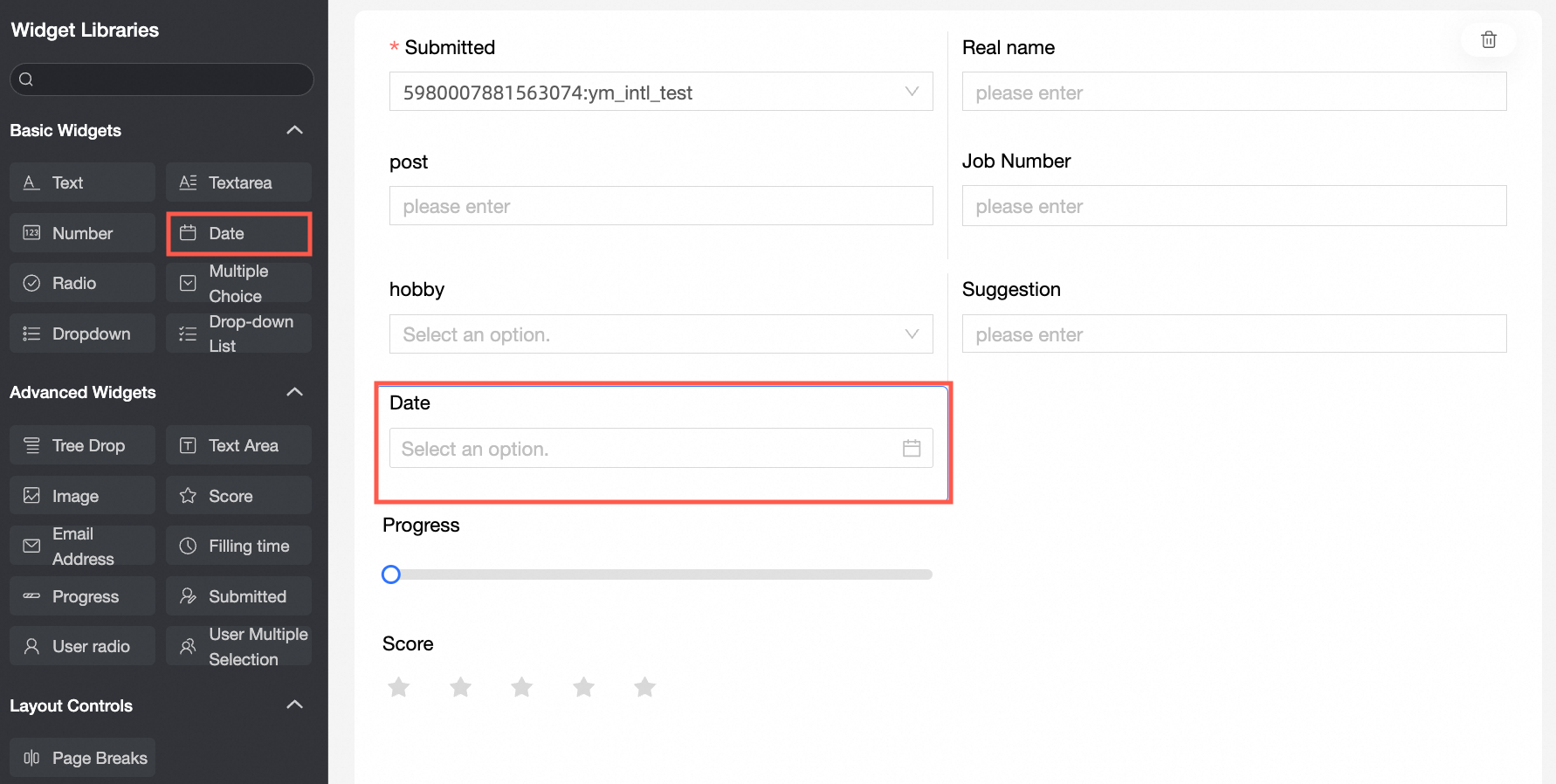
The Datetime control allows you to add date and time data to a data form.
Scenarios
Use the Datetime control to capture date-related information, such as birth time and questionnaire filling date.
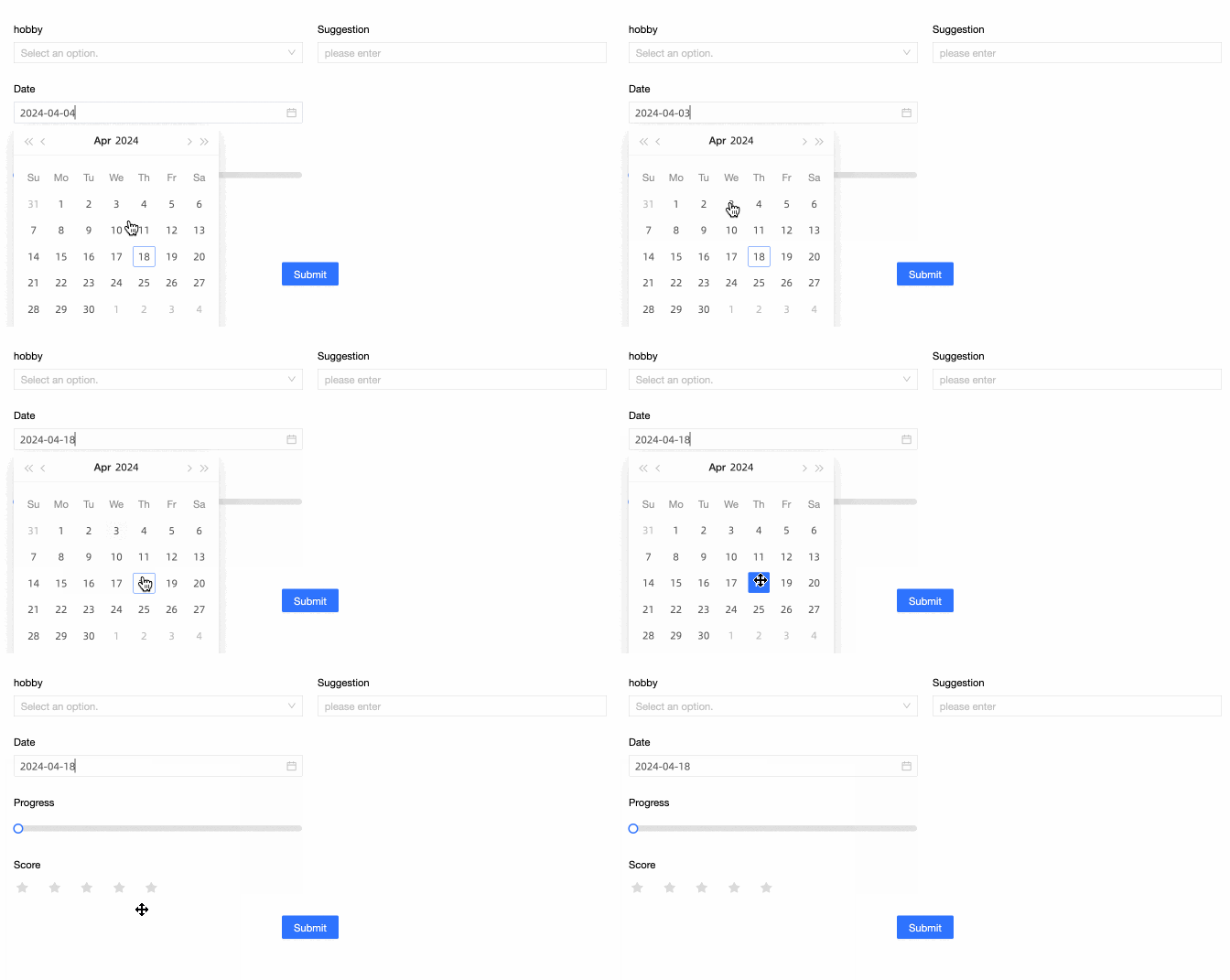
Renderings
Control configuration
Basic parameters
|
Parameter |
Description |
|
|
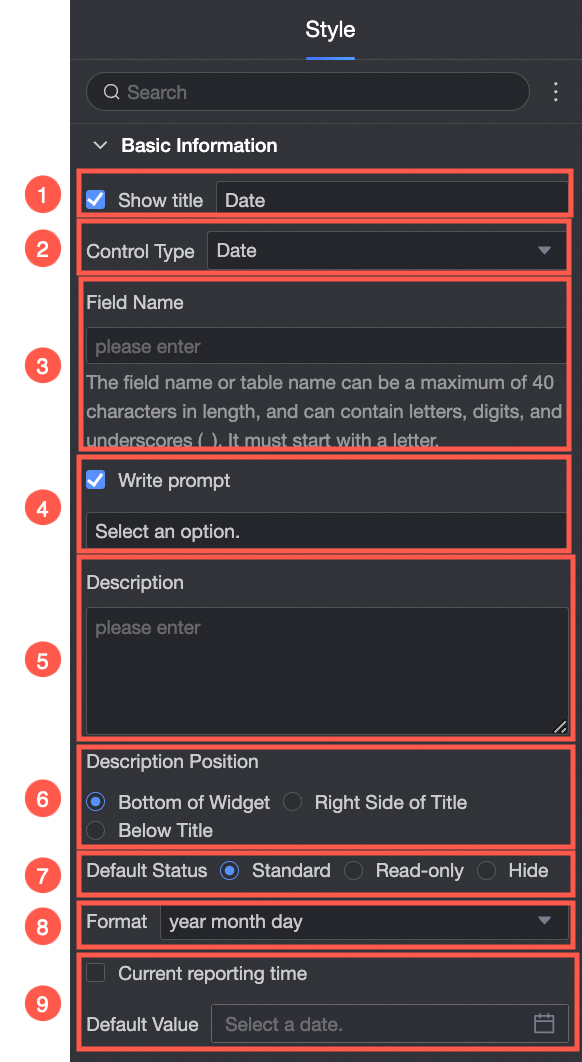
① Show Title: Specifies whether to display the control title. You can customize the display name, which serves as the column name in the data form. |
|
② Control type: After you select a control, you can change its type from the drop-down list to another basic or advanced control type. |
|
|
③ Table Field Name: The name of the corresponding field in the table created from the data form. Note
The field or table name must start with a letter and can contain letters, digits, and underscores (_). The name can be up to 40 characters in length. |
|
|
④ Prompt: The placeholder text displayed in the control. |
|
|
⑤ Description: A custom description for the control. |
|
|
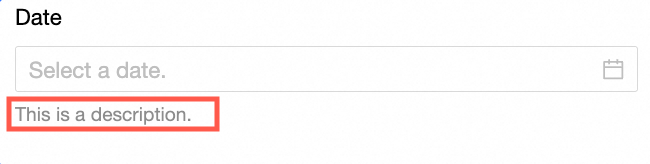
⑥ Description Information Location: The position of the description text. Valid values: Bottom, Right, and Below. The following example shows the description at the bottom of the control:
|
|
|
Default State: The initial state of the control. Valid values: Normal, Read-only, and Hidden. |
|
|
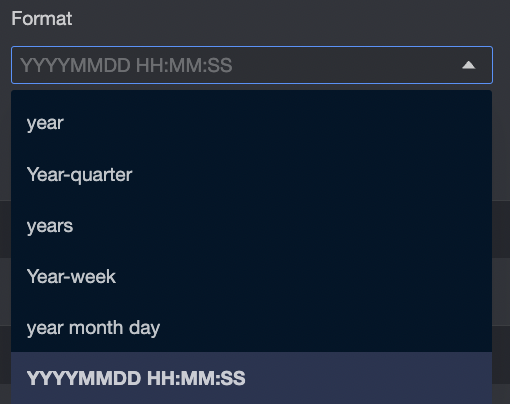
Format: The date and time format of the control. Valid values:
|
|
|
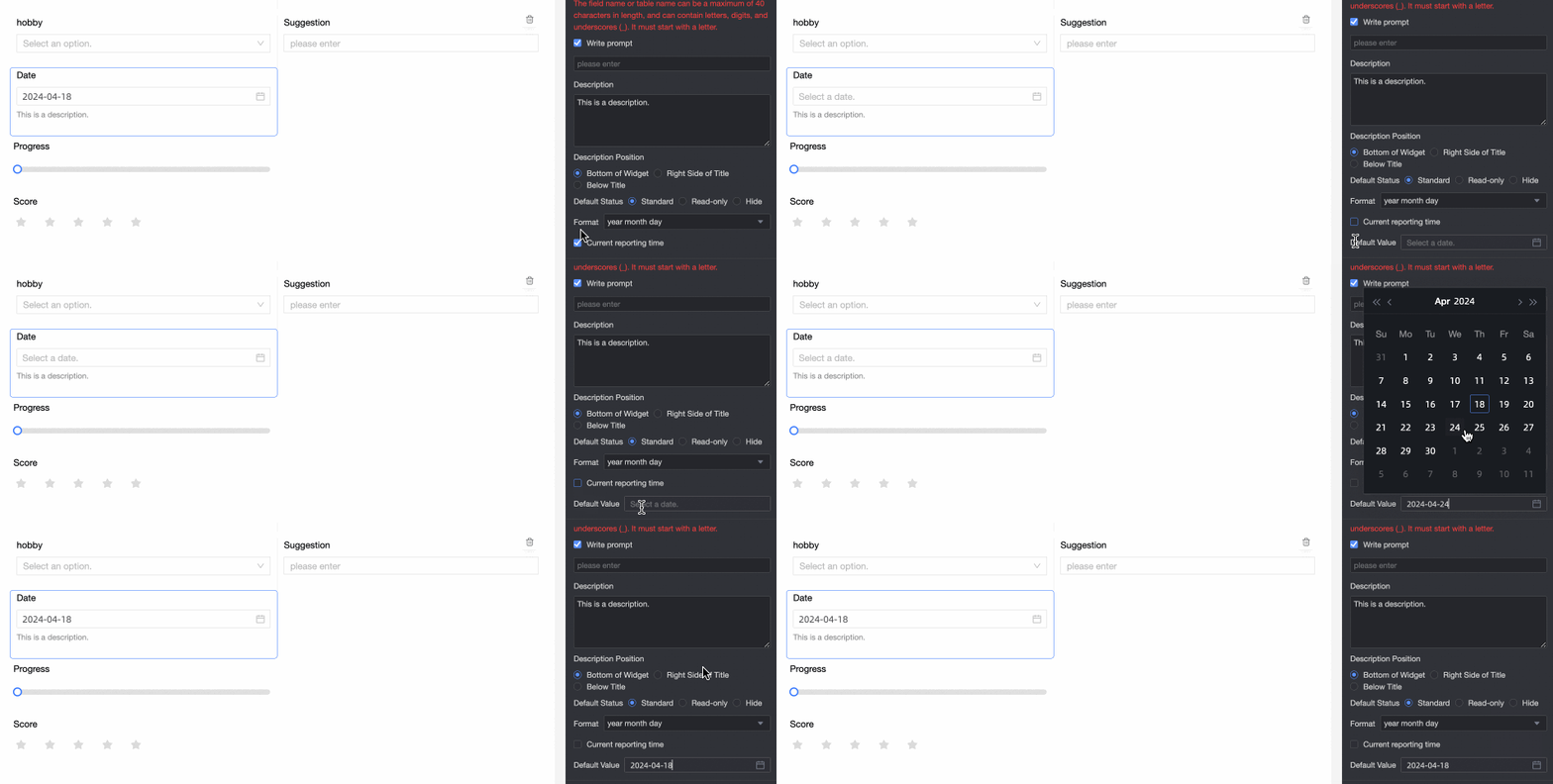
⑨ Default Value: The default value of the control. If you select Current Time, the current local time is automatically populated.
|
Validation
|
Parameter |
Description |
|
|
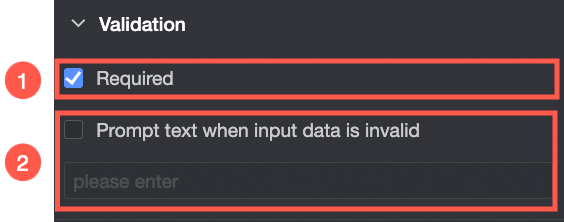
① Required: Specifies whether the control is required. If you select this option, users must fill in this field before submitting the form. |
|
② Input data invalid prompt text: The error message displayed when a validation rule is triggered. For example, if Required is selected and no value is provided, the custom error message is displayed. |
Section
|
Parameter |
Description |
|
|
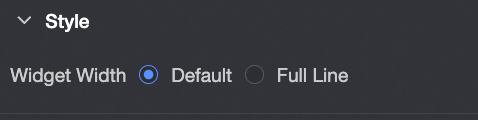
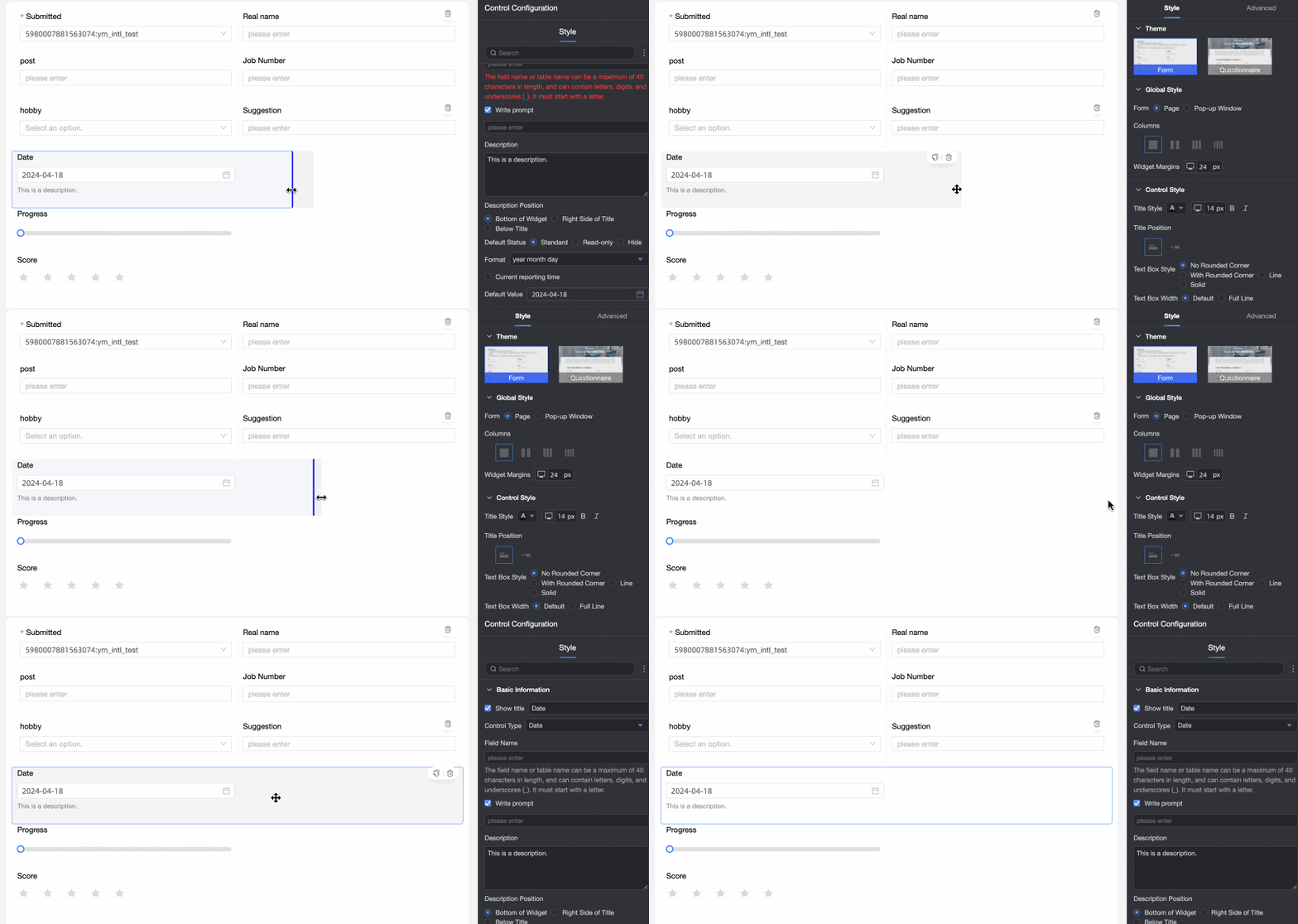
Widget Width: The width of the control. Valid values: Default or Whole Line. Note
You can also drag the control border to manually adjust the width.
|