On the Manage AI features page, you can enable or disable the Q-Insight and Smart Diagnosis features as needed.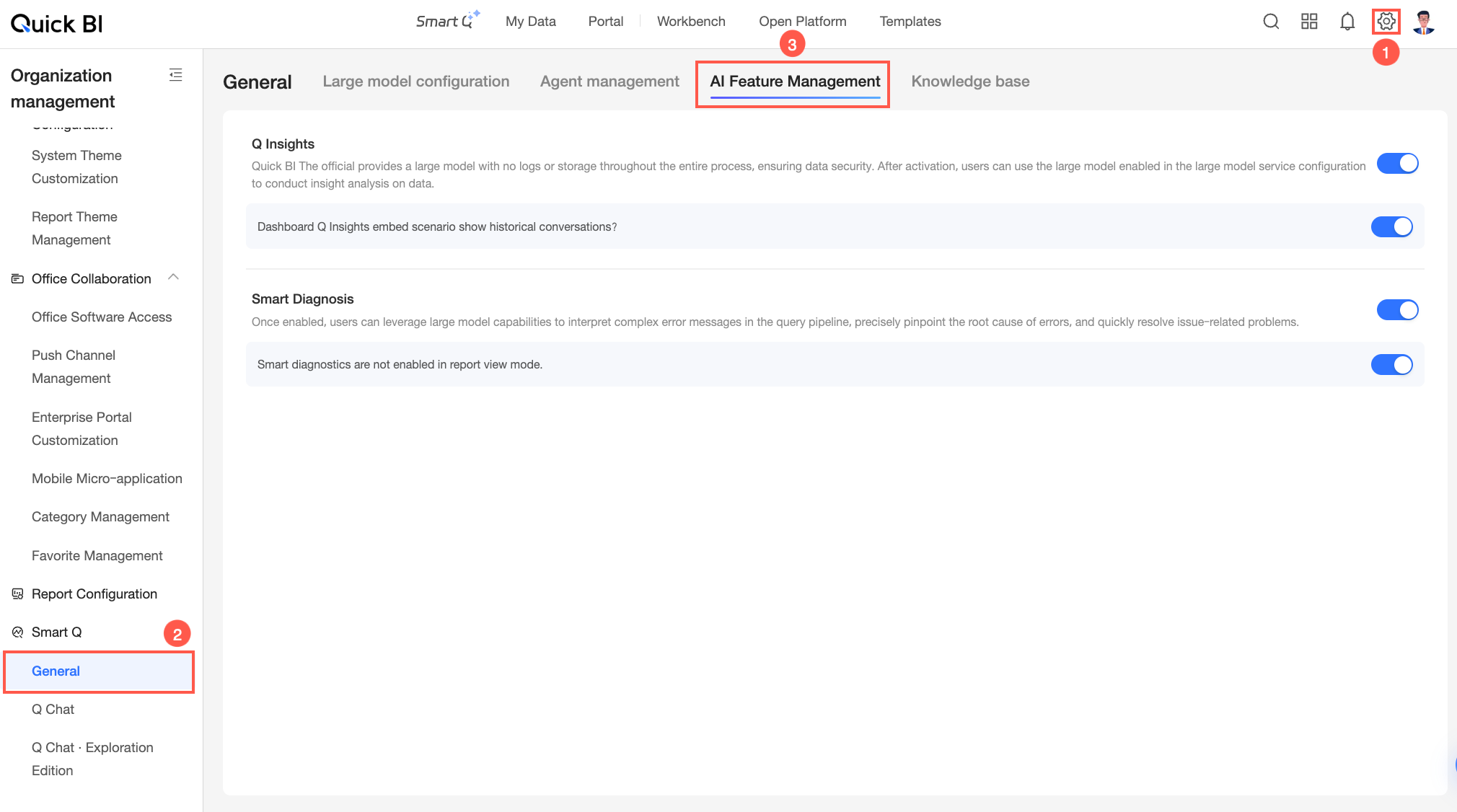
Limits
-
Only organization administrators can configure settings on the Manage AI features page.
-
Q-Insight is a value-added module. To configure and use it, you must first purchase Smart Q&A. A limited-time free trial is currently available.
-
Smart Diagnosis is available only in the Premium Edition and Professional Edition and covers the following resources: data sources, datasets, dashboards, workbooks, data dashboards, and Downloads.
Q-Insight
Quick BI provides the Q-Insight feature for dashboards. Q-Insight parses report data, analyzes business trends, and generates key insight reports with one click to help you make decisions more efficiently. You can configure its settings in the Q-Insight section on the Manage AI features page.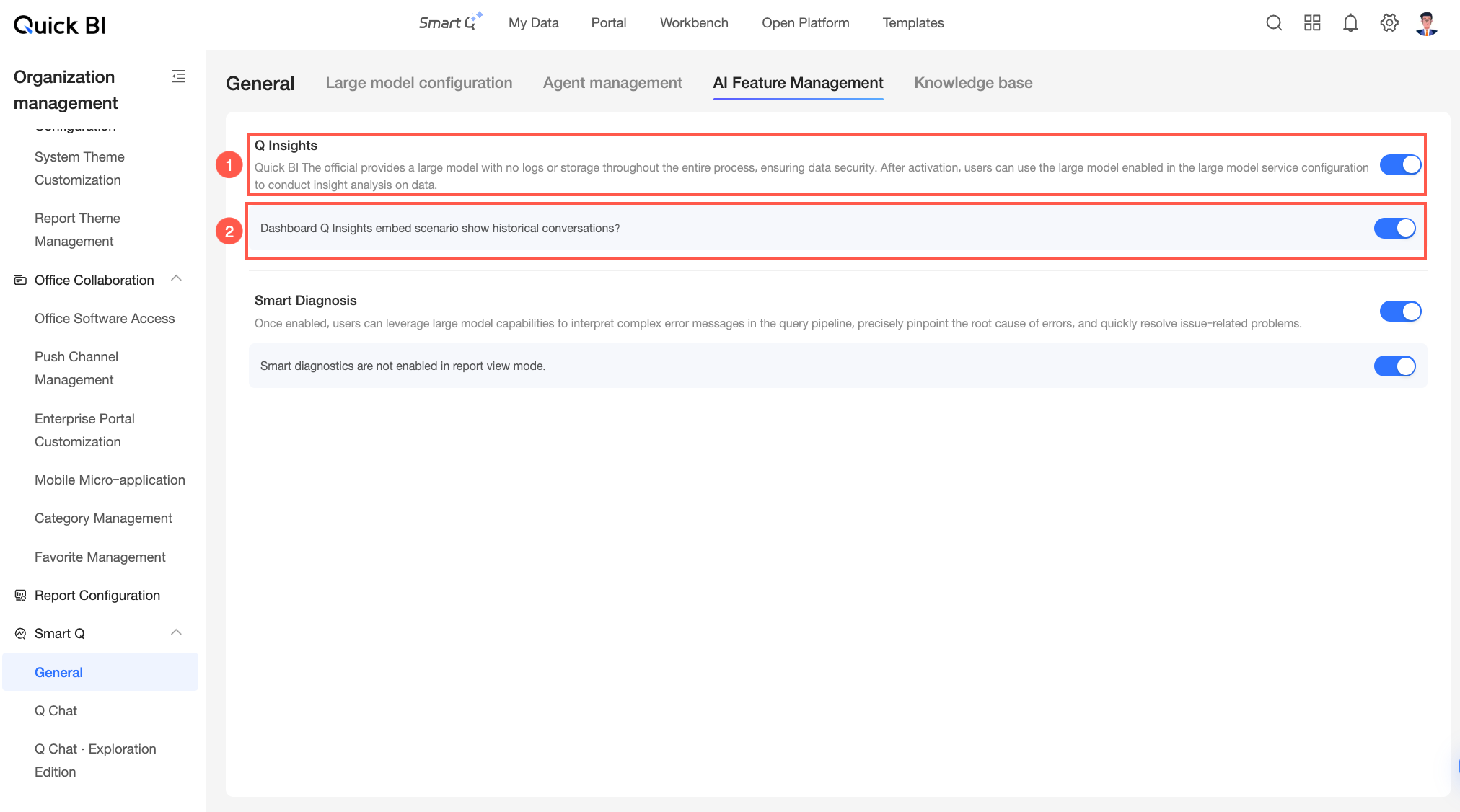
|
Configuration item |
Description |
|
Area ① |
The main switch for Q-Insight. When enabled, you can use the Large Language Model (LLM) configured in Model Configuration to perform insight analysis on dashboard data. |
|
Area ② |
Controls whether to display historical sessions in the embedded Q-Insight dialog box. When enabled, past Q&A pairs are visible. |
After you enable Q-Insight, additional configuration is required. For more information, see Q-Insight.
Smart Diagnosis
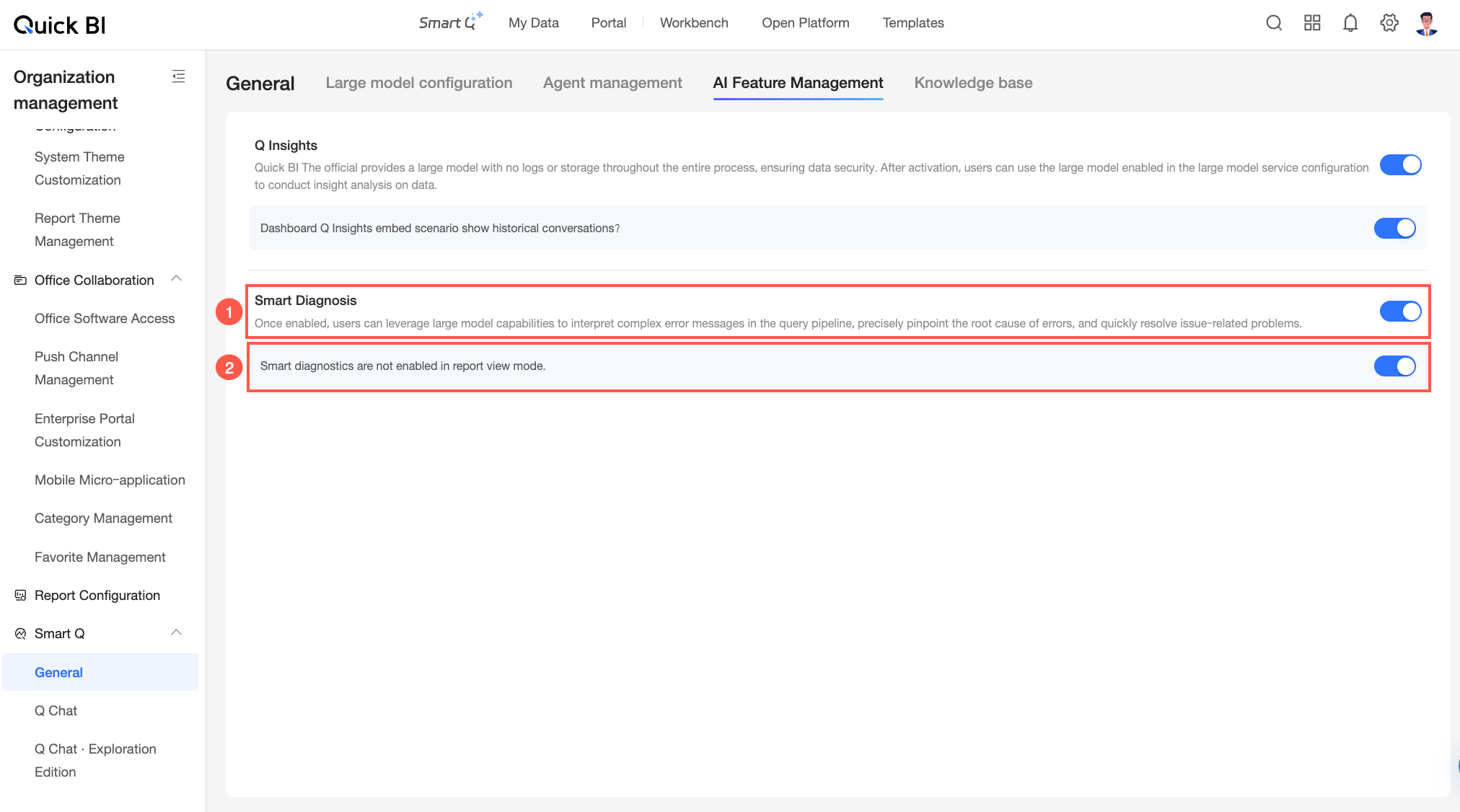
Smart Diagnosis uses a Large Language Model (LLM) to parse complex error messages in the query path, such as data source connection failures and SQL syntax errors. It identifies the cause of the error and recommends a solution, helping you troubleshoot issues more efficiently. You can configure its settings in the Smart Diagnosis section on the Manage AI features page.
|
Configuration item |
Description |
|
Area ① |
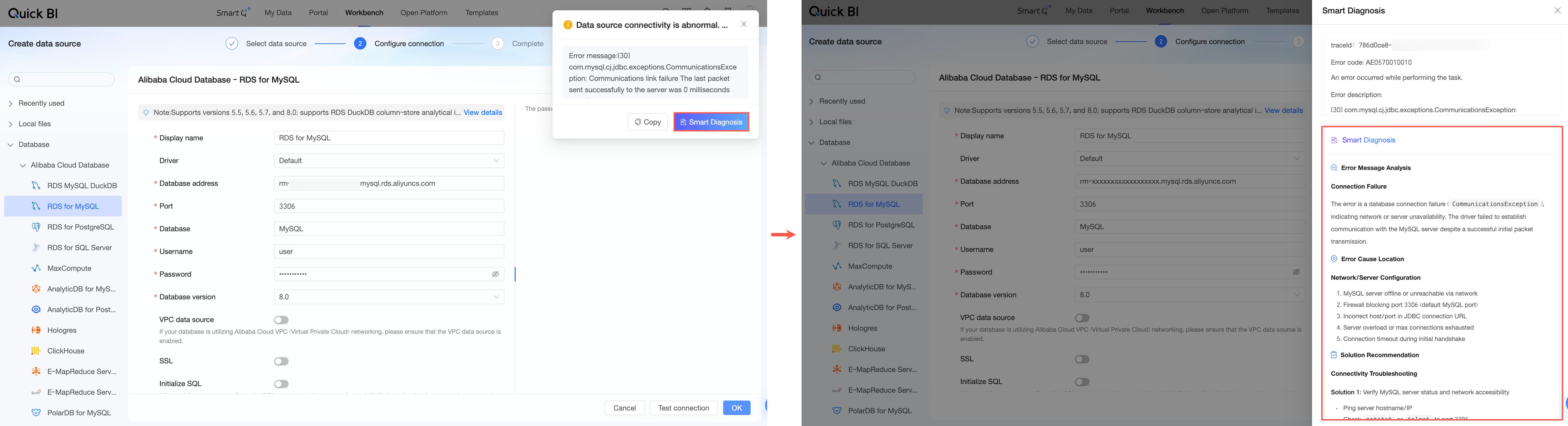
The main switch for Smart Diagnosis. When enabled, you can use the LLM configured in Model Configuration to parse error messages. For example, if an error occurs when you connect to a data source, click the Smart Diagnosis button in the error dialog box. After you confirm the token consumption, the Smart Diagnosis panel displays the error message, cause of error, and solution parsed by the LLM.
|
|
Area ② |
Controls whether Smart Diagnosis is available when viewing reports. When enabled, users who encounter an error while viewing a report can use the LLM to parse the error message. |