Overview
In order to minimize the impact of the architecture upgrade on related customer businesses, Quick BI has decided to postpone the upgrade to December 26, 2024. Please complete the relevant operations before December 25 to avoid any impact on your business processes on Quick BI. Thank you!
Due to the stability upgrade of certain Alibaba Cloud data centers in Hong Kong,China,the service of Quick BI would undergo an architectural upgrade on December 6, 2024. To alleviate the impact on your business operations, please execute the following actions promptly:
For data sources which involve whitelist access, please add the following two IPs into your whitelis by December 5: 1) 47.242.146.0/24, 2) 47.242.170.0/24.
For more information, see Setting IP Whitelist.
Please verify the AK/SK information of the VPC data sources which are being used. Those VPC data sources will be re-conducted the process of authorization after upgrade. Therefore, if certain AK/SKs are expired, please re-apply and update the information for the corresponding data sources to ensure proper authorization in the future. Should the AK/SK be expired, re-apply and update the data source information to ensure smooth authorization.
For more information, see Checking the Validity of Data Source AK/SK Information.
For enhancing the flexibility and security in the use of data sources, certain cloud data sources have begun to disable the classic network connection. Consequently, if your Quick BI instance includes certain cloud data sources which require to adjust the configuration of connection, our team would reach out to you shortly.
For more details about how to adjust your data source settings, see Transfer the classic network connection to VPC connection.
Specific Operations
Add the new IP addresses to the data source whitelist.
Check the status of your data source AK/SK:
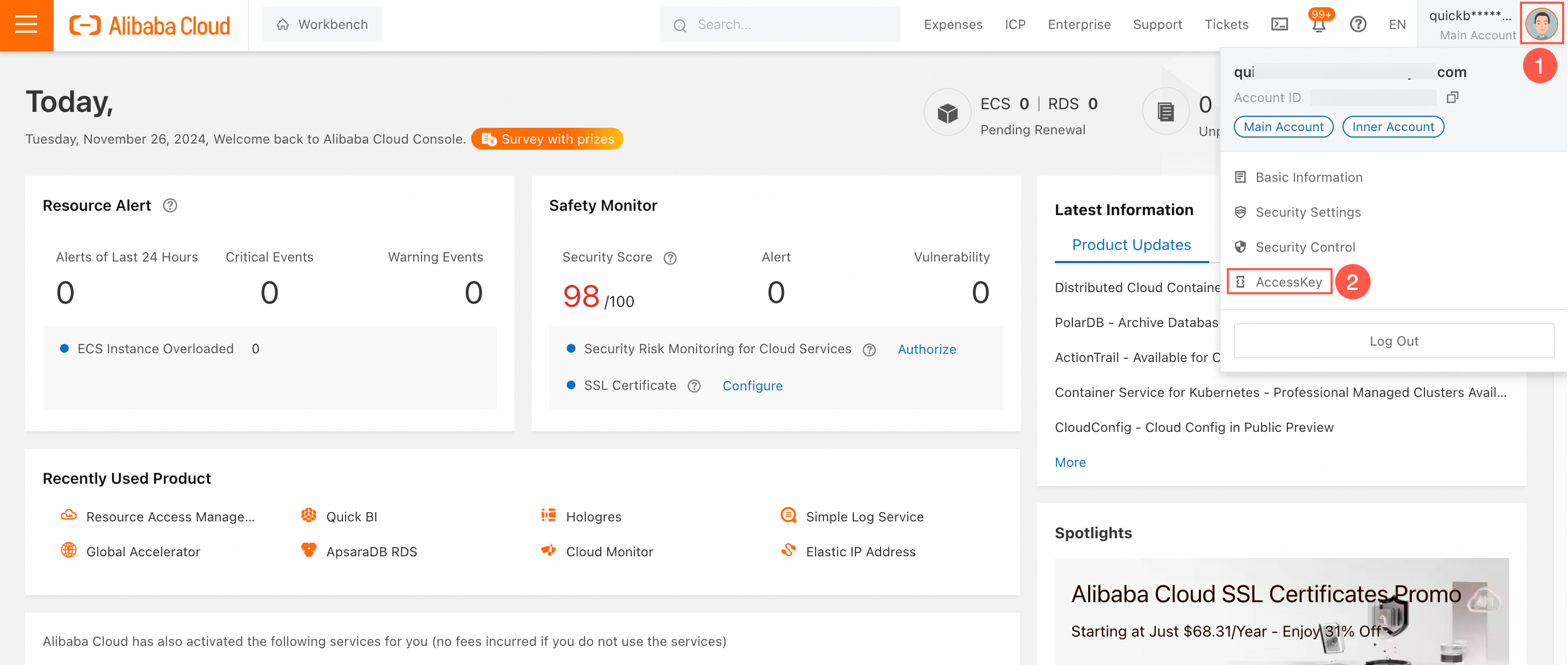
Navigate to the Alibaba Cloud Management Console, following the steps shown in the diagrams below to enter the AK/SK management interface:
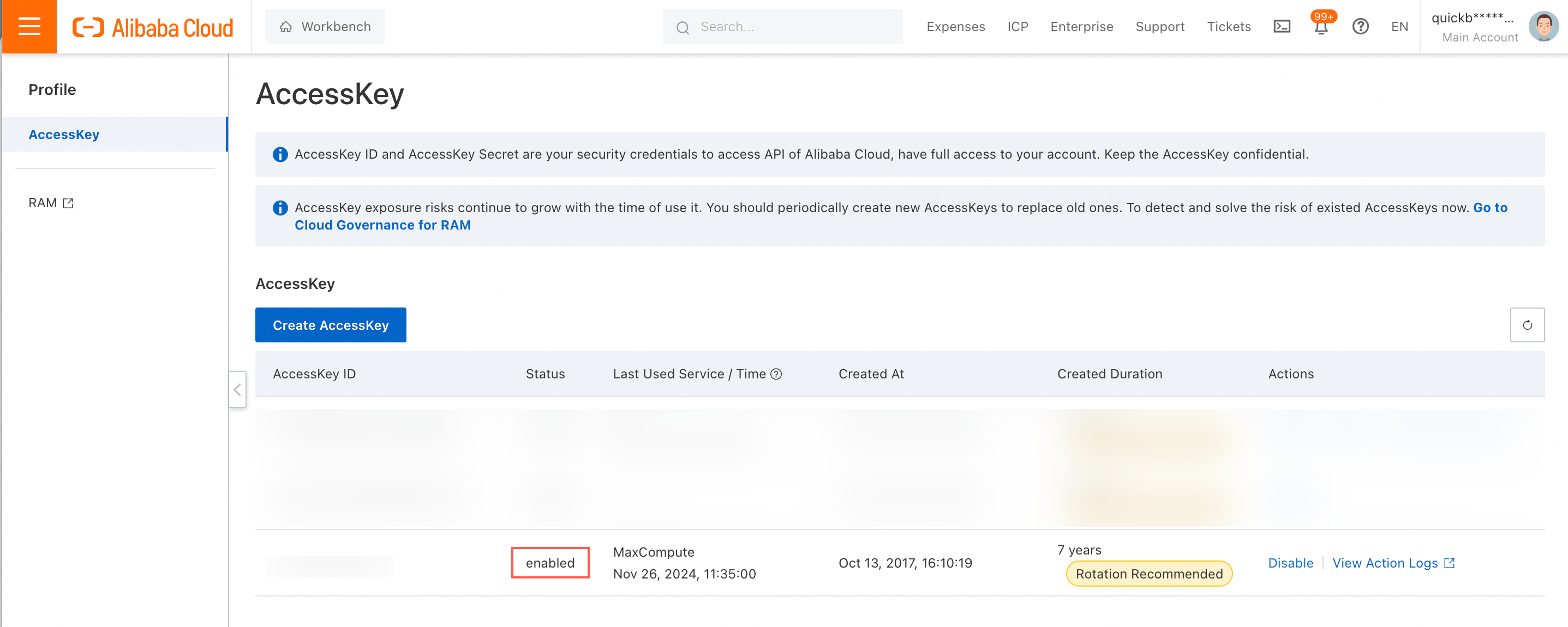
Verify the AK/SK status.
 Should it be expired, select Create AccessKey to apply for a new one.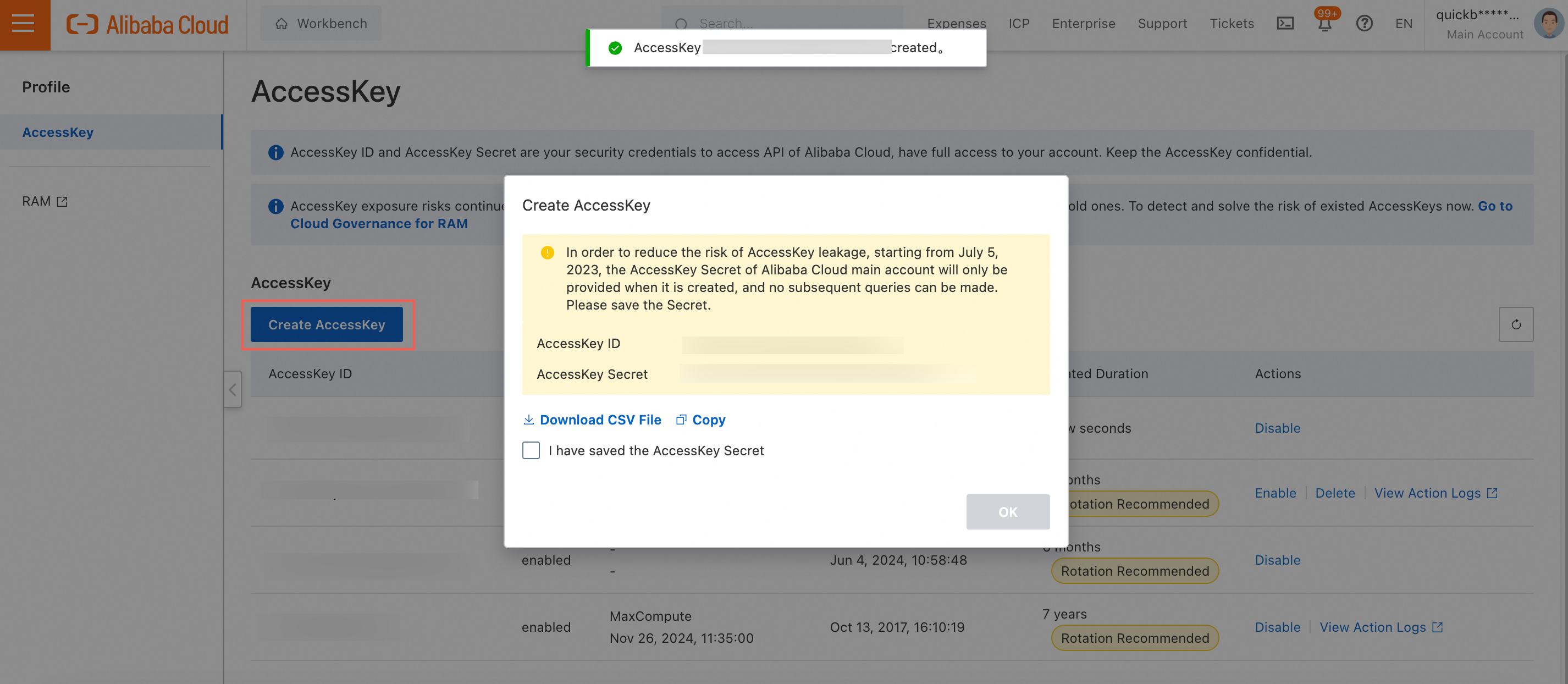
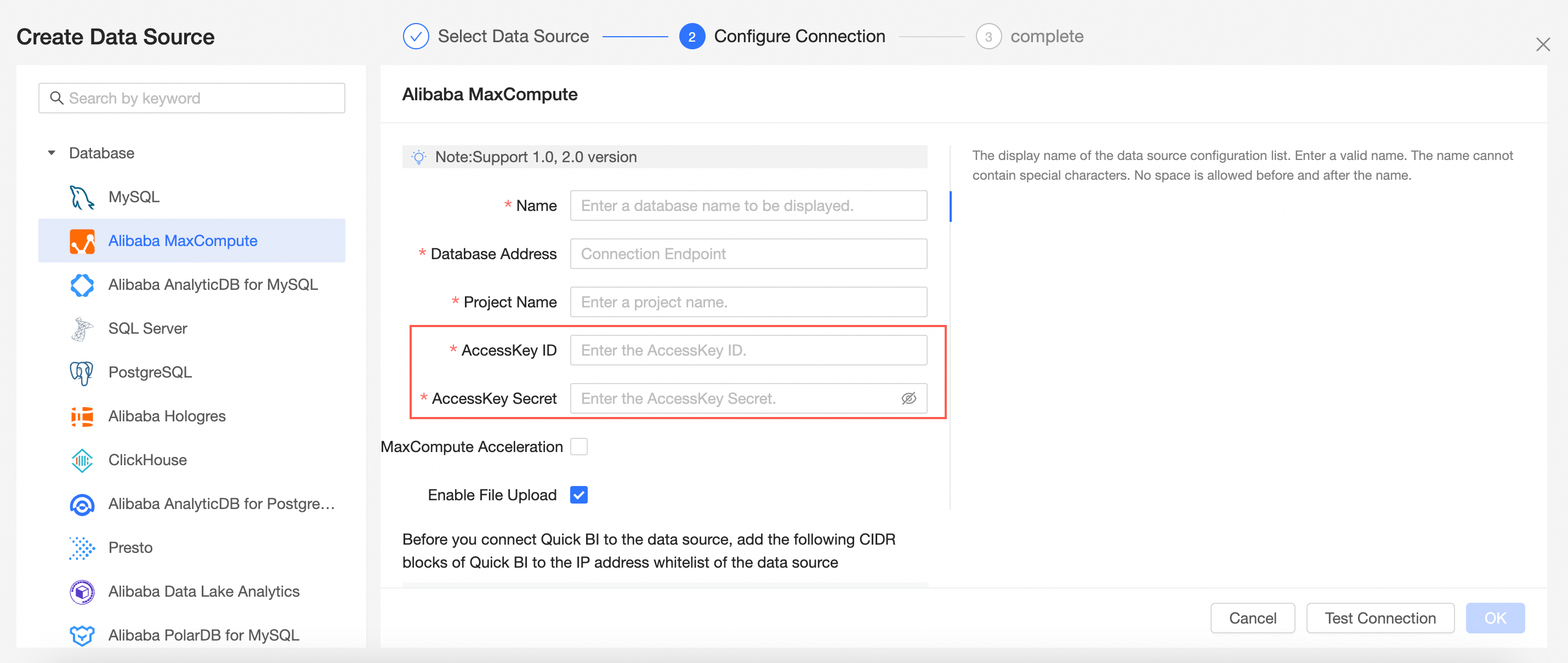
Once you have a new AK/SK, update the corresponding information of data source management interface in Quick BI.
Transfer the classic network connection to VPC connection (Using a Hologres data source as an example in the diagrams below):
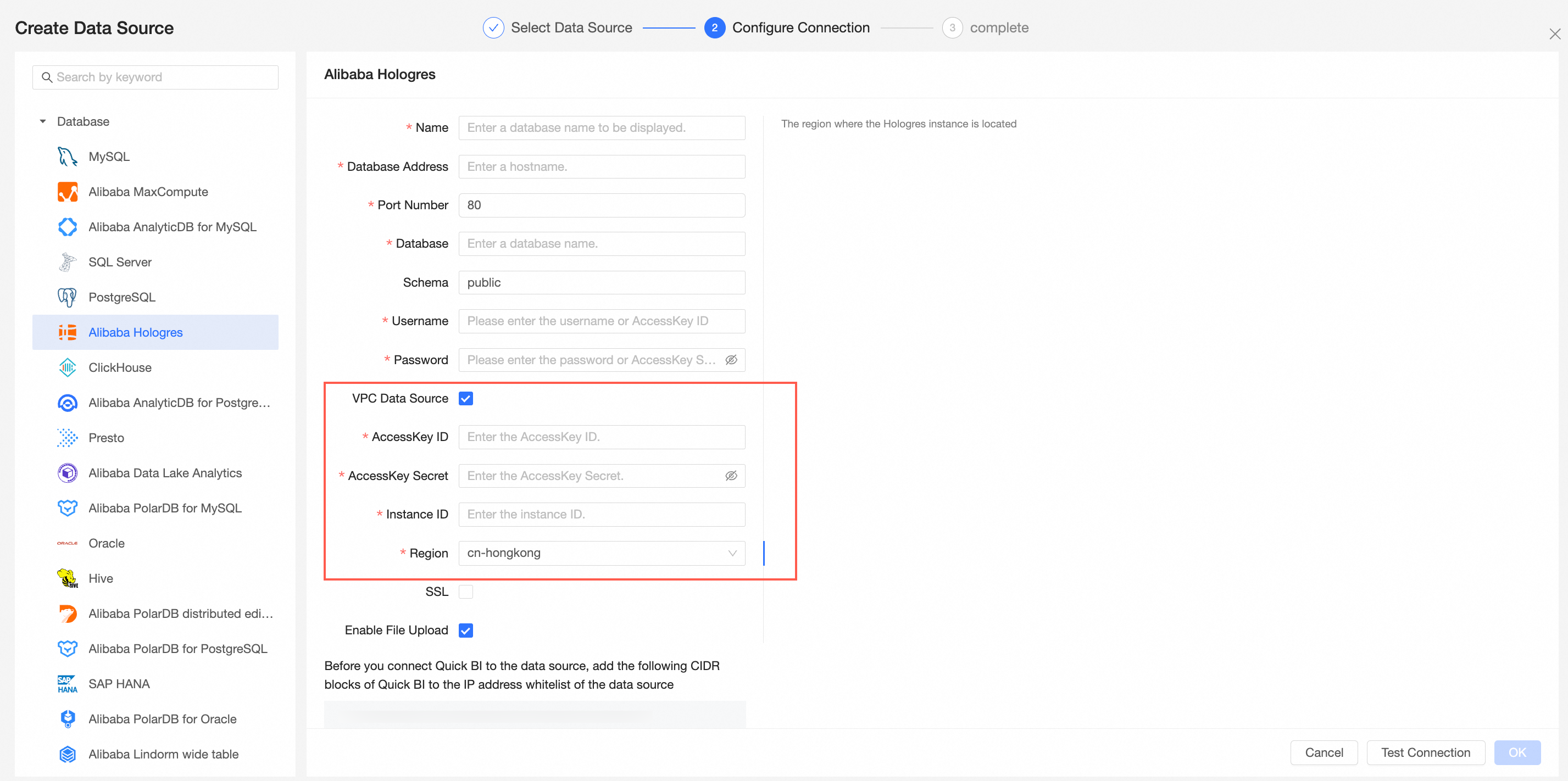
Enter the configuration interface of the corresponding data source, enable the 'VPC Data Source' Check-box Option.
Input those relevant information of VPC data source, then you can test connection and save it. For obtaining the AK/SK information, please refer to the previous section.