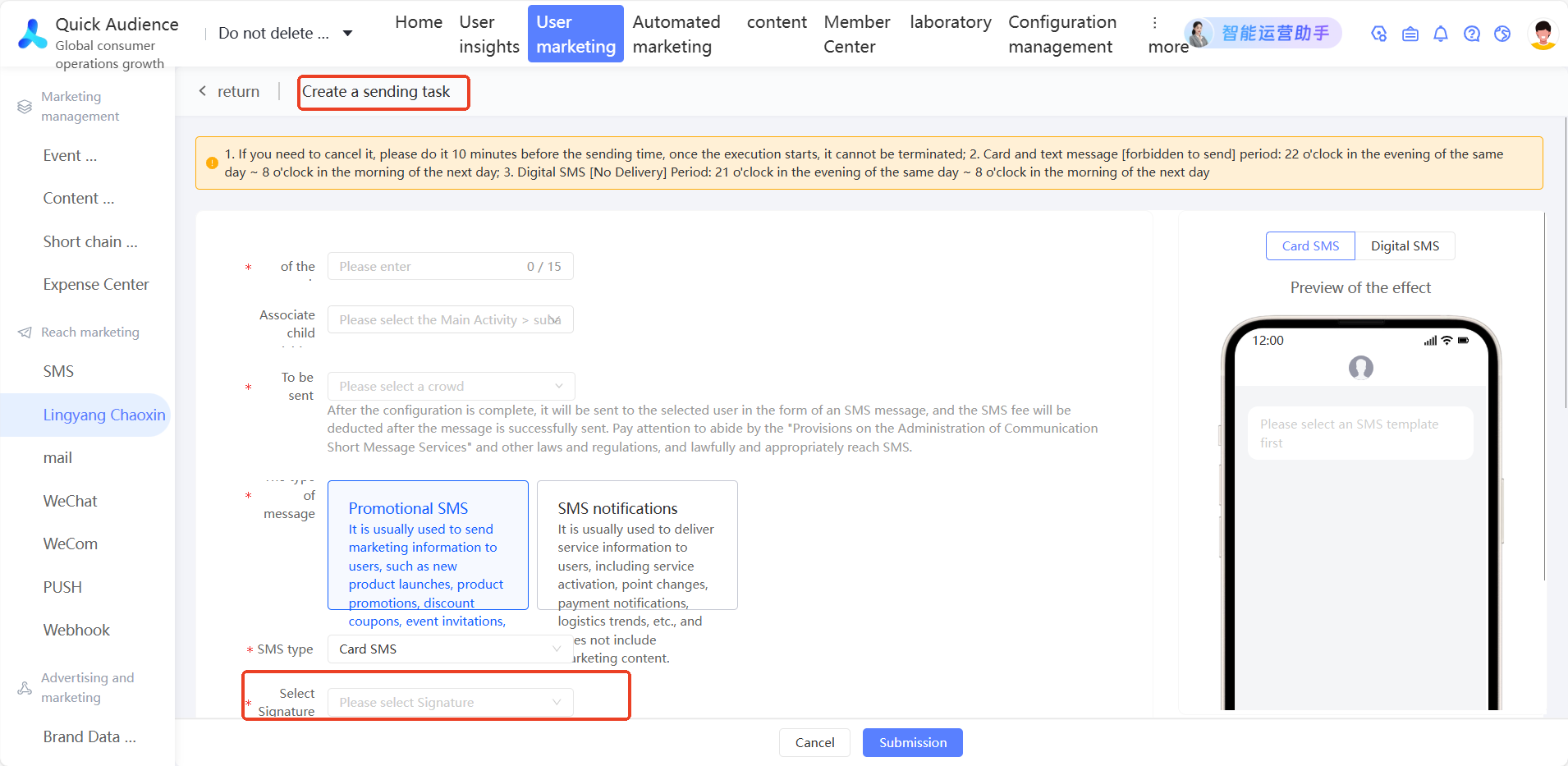
1. Basic concepts
Overview
Quick Audience provides the ability to convert long links into short links to reduce the number of text messages billed. It supports converting long links carried in text messages, digital text messages, and card text messages into short links. Users receive short links and display them as short links. When they click short links, they are redirected to the original long links.
Usage notes
You must purchase the domain in the original long link from the domain management platform and complete an ICP filing for the domain.
To use the short link service, you must activate the SMS or Lingyang SuperSMS service.
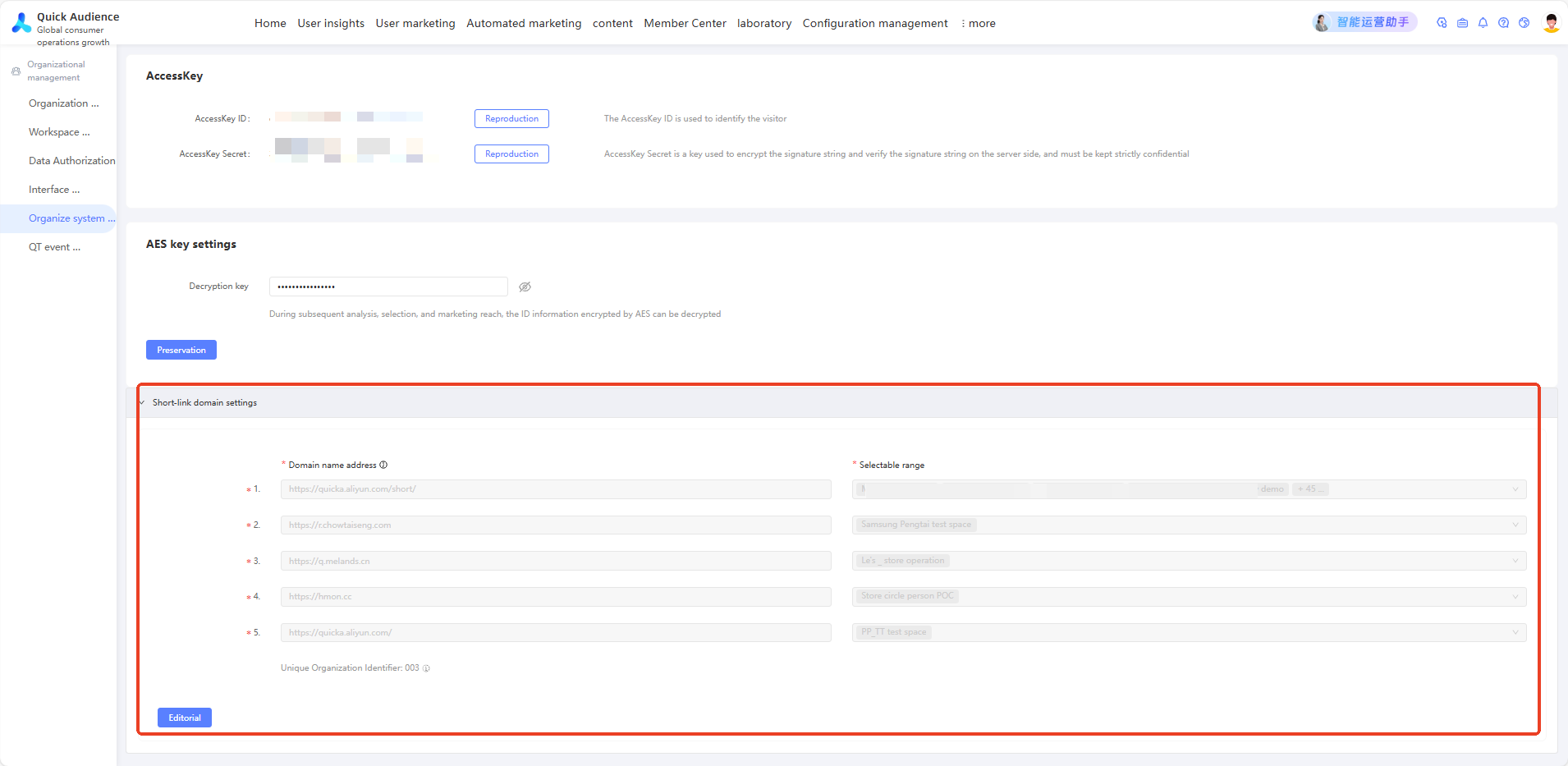
Before creating a short link, you need to set the short domain in the organization management-> organization system configuration.
QA short link-supports counting the number of clicks with short parameters. short link without short parameters cannot count the number of clicks.
When creating a short link, the original address only supports one long link
When you create an SMS template, you can add multiple SMS templates.
Terms
Term | Alignment type | Example value |
QA complete short link | The short link consists of four parts: protocol + short domain + short link + short parameter and separator Protocol: http or https Short domain: quicka.aliyun.com short link: rksqdc Short parameter: wertxv | https://quicka.aliyun.com/rksqdc?ph=wertxv |
QA short link-No Short | 1. That is, the short link without short parameters corresponds to the long link one by one, but the mobile phone number cannot be distinguished. 2. It is impossible to count the detailed data of users who click this link, and these data cannot be queried in QA. | https://quicka.aliyun.com/rksqdc |
QA short link-with short parameters | 1. The detailed data of users who click this link can be recovered. 2. If you need to distinguish whether each mobile phone number is clicked, you need to use a short parameter to map the users on the short link one-to-one. | https://quicka.aliyun.com/rksqdc?ph=wertxv As above? The ph=wertxv part is a short parameter |
QA short link Click | After the QA short link is clicked by the user, the data received varies according to whether the short link contains parameters:
| - |
Original long link For example, Taobao store page, business details page, WeChat applet URL, etc. are all original links | The original link is generally relatively long and has many characters. It needs to be converted into a short link to facilitate sending in text messages Do not care about the length of the text message, and do not need QA record click data, can be directly sent in the text message using long link, without the use of QA short link | |
WeChat mini program H5 Link Generation | 1. TICKET is about 40 characters, with a total length of about one short message 2. The customer needs to call the API of the mini program to generate the complete URL address of the corresponding module page. The passed parameters include access_token and path for generation. 3. WeChat mini program short link generation document | https://wxaurl.cn/*TICKET* or https://wxmpurl.cn/*TICKET* |
2. Short domain configuration method
The following describes two short domain configuration methods, choose one.
2.1 Own domain to configure a short domain
In Organization Management, select Organization System Configuration, and configure the domain address and scope on the corresponding short domain configuration interface. If the scenario is mainly used in SMS, recommend use a short domain to reduce the number of generated characters.
Configure domain forwarding (development reference)
After the business personnel fill in the QA domain, back-end R&D personnel need to configure domain forwarding, that is, configure forwarding rules, redirect and forward according to the rules.
Business personnel enter the domain, for example, https://abc.cn/(example) QA receives and forwards the domain: https://quicka.aliyun.com/ (Zhangbei) https://quicka-shanghai.aliyun.com/ (Shanghai) The resulting short link is https://abc.cn/e8as9x, short parameter is dbfhjs The link actually received by the user is: https://abc.cn/e8as9x?ph=dbfhjs After the user clicks on the link, the request will jump to the server where the https://abc.cn /domain is located. Development requirements: Forward requests to the domain of QA. Forwarding rules: https://abc.cn/e8as9x?ph=dbfhjs -> https:quicka.aliyun.com/e8as9x?ph=dbfhjs |
Configure the forwarding mode for a domain
How do I configure forwarding for NGINX?
You can use return and rewrite to redirect links to QA.
# In the following code, the listen directive indicates that the server block is also used for HTTP traffic.
# The server_name command matches requests that contain the domain www.abc.com. The return directive tells Nginx to stop processing requests and directly return the 302 code and the specified rewritten URL to the client.
# $scheme is the protocol (HTTP or HTTPS), and $request_uri is the complete URI containing the parameters.
server{
    listen         80;
    server_name    www.abc.com;

    The first parameter of the# return directive is the response code. The second parameter is optional and can be a redirected URL
    # The return directive can be used in both the location and server contexts.
    return 302 https://quicka.aliyun.com$request_uri;
}
rewrite 1
server {
    listen      80;
    server_name www.abc.com;

    # The first parameter regex is a regular expression.
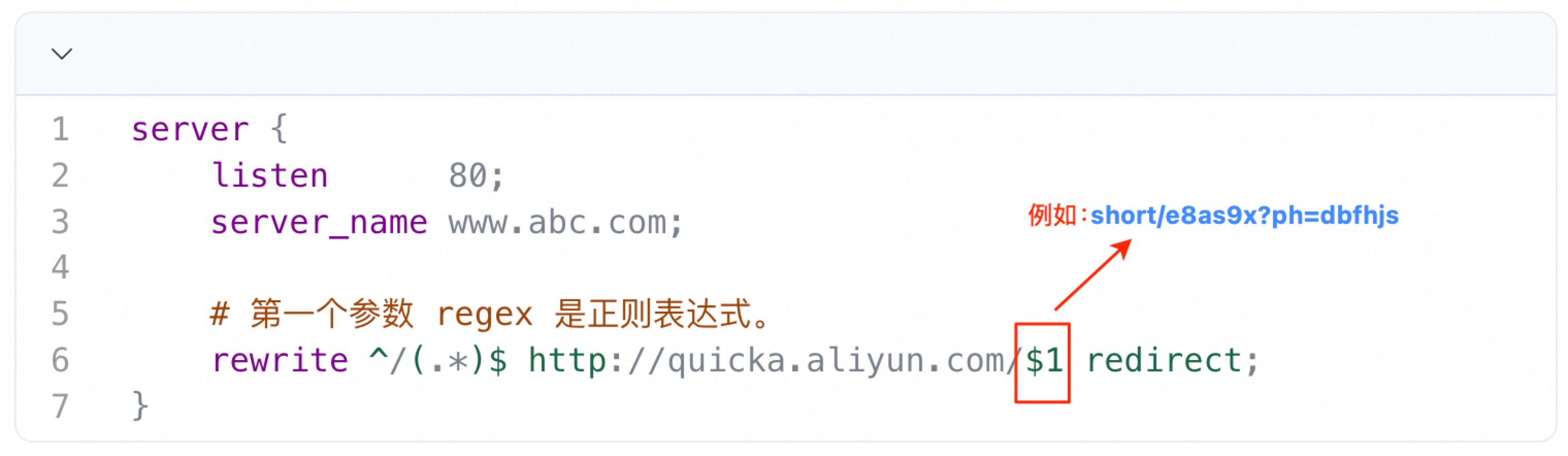
    rewrite ^/(.*)$ http://quicka.aliyun.com/$1 redirect;
}
rewrite method 2, with path forwarding
server {
    listen      80;
    server_name www.abc.com;

    # The first parameter regex is a regular expression.
    rewrite ^/(.*)$ http://quicka.aliyun.com/$1 redirect;
}
FAQ about Alibaba Cloud SLB(ALB/NLB/CLB)
Alibaba Cloud SLB is divided into three types of services. NLB/CLB, you cannot configure forwarding rules. You must use ALB to configure forwarding rules. The configuration documents are as follows:
CreateRule -Create Forwarding Rules
Common configuration issues
① If the configured domain only forwards domain, all requests must be forwarded to the QA domain.
② If the configured domain has other uses and needs to identify which requests come from short link points, you can add an identifier to the domain configuration. Method 1: https://abc.cn/p/, for example. After receiving the request, judge whether there is a /p/ in the url, if there is, forward it to the domain of QA, and replace the /p/ with /short/; method 2: use a separate second-level domain, such as a.abc.cn, as a short-chain domain
For example: https://abc.cn/p/e8as9x?ph=dbfhjs -> https:quicka.aliyun.com/short/e8as9x?ph=dbfhjs
Rewrite 1, if there is a path identifier, use Rewrite 2
③ QA domain for receiving forwarding:https://quicka.aliyun.com/
④ The actual link after the domain is configured is:
The user clicks on the link-> domain configured in QA (refer to: configure short domain) -> domain forwarded to QA-> and then resolves the growth chain-> the user sees the actual target landing page
⑤ Confirm whether the domain is available ping q.melands.cn
The error result is as follows:

The correct results are as follows:

You can also run the dig command to check whether DNS resolution is available.
3. Create a short link
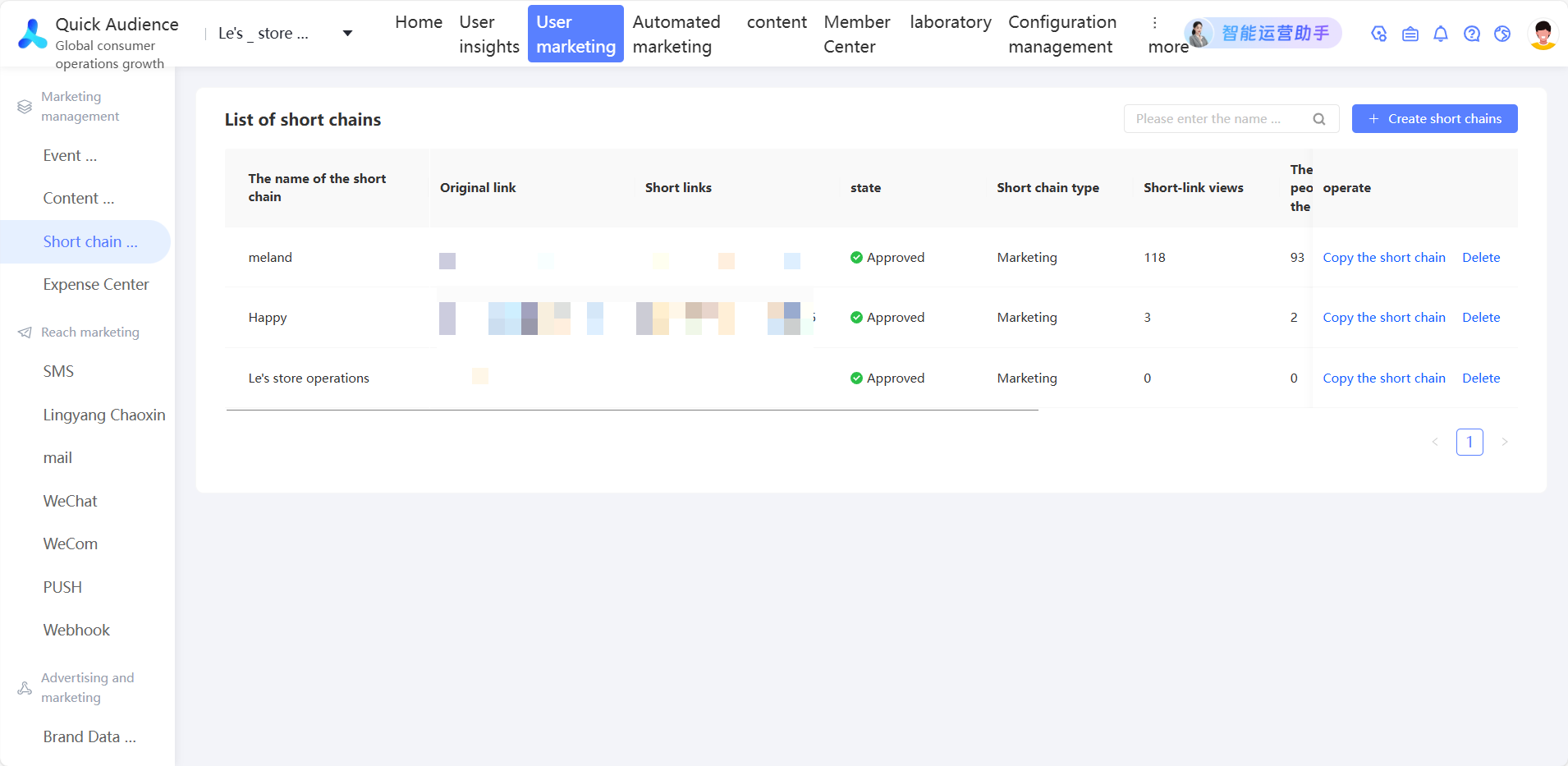
Click User Marketing-> short link Management-> Create short link button to pop up the Create short link interface
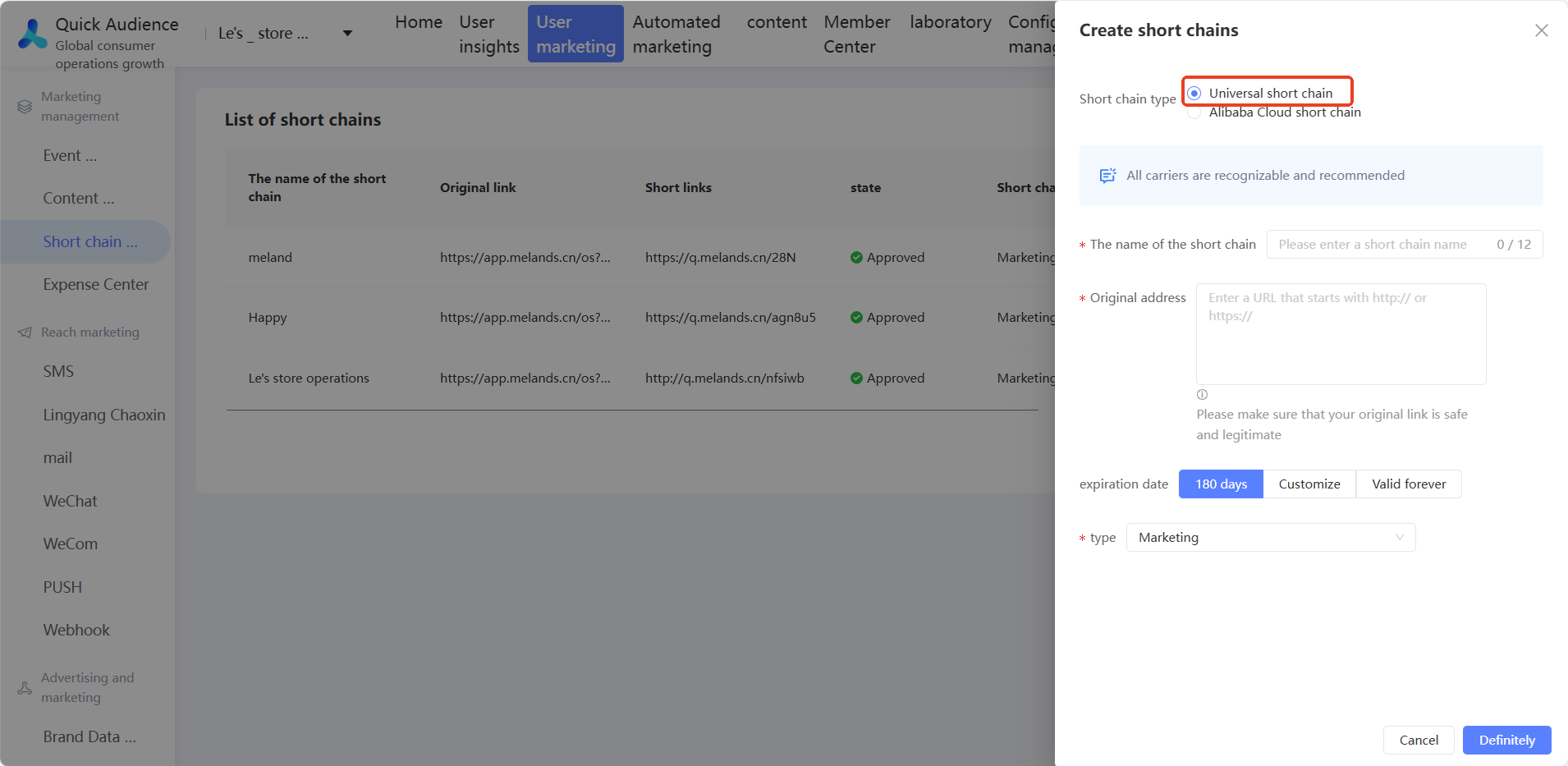
Select Universal short link. We recommend that you do not use Alibaba Cloud short link.
Enter the short link name and original link address
Select Validity Period and Type
Click OK to create a short link.
4. Short link usage
The text messages, digital messages, and card messages in the Lingyang SuperSMS service support short links, while the text messages in the SMS service support short links
The following describes how to use the short link for text messages in Lingyang SuperSMS service.
4.1 Create an SMS template
① Under User Marketing-> Lingyang SuperSMS-> SMS Templates-> Text SMS, click Create Text SMS Template to enter the Create Text SMS Template interface.
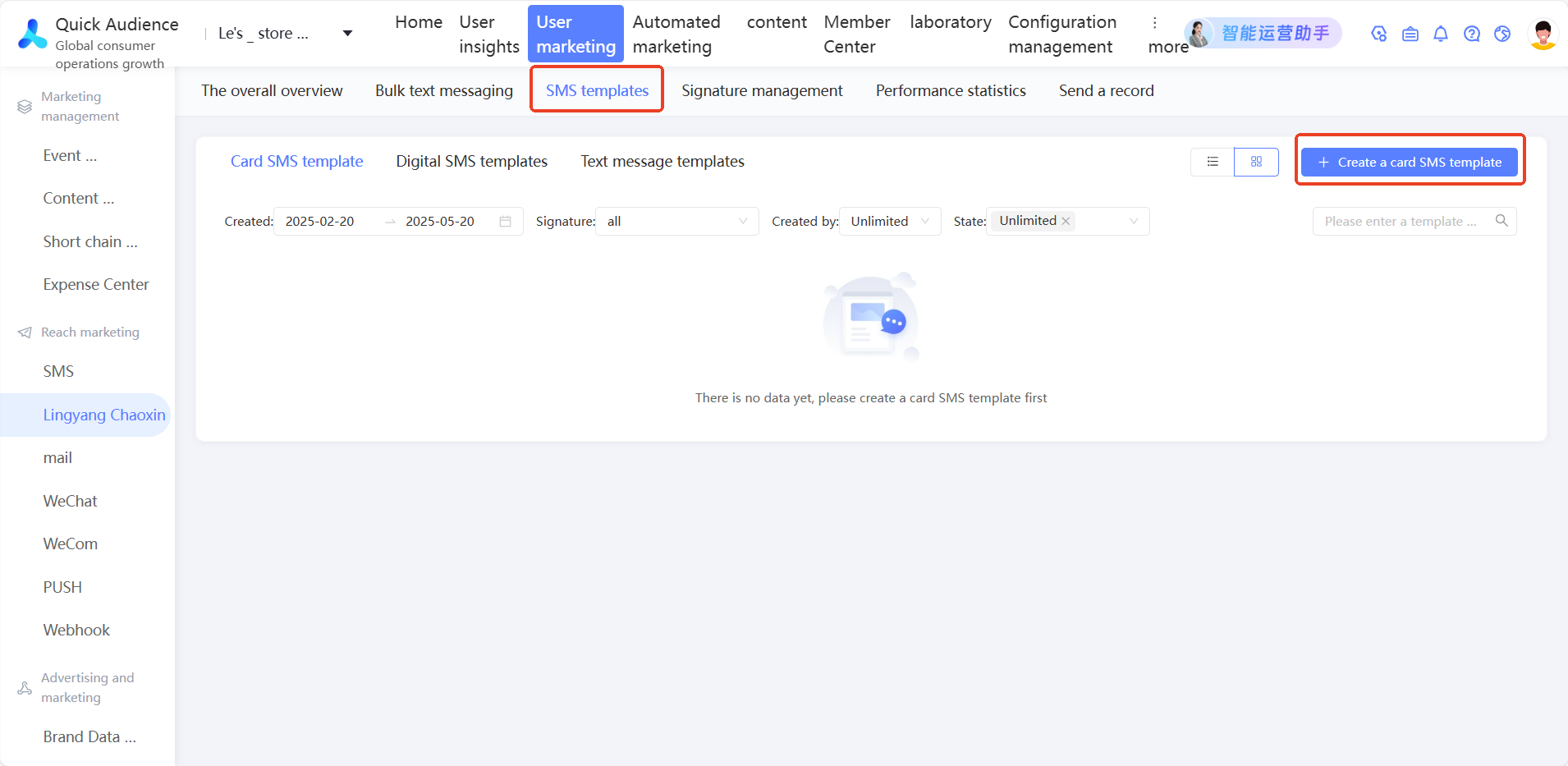
② On the Create Text SMS Template page,
Select different message types, enter the template name, and then enter the template content. Click the "Insert Short Link" button and select the created short link.
If you want to collect click statistics, you must enable the short parameter. Otherwise, the click statistics cannot be obtained.
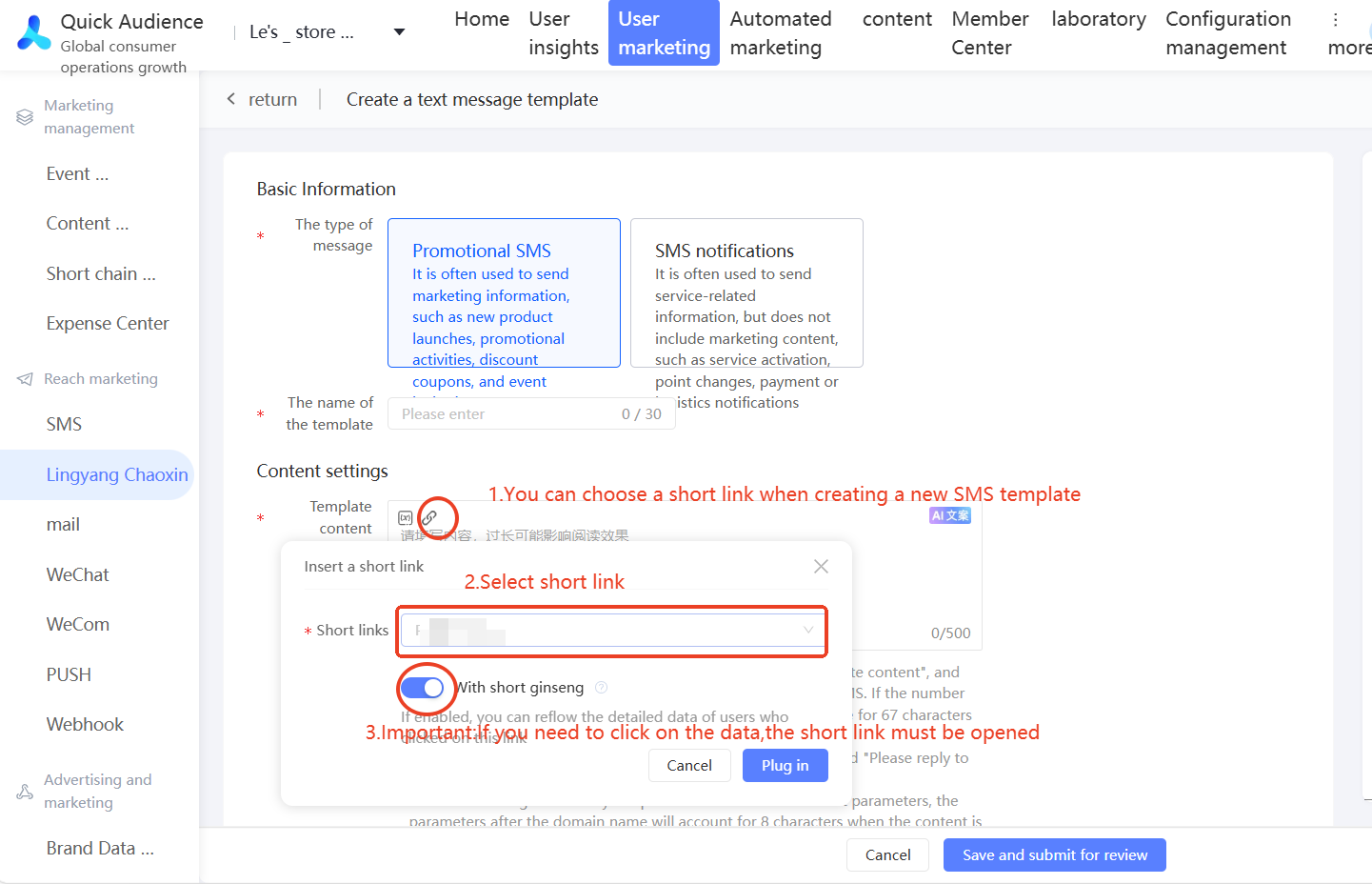
③ After the SMS template is created, you can see the corresponding template in the SMS type corresponding to the SMS template.
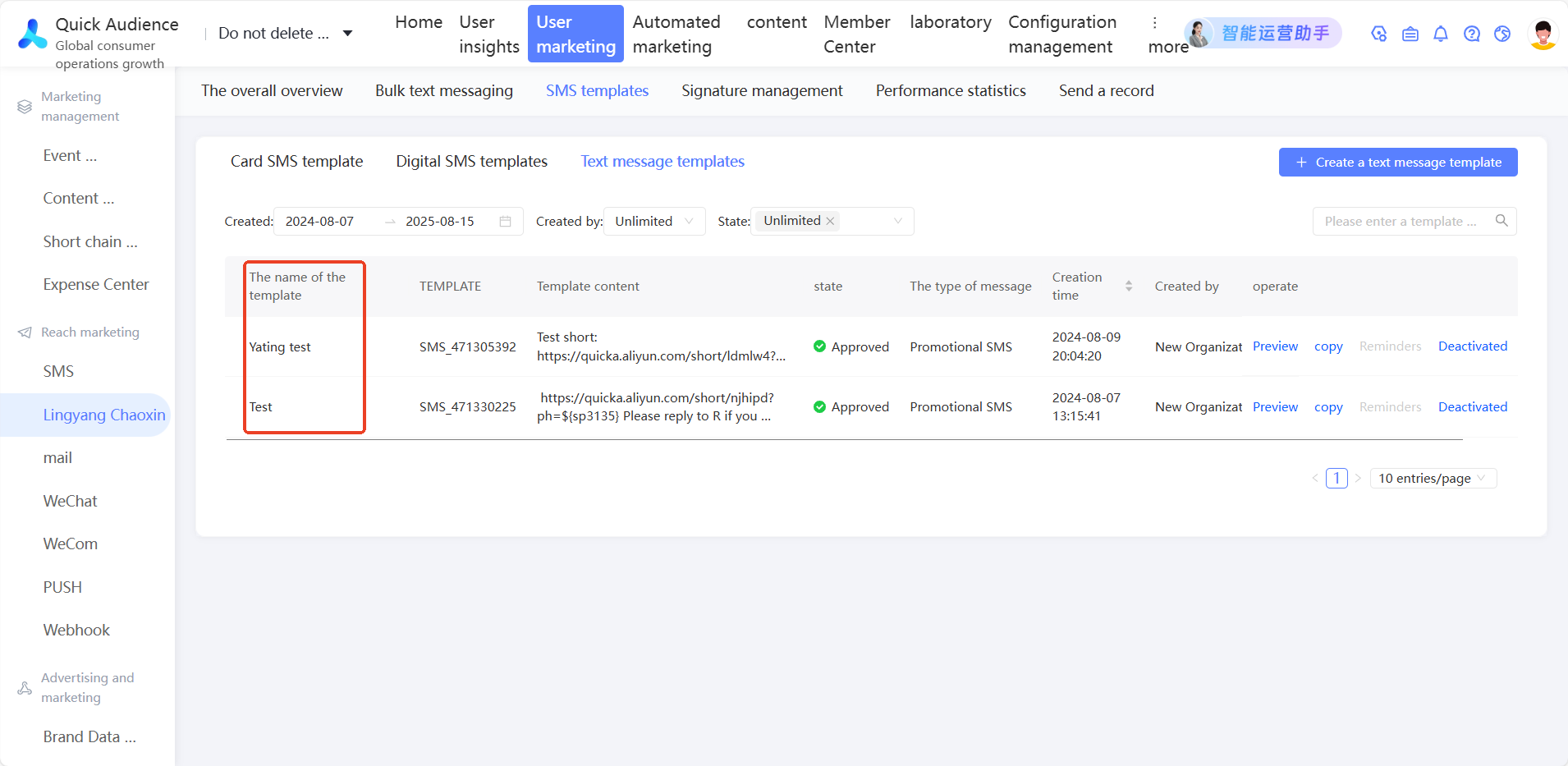
4.2 SMS Template Usage
In the Create Sending Task interface, select the corresponding SMS type and SMS template, and the SMS content with short link can be seen in the preview interface.