The WeCom broadcast component can push text, pictures, videos, links, applets, etc. to WeCom friends by setting group sending tasks, which are often used to push promotion information and notifications.
Regardless of whether the link starts from the behavioral event component or the target audience component, users who enter the WeCom broadcast component will use their QAID to match the WeCom user ID provided by all data sources.
Your WeCom friend data is automatically returned to the computing source of this workspace, and then imported to the analysis source. The data table alias of the generated user tag table is the corresponding WeCom. You can filter out audience by using methods such as tag filtering.
For more information about how to bind an account to WeCom, see Marketing Account Management.
To configure a universal filter, perform the following steps:
Click the WeCom broadcast component and configure it in the panel that appears on the right, as shown in the following figure.
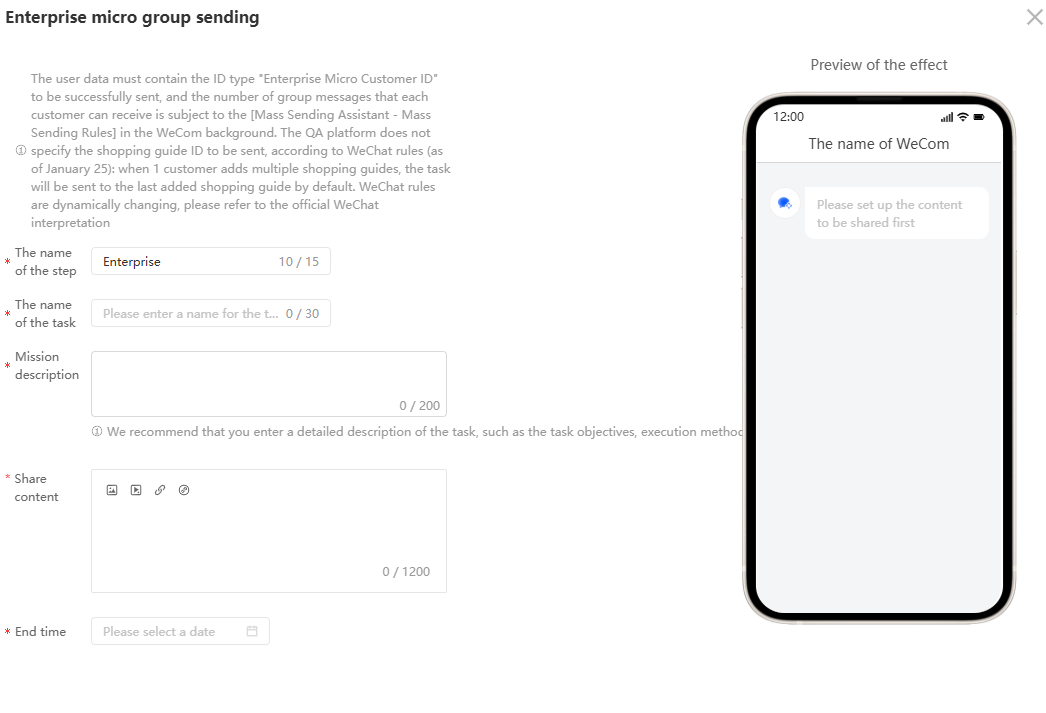
2. Set Step Name: You can enter a custom name.
3. Task Name: You can enter a custom name.
4. Task description: It is recommended to fill in a detailed description of the task, such as task objectives, execution methods and precautions. The task description is not to be sent.
5. Share content: support text, pictures, videos, links, applets and other content input
6. End Time: The push deadline can be set. For example, if the enterprise micro-group task is set to be sent at 8 o'clock and the end time can be set at 11 o'clock, the remaining audience which have not been pushed will not continue to push the task after 11 o'clock.
After the enterprise micro-group task is created, the page on the shopping guide side is displayed:
After receiving the group sending task, click on the group sending assistant and click send.
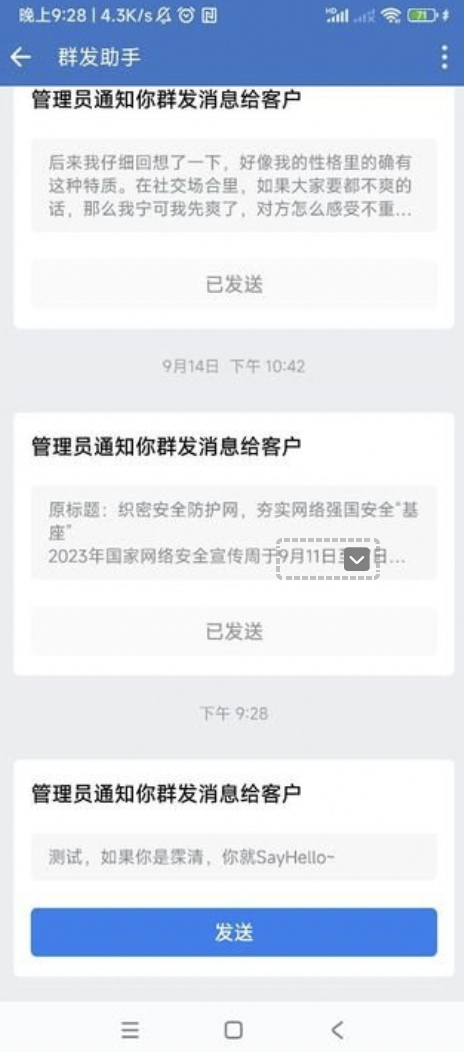 Shopping guide and consumer chat page →