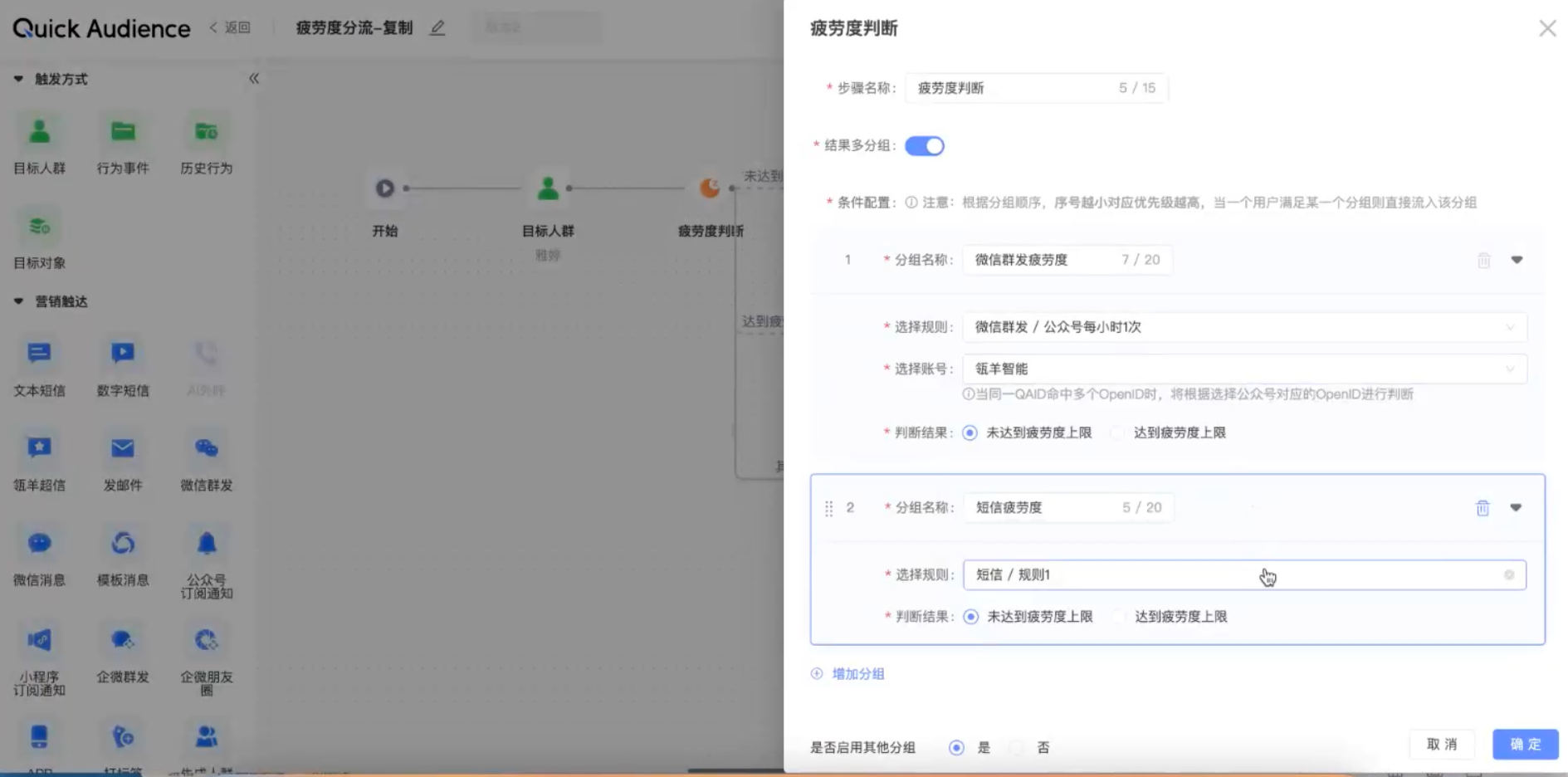
The fatigue level judgment component is used to determine the frequency of the crowd based on the fatigue level control set in the space. Multiple groups by different channels are supported for multi-round distribution.
1. The prerequisite for canvas configuration through the fatigue judgment component is that the marketing content is distributed through QA and the fatigue rule setting of contacts has been completed in fatigue control.
2. The contact points that the fatigue judgment component can judge include Ling Yang Chaoxin, email, APP Push, enterprise micro-group sending, enterprise micro-circle of friends, WeChat applet subscription message, WeChat public number template message, WeChat group sending, Webhook, and custom component (UDF).
3. After the above contact content is sent through the QA platform, it will be included in the calculation of the fatigue judgment component in real time. Example:
1. A customer sends the content of Hillsheep Superletter through QA, and sets the fatigue rule to send Hillsheep Superletter only once a day for one user.
2. On the same day, two canvases will push the marketing content of Ling Yang Chaoxin to the user, and a fatigue judgment component is added in front of the touch component in both canvases. Then, when the Ling Yang Chaoxin with higher chronological order is sent to the user, in the other canvas, when the user goes to the fatigue judgment component, he will enter the branch of [reaching the upper limit of fatigue].
For example, WeChat messages, SMS messages, and emails have been sent in the crowd package. Users do not want to disturb the same customer multiple times in a scenario. When you configure the canvas, you can select a fatigue level judgment component to distribute data in different channels.
Configuration steps:
Target population
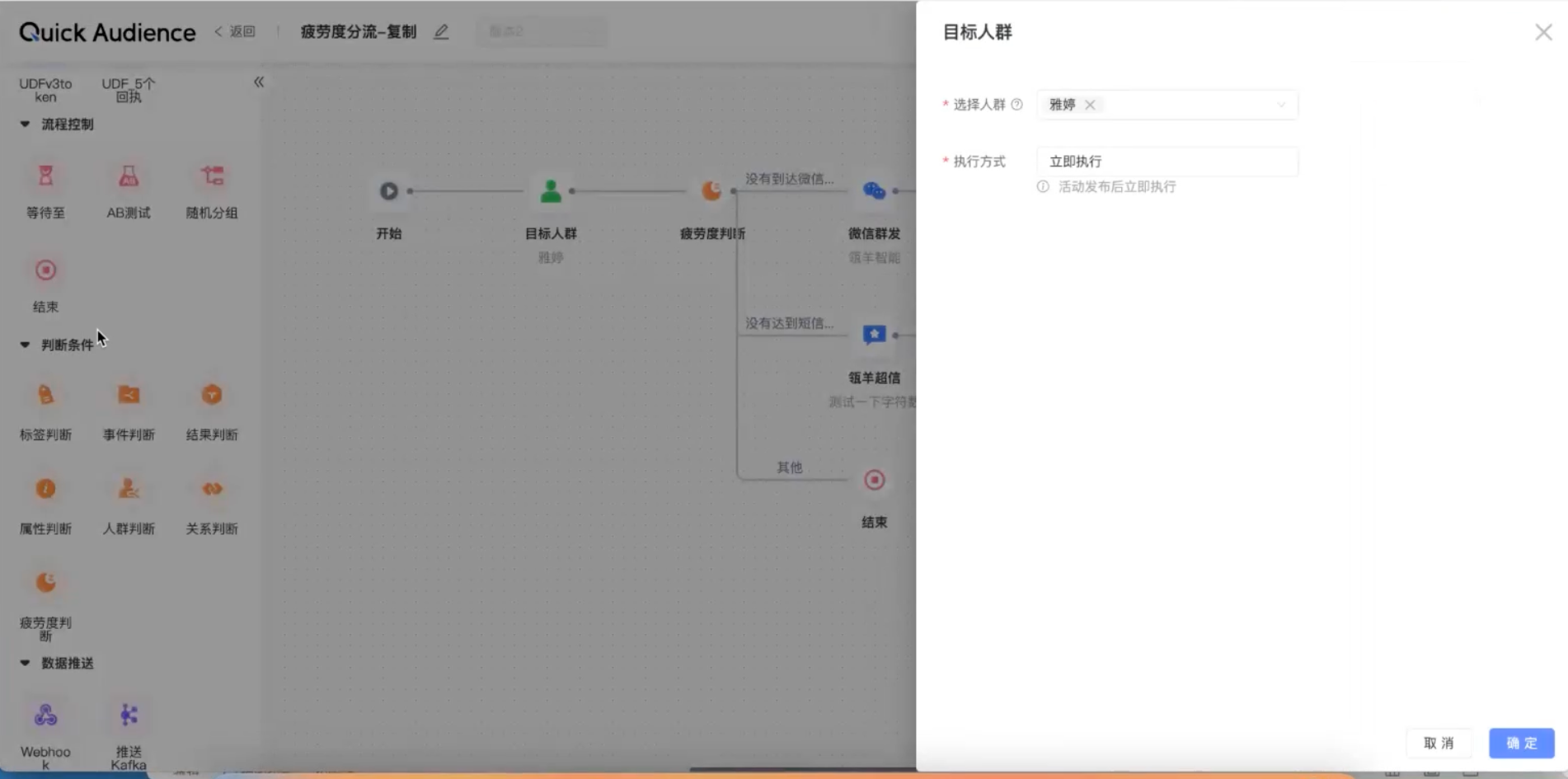 selection
Fatigue judgment component
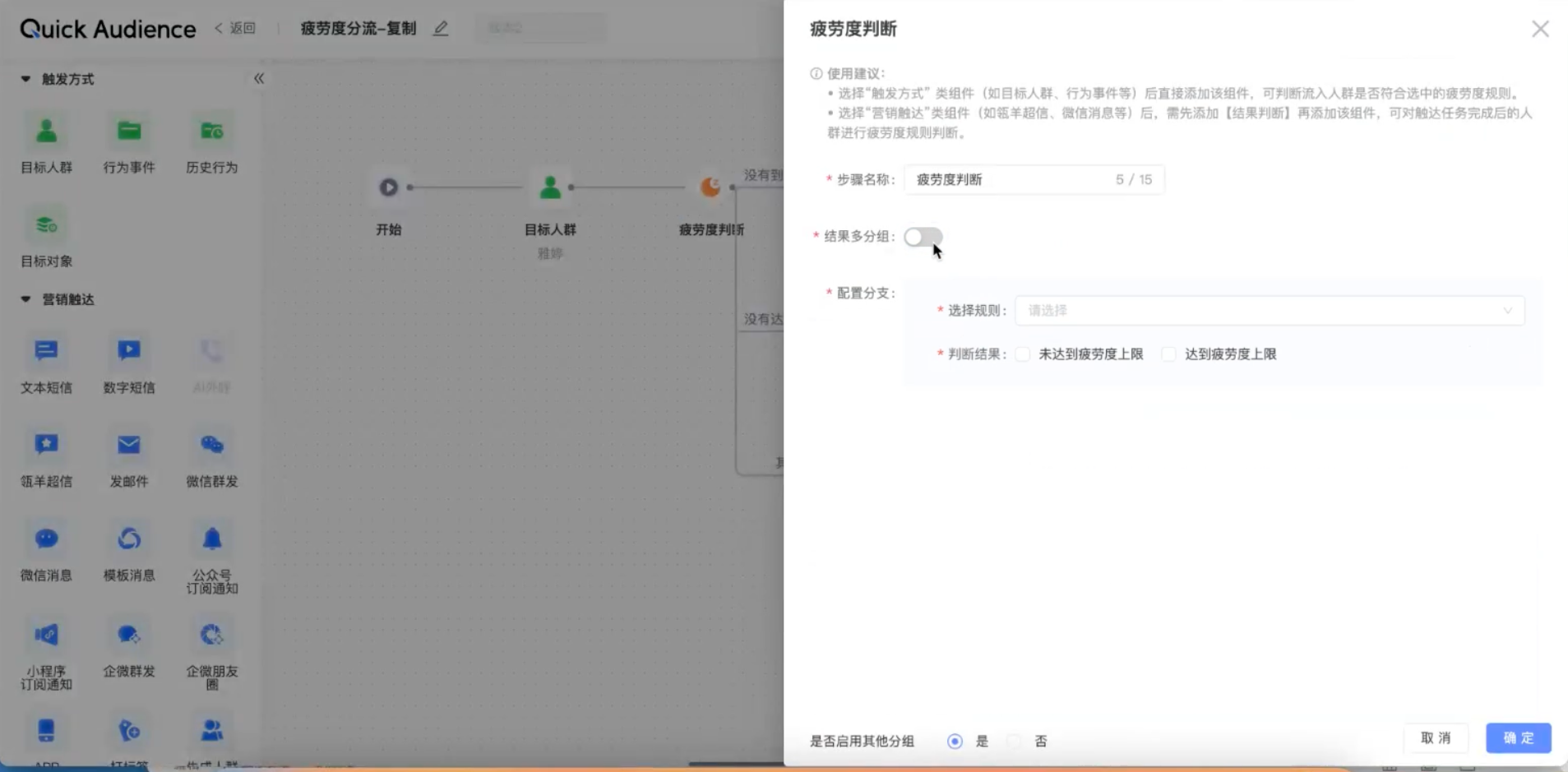 addedNote
Result Multi-group is disabled: Only one rule is judged. In the enabled state, multiple rules are supported.
If you select Configure Branch, you can select all configured channels and select a judgment result (you can perform different marketing actions for different results)
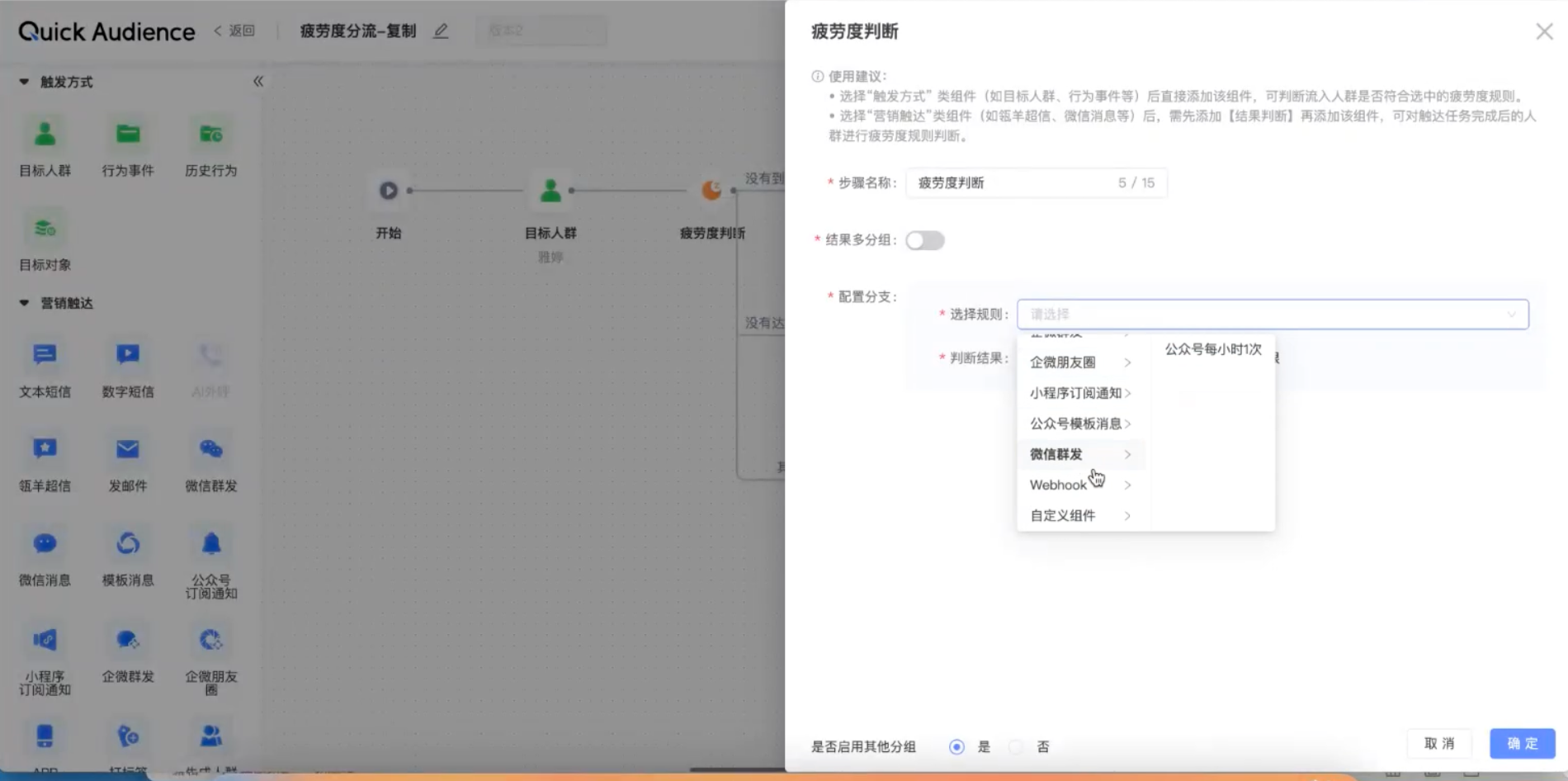
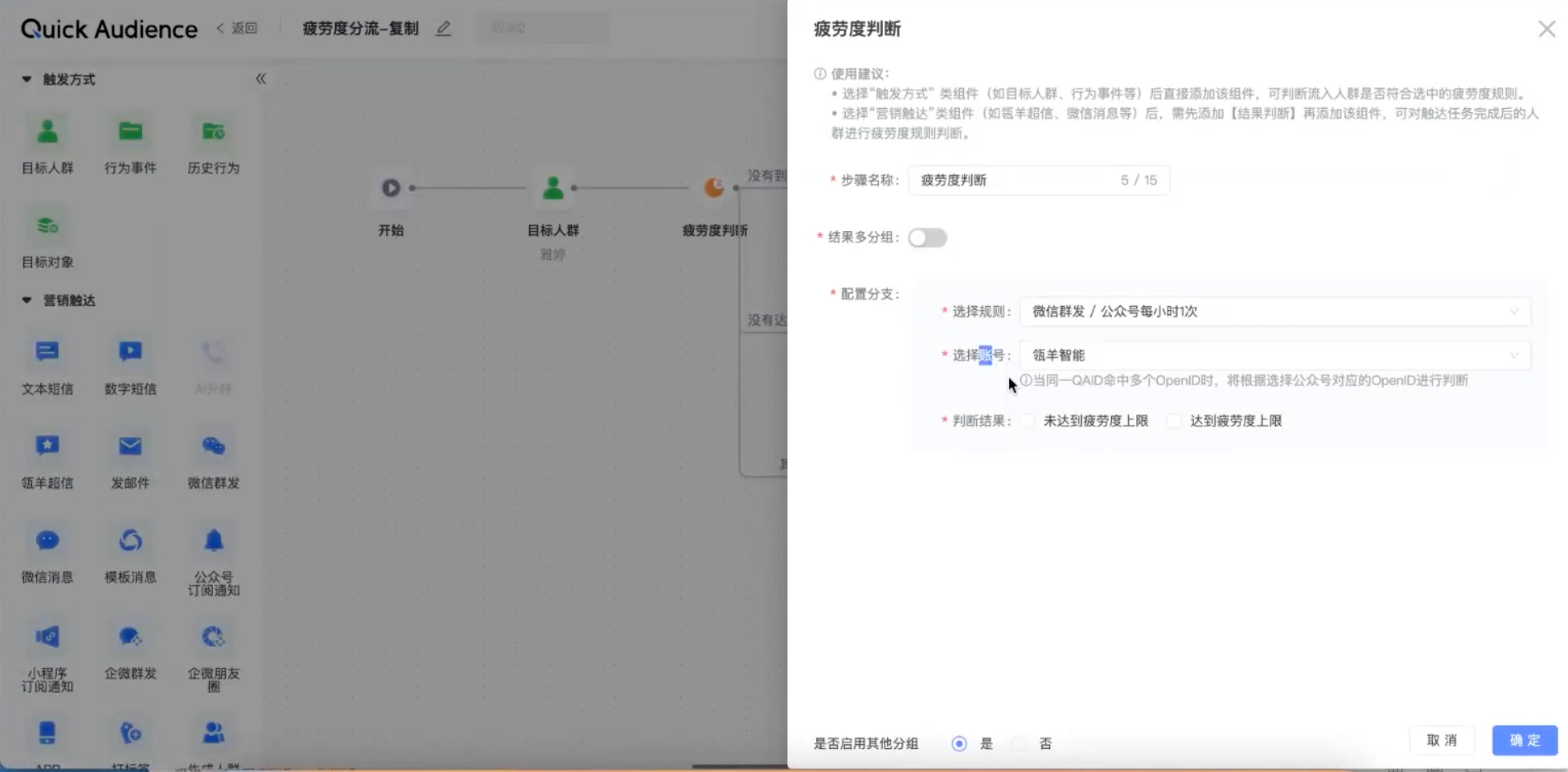
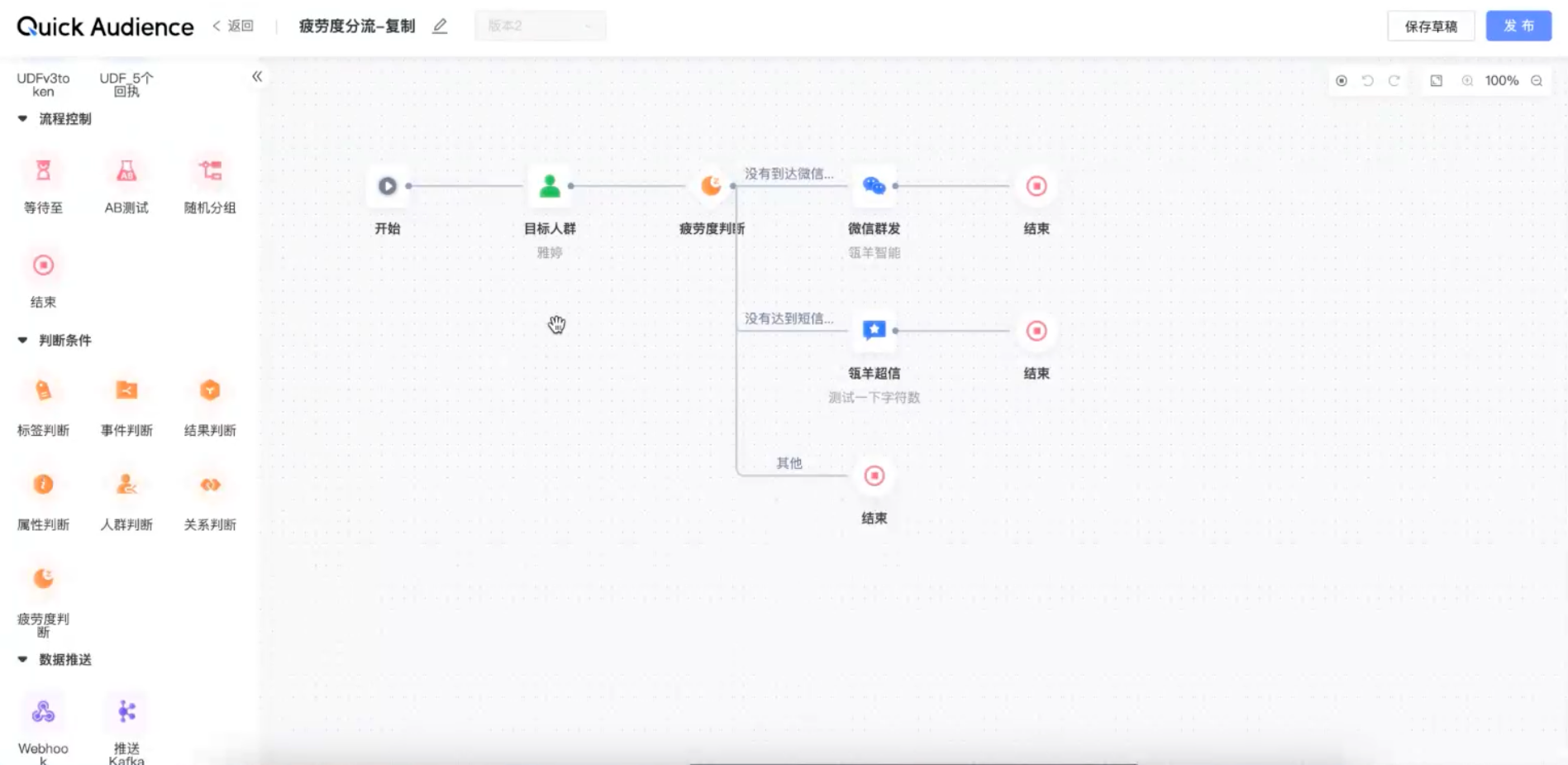
Optional. Select Result Groups and enter a group name and a rule.
NoteWhen multiple groups of results are selected, the canvas will flow into the crowd according to the fatigue rule, and the priority of judgment will be from top to bottom. Subsequent marketing actions will be taken for the crowd that meets different rules.