Configure the Alibaba Cloud email interface to use the Alibaba Cloud email sending service in marketing. The Alibaba Cloud email service is activated for your Alibaba Cloud account.
I. Operation Steps:
In the upper-right corner of the page, click
 Organization and choose Port Management.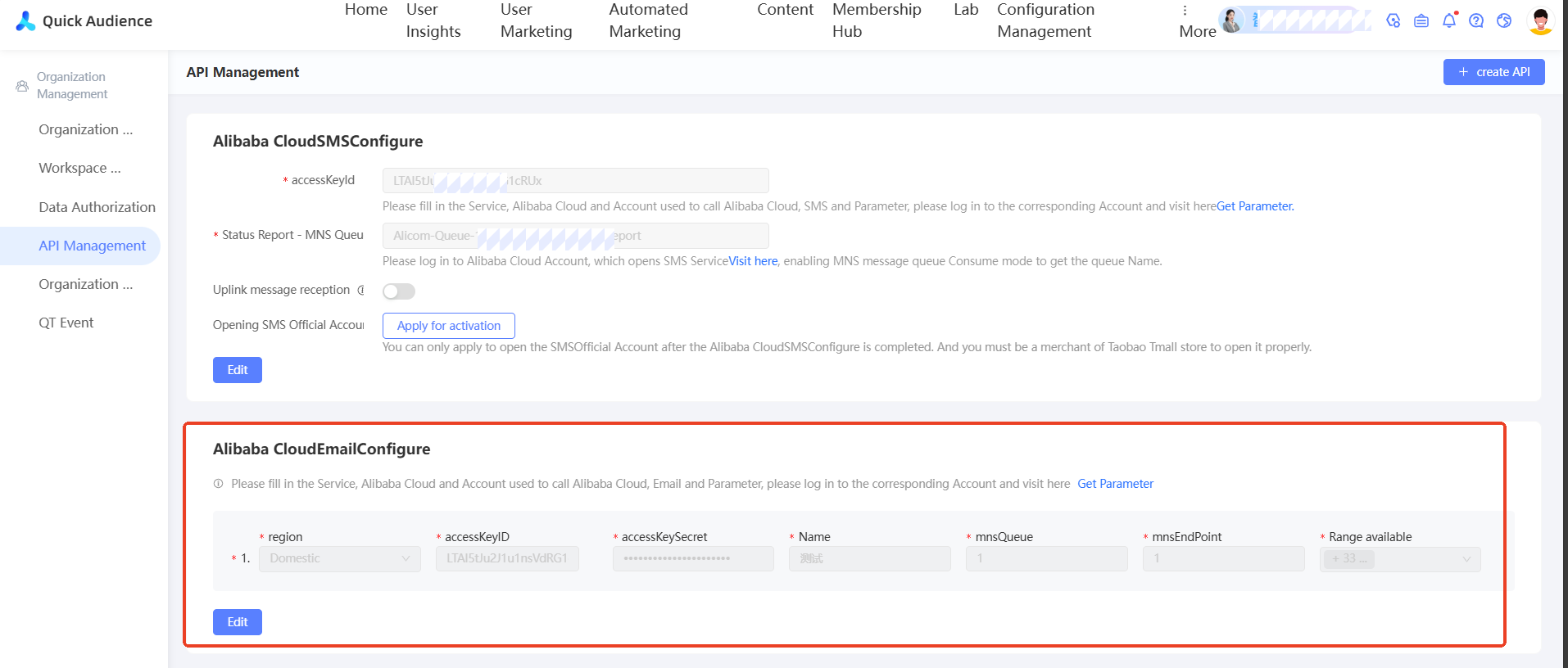
Alibaba Cloud Email Settings: Click Edit to add the settings. Select an email region and specify the required parameters.
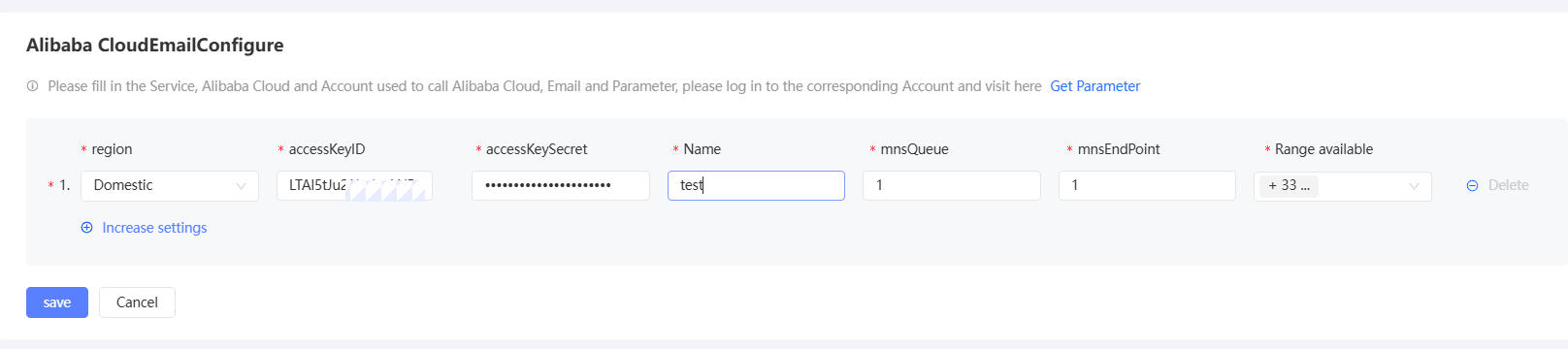
AccessKey ID and accessKeySecret: You can log on to the Alibaba Cloud Email Service console by using your Alibaba Cloud account and click Obtain Parameters to obtain the AccessKey ID and AccessKey ID. For more information, see obtain AccessKey.
Available Range: You can select which specific space in the existing organization is used by the email account to better implement the permission control of the email account.
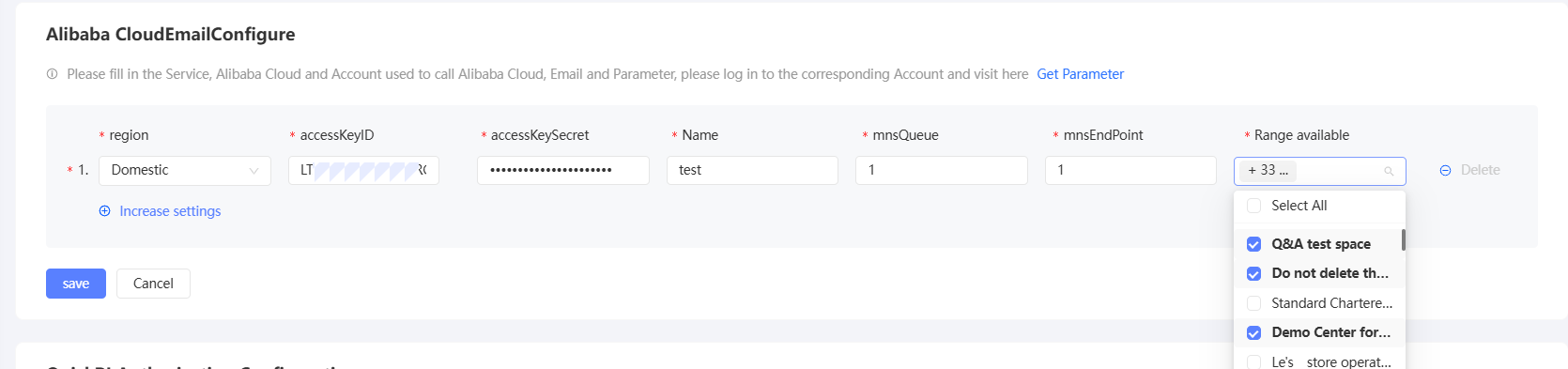
Click Save to complete the configuration.