When you run database load tests, you often need the same SQL statement to execute with different parameter values across iterations. Placeholders let you parameterize SQL statements in Java Database Connectivity (JDBC) test scenarios by inserting ? markers that PTS replaces with configured values at runtime.
How placeholders work
A placeholder is a ? character in a SQL statement that acts as a parameter marker. When the test runs, Performance Testing Service (PTS) replaces each ? with the value you configure on the Placeholder tab of the JDBC node.
For example, given select * from wp_users where user_status=?;, if you set the placeholder value to 1, PTS runs select * from wp_users where user_status=1;.
Configure placeholders
Before you begin, make sure that you have:
A PTS test scenario with a JDBC node
Basic request information configured for the JDBC node
To configure placeholders:
Open the JDBC node in your test scenario.
Click the Placeholder tab.
Add an entry for each
?in your SQL statement and configure the following parameters.Parameter
Description
Type
The data type of the parameter.
Value
The value to substitute into the corresponding
?placeholder at runtime.
Examples
Single-parameter query
The SQL statement of a JDBC node is:
select * from wp_users where user_status=?;The following placeholder settings are used:
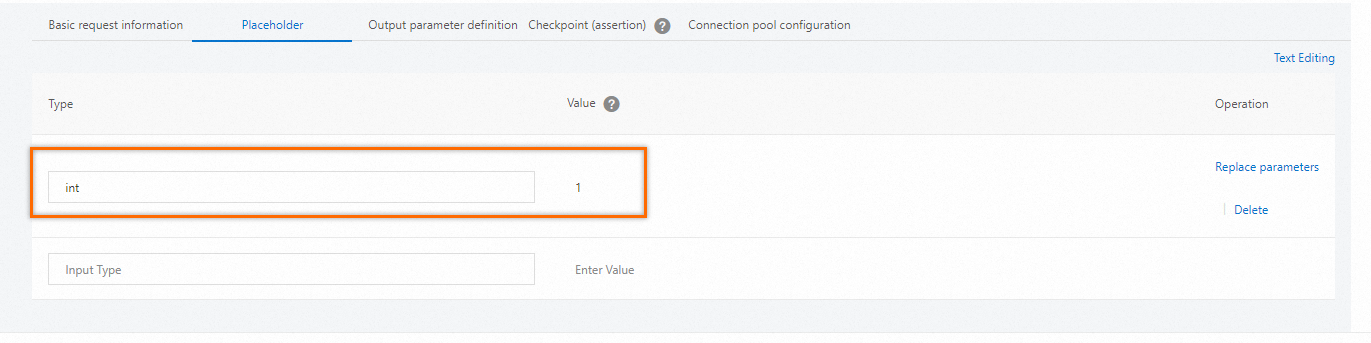
At runtime, PTS injects the value and runs:
select * from wp_users where user_status=1;