Some operations in PolarDB-X 1.0 call the OpenAPI of RDS. Before you use Resource Access Management (RAM), you must activate service authorization for PolarDB-X 1.0 to access RDS. This process involves creating a RAM service role that allows PolarDB-X 1.0 to access RDS. This topic describes how to activate the authorization in the console and using OpenAPI.
Activate RAM authorization in the console
Log on to the PolarDB-X 1.0 console.
In the navigation pane on the left, click Resource Authorization.
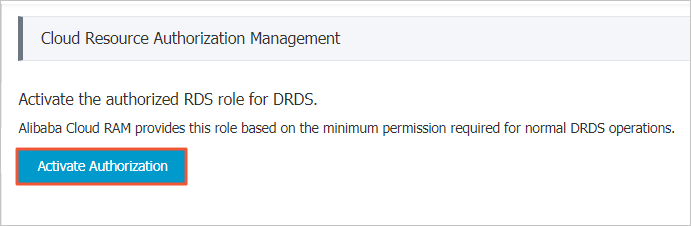
On the Cloud Resource Authorization Management page, click Activate Authorization.
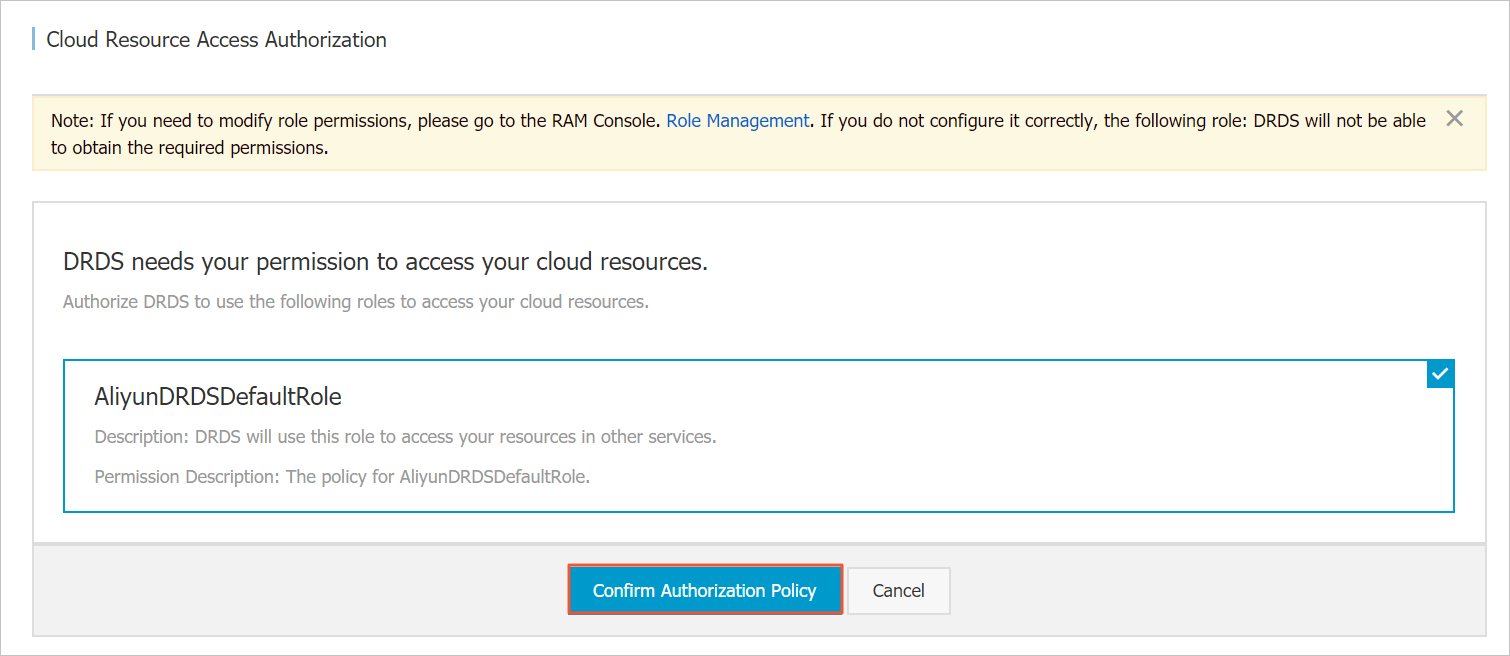
In the dialog box that appears, click Agree To Authorize.
 Warning
When you grant authorization, the RAM console automatically creates a RAM role named AliyunDRDSDefaultRole for PolarDB-X 1.0 to access your RDS resources, and also authorizes PolarDB-X 1.0 to call the RDS OpenAPI. Do not delete this RAM role. If you delete this role, PolarDB-X 1.0 can no longer access RDS resources or call the RDS OpenAPI.
Activate RAM authorization using the RAM OpenAPI
If you cannot access the console, you can create a RAM service role by calling the corresponding OpenAPI operations. This also grants PolarDB-X 1.0 the permission to access RDS resources.
Create a role. This example assumes that the RAM role is named Jack.
Call the CreateRole operation and specify the following parameters to create a RAM role:
Parameter
Description
RoleName
Jack
AssumeRolePolicyDocument
The trust policy. The format is as follows.
{
  "Statement": [
    {
      "Action": "sts:AssumeRole",
      "Effect": "Allow",
      "Principal": {
        "Service": [
          "drds.aliyuncs.com"
        ]
      }
    }
  ],
  "Version": "1"
}
Call the AttachPolicyToRole operation to grant permissions to the specified role:
Parameter
Description
PolicyType
System
PolicyName
AliyunDRDSRolePolicy
RoleName
Jack
Verify that the role is created. For example, if the RAM role is named Jack, call the GetRole operation to view the role details.