PolarDB for Oracle implements partitioned tables through a two-phase pipeline: a syntax parsing module that converts CREATE TABLE statements into an internal node tree, and an execution module that transforms that tree into the actual table structure. This topic explains each phase and describes the available partition management commands.
How partitioned tables are created
Creating a partitioned table involves two modules: syntax parsing and execution.
Syntax parsing module
A partitioned table is created with a CREATE TABLE statement that includes partitioning-specific keywords. The parser uses the following keywords to build its internal representation:
| Keyword | Purpose |
|---|---|
PARTITION BY | Specifies the partitioning strategy and partition key |
SUBPARTITION BY | Specifies the partitioning strategy and partition key for subpartitions |
INTERVAL | Specifies the interval for range partitioning |
SUBPARTITION TEMPLATE | Defines templates for subpartitioning |
(PARTITION xxx) | Specifies a list of subpartitions |
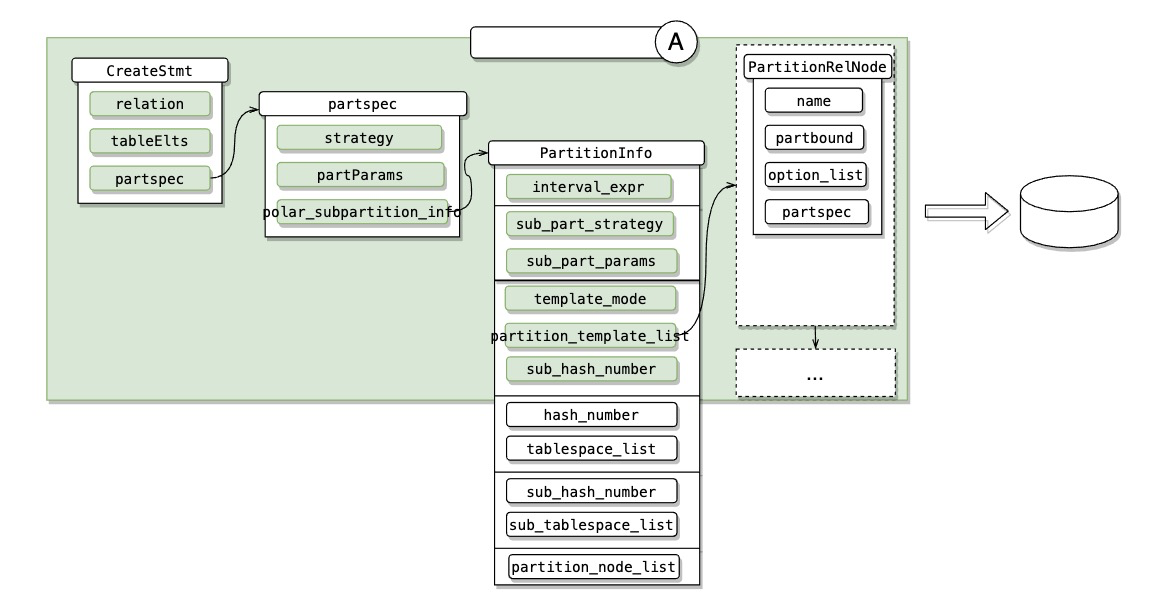
After receiving the statement, the system converts it into an internal node tree. The following figure shows this conversion.

The node tree has three levels:
`CreateStmt` — the top-level node for the entire statement.
`partspec` — the first partitioning level; handles the partition key and partitioning strategy.
`PartitionInfor` — the second partitioning level; manages most of the syntax structures. In the figure, colors distinguish the following categories:
Intervals
Level-1 partitions
Level-2 partitions (subpartitions)
Partitioning templates
List of second-level nodes
Execution module
The executor creates the table in three steps.
Step 1: Store the table definition
The executor stores template information in the table definition for use when creating partitions later. This information is kept in the Option structure:
| Field | Content |
|---|---|
interval_expr | Intervals for range partitioning |
sub_part_strategy / sub_part_params | Partition key and strategy for subpartitions |
partition_template_list | List of subpartition templates for subsequent partition creation |
sub_hash_number | Number of hash partitions to create hash partitions |
Step 2: Generate partition definitions
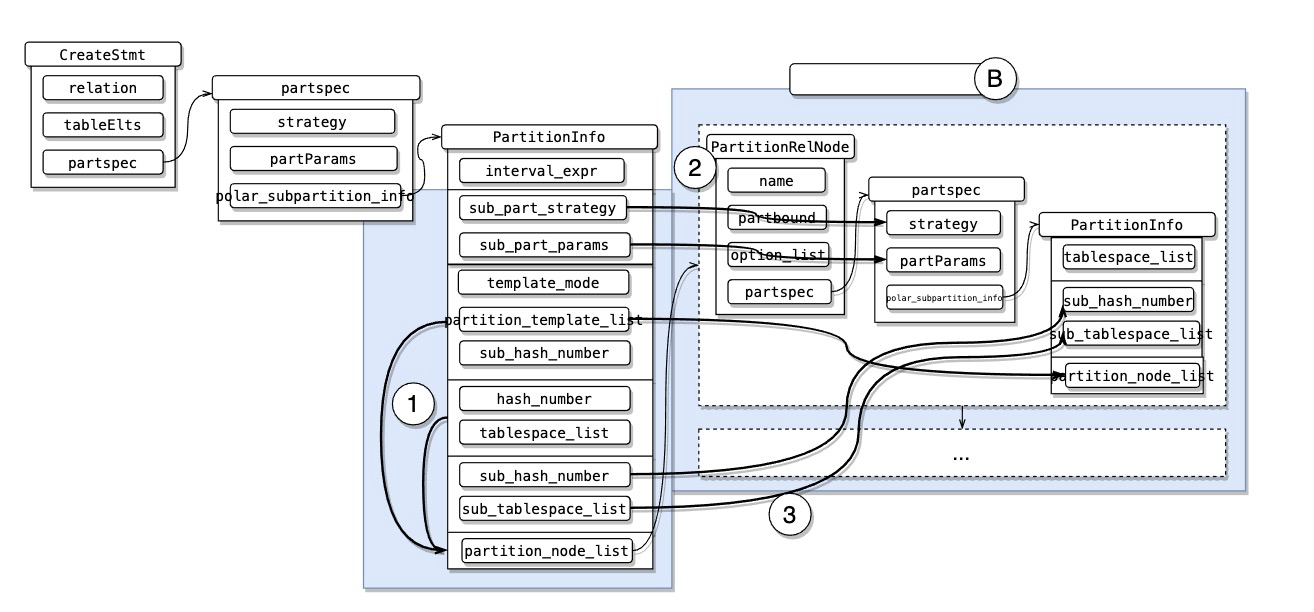
The executor converts the stored information into a list of partition definitions:
Generates node trees from either the hash number or the template list:
For level-1 partitions,
partition_node_listis generated fromhash_number.For level-2 partitions (subpartitions),
partition_node_listis generated fromtemplate_list, if partition templates are defined.
Traverses
partition_node_listand fills in key information — the partitioning strategy and partition key.Checks whether
sub_hash_numberortemplate_listis empty. If empty, it indicates that the nodes themselves carry level-2 partition properties. These properties are attached to the level-1 partitions so they can be processed when subpartitions are created.
Step 3: Create the table
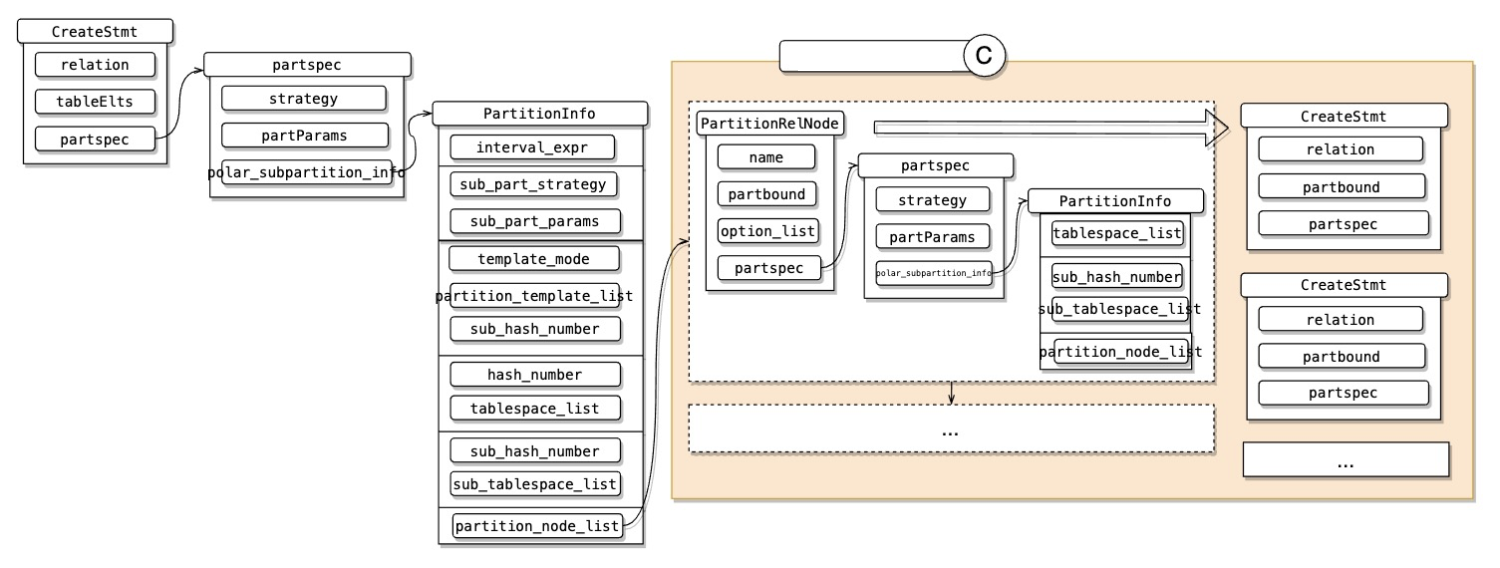
The node list is converted into a creation list. Each PartitionRelNode — including its child nodes — is converted into a CreateStmt node, which the system uses to create the table.
Manage partitioned tables
The following figure gives an overview of the available partition management commands.
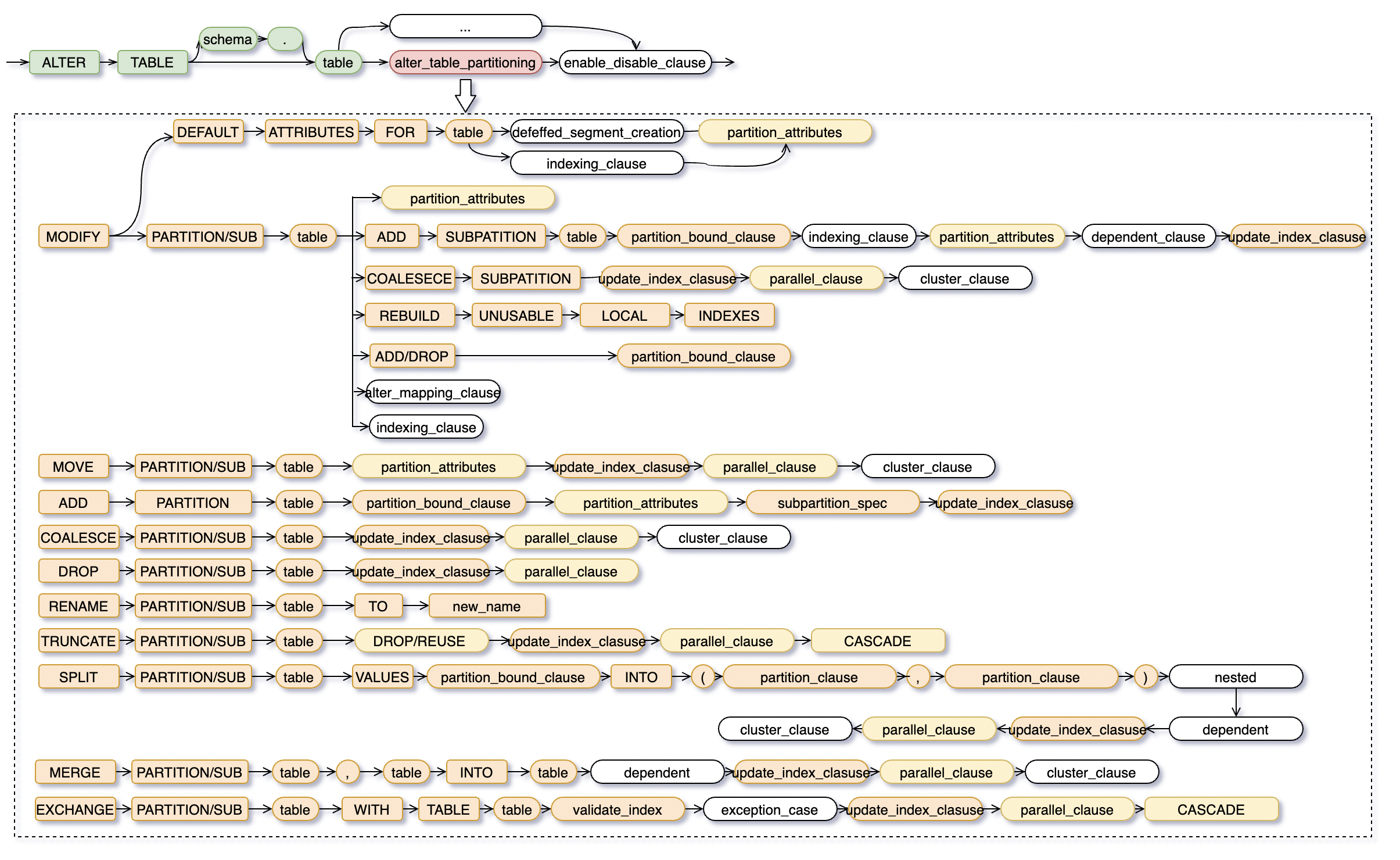
The commands fall into three categories.
Structural changes
These commands modify the structure or layout of a partitioned table.
| Command | Description |
|---|---|
ADD | Adds a partition to a partitioned table |
DROP | Deletes a range- or list-partition |
SPLIT | Splits a single range- or list-partition into two based on a specified value |
MERGE | Merges two range- or list-partitions into one |
COLESCE | Merges two hash partitions, reducing the parent hash-partitioned table's partition count by one |
MODIFY | Collection of management operations on partitions and subpartitions |
Data operations
These commands operate on the data within partitions.
| Command | Description |
|---|---|
TRUNCATE | Clears all data in a partition |
EXCHANGE | Swaps the contents of two partitions; the operation must pass a bounds validation check |
MOVE | Moves a partition to a different storage location |
Naming
| Command | Description |
|---|---|
RENAME | Renames a partition |