This topic describes how to enable auto-renewal for a PolarDB subscription cluster.
Background information
A subscription cluster has a validity period. If the cluster is not renewed before the validity period ends, service interruption or data loss occurs. If you enable auto-renewal for your cluster, you do not need to manually renew your cluster.
Pay-as-you-go clusters do not expire. You do not need to renew pay-as-you-go clusters.
Usage notes
After you enable auto-renewal for a cluster, the system automatically renews the cluster based on the subscription duration. For example, if the subscription duration of your cluster is three months and auto-renewal is enabled, you are charged for a three-month subscription each time the subscription is automatically renewed.
If you manually renew the cluster before the fees are automatically deducted, the system automatically renews the cluster before the cluster expires.
Auto-renewal takes effect the next day after you enable it.
Fee deduction time
Fees are deducted at 08:00 three days before the expiration date of the cluster. If the deduction fails, the system attempts to deduct fees from your account once a day until the fees are deducted or the expiration date arrives. Make sure that your Alibaba Cloud account balance is sufficient.
If your cluster is about to expire on the next day, you must manually renew the cluster. For more information, see Manual renewal.
Enable auto-renewal when you purchase a subscription cluster
When you purchase a subscription cluster, you can select Auto-renewal for the cluster.
For information about how to purchase a subscription cluster, see Purchase a subscription cluster.
Enable auto-renewal after a cluster is purchased
Log on to the PolarDB console.
In the top navigation bar, choose > Renewal Management.
On the Manual or Nonrenewal tab of the Renewal page, find the clusters for which you want to enable auto-renewal. You can enable auto-renewal for a single cluster or for multiple clusters at the same time.
Enable auto-renewal for a single cluster
Click Enable Auto Renewal in the Actions column of the cluster.

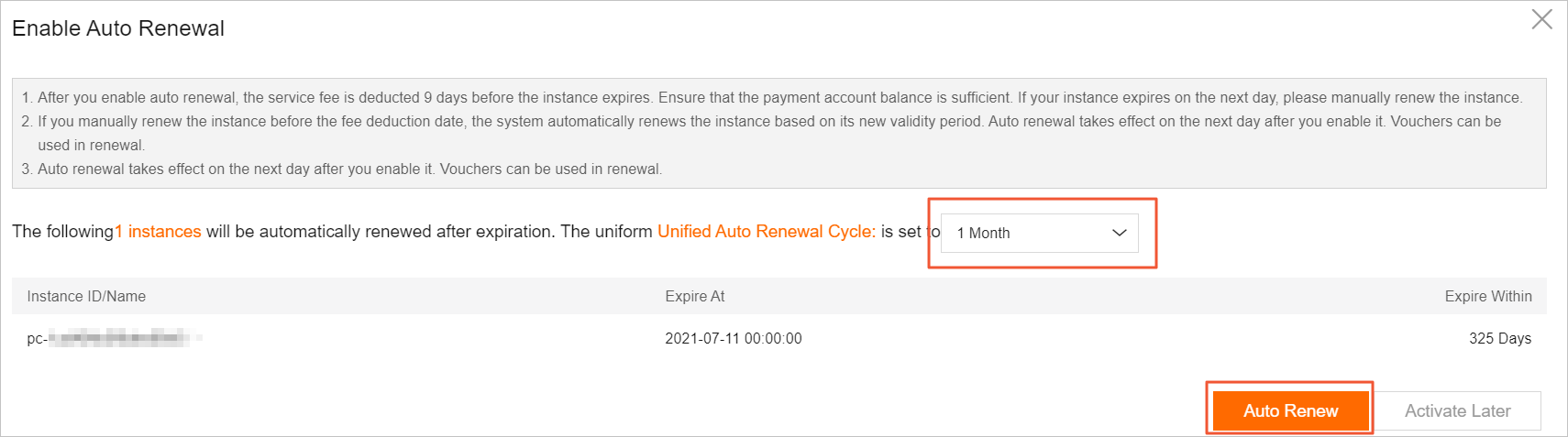
In the Enable Auto Renewal dialog box, specify an auto-renewal cycle and then click Auto Renew.
Enable auto-renewal for multiple clusters at the same time
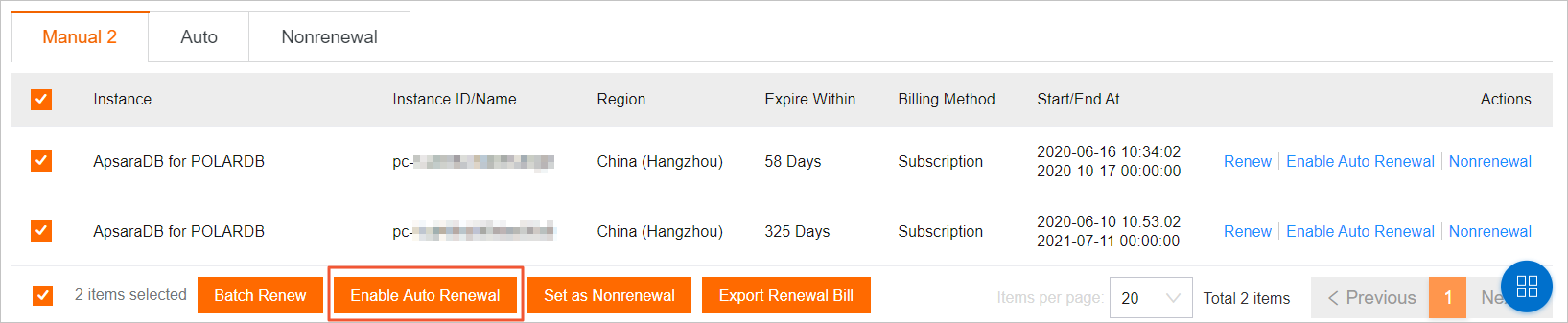
Select the clusters for which you want to enable auto-renewal, and click Enable Auto Renewal in the lower part of the page.
In the Enable Auto Renewal dialog box, specify an auto-renewal cycle and then click Auto Renew.