Learn how to enable, configure, and control ePQ for PolarDB for MySQL, including parallel execution thresholds, hint syntax, and known limits.
Before you begin
-
Confirm that your cluster supports elastic parallel query.
-
Single-node elastic parallel query:
-
Database engine: 8.0.1 whose revision version is 8.0.1.0.5 or later.
-
Database edition: Enterprise Edition.
-
-
Single-node elastic parallel query:
-
Database engine: 8.0.2 whose revision version is 8.0.2.1.4.1 or later.
-
Database edition: Enterprise Edition.
-
-
Multi-node elastic parallel query:
-
Database engine: 8.0.2 whose revision version is 8.0.2.2.6 or later.
-
Database edition: Enterprise Edition.
-
-
-
Review Limits and compatibility issues before enabling parallel query.
-
Read-only and RW nodes both support parallel query, but it is disabled by default on RW nodes. To enable it on RW nodes, Adaptively adjust the degree of parallelism.
Enable or disable parallel query
Enable
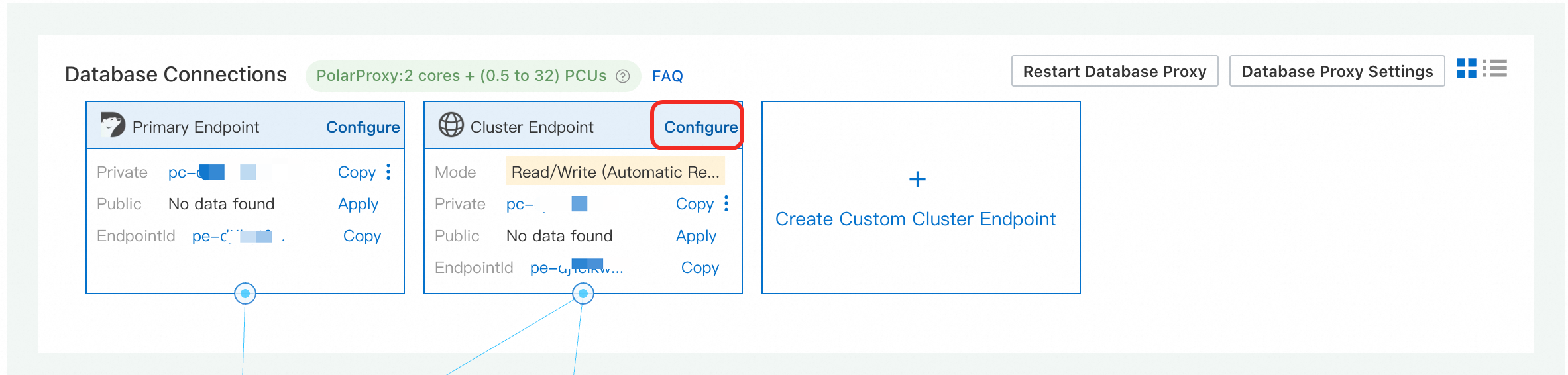
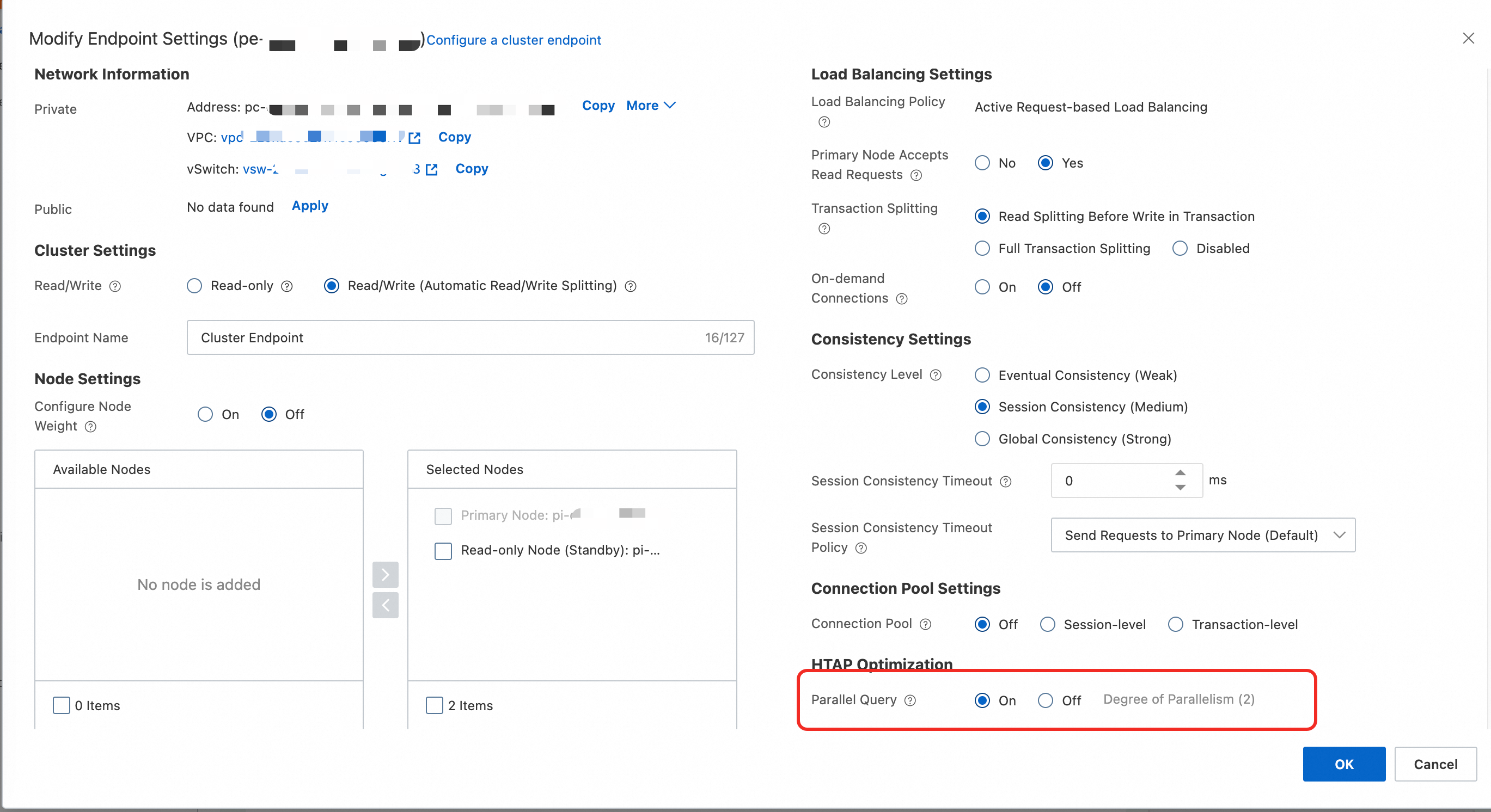
Go to the . On the Basic Information page of the cluster, find the Database Connection section. Select the target endpoint and click Configure. In the Edit Endpoint Configuration dialog box, enable parallel query and configure the Degree of Parallelism.
-
Log on to the PolarDB console. In the navigation pane on the left, click Clusters. Select the region where the cluster is located, and then click the cluster ID to go to the cluster details page.
-
On the Basic Information page of the cluster, find the Database Connection section. Select the target endpoint and click Configure.
-
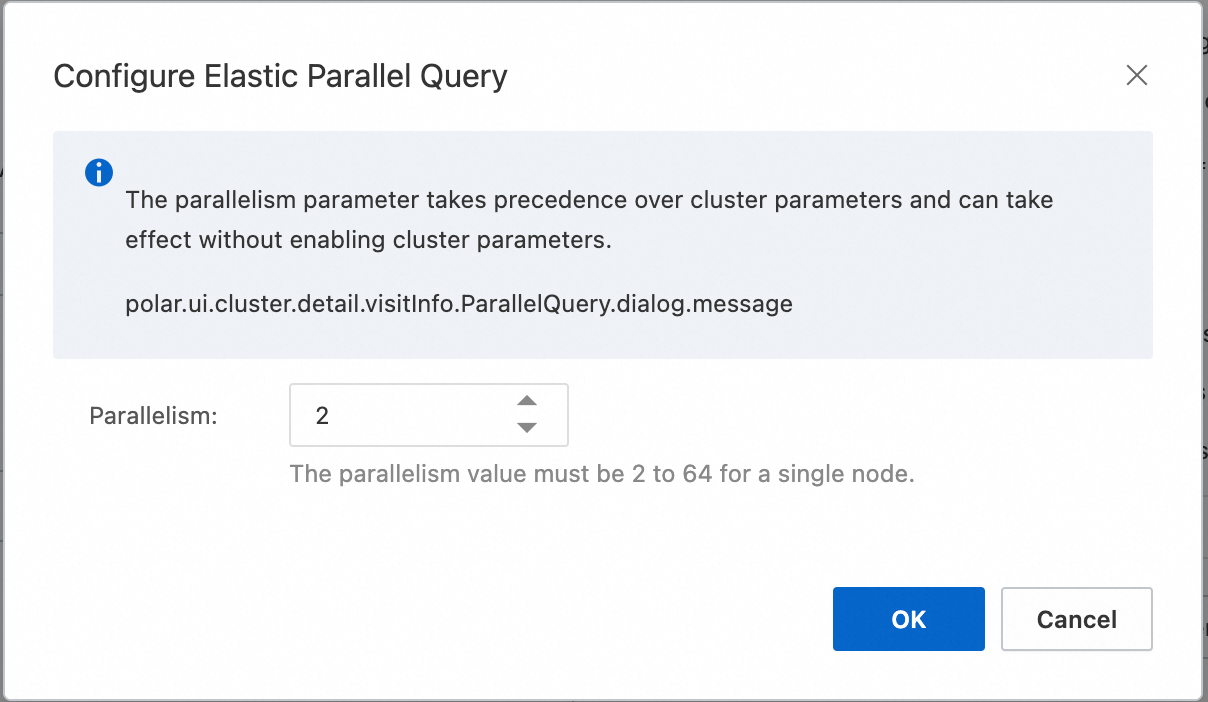
In the Edit Endpoint Configuration dialog box, enable parallel query and configure the Degree of Parallelism. Other endpoint parameters are documented in Configure a database proxy.
Recommended settings and notes:
-
Degree of Parallelism specifies the maximum worker threads a single query can use on one compute node. Total threads per query = Degree of Parallelism × number of nodes.
-
Increase the degree of parallelism gradually. Do not exceed one-fourth of the CPU core count. Start with 2. After one day, raise the value if CPU load stays low; stop if it rises.
-
Enabling parallel query takes effect only for new connections.
-
Console settings and cluster parameters interact as follows:
-
The
loose_max_parallel_degreeparameter applies to all nodes and connections in the cluster, but console adjustments apply only to the configured endpoint. -
If both the console setting and
loose_max_parallel_degreeare configured, the console setting takes precedence. Use the console to enable parallel query. -
If parallel query is not enabled in the console but
loose_max_parallel_degreeis set above 0, single-node parallel query is enabled by default.
NoteThe
loose_max_parallel_degreeparameter sets the maximum worker threads for parallel execution of a single query. Parameter description. -
Disable
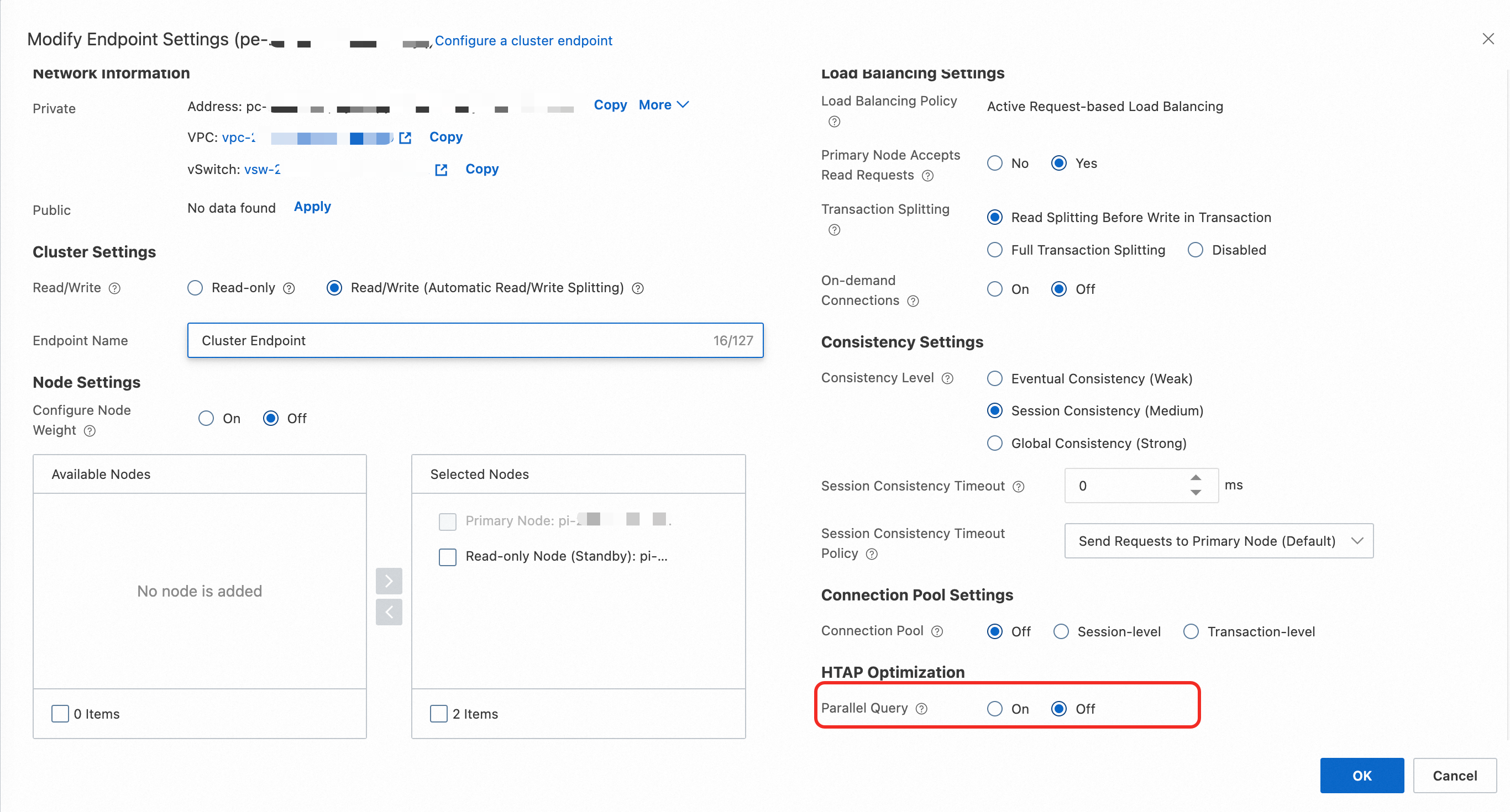
Go to the . On the Basic Information page of the cluster, find the Database Connection section. Select the target endpoint and click Configure. In the Edit Endpoint Configuration dialog box, disable parallel query.
-
Log on to the PolarDB console. In the navigation pane on the left, click Clusters. Select the region where the cluster is located, and then click the cluster ID to go to the cluster details page.
-
On the Basic Information page of the cluster, find the Database Connection section. Select the target endpoint and click Configure.
-
In the Edit Endpoint Configuration dialog box, disable parallel query.
Note:
-
Disabling parallel query takes effect only for new connections.
-
After disabling parallel query in the console, verify that
loose_max_parallel_degreeis also set to 0.NoteThe
loose_max_parallel_degreeparameter sets the maximum worker threads for parallel execution of a single query. Parameter description.
Configure parallel query
PolarDB provides several control policies for parallel query, summarized below. The full list is available in Configure parallel resource control policies.
|
Type |
Description |
|
Optimizer parallel execution thresholds |
PolarDB provides two thresholds. The optimizer considers a parallel plan when a query exceeds either one.
|
|
Multi-node parallel scaling thresholds |
PolarDB provides two thresholds for multi-node parallel scaling. The system scales out when either is exceeded.
|
Control parallel query with hints
Hints control parallel execution at the statement level, letting you override the default behavior, set the degree of parallelism, and specify which tables to parallelize. For example, use a hint to accelerate a specific slow query. Full syntax is documented in Parallel query hint syntax.
Limits and compatibility issues
Limits
PolarDB parallel execution has the following limitations:
-
Queries on non-
InnoDBtables cannot be executed in parallel. -
Queries that use a full-text index cannot be executed in parallel.
-
Expressions that contain stored
Proceduresmust be executed on the leader node. -
If a table is scanned using
Index Merge, the table scan cannot be parallelized. -
Query statements within serializable isolation level transactions cannot be executed in parallel.
-
If the isolation level is
Repeatable-read, the query part ofINSERT ... SELECT/REPLACE ... SELECTstatements within a transaction cannot be executed in parallel.
Compatibility
-
The number of error messages may change
For a query that returns an error during sequential execution, the total number of error messages may differ during parallel execution.
-
Precision issues
Parallel execution may store more intermediate floating-point results, which can cause minor precision differences in the final output.
-
Network packet or intermediate result exceeds
max_allowed_packetParallel execution may generate larger intermediate results. If the length of a network packet or intermediate result exceeds
max_allowed_packet, an error may occur. Increase themax_allowed_packetparameter to resolve this. Set cluster parameters and node parameters. -
Differences in result set order
A
SELECT ... LIMIT nstatement without anORDER BYclause may return rows in a different order during parallel execution, because multiple workers complete at different speeds. -
Row lock count may increase
During parallel execution of
SELECT ... FROM ... FOR SHARE, InnoDB locks every accessed row. The row lock count may be higher than in sequential execution.