Build a drive system based on Drive and Photo Service (PDS) that integrates with your existing user system and logon page.
Preparations
Activate PDS on the product page.
Authorize PDS to access your cloud resources. When you log on to the PDS console for the first time, follow the prompts to complete authorization. Skip this step if you have already authorized PDS.
Create a domain
A domain is a separate resource space, such as a distribution system or a drive system.
Log on to the PDS console. In the left-side navigation pane, click Domains. On the Domains page, click Create Domain.
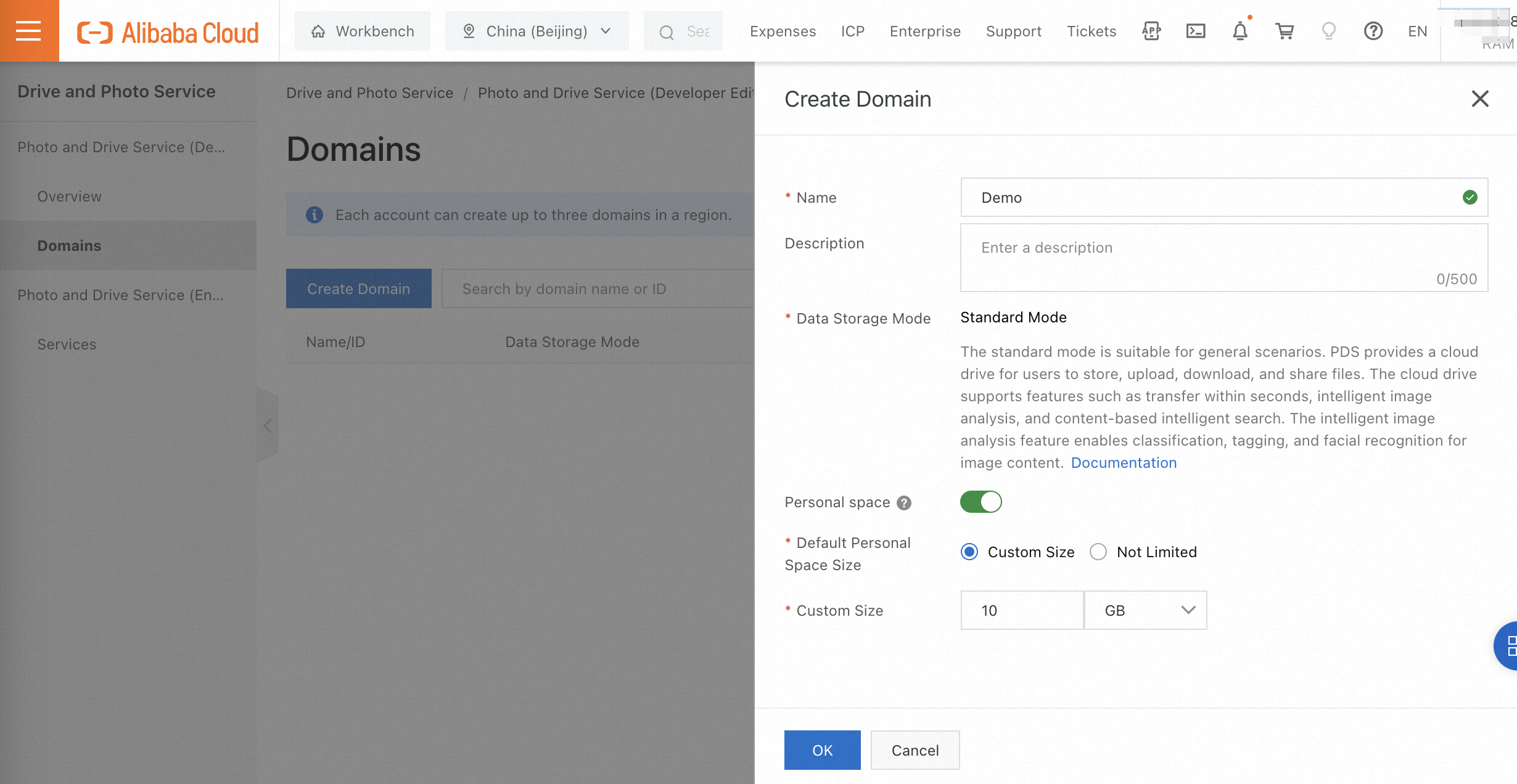
In the Create Domain panel, set Data Storage Mode to Standard Mode and configure other parameters.
If you enable personal space settings, the system automatically creates a drive for each user after the user logs on for the first time.
Call the PDS API on the server side
The server of your application can obtain the access token of a user by using one of the following methods: Alibaba Cloud AccessKey pair and JSON Web Token (JWT).
Use an AccessKey pair
1. Create a RAM user to generate an AccessKey pair and grant permissions to the RAM user
Log on to the RAM console. Create a RAM user, generate an AccessKey pair, and grant the required permissions (such as GetToken).

On the Users page, click Create User.
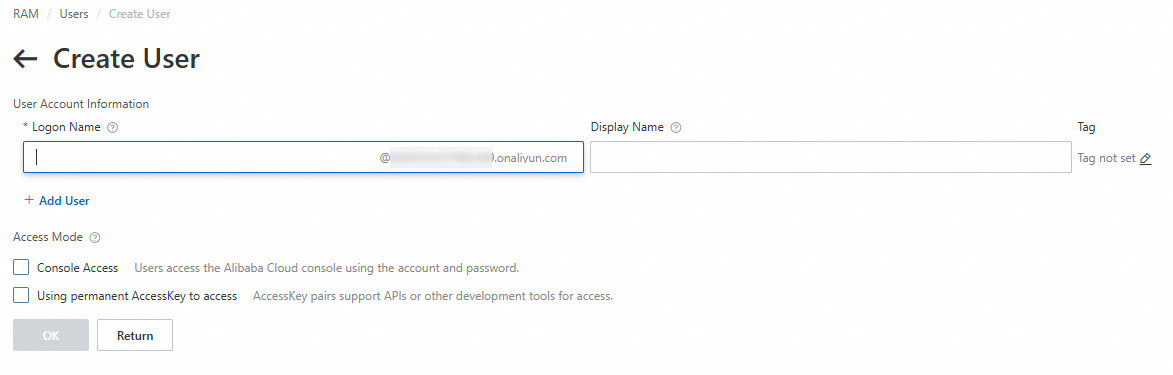
On the Create User page, select Using permanent AccessKey to access.
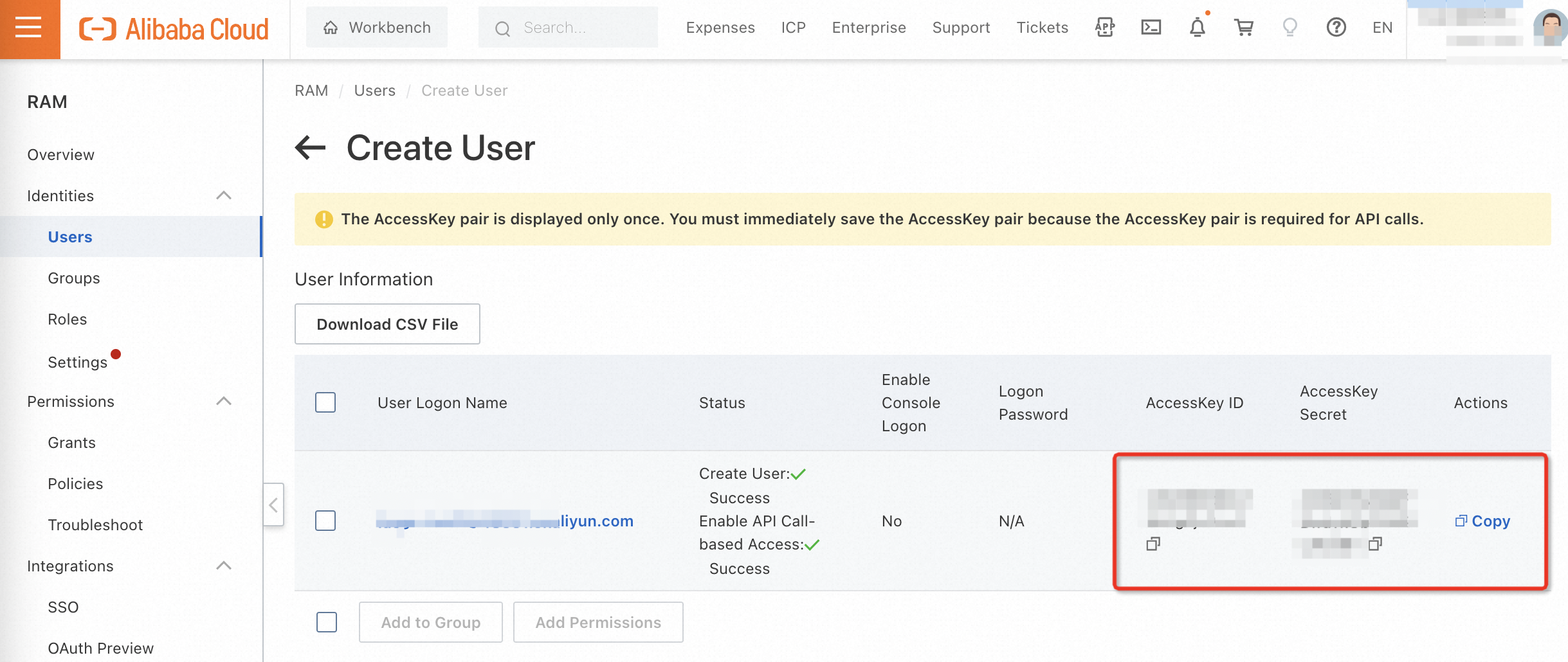
Record the AccessKey ID and AccessKey secret. The AccessKey secret is displayed only once.
2. Grant permissions to the RAM user
On the Users page, find the RAM user and click Add Permissions.

Search for and attach the AliyunPDSFullAccess policy.
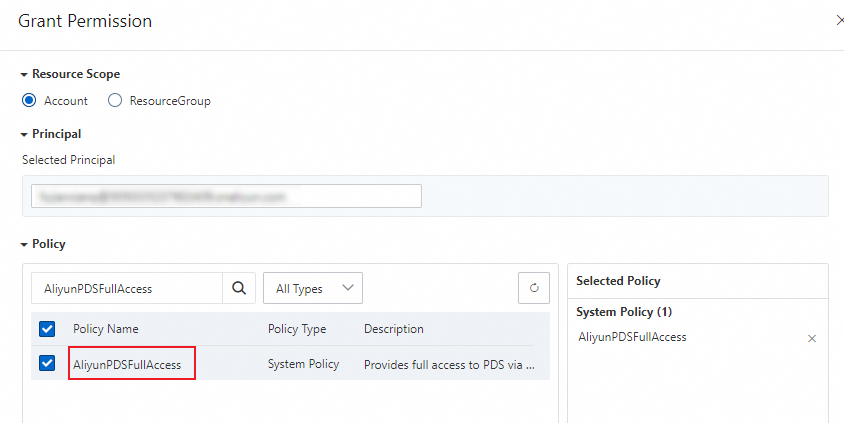
The RAM user now has permissions to call all PDS API operations.
In production, use a custom policy that grants only the permissions required for specific PDS API operations, following the principle of least privilege.
Call API operations to obtain the access token of a user. For more information, see Use an AccessKey to call API operations.
Use JWT
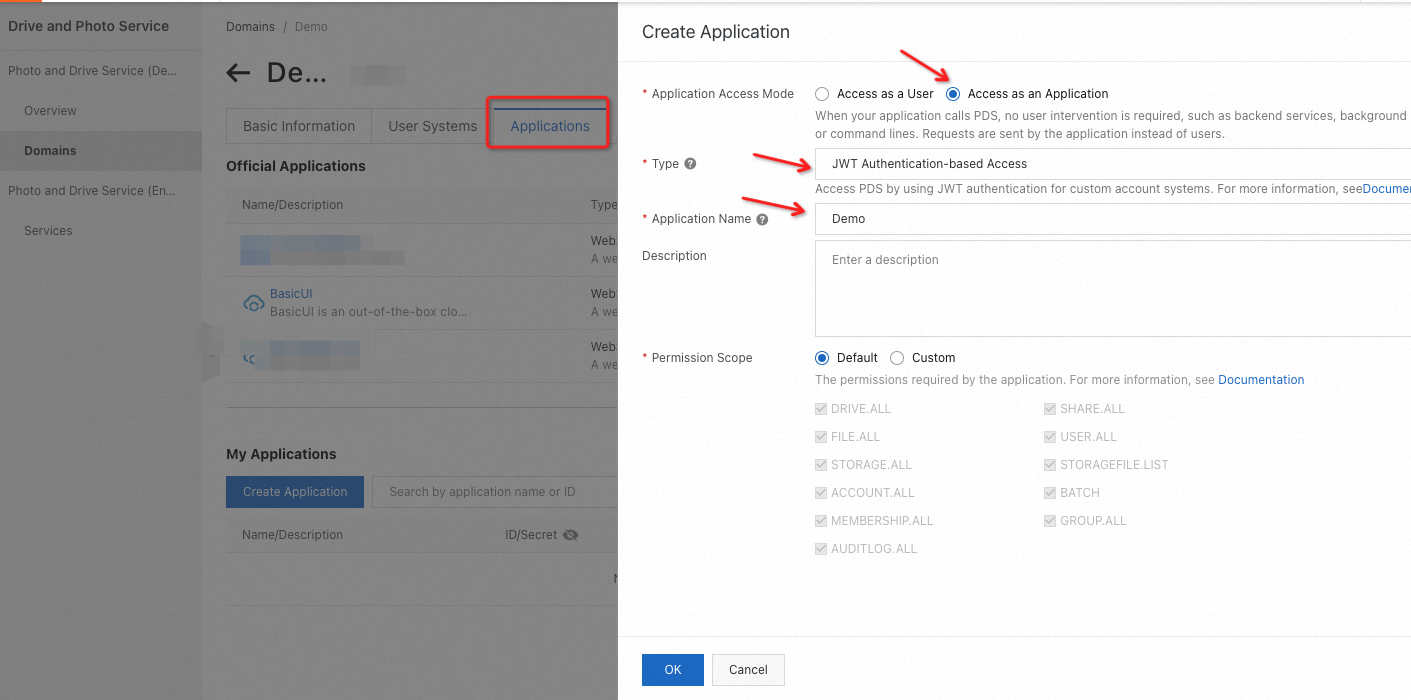
1. Create an application
Log on to the PDS console. On the Domains page, find the created domain and click the domain ID or name to go to the domain details page. On the Applications tab, create an application.
2. Generate a key pair
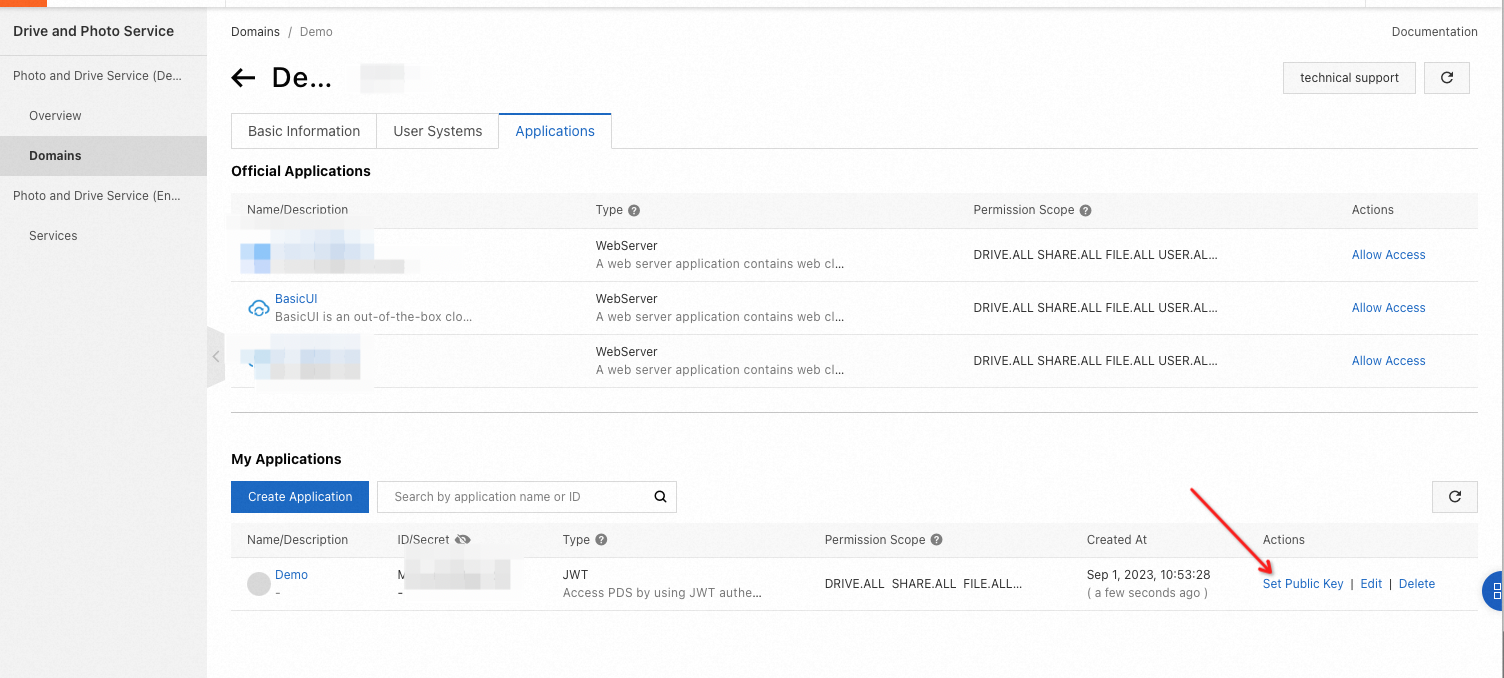
After you create the application, click Set Public Key in the My Applications section.
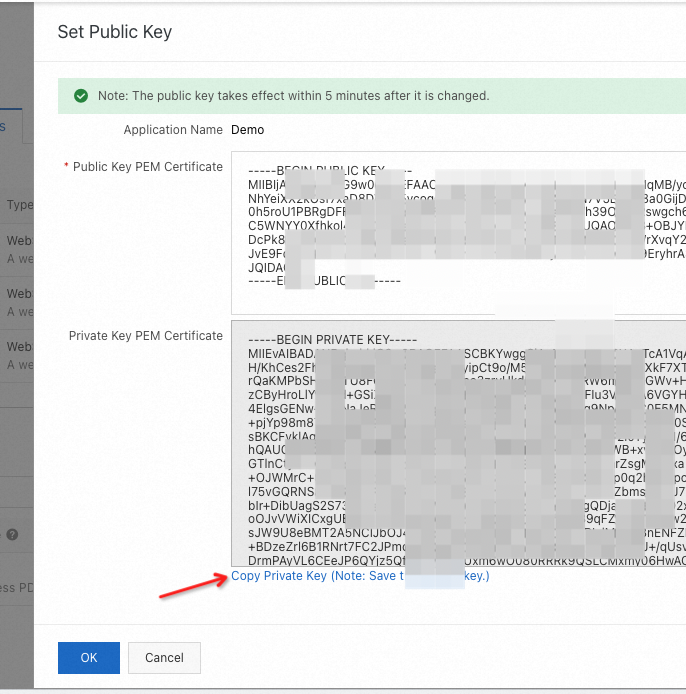
Generate a public key and a private key.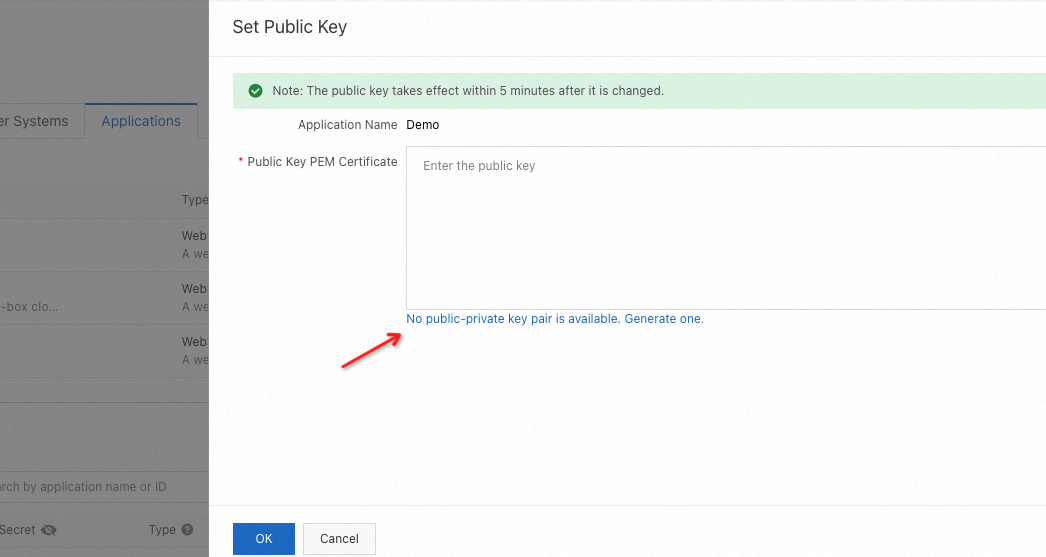
Copy and record the private key. Click OK.
Call API operations to obtain the access token of a user. For more information, see Access for JWT applications.
Integrate PDS SDK
Use a self-managed drive application
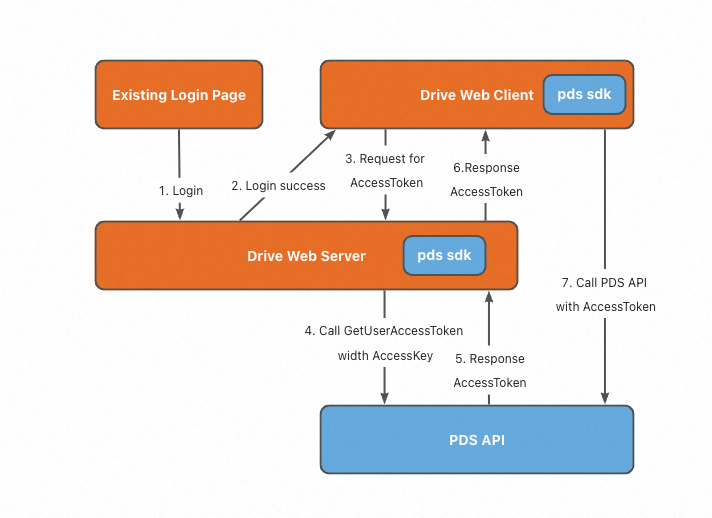
Procedure:
A user logs on to the drive application on the existing user logon page.
After authentication, the server obtains the
access tokenof the user based on the internal user ID.The server returns the
access tokento the client. The client uses theaccess tokento access the PDS API.
Use BasicUI provided by PDS
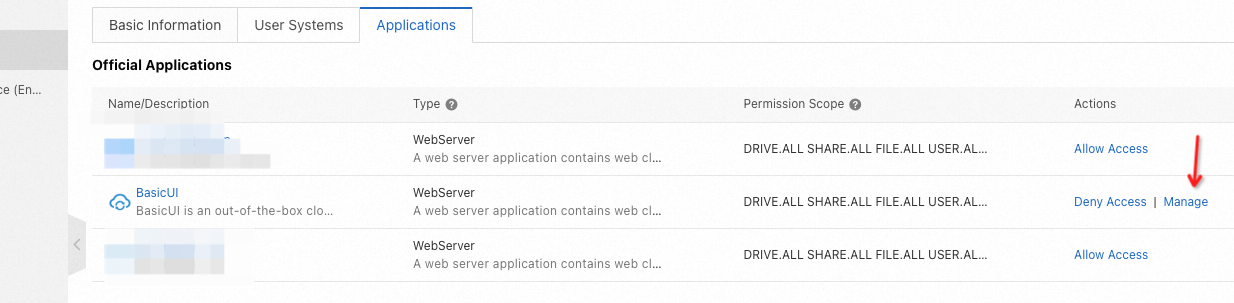
To use BasicUI provided by PDS, allow BasicUI to access your domain.
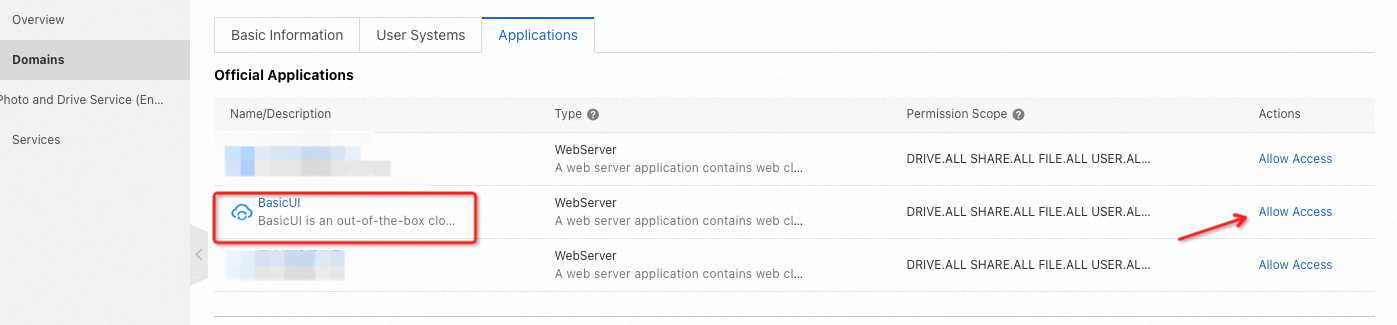
Log on to BasicUI as the super administrator to synchronize data.
The following figure shows how to use BasicUI to access the PDS API.
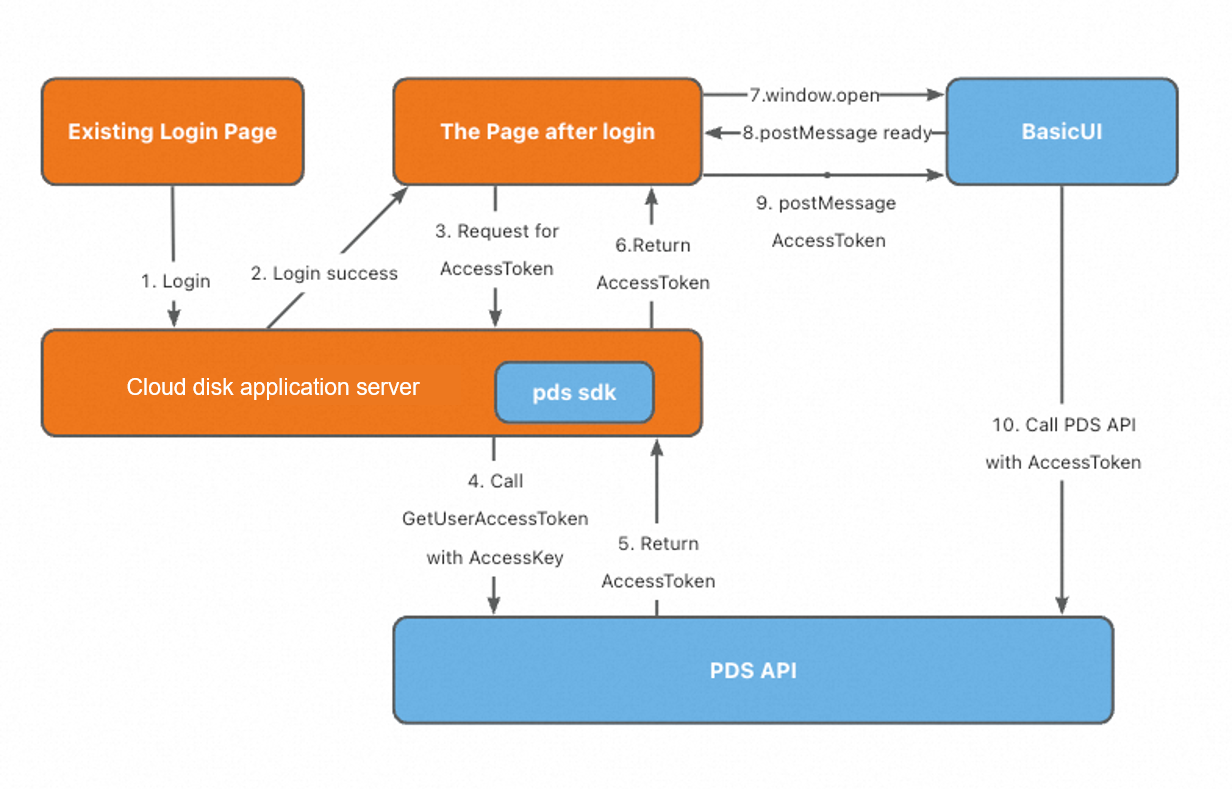
A user logs on to the drive application on the existing user logon page.
After the user logs on, open the BasicUI page by calling:
window.open('https://'+domainId+'.apps.aliyunpds.com/accesstoken?origin='+location.origin).BasicUI sends a postMessage to indicate it is ready.
The page requests the server to issue an access token by using JWT.
After the page obtains the access token, the page sends the access token to BasicUI via postMessage.
BasicUI then uses the access token to access the PDS API.