PDS supports web server, web browser, native, and JWT applications, each with a different OAuth 2.0 access flow.
This topic describes the application types that PDS supports.
Applications
In OAuth 2.0, an application (client) is a tool that manages resources.
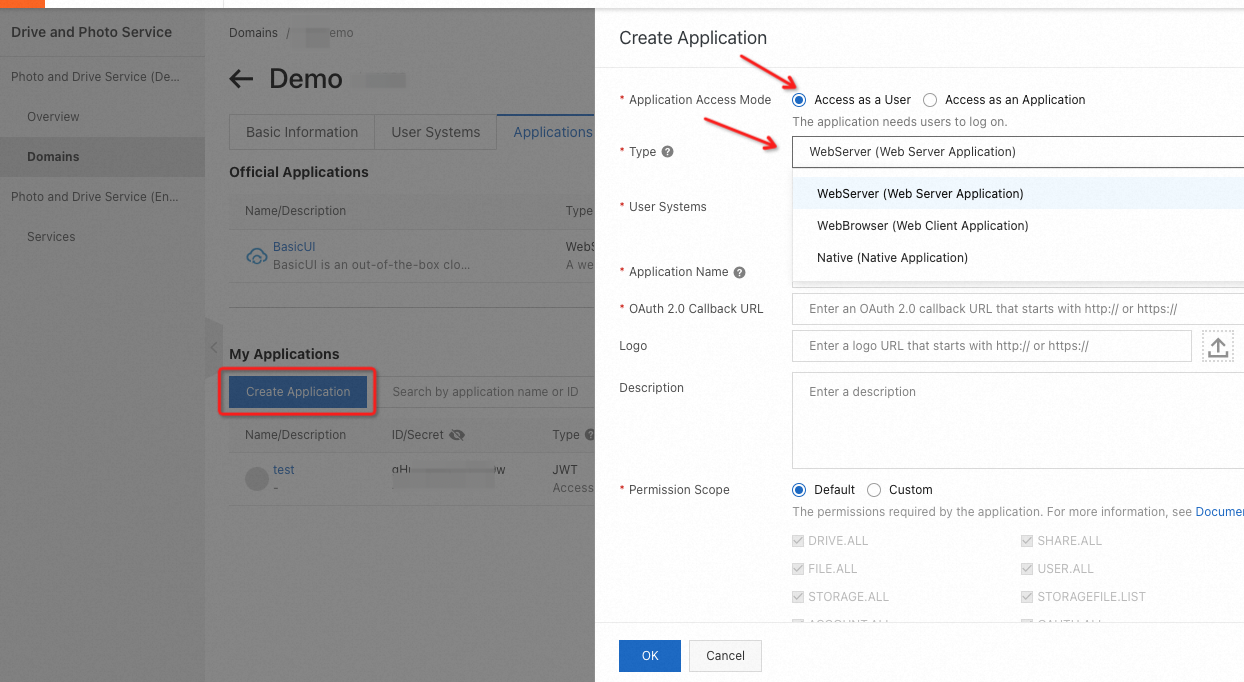
PDS supports these application types:
-
Web server application with a backend service
-
Web browser application
-
Desktop application and mobile application
-
JSON Web Token (JWT) application
Comparison of application forms
|
Application type |
Form |
OAuth 2.0 authorization required |
Scenarios |
|
Web page + Backend service |
Yes |
Call PDS API operations with a backend service that handles additional business logic. |
|
|
Web page |
Yes |
Call PDS API operations without a backend service. |
|
|
Desktop application or mobile application |
Yes |
Access PDS from mobile or desktop applications. |
|
|
Server |
No |
Call PDS API operations without user intervention, such as from a backend service, a backend process, or a CLI tool. Also applies when a custom logon method that does not require user intervention is used. Requests are sent on behalf of the application, not end users. |
PDS applications fall into two categories:
-
Official applications: provided by PDS, with access to resources across all authorized domains.
-
Self-managed applications: created by customers for specific business scenarios.
OAuth 2.0
PDS API uses OAuth 2.0 for authentication and authorization. Both web and client applications can access PDS through OAuth 2.0.
To use OAuth 2.0, first configure logon methods in the PDS console as described in User systems supported by PDS. Then, create an application to obtain credentials such as the AppId and AppSecret. Your application requests an access token from the PDS authorization server and uses it to call PDS API operations. The access token can be refreshed as needed.
OAuth 2.0 access comparison by application type
|
Application type |
Form |
response_type value |
AppSecret required |
Token refresh supported |
|
Web application with a backend service |
code |
Yes. The |
Yes. |
|
|
Desktop application or mobile application |
code |
No. It is not secure to store the |
Yes. The application can refresh the |
|
|
Frontend application such as pure JavaScript application, single page application (SPA), or widget |
access_token |
No. It is not secure to store the |
No. |
Select an application type based on your scenario.
The OAuth 2.0 access process varies by application type:
References
To use signature authentication with Alibaba Cloud AccessKey pairs, call the AccessKey-based API operations. For more information, see Use an AccessKey to call API operations.