PAI-Lingjun AI Computing Service (Lingjun) provides unified API operations to query the information about the network communication distance (NCD) between Lingjun GPU-accelerated nodes or Lingjun network interfaces (LNIs). This helps you implement efficient task scheduling and obtain optimal training performance. This topic describes the basic concepts of NCD, the reasons for using NCD, and how to use NCD.
Usage notes
The NCD between Lingjun GPU-accelerated nodes or LNIs serves as a reference for the forwarding overhead across underlying physical networks but is not an exact measure of forwarding latency.
If multiple LNIs are configured for two Lingjun GPU-accelerated nodes, the NCD between the two nodes equals the minimum NCD value between any pair of LNIs across the two nodes. In this case, the NCD is calculated based on the following formula:
NCD(Node1,Node2) = Min(NCD(Node1.LNI_i,Node2.LNI_j)). In the formula, i indicates the number of LNIs that are configured for Node1, and j indicates the number of LNIs that are configured for Node2.The NCD serves as a reference for network forwarding latency across physical switches regardless of whether NVLink is used. If a Lingjun GPU-accelerated node is connected to multiple leaf switches by using multiple LNIs, the NCD between two LNIs of the Lingjun node is 2.
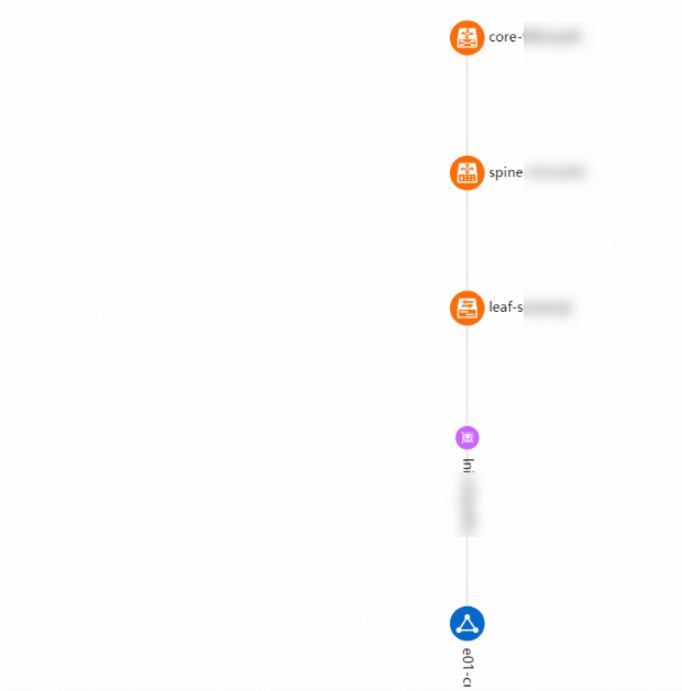
The NCD hierarchy chart of a Lingjun cluster in the Intelligent Computing Lingjun console displays only the secondary LNIs or Lingjun elastic network interfaces (LENIs) that are used for specific tasks in the Lingjun cluster. The default LNIs or LENIs are not displayed.
Basic concepts
NCD abstracts the distance for communication between two LNIs of a Lingjun GPU-accelerated node or between two Lingjun GPU-accelerated nodes across physical networks. A smaller value indicates reduced network latency and communication overhead. The following figure shows a typical three-layer physical network architecture.

The architecture consists of the following three layers:
Core layer: A core switch is responsible for traffic forwarding between spine switches that are connected to the core switch.
Spine layer: A spine switch is responsible for traffic forwarding between leaf switches that are connected to the spine switch. Every spine switch is connected to a core switch.
Leaf layer: A leaf switch is responsible for connecting Lingjun GPU-accelerated nodes. Every leaf switch is connected to a spine switch.
The NCD between Lingjun GPU-accelerated nodes or LNIs indicates the number of physical switch layers they pass through for communication.
The following formulas provide examples on how to calculate the NCD between different nodes in the preceding figure:
NCD(Node1,Node2) = 1
NCD(Node1,Node3) = 2
NCD(Node1,Node5) = 3
If Lingjun GPU-accelerated nodes communicate across core switches, the NCD between the nodes is 10.
Special cases:
If only one LNI is configured for each of two communicating Lingjun GPU-accelerated nodes, the NCD between the nodes is the same as that between two LNIs of the nodes. If multiple LNIs are configured for each of two communicating Lingjun GPU-accelerated nodes, the LNIs of a Lingjun GPU-accelerated node are connected to different access switches (ASWs). For example, the LNIs are connected to eight ASWs. Therefore, the NCD between the nodes may differ from the NCD between the LNIs of the nodes. The following formulas provide examples on how to calculate the NCD: NCD(GPU1.bond0, GPU2.bond0) = 1 and NCD(GPU1.bond0, GPU2.bond1) = 2.
In these cases, the reduction principle is deployed to help you better understand the relationship between two Lingjun GPU-accelerated nodes. The following formula is used to calculate the NCD between Lingjun GPU-accelerated nodes that connect to different leaf switches: NCD(GPU1, GPU2) = min(NCD(GPU1.anyLNI, GPU2.anyLNI)), which indicates that the NCD between the two nodes equals the minimum NCD value between any pair of LNIs across the two nodes.
Reasons for using NCD
Problems
In a specific physical network topology, the communication performance of Lingjun GPU-accelerated nodes may vary greatly due to factors such as communication latency and uneven load balancing that occurs when traffic is forwarded over multiple switch hops. This leads to noticeable variations in throughput during model training.
Solution

In the preceding figures, the traffic is forwarded in the following order: Node1, Node2, Node3, and Node4. The layout in Placement-1 provides better communication performance than that of the layout in Placement-2. This is because the spine switch is required to forward the traffic only once in Placement-1. In Placement-2, the spine switch is required to forward the traffic three times.
To solve these problems, Lingjun provides unified API operations to query the information about the NCD between Lingjun GPU-accelerated nodes or LNIs. This helps you implement efficient task scheduling and obtain optimal training performance.
NCD query by using the console
The Intelligent Computing Lingjun console provides NCD hierarchy charts that consist of LNIs of Lingjun GPU-accelerated nodes in Lingjun clusters. An NCD hierarchy chart displays the physical network topology of the corresponding Lingjun cluster as an abstraction, which is easy for identification. To query NCD-related information in the Intelligent Computing Lingjun console, perform the following steps:
Log on to the Intelligent Computing Lingjun console.
In the left-side navigation pane, choose .
In the Physical Topology section, select a Lingjun Virtual Private Datacenter (VPD) from the left drop-down list and click Search to view the NCD hierarchy chart of the Lingjun cluster in the specified VPD.
NoteThe NCD hierarchy chart of a Lingjun cluster displays only the secondary LNIs or LENIs that are used for specific tasks in the Lingjun cluster. The default LNIs or LENIs are not displayed.
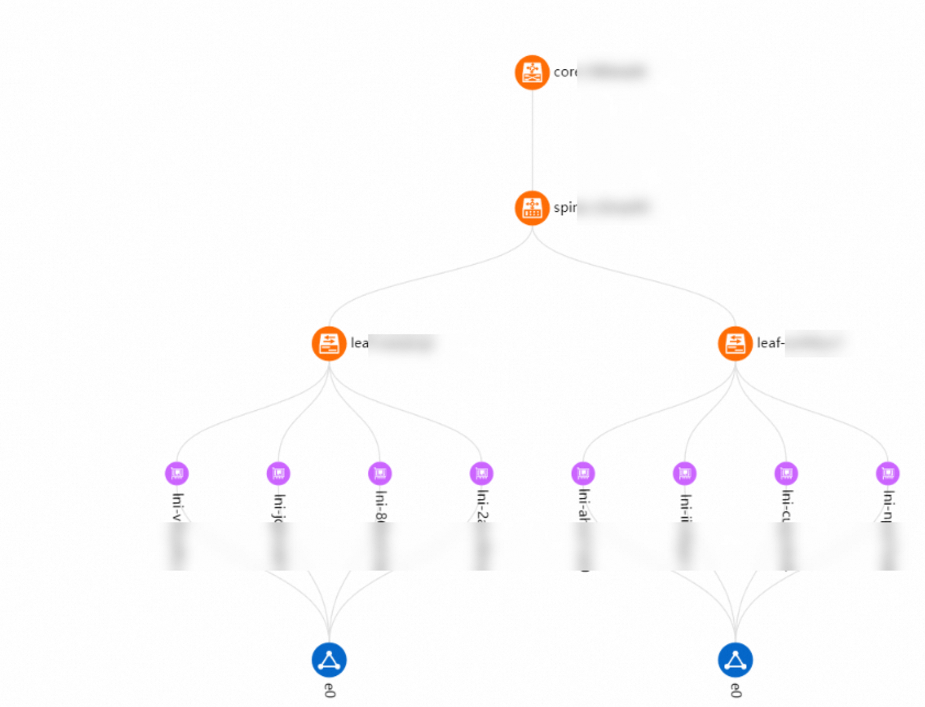
You can also select an LNI from the right drop-down list and click Search to view the NCD hierarchy chart that contains only the specified LNI.