Accelerate model loading by 10x using distributed caching architecture for large language models exceeding 100 GB.
Challenges
Large Language Models with 700+ GB parameters make model loading time a critical bottleneck. This challenge is especially pronounced in two scenarios:
-
Elastic scale-out: Model loading time directly impacts service scaling agility.
-
Multi-instance deployments: Multiple instances concurrently pulling models from remote storage (OSS, NAS, or CPFS) causes network bandwidth contention and slows model loading.
PAI Inference Service introduces Model Weight Service (MoWS) to address these challenges using several core technologies:
-
Distributed caching architecture: Uses node memory to build a weight cache pool.
-
High-speed transport: Delivers low-latency data transfer using RDMA-based interconnects.
-
Intelligent sharding: Supports parallel data sharding with integrity checks.
-
Memory sharing: Enables zero-copy weight sharing among multiple processes on a single machine.
-
Intelligent prefetching: Proactively loads model weights during idle periods.
-
Efficient caching: Ensures model shards are load-balanced across instances.
This solution delivers significant performance gains in large-scale cluster deployments:
-
10x faster scaling compared to traditional pull-based methods.
-
60%+ higher bandwidth utilization.
-
Service cold start reduced to seconds.
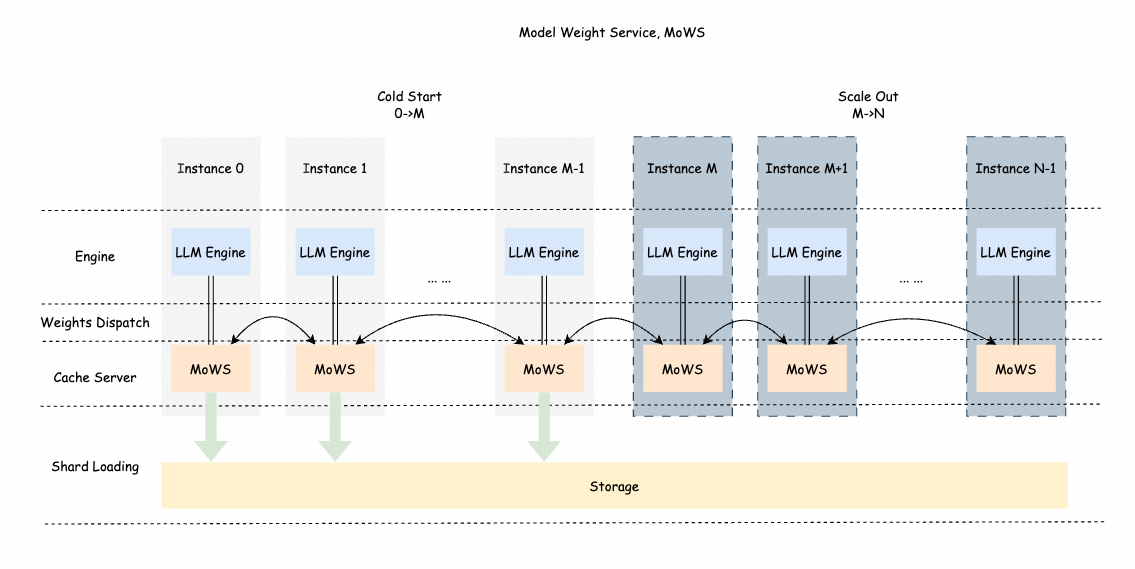
MoWS fully utilizes bandwidth resources among multiple instances to enable fast and efficient model weight transport. It caches model weights locally and shares them across instances. For large-parameter models and large-scale deployments, MoWS significantly improves service scaling efficiency and startup speed.
Enable model weight service
-
Log on to the PAI console. Select a region on the top of the page. Then, select the desired workspace and click Elastic Algorithm Service (EAS).
-
Click Deploy Service, then Custom Deployment.
-
On the Custom Deployment page, configure the following parameters. For other parameters, see Parameters for custom deployment in the console.
-
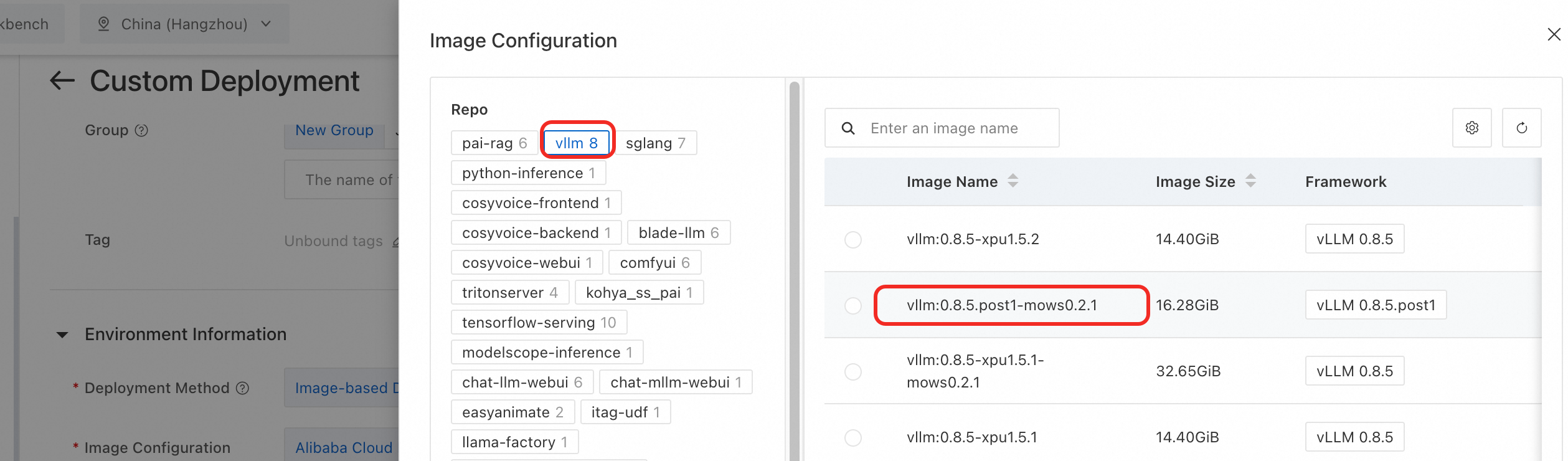
Under Environment Information > Image Configuration, select Alibaba Cloud Image and choose an image version with the mows identifier from the vllm image repository.
 Important
Add the
--load-format=mowsparameter to the command to support vllm/sglang inference engines. -
In the Resource Information section, select EAS Resource Group or Resource Quota as the resource type.
-
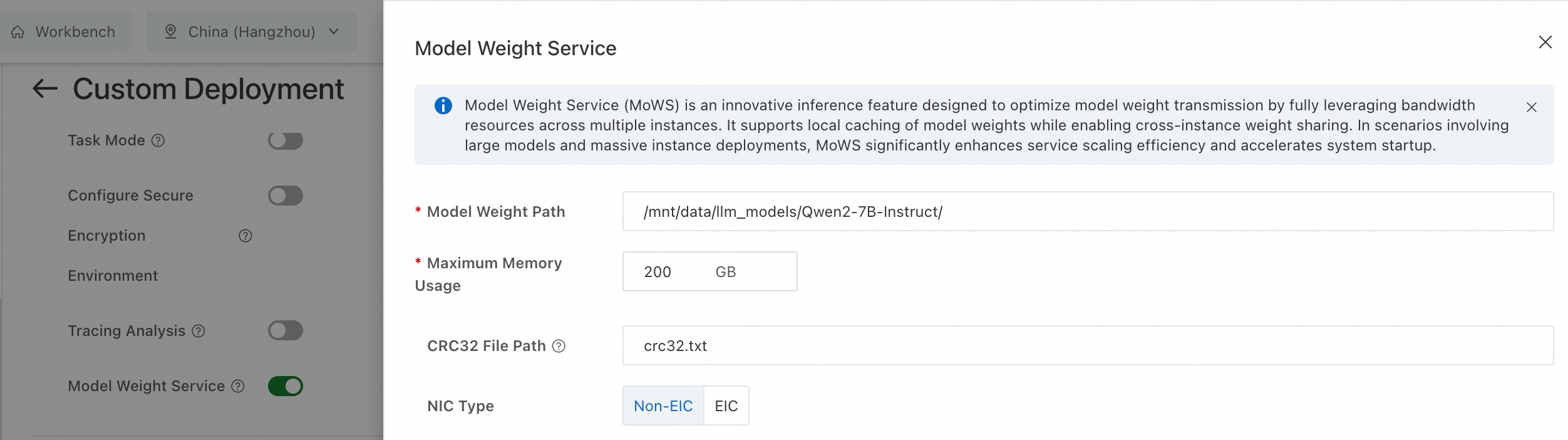
In the Features section, enable Model Weight Service (MoWS) and configure the following parameters.
Parameter
Description
Example
Model Weight Path
Required. The path of model weights. The path can be an OSS, NAS, or CPFS mount path.
/mnt/data/llm_models/Qwen2-7B-Instruct/Maximum Memory Usage
Required. Memory resources used by MoWS for a single instance. Unit: GB.
200
CRC32 File Path
Optional. Specifies the crc32 file for data verification during model loading. The path is relative to Model Weight Path.
-
The file format is [crc32] [relative_file_path].
-
Default value: "crc32.txt".
crc32.txt
Example content:
3d531b22 model-00004-of-00004.safetensors
1ba28546 model-00003-of-00004.safetensors
b248a8c0 model-00002-of-00004.safetensors
09b46987 model-00001-of-00004.safetensors
NIC Type
Select EIC if your instance uses EIC-accelerated hardware.
Non-EIC NIC
-
-
Performance benchmarks
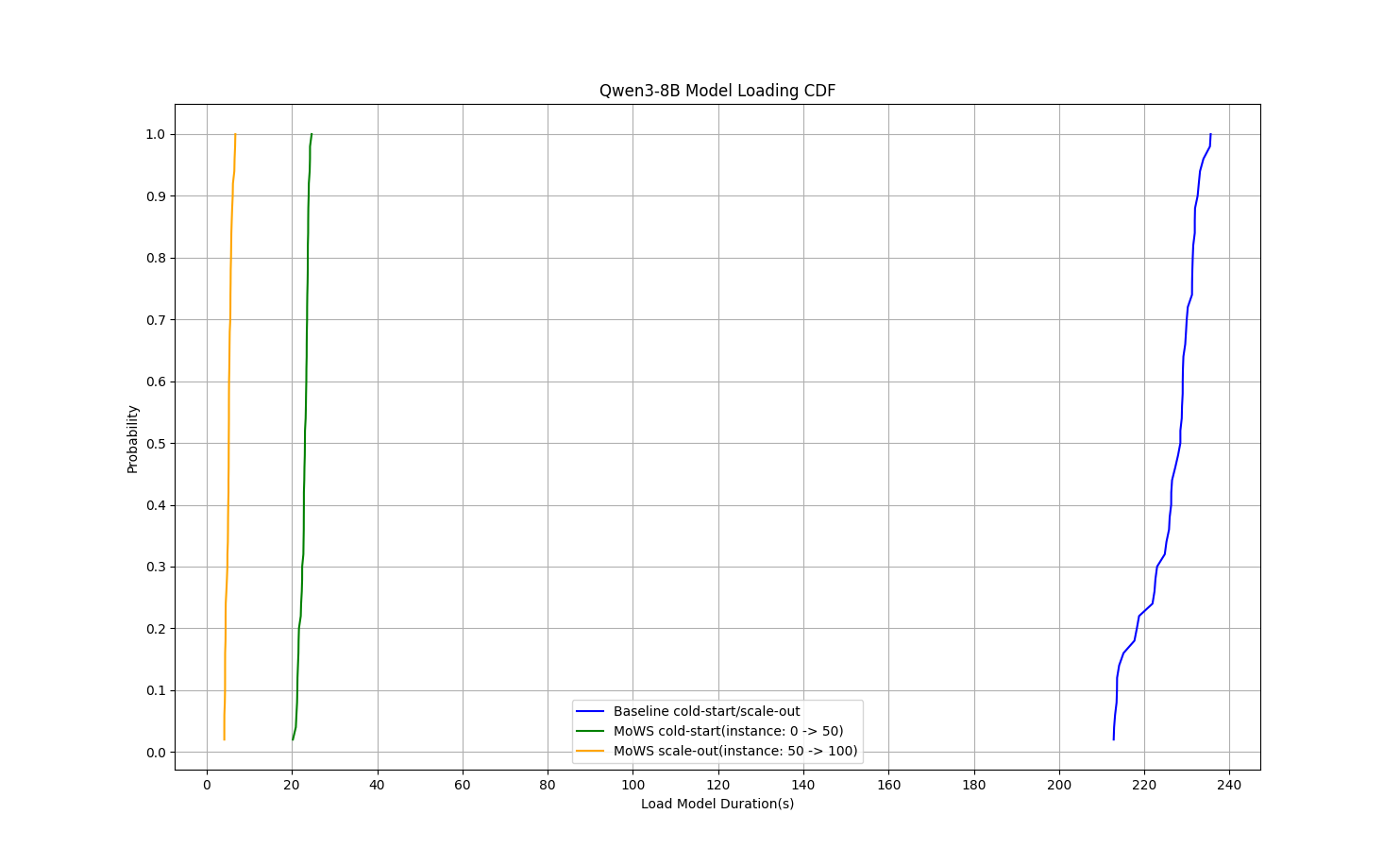
Performance test with Qwen3-8B model: MoWS reduced P99 cold start time from 235 seconds to 24 seconds (89.8% reduction) and cut instance scaling time to 5.7 seconds (97.6% reduction).
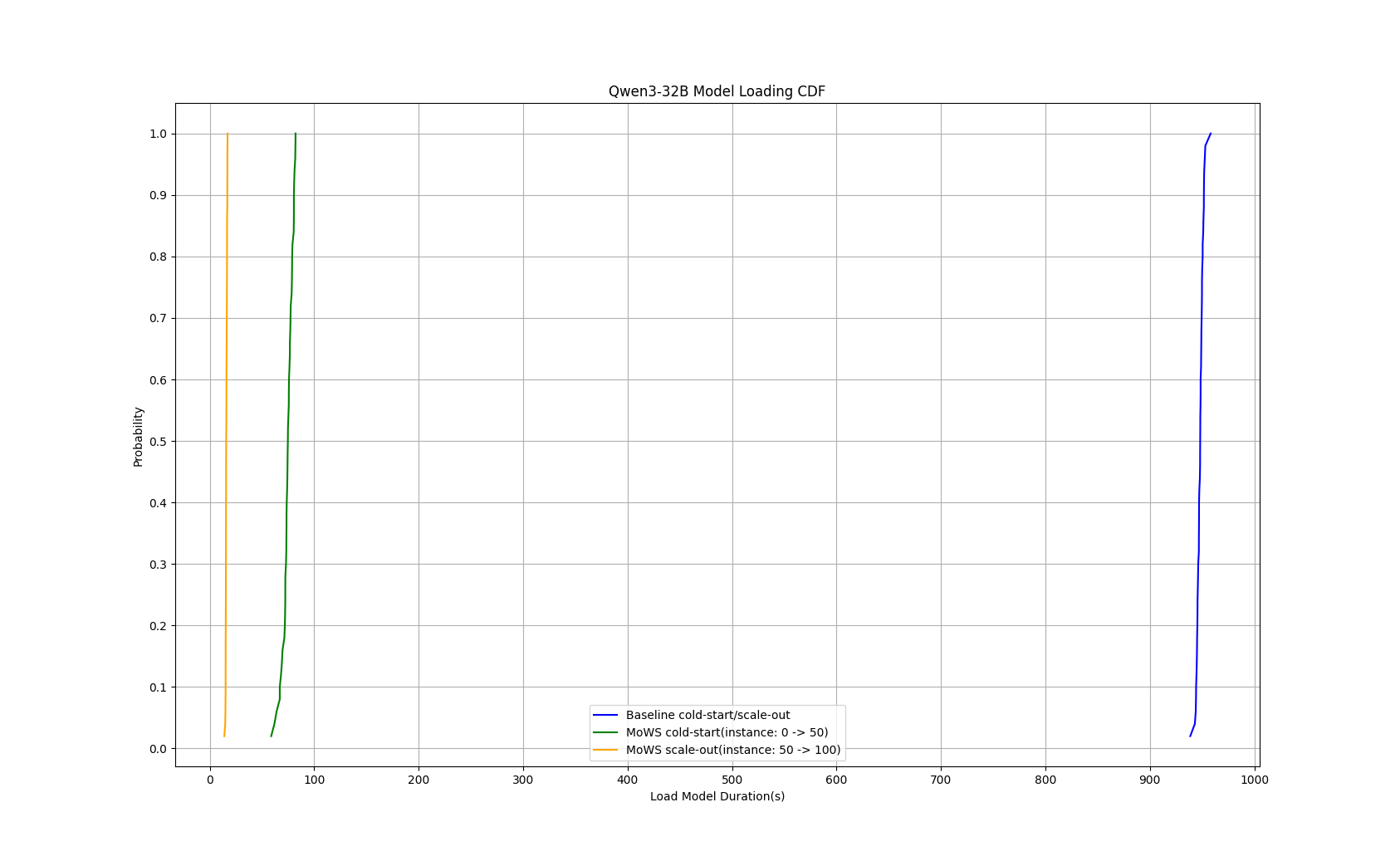
Performance test with Qwen3-32B model: MoWS reduced cold start time from 953 seconds to 82 seconds (91.4% reduction) and cut instance scaling time to 17 seconds (98.2% reduction).