Model Gallery provides hundreds of pre-trained models from Hugging Face, ModelScope, and other leading communities. Deploy or fine-tune models with a zero-code interface for rapid AI application development.
Features
Model Gallery provides pre-trained models for various AI scenarios, including LLMs, AIGC, computer vision, NLP, and speech processing. Key features:
-
One-click operations: Deploy, train, compress, and evaluate models with minimal configuration.
-
Advanced customization: Customize hyperparameters and configurations for specific requirements.
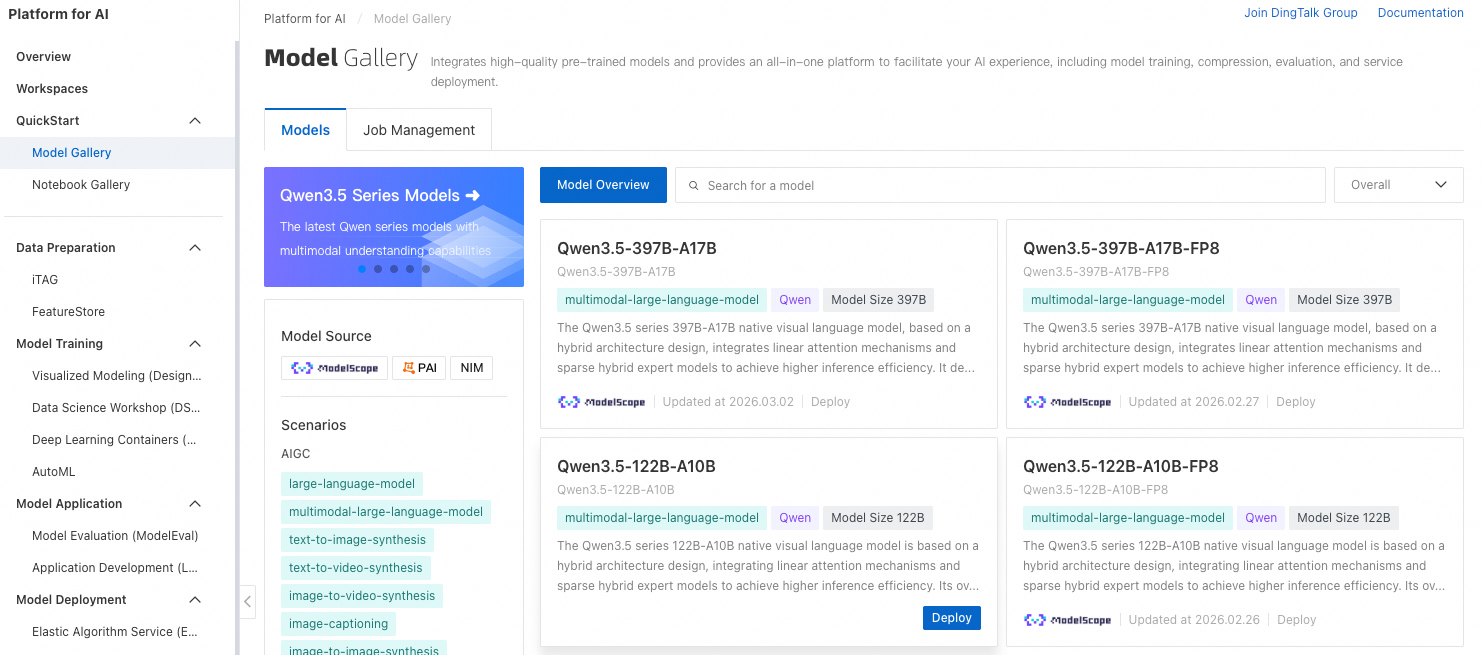
Workflow
Follow this workflow to use Model Gallery:

The typical workflow is:
-
Find a model: Browse and search for models that match your business needs. See Select a model for your business.
-
Deploy and debug: Deploy pre-trained models as online services, then debug and evaluate inference results. See Deploy and debug a model.
-
Fine-tune and train: Fine-tune models with your own data for improved performance, then redeploy the optimized model. See Model deployment and training.
Billing
Model Gallery is free. Charges apply for EAS and DLC resources used during model training and deployment. See QuickStart billing.
Regional availability
Model Gallery is available in multiple regions across Asia Pacific, Europe, and Americas. For the complete list of supported regions, see Regions and zones.