You can use the LLM-LaTeX Remove Bibliography (MaxCompute) component to preprocess TeX text data that is used to train large language models (LLMs). The component removes the bibliography at the end of LaTeX text.
Supported computing resources
Algorithm
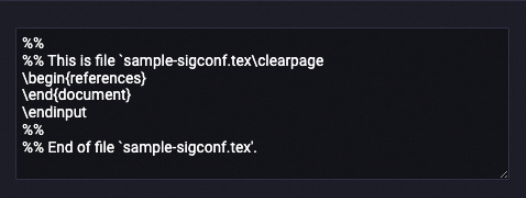
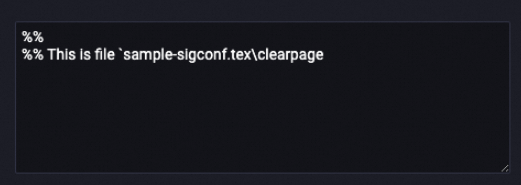
The LLM-LaTeX Remove Bibliography (MaxCompute) component extracts all strings that match the regular expression r'(\\appendix|\\begin\{references\}|\\begin\{REFERENCES\}|\\begin\{thebibliography\}|\\bibliography\{.*\}).*$' and replaces the strings with an empty string. Multiple match patterns are separated by vertical bars (|).
Example:
Before processing
| After processing
|
Configure the component
Configure the parameters of the LLM-LaTeX Remove Bibliography (MaxCompute) component on the pipeline page of Machine Learning Designer in the Platform for AI (PAI) console. The following table describes the parameters.
Tab | Parameter | Description |
Fields Setting | Select Target Column | The columns that you want to process. You can select multiple columns. |
Output table lifecycle | The value is a positive integer. Unit: days. Default value: 28. After the default lifecycle of the table elapses, the temporary tables generated by the component are recycled. | |
Tuning | Number of CPUs per instance of map task | The number of CPUs for each instance of a map task. Valid values: 50 to 800. Default value: 100. |
The memory size per instance of map task | The memory size of each instance of a map task. Valid values: 256 to 12288. Default value: 1024. Unit: MB. | |
The maximum size of input data for a map | The maximum amount of data that each instance of a map task can process. Valid values: 1 to Integer.MAX_VALUE. Default value: 256. Unit: MB. You can use this parameter to control the size of the input data. |