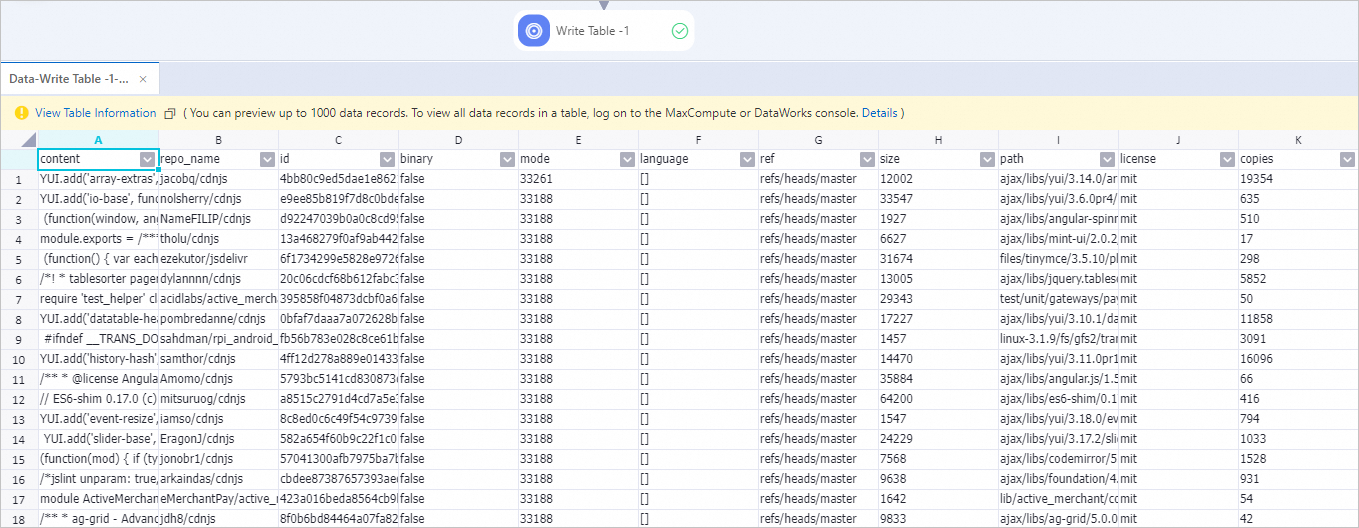
This topic describes how to use Large Language Model (LLM) data processing components provided by Platform for AI (PAI) to clean and process GitHub code data. In this topic, LLM data processing components are used to process a small amount of GitHub code data that is stored in the open source project RedPajama.
Prerequisites
A workspace is created. For more information, see Create a workspace.
MaxCompute resources are associated with the workspace. For more information, see Manage workspaces.
Dataset
In this topic, 5,000 sample data records are extracted from raw GitHub data of the open source project RedPajama.
To improve data quality and the effect of model training, you can perform the steps that are described in Procedure to clean and process data.
Procedure
-
Go to the Machine Learning Designer page.
-
Log on to the PAI console.
-
In the left-side navigation pane, click Workspaces. On the Workspaces page, click the name of the workspace that you want to manage.
-
In the left-side navigation pane, choose .
-
Create a pipeline.
On the Designer page, click the Preset Templates tab.
On the LLM tab, find the LLM Data Processing - GitHub code area, and click Create.
In the Create Pipeline dialog box, configure the parameters and click Confirm. You can use the default settings.
The Data Storage parameter specifies the Object Storage Service (OSS) bucket path for storing data generated by the pipeline.
In the pipeline list, double-click the pipeline that you create to open the pipeline.
View the components of the pipeline on the canvas, as shown in the following figure. The system automatically creates the pipeline based on the preset template.

Component
Description
LLM-Sensitive Content Mask-1
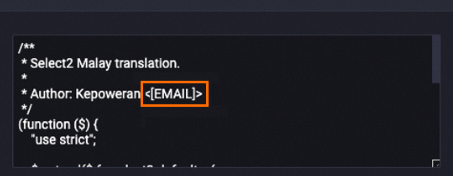
Masks sensitive information. Examples:
Replaces email addresses with
[EMAIL].Replaces telephone numbers with
[TELEPHONE]or[MOBILEPHONE].Replaces ID card numbers with
IDNUM.
The following example shows the data in the content field after processing. The email address is replaced with
[EMAIL].Before processing

After processing
LLM-Clean Special Content-1
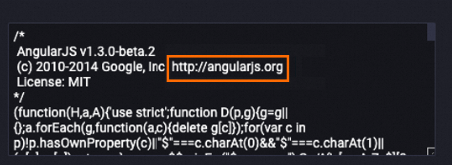
Deletes the URL from the content field.
The following example shows the data in the content field after data is processed. The URL is deleted from the content field.
Before processing
After processing

LLM-Text Normalizer-1
Normalizes the text in the content field in the standard Unicode format.
The following example shows the data in the content field after data is processed. The related text is normalized.
LLM-Clean Copyright Information-1
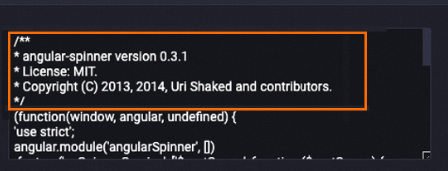
Deletes the copyright information from the content field.
The following example shows the data in the content field after data is processed. The related copyright information is deleted from the content field.
Before processing
After processing
LLM-Count Filter-1
Deletes sample data that fails to meet the required ratio of alphanumeric characters from the content field. Most of the characters in the GitHub code dataset are letters and digits. This component can be used to delete specific dirty data.
The following example shows a list of specific data that is deleted. Most dirty data is deleted.

LLM-Length Filter-1
Filters sample data based on the total length, average length, and maximum row length of the content field. Line feeds ("\n") are used to split sample data before the average length and maximum row length of data are measured.
The following example shows a list of specific data that is deleted from the dataset. Dirty data that is excessively short or excessively long is deleted.

LLM-N-Gram Repetition Filter-1
Filters sample data based on the character-level and word-level N-Gram repetition ratios of the content field.
This component uses a sliding window of size N to create a sequence of character or word segments. Each segment is called a gram. The component counts the occurrences of all grams. The repetition ratio is calculated as the
total count of grams that appear more than once / total count of all grams. Samples are filtered based on this ratio.NoteFor word-level statistics, all words are converted into lowercase before the repetition ratio is calculated.
LLM-Length Filter-2
Splits sample data into a list of words based on spaces and filters sample data based on the length of the list. Sample data is filtered based on the number of words.
LLM-MinHash Deduplicator (MaxCompute)-1
Removes similar text.
Click
 at the top of the canvas to run the pipeline.
 After the pipeline runs successfully, right-click the Write Table-1 component and choose .
The output sample data is the sample data that is obtained after the data is filtered and processed by all processing components described in the preceding table.