Stop, clone, reprioritize, share, or delete training jobs, and generate CLI scripts for automation.
Stop a job
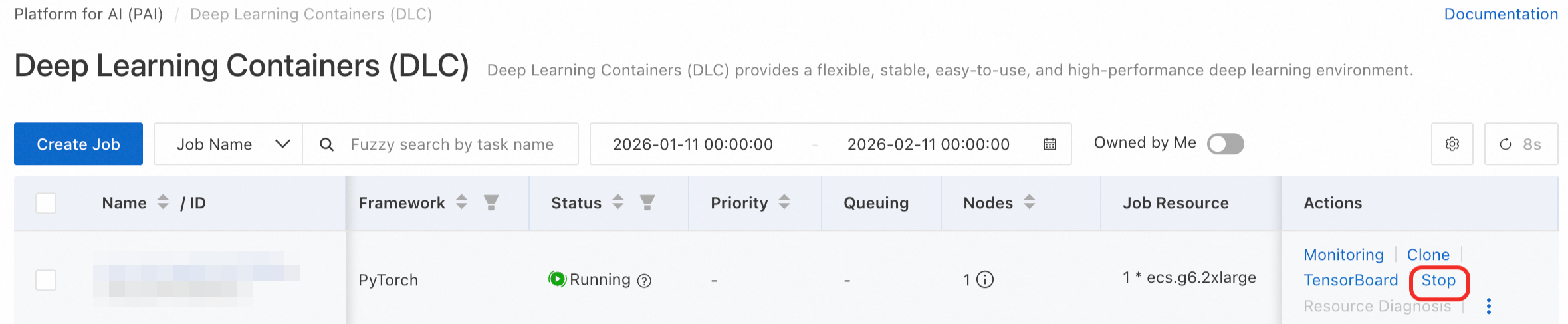
Stop a misconfigured, long-running, or resource-heavy job. In the job list, click Actions in the job row, then click Stop.
Clone a job
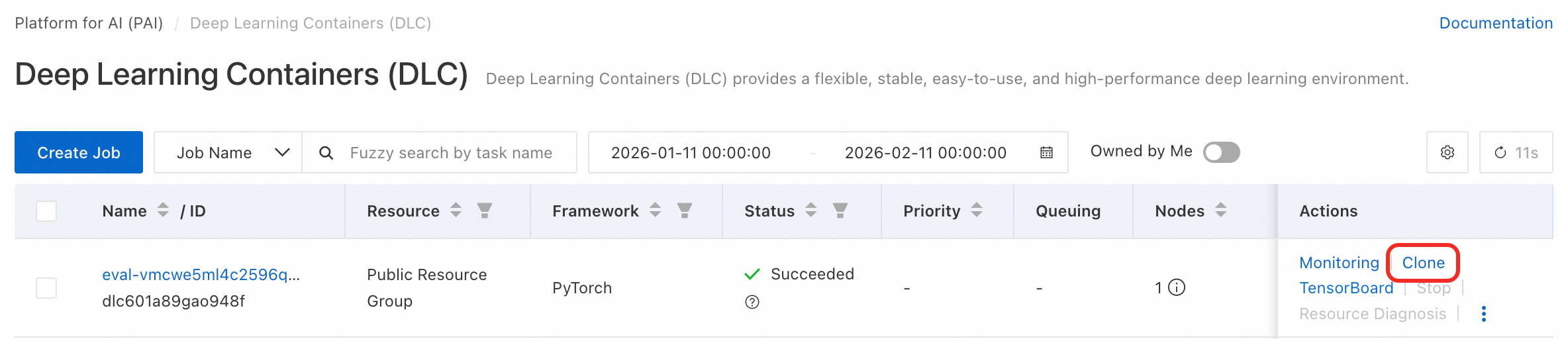
Clone a job to reuse its configuration. In the Actions column, click Clone. The cloned job inherits all parameters.
Reprioritize a job
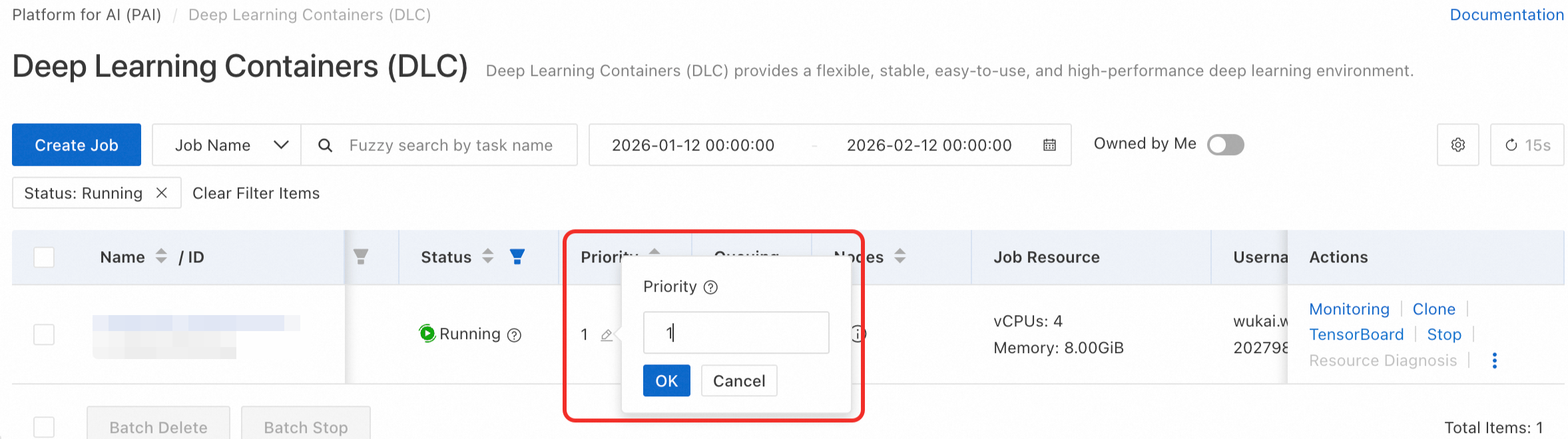
Change the priority of a running job under resource quotas to control dynamic resource preemption.
Share a job
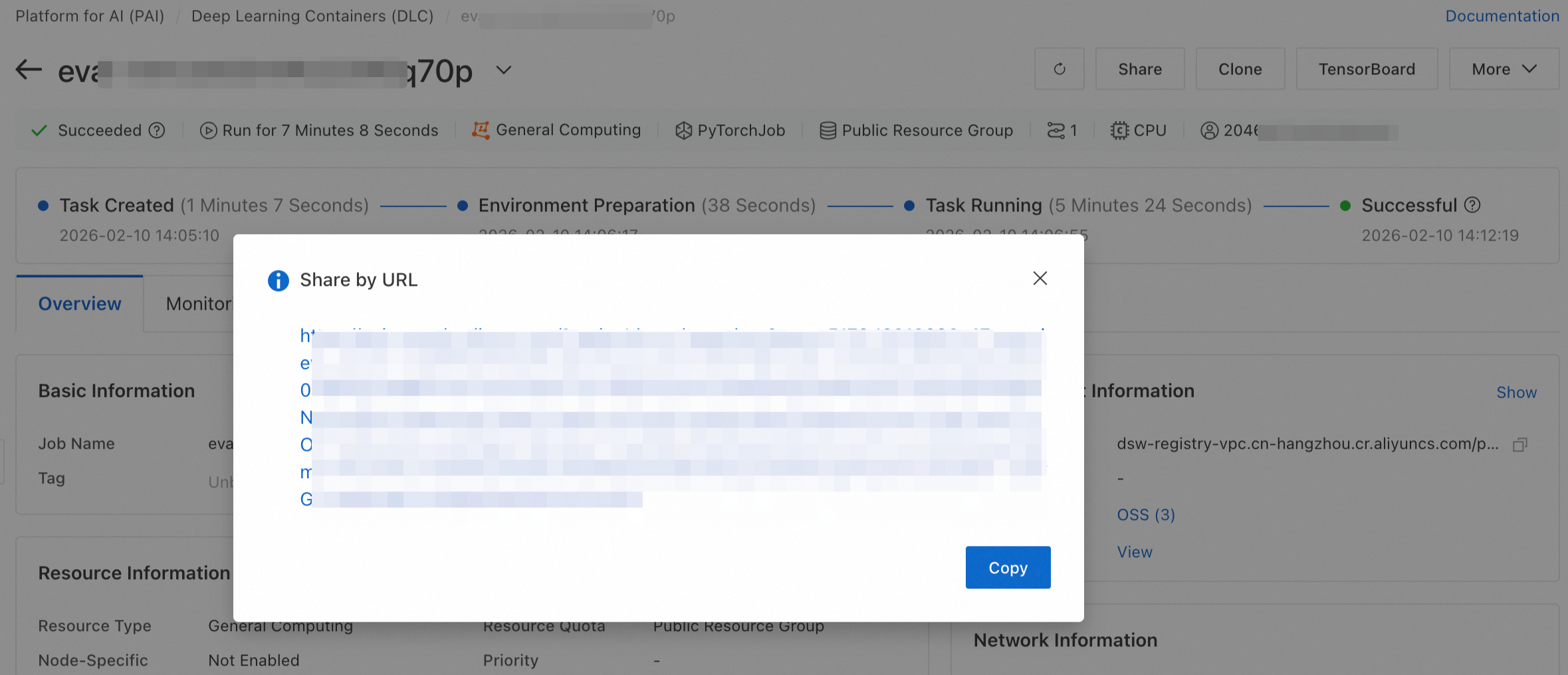
On the job details page, click Share to copy a shareable link for job progress, logs, and results.
Generate CLI script
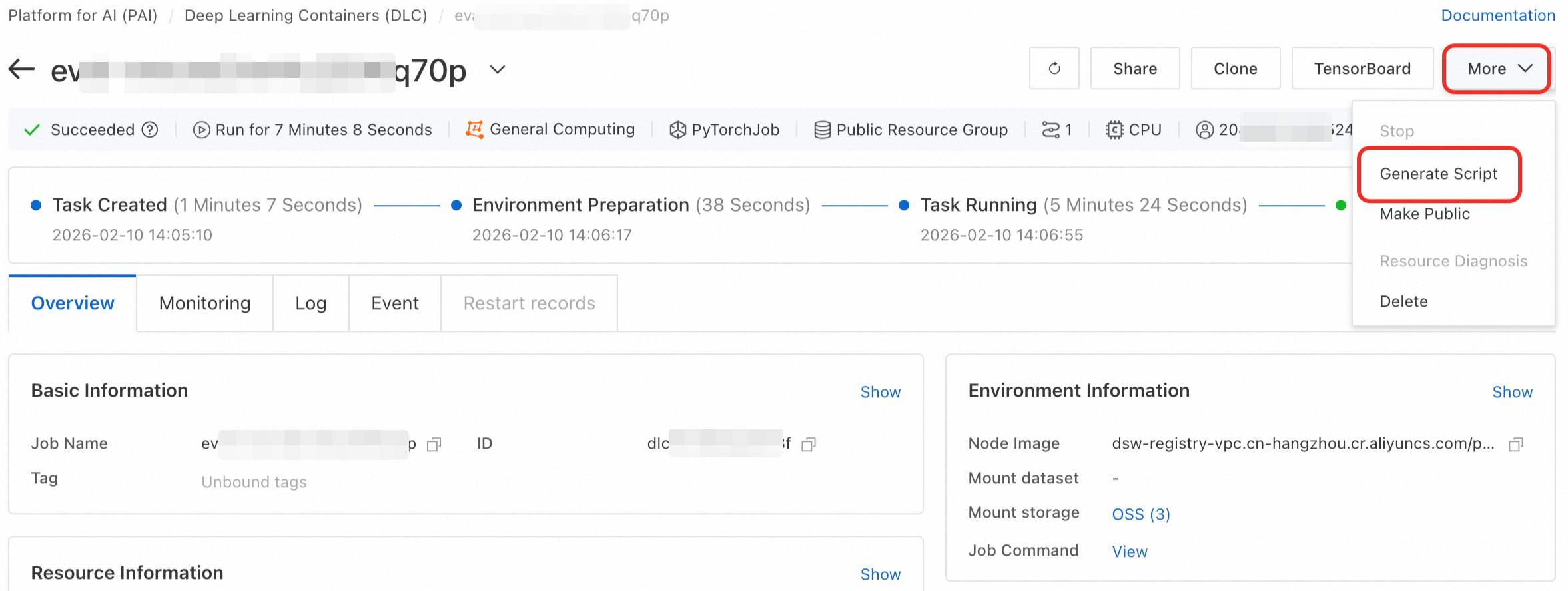
Generate a CLI script to submit identical jobs via the DLC client tool. On the job details page, click .
Delete a job
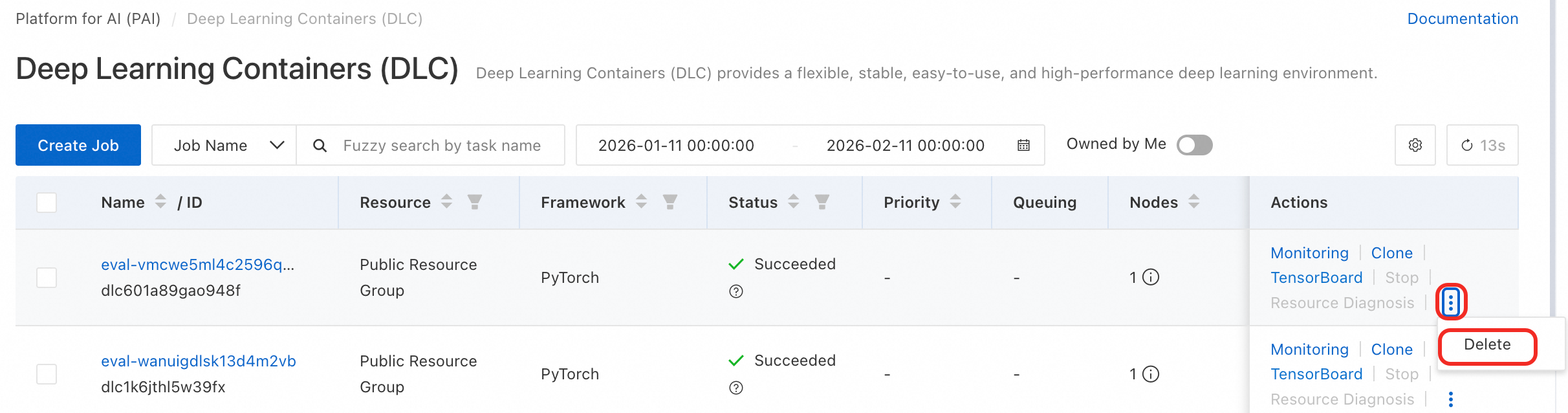
Delete a job to release storage and compute resources. Click Actions in its row, then click Delete.
Deleted DLC jobs cannot be recovered. Verify before deleting.