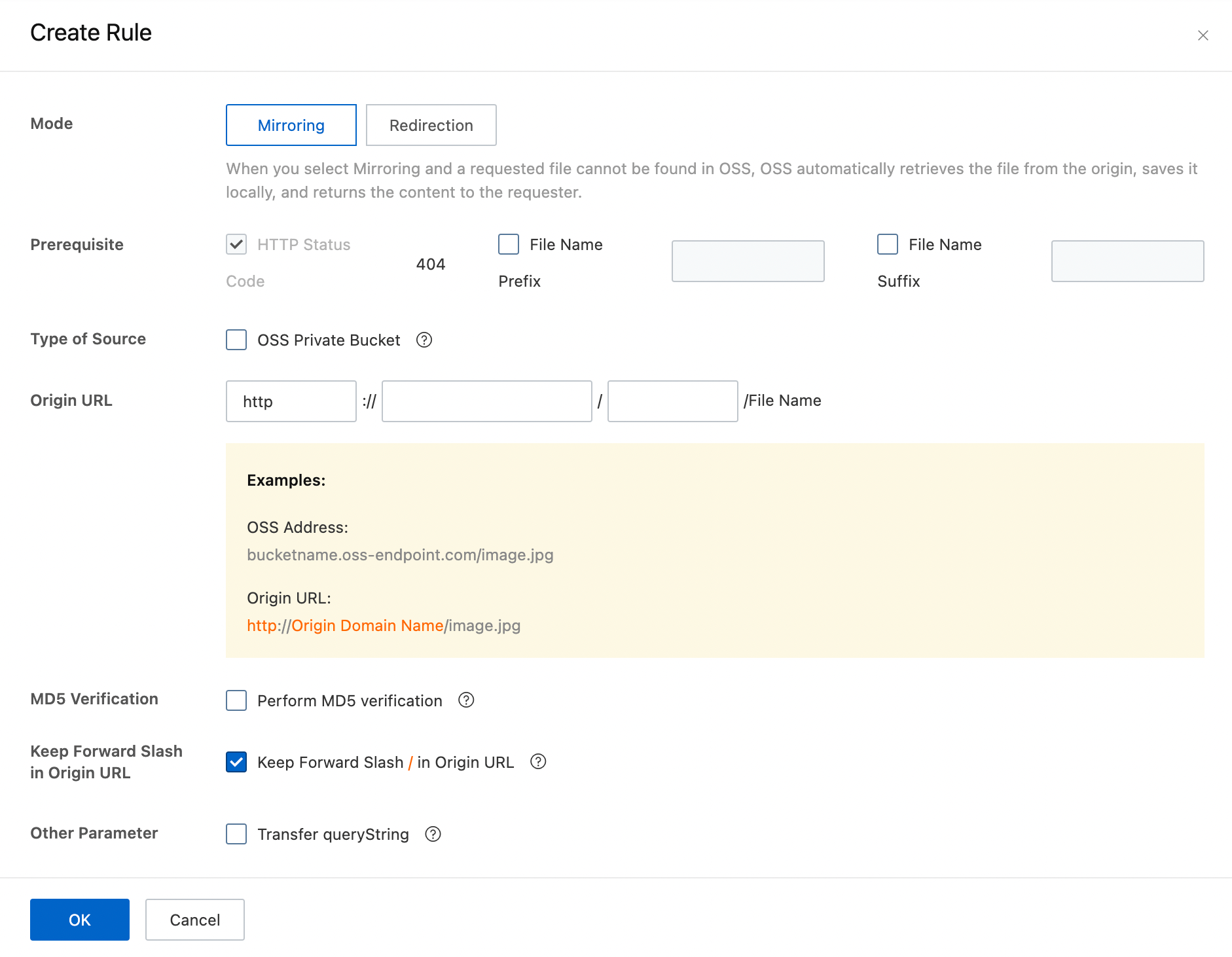
This issue occurs when Transfer queryString is not enabled in the mirroring-based back-to-origin configuration. Without it, OSS forwards requests to the origin without the query string — for example, without ?x-oss-process=image/resize,m_fill,h_250,w_400. The origin returns the full, unprocessed object instead of the processed version, so the object stored in the destination bucket is a different size than expected.
Problem description
After mirroring-based back-to-origin is configured, objects in the source and destination buckets have inconsistent sizes.
Solution
To diagnose and fix the issue:
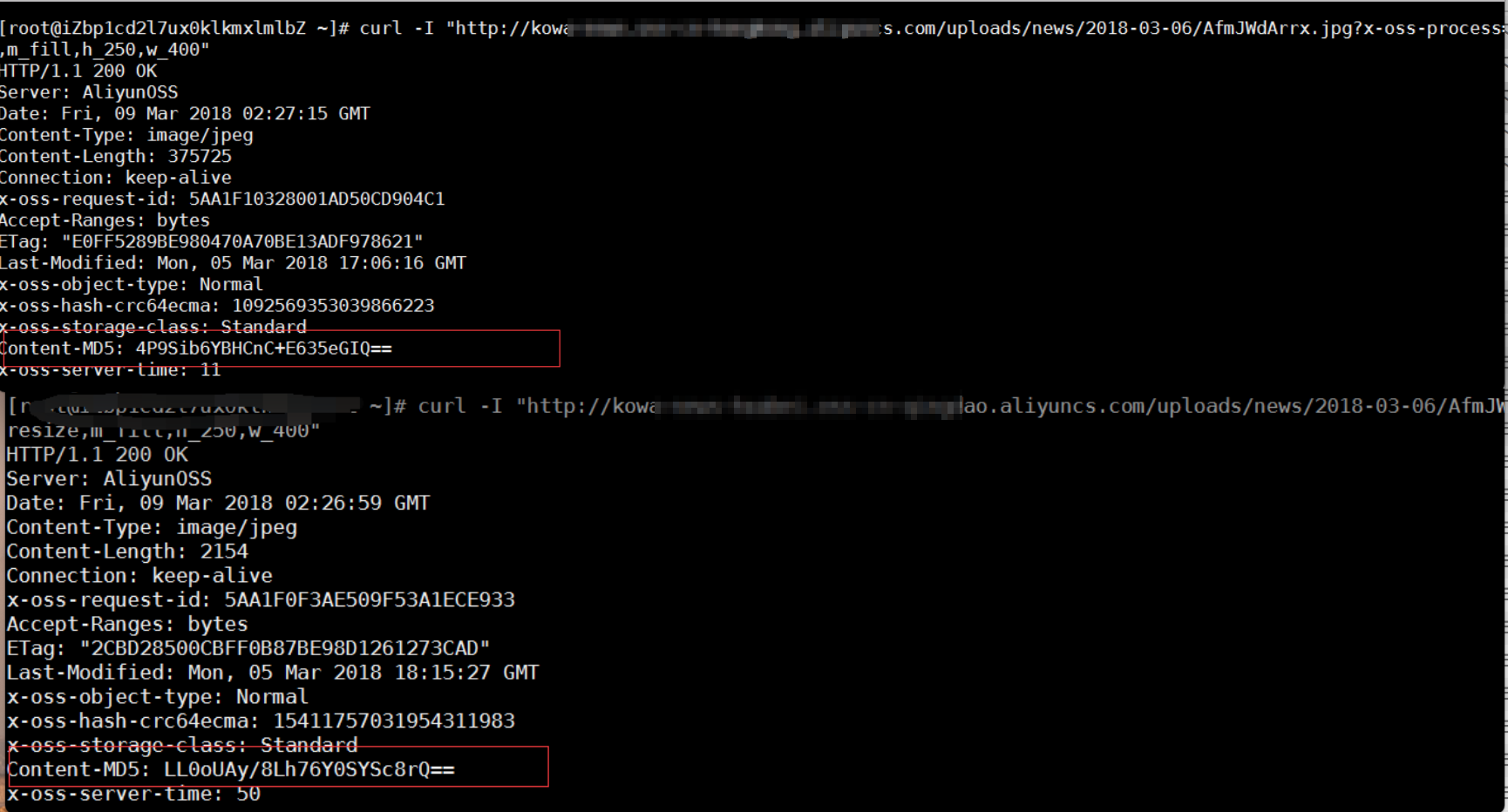
Access the same object from both buckets and compare the results. If the MD5 hash values differ, the object content is different.
NoteThe following URLs are used in the examples:
Source:
http://kowa-nXXXXXX1.oss-cn-xxxxxxx.aliyuncs.com/uploads/news/2018-03-06/AfmJWdArrx.jpg?x-oss-process=image/resize,m_fill,h_250,w_400Destination:
http://kowa-nXXXXXX2.oss-cn-xxxxxxx.aliyuncs.com/uploads/news/2018-03-06/AfmJWdArrx.jpg?x-oss-process=image/resize,m_fill,h_250,w_400
In your mirroring-based back-to-origin configuration, confirm that Transfer queryString is selected.
Verify the fix by accessing the object for the first time using the query string. The first time you use
http://kowa-nXXXXXX2.oss-cn-xxxxxxx.aliyuncs.com/uploads/news/2018-03-06/AfmJWdArrx.jpg?x-oss-process=image/resize,m_fill,h_60,w_80to access the object in the destination bucket, back-to-origin is triggered and the source bucket returns the result of image processing to the destination bucket. The sizes of objects in both buckets should now be the same.Source:
http://kowa-nXXXXXX1.oss-cn-xxxxxxx.aliyuncs.com/uploads/news/2018-03-06/AfmJWdArrx.jpg?x-oss-process=image/resize,m_fill,h_60,w_80Destination:
http://kowa-nXXXXXX2.oss-cn-xxxxxxx.aliyuncs.com/uploads/news/2018-03-06/AfmJWdArrx.jpg