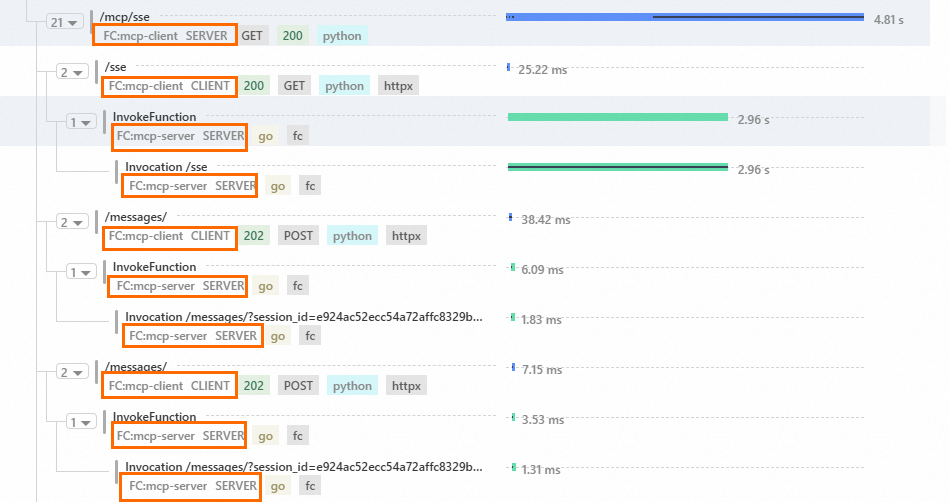
Function Compute supports integration with Alibaba Cloud Managed Service for OpenTelemetry. This service is based on the industry-standard OpenTelemetry W3C protocol and helps you identify and diagnose performance bottlenecks in distributed applications. This improves developer and operations and maintenance (O&M) efficiency in serverless architectures. This topic describes how to enable tracing analysis for your functions and view function call chain information for end-to-end request monitoring and performance analysis.
Background information
In traditional serverless architectures, conventional logging methods are insufficient for tracing call chains and analyzing performance. This leads to the following pain points:
Difficulty in pinpointing cold start duration: You must manually correlate logs and cannot distinguish between system time and business time.
Disconnected cross-service calls: The context is lost, which prevents the reconstruction of the complete trace.
Lack of visual analytics: It is difficult to accurately identify performance bottlenecks.
To improve system observability and O&M efficiency, Function Compute has enhanced its integration with the end-to-end observability capabilities of Managed Service for OpenTelemetry. Function Compute implements full-link tracing through W3C header pass-through and supports span segmentation. This enables call path visualization and rapid identification of performance issues.
Benefits
Full-link transparency
Function Compute supports system-level span pass-through. It also supports the automatic stitching of custom business spans and system spans to form an end-to-end trace view. This view exposes potential performance bottlenecks, such as cold start duration and resource contention.
Cross-environment interoperability
Function Compute is compatible with headers such as `traceparent`, `tracestate`, and `baggage`. This ensures lossless context transmission between FC functions and downstream services, such as databases and message queues.
Function Compute supports trace context pass-through across functions, Alibaba Cloud services, and other cloud vendors. This allows for seamless integration with existing OpenTelemetry ecosystem toolchains.
Dynamic cost control
You can adjust the sample rate through the function configuration. The sample rate can range from 1% for low-load scenarios to 100% for troubleshooting. This helps balance data volume with resource overhead.
Billing
Function Compute does not charge extra for enabling tracing analysis. However, Alibaba Cloud Managed Service for OpenTelemetry bills you separately based on the volume of trace data that you report.
Prerequisites
You have created a function and enabled the logging feature for it.
You have activated Managed Service for OpenTelemetry. If the service is not activated, log on to the Alibaba Cloud Tracing Analysis service console with your Alibaba Cloud account to activate it.
Enable tracing analysis
Log on to the Function Compute console. In the left-side navigation pane, click Functions.
In the top navigation bar, select a region. On the Functions page, click the function that you want to manage.
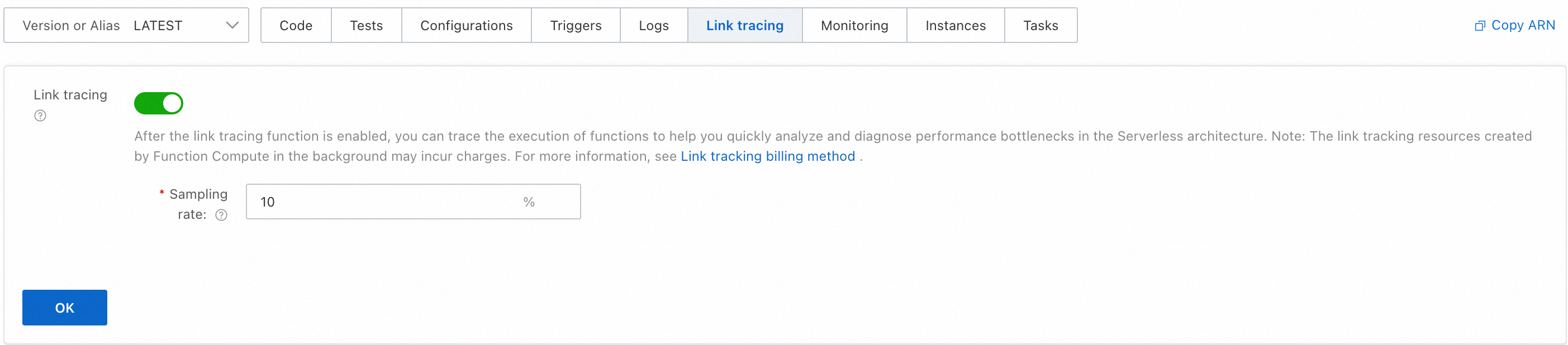
On the Function Details page, click the Link tracing tab. Turn on the Link tracing switch, configure the Sampling Rate, and then click OK.
View function Call Chain Analysis
On the Function Details page, click the Code tab. Verify that the code is correct and then click Test Function.
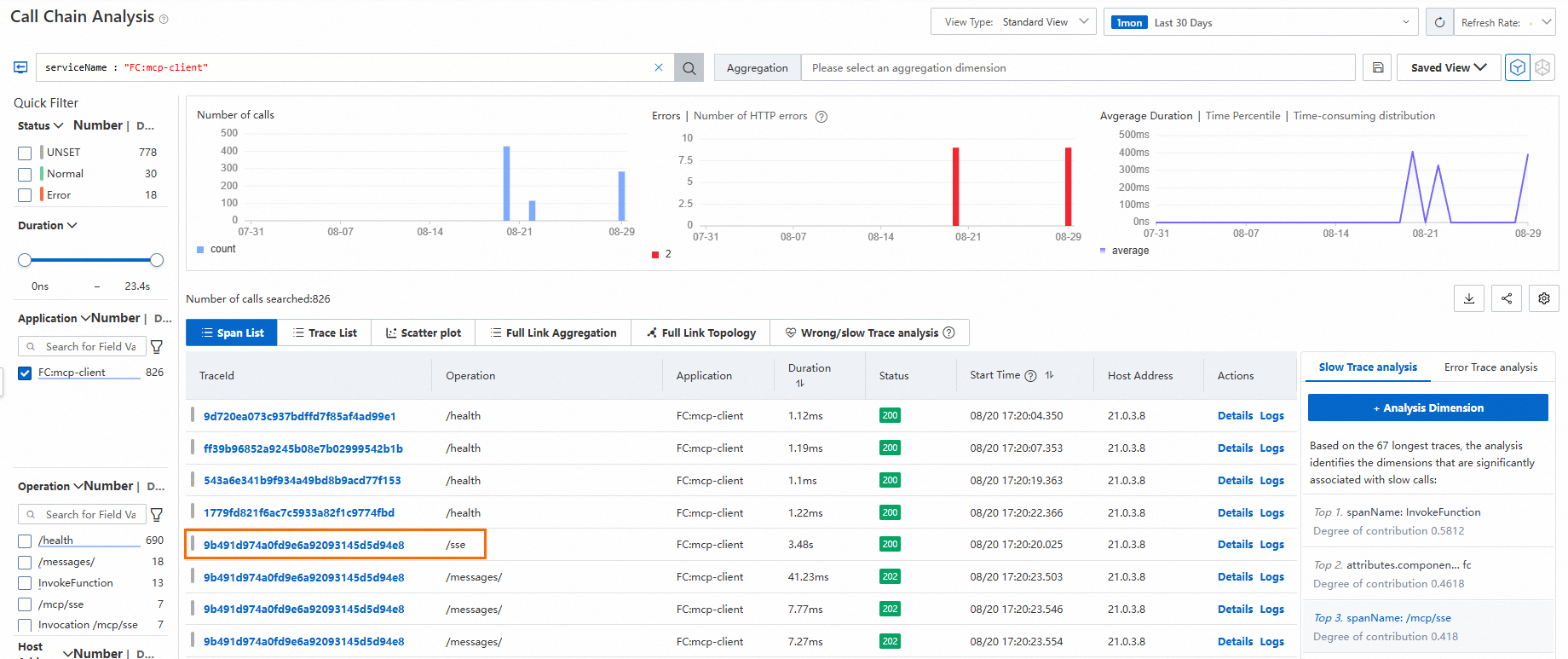
Click the Link tracing tab to view the detailed call chain analysis.
For example, in a scenario where an MCP client calls the Amap Weather Query MCP server, you can view the complete call chain information. This information includes the cold start process, Server-Sent Events (SSE) connection, message communication, and agent calls.
As shown in the following figure, on the call chain analysis page, click the target TraceId.
In the panel that appears on the right, view the cold start duration. If the `PrepareCode` time is longer than expected, streamline the code package.
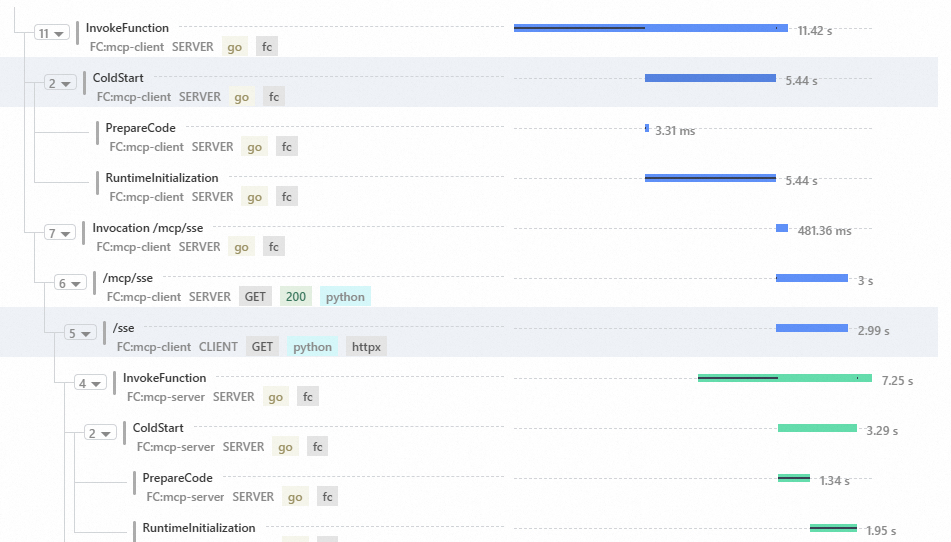
When Function Compute is part of a distributed system, tracing analysis can connect upstream and downstream services to show the request latency at each step. This connects the `mcp-client` and `mcp-server` ends of the trace.