Reindexing is the process of building an index from the data of the complete dataset, resulting in a full index, with the index version referred to as the full version. This topic describes how to perform reindexing for OpenSearch Vector Search Edition.
OpenSearch Vector Search Edition allows you to perform reindexing for a table on the Table Management page. You can click Reindex in the Actions column to trigger reindexing.

OpenSearch Vector Search Edition provides the following reindexing methods based on data sources.
MaxCompute data source:
Reimport full data. You need to specify Data Partition and Timestamp.
API data source:
Create from empty data.
ImportantReindexing from an API data source clears all previous data and supplements real-time data from the specified timestamp. Proceed with caution.
Incremental data correspounding to the specified timestamp supports up to 3 days and historical data are cleared.
OSS data source:
Reimport full data. You need to specify Data Partition and Timestamp (API increamental data, up to 3 days).
DLF data source
Reimport full data.
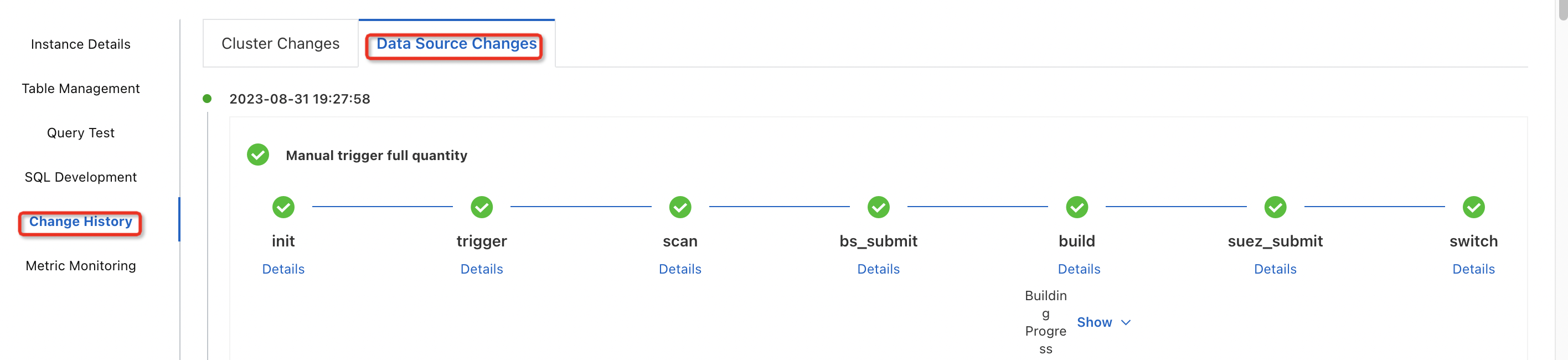
After you trigger reindexing, you can click Change History in the left-side navigation pane to view the reindexing progress.