RAM user creation and authorization
Create a RAM user
A RAM user is an identity in Resource Access Management (RAM) that represents an operator or an application. You can create RAM users and grant them the required permissions to access your resources.
For more information, see Create a RAM user.
Authorize a RAM user
After you authorize a RAM user, the user can access your OpenSearch Vector Search Edition resources. You can grant permissions by using a system policy or a custom policy. For more information, see Manage permissions for a RAM user and Create a custom policy.
Common permission combinations
-
(System policy) Permissions to manage OpenSearch Vector Search Edition:
AliyunSearchEngineFullAccess
-
(System policy) Read-only permissions for OpenSearch Vector Search Edition:
AliyunSearchEngineReadOnlyAccess
-
(System policy) Permissions to view and add alerts:
The system policies include AliyunElasticsearchReadOnlyAccess and AliyunElasticsearchFullAccess.
Authorization for metric monitoring
When you view monitoring metrics for an instance in the OpenSearch Vector Search Edition console by using a RAM user, you may encounter the following error:
The page displays a Grafana server error with the message login.OAuthLogin(get info from generic_oauth) and prompts you to check the Grafana server logs.
On your first visit, a blue banner appears on the instance details page, prompting you to authorize advanced monitoring and alerting features. If authorization fails with a "domain name refused to connect" error, click the Re-authorize link in the banner. If you are using a RAM user and receive a "call not authorized" error after clicking the link, the account lacks the required permissions.
In this case, log on to the OpenSearch Vector Search Edition console by using the main account or an administrator account with the AliyunRAMFullAccess permission to complete the authorization.
After the authorization succeeds, all RAM users under the main account can access monitoring dashboards without additional authorization.
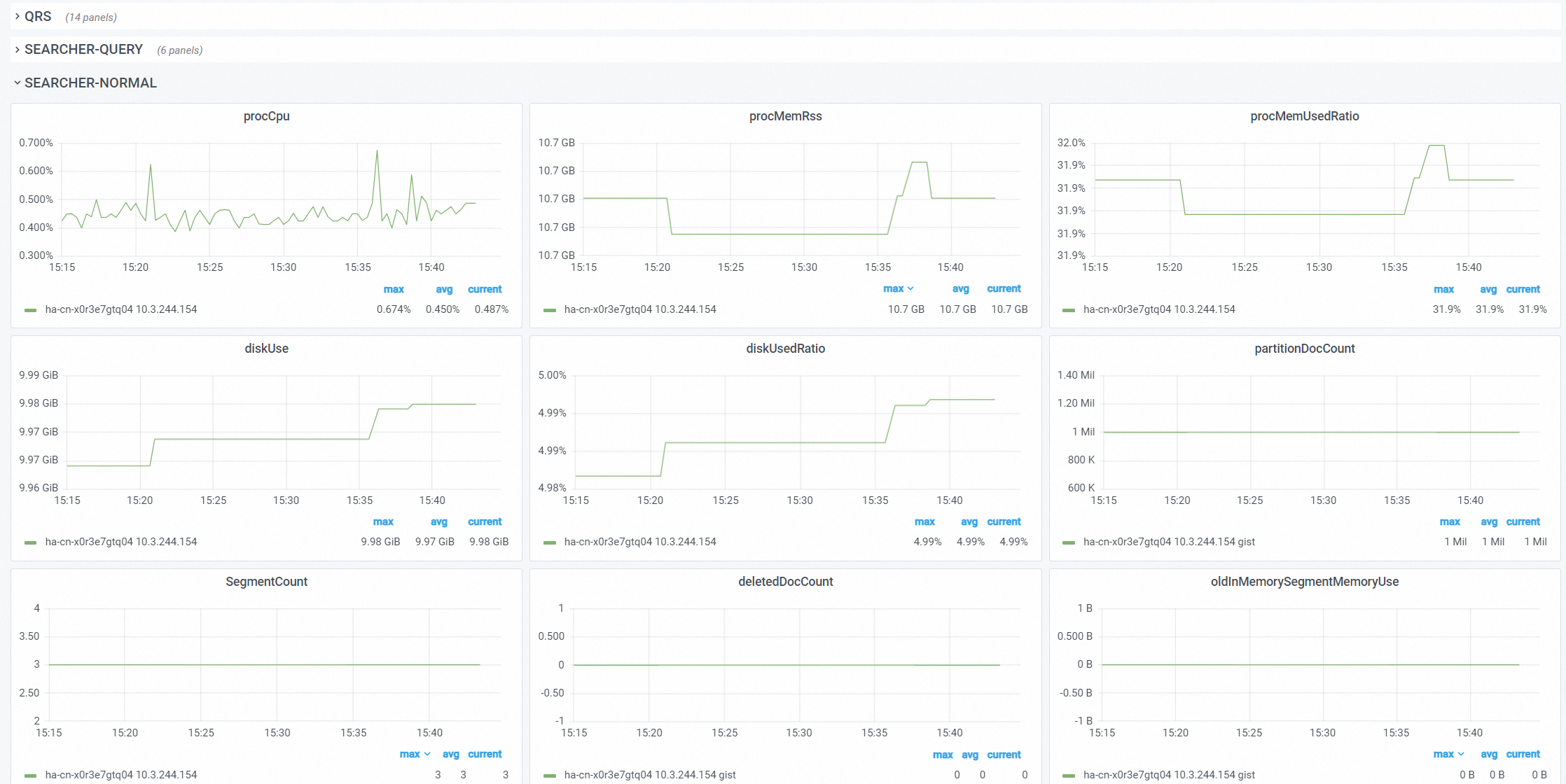
After authorization is complete, you can view the monitoring metrics:
OpenSearch Vector Search Edition service-linked role
Background
Some features of OpenSearch Vector Search Edition require access to other cloud services. To obtain the necessary permissions, OpenSearch Vector Search Edition provides the service-linked role AliyunServiceRoleForSearchEngine, which is a RAM role. For more information about service-linked roles, see service-linked role.
Use cases
The data source feature of OpenSearch Vector Search Edition requires access to Object Storage Service (OSS) resources. The service-linked role is used to obtain the required permissions.
AliyunServiceRoleForSearchEngine
Role name: AliyunServiceRoleForSearchEngine
This role has the following permission policy:
{
    "Version": "1",
    "Statement": [
        {
            "Effect": "Allow",
            "Action": "oss:ListObjects",
            "Resource": "*",
            "Condition": {
                "StringLike": {
                    "oss:Prefix": [
                        "*opensearch*"
                    ]
                }
            }
        },
        {
            "Effect": "Allow",
            "Action": [
                "oss:GetObject",
                "oss:GetObjectAcl"
            ],
            "Resource": "acs:oss:*:*:*/*opensearch*/*"
        },
        {
            "Action": "ram:DeleteServiceLinkedRole",
            "Resource": "*",
            "Effect": "Allow",
            "Condition": {
                "StringEquals": {
                    "ram:ServiceName": "searchengine.aliyuncs.com"
                }
            }
        }
    ]
}