After you perform reindexing each time, a new index version is created. If an issue exists in the index table of your cluster or you want to roll back to a previous version, perform the following operations on the O&M page:
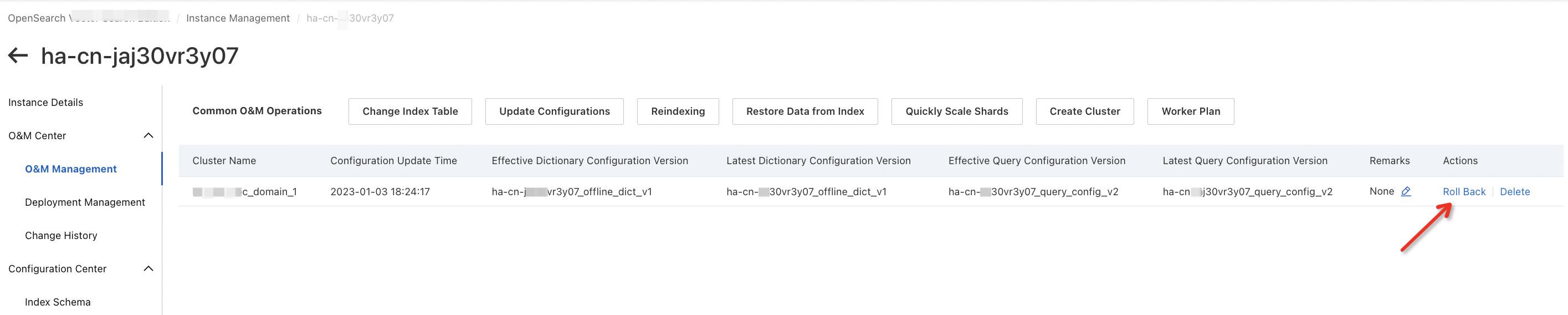
Select a version to which you want to roll back and click OK.
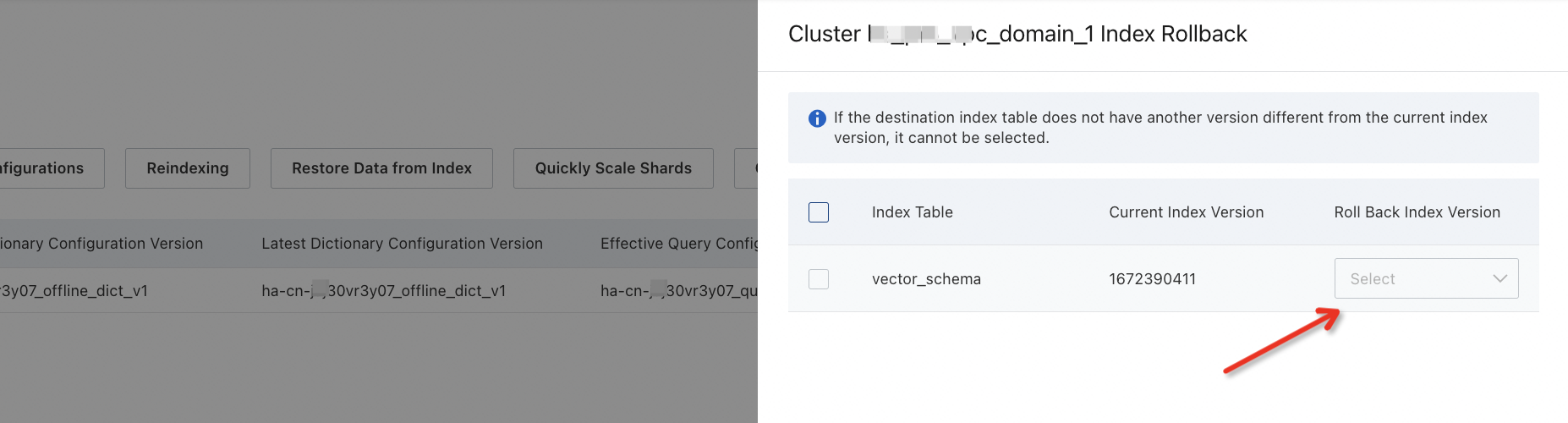 After the rollback is triggered, you can choose O&M Center > Change History to view the progress.
