Architecture
This topic describes how to implement multi-path recall using text and vectors, through the Retrieval Engine Edition.
This can be used in large model algorithms to implement conversational search services. The solution architecture is as follows:
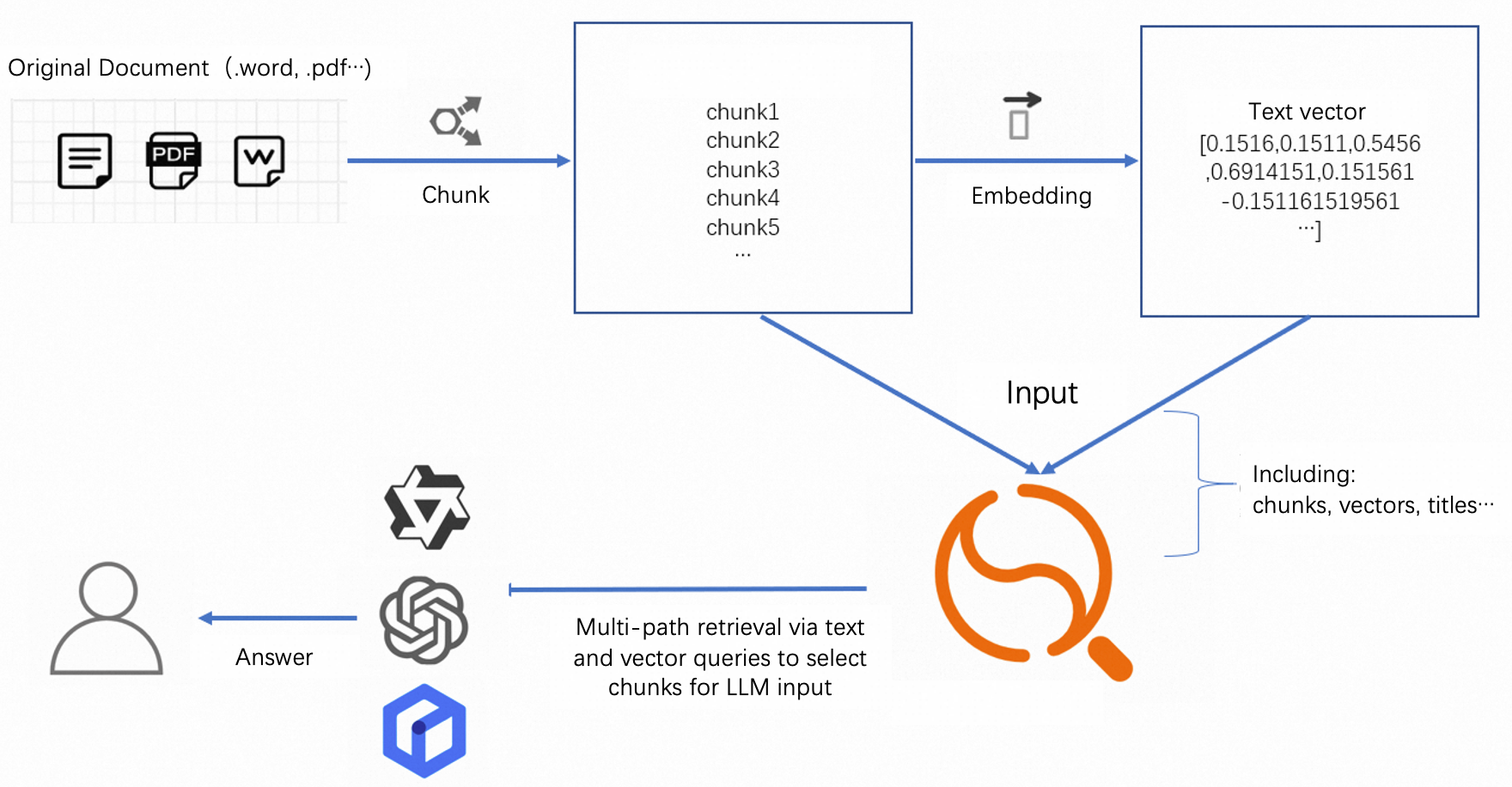
The above shows an architecture for conversational search. The Retrieval Engine Edition functions similar to a vector retrieval database. It supports multi-path recall through vectors and text. It also supports sorting functions and expressions to meet different sorting requirements. This is to ensure that recalled results are the most relevant.
This architecture makes the entire service more flexible. Users can customize according to their needs: chunk models, embedding models, and subsequent formatting models. (The Retrieval Engine Edition only supports text and image embedding. Other modals require exploration).
Sample
Based on previous questions, this topic provides some general configuration and sorting methods for users.
The entire configuration includes 3 parts:
Schema design: Introduces the required fields for conversational search services and how to configure indexes for these fields in the Retrieval Engine Edition
Query syntax: Explains how to implement multi-way recall (text, vector) functionality in the Retrieval Engine Edition using ha3 syntax.
Document sorting: Sorts vectors from different modals. This is because vectors and text are in different dimensions. After multi-way recall, there are documents recalled by text and documents recalled by vectors.
Schema design
Interactive conversational search:
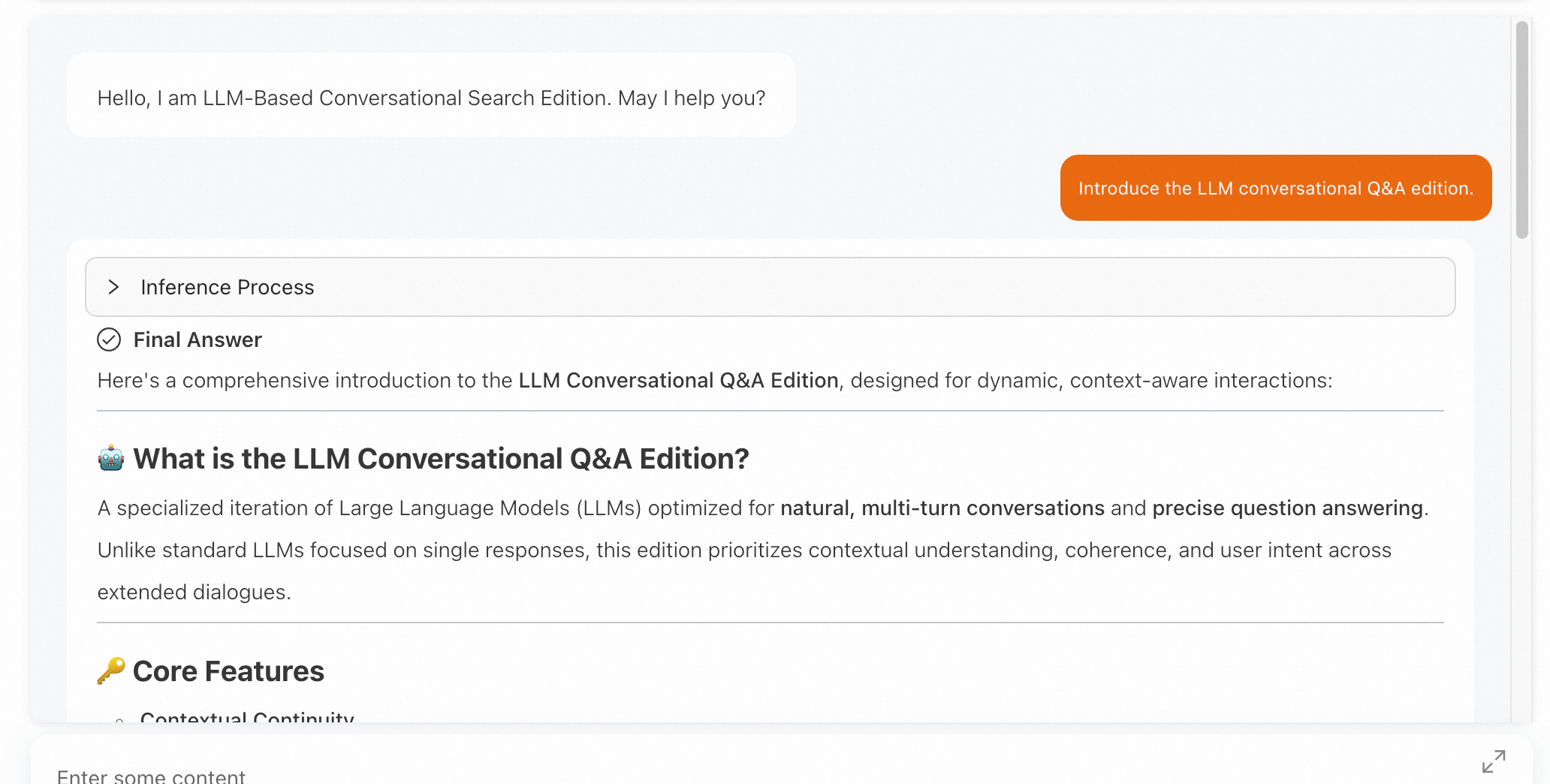
The following describes the parameters:
Field name | Type | Description | Required |
pk | STRING/INT64 | Primary key | Required |
chunk_id | STRING/INT64 | Unique identifier of the segment | Optional |
doc_id | STRING/INT64 | Unique identifier of the original document | Optional |
content | TEXT | Content of the chunk document | Required |
title | TEXT | Document title | Optional |
embedding | Multi-value float | Vector after content vectorization | Required |
url | STRING | Original link | Optional |
picture | Multi-value float | Vector after image vectorization | Optional |
namespace | STRING | Namespace | Optional (used for data isolation of different types) |
DUP_content | STRING | Field copied from content | Required (used for content display) |
The above fields are for reference only. Customize other fields according to their specific requirements.
Index design:
Index name | Type | Included fields | Required | Description |
pk | PRIMARYKEY64 | pk | Required | Primary key index |
default | PACK | content | Required | Used for text recall |
vector | CUSTOMIZED | pk,embedding (If namespace exists, it can be configured) | Required | Used for vector recall |
title | PACK | title | Optional | Used for title recall |
chunk_id | chunk_id | String | Optional | Recall segments through chunk_id |
doc_id | doc_id | String | Optional | Recall all segments of a document through doc_id |
All fields need to be configured for display. Non-text type fields should be selected as attribute fields.
The vector dimension depends on the algorithm. Distances include Euclidean distance and inner product. If you use cosine similarity, vectors can be normalized to [-1,1], then use inner product distance. Retrieval algorithms include qc and HNSW. Selected based on your specific algorithm.
Configuration screenshots are as follows:
Field configuration:
The DUP_content field needs advanced configuration:
{
  "copy_from": "content"
}
Index configuration:
All PACK type indexes need to be configured with the following content: (This will be used in text scoring later)
The schema in developer mode is as follows:
{
    "file_compress": [
      {
        "name": "file_compressor",
        "type": "zstd"
      },
      {
        "name": "no_compressor",
        "type": ""
      }
    ],
    "table_name": "main",
    "summarys": {
      "summary_fields": [
        "pk",
        "chunk_id",
        "doc_id",
        "content",
        "title",
        "embedding",
        "url",
        "picture",
        "namespace",
        "DUP_content"
      ],
      "parameter": {
        "file_compressor": "zstd"
      }
    },
    "indexs": [
      {
        "index_name": "pk",
        "index_type": "PRIMARYKEY64",
        "index_fields": "pk",
        "has_primary_key_attribute": true,
        "is_primary_key_sorted": false
      },
      {
        "index_name": "default",
        "index_type": "PACK",
        "index_fields": [
          {
            "boost": 1,
            "field_name": "content"
          }
        ],
        "doc_payload_flag": 1,
        "has_section_attribute": true,
        "position_payload_flag": 1,
        "term_frequency_bitmap": 0,
        "position_list_flag": 1,
        "term_payload_flag": 1,
        "term_frequency_flag": 1,
        "section_attribute_config": {
          "has_field_id": true,
          "has_section_weight": true
        }
      },
      {
        "index_name": "vector",
        "index_type": "CUSTOMIZED",
        "index_fields": [
          {
            "boost": 1,
            "field_name": "pk"
          },
          {
            "boost": 1,
            "field_name": "embedding"
          }
        ],
        "indexer": "aitheta2_indexer",
        "parameters": {
          "enable_rt_build": "true",
          "min_scan_doc_cnt": "20000",
          "vector_index_type": "Qc",
          "major_order": "col",
          "builder_name": "QcBuilder",
          "distance_type": "SquaredEuclidean",
          "embedding_delimiter": ",",
          "enable_recall_report": "true",
          "ignore_invalid_doc": "true",
          "is_embedding_saved": "false",
          "linear_build_threshold": "5000",
          "dimension": "128",
          "rt_index_params": "{\"proxima.oswg.streamer.segment_size\":2048}",
          "search_index_params": "{\"proxima.qc.searcher.scan_ratio\":0.01}",
          "searcher_name": "QcSearcher",
          "build_index_params": "{\"proxima.qc.builder.quantizer_class\":\"Int8QuantizerConverter\",\"proxima.qc.builder.quantize_by_centroid\":true,\"proxima.qc.builder.optimizer_class\":\"BruteForceBuilder\",\"proxima.qc.builder.thread_count\":10,\"proxima.qc.builder.optimizer_params\":{\"proxima.linear.builder.column_major_order\":true},\"proxima.qc.builder.store_original_features\":false,\"proxima.qc.builder.train_sample_count\":3000000,\"proxima.qc.builder.train_sample_ratio\":0.5}"
        }
      },
      {
        "index_name": "title",
        "index_type": "PACK",
        "index_fields": [
          {
            "boost": 1,
            "field_name": "title"
          }
        ],
        "doc_payload_flag": 1,
        "has_section_attribute": true,
        "position_payload_flag": 1,
        "term_frequency_bitmap": 0,
        "position_list_flag": 1,
        "term_payload_flag": 1,
        "term_frequency_flag": 1,
        "section_attribute_config": {
          "has_field_id": true,
          "has_section_weight": true
        }
      },
      {
        "index_name": "chunk_id",
        "index_type": "STRING",
        "index_fields": "chunk_id"
      },
      {
        "index_name": "doc_id",
        "index_type": "STRING",
        "index_fields": "doc_id"
      }
    ],
    "attributes": [
      {
        "field_name": "pk",
        "file_compress": "no_compressor"
      },
      {
        "field_name": "chunk_id",
        "file_compress": "no_compressor"
      },
      {
        "field_name": "doc_id",
        "file_compress": "no_compressor"
      },
      {
        "field_name": "embedding",
        "file_compress": "no_compressor"
      },
      {
        "field_name": "url",
        "file_compress": "no_compressor"
      },
      {
        "field_name": "picture",
        "file_compress": "no_compressor"
      },
      {
        "field_name": "namespace",
        "file_compress": "no_compressor"
      },
      {
        "field_name": "DUP_content",
        "file_compress": "no_compressor"
      }
    ],
    "fields": [
      {
        "user_defined_param": {},
        "field_name": "pk",
        "field_type": "STRING",
        "compress_type": "uniq"
      },
      {
        "field_name": "chunk_id",
        "field_type": "STRING",
        "compress_type": "uniq"
      },
      {
        "field_name": "doc_id",
        "field_type": "STRING",
        "compress_type": "uniq"
      },
      {
        "user_defined_param": {},
        "field_name": "content",
        "field_type": "TEXT",
        "analyzer": "chn_standard"
      },
      {
        "user_defined_param": {},
        "field_name": "title",
        "field_type": "TEXT",
        "analyzer": "chn_standard"
      },
      {
        "user_defined_param": {},
        "field_name": "embedding",
        "field_type": "FLOAT",
        "compress_type": "uniq",
        "multi_value": true
      },
      {
        "field_name": "url",
        "field_type": "STRING",
        "compress_type": "uniq"
      },
      {
        "user_defined_param": {},
        "field_name": "picture",
        "field_type": "FLOAT",
        "compress_type": "uniq",
        "multi_value": true
      },
      {
        "field_name": "namespace",
        "field_type": "STRING",
        "compress_type": "uniq"
      },
      {
        "user_defined_param": {
          "copy_from": "content"
        },
        "field_name": "DUP_content",
        "field_type": "STRING",
        "compress_type": "uniq"
      }
    ]
  }
Query syntax explanation
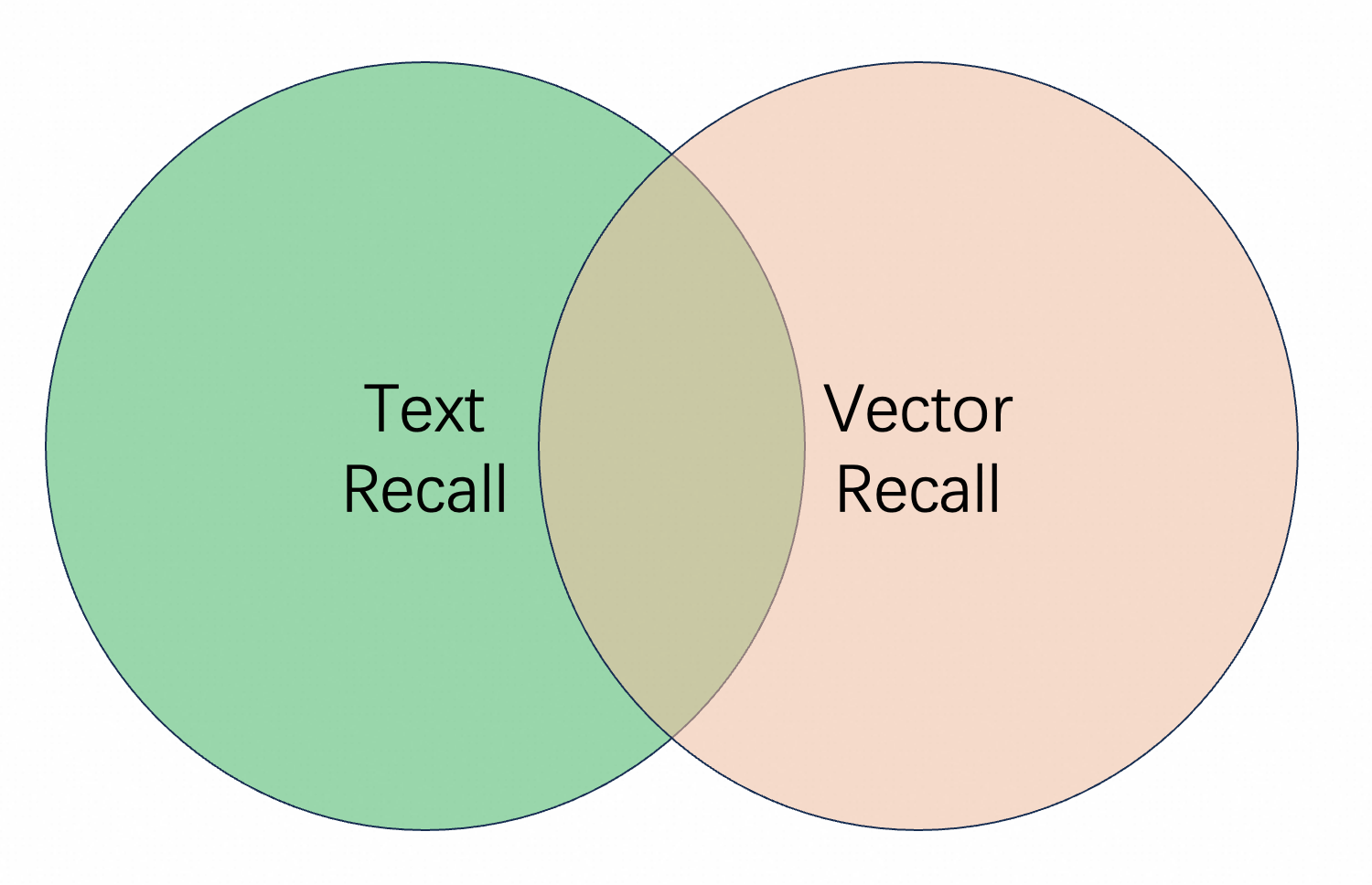
In multi-path recall, some documents are retrieved only by vector, some are retrieved by text, and some can match both query methods. How should these be combined?
We need to explain the differences between combination methods:
First, using the schema configured above as an example:
● Text and vector AND recall:
query=default:'xxx' AND vector:'xxx'This recall method retrieves documents that match both vector and text queries. If vector recall retrieves 100 results, it first retrieves the 100 most relevant results through vector recall. Then performs text matching within these 100 results. Only content that matches both methods is included in the final recall results.
Disadvantage: This combination method often results in incomplete recall or situations. Some highly relevant documents are not recalled.
● Text and vector OR recall:
query=default:'xxx' OR vector:'xxx'This recall method takes the union of text recall and vector recall results.
Disadvantage: It may introduce some bad cases. For example, when searching for "song Black Sweater", there are two documents with content "Jay Chou's song 'Black Sweater'" and "I was wearing a black sweater in the rain, humming a sad song". The first document clearly better matches the expectation, and has higher relevance in vector recall. But the second document has high relevance in text recall.
For text recall, there are two methods:
AND method: only when all terms after tokenization are matched
OR method: any single term after tokenization is matched
For example, when searching for "I am waiting for you in Hangzhou", there are two documents with content "Hangzhou welcomes you" and "I am in Hangzhou Yuhang, waiting for you"
With the AND method, only the second document can be recalled. With the OR method, both documents can be recalled.
Disadvantage of the AND method: Relevant results may not be recalled due to tokenization issues. For example, "Germany, Austria, three-day tour" might be tokenized as "Germany|Austria, three|day|tour". If you search for "Germany", this document cannot be recalled.
Disadvantage of the OR method: The OR method is used to expand recall. This approach will recall many irrelevant documents.
Among the above combination methods, the recall method with higher recall rate and better effect is:
query=vector:'xxx&n=100&sf=1.100000' OR default:'xxx'In the index:
n: indicates the topN for vector recall
sf: controls the vector similarity score, with Euclidean distance as the upper limit and inner product distance as the lower limit
If the default_operator parameter is not configured, the default method is AND. For more information, see config clause.
If the vector model is satisifying enough, you can use it alone.
Reference:
Document sorting
In this step, after multi-path recall, the recalled documents have no order. Using sorting expressions to intervene can make the top1 or top5 results the most relevant.
Here are sorting expressions for different recall methods:
Text OR vector:
formula:if(query_min_slide_window(title\, true\, title)>0.99\, 1\, 0)+
  if(query_min_slide_window(content\, true\, default)>0.99\, 0.5\, 0)
    +text_relevance(content)*0.2+normalize(score)*0.1-proxima_score(vector)
"formula" represents the fine sorting expression. The engine performs two-stage sorting: first coarse sorting with first_formula, then fine sorting with formula. Documents entering fine sorting receive a default score of +10000. The engine controls the number of documents entering fine sorting through rerank_size() in the config.
For the proxima_score() function in multi-path recall, if a document is recalled by text but not by vector, the default score is 10000. You can add another parameter, proxima_score(vector,default_value). There default_value represents the default score when not recalled by vector.
Reference:
query=vector:'xxx&n=100&sf=1.100000' OR default:"What happened in Chengnanzhuang in 1948"
OR title:'What happened in Chengnanzhuang in 1948'&&cluster=general&&sort=-RANK
&&config=start:0,hit:3,rerank_size:100,format:json
&&kvpairs=fetch_fields:pk;content,
  formula:if(query_min_slide_window(title\, true\, title)>0.99\, 1\, 0)
    +if(query_min_slide_window(content\, true\, default)>0.99\, 0.5\, 0)
      +text_relevance(content)*0.2+normalize(score)*0.1-proxima_score(vector)
Skills
In short query, increase the weight of text scores:
The query is "arthas performance analysis".
The top-ranked documents from the query are:
The recalled content is not relevant. By enabling the trace switch, we can find that this document was recalled through the vector method. The document recall cannot be adjusted, but we can analyze why the document was ranked at the top. Then use sorting expressions to rank more relevant documents higher.
We can see that it prioritizes vector recall results. This is because if a document is recalled by text, the proxima_score is 10000, making the entire expression score very small. Therefore, text-recalled documents is not equal in sorting. Modify the proxima_score-related part to:
if(proxima_score(vector)<10000\,proxima_score(vector)\,a)Setting a to 0 means prioritizing documents recalled by text.
After adjustment, text recall can obtain better results.
Use OR logic for text recall to enhance the relevance of recalled content
In the above query, the default logic for text recall is AND. The text in the index needs to match all tokens to be recalled. While this logic increases the relevance of recall results, it can also result in empty results. There is also vector recall, so in this case, only vector recall results will be used. The final result sorting will only use vector similarity.
The query results are:
The first recall result is irrelevant. We can see that this data was recalled through the vector method. The relevance of vector recall results depends entirely on the vector model. There are often cases of inaccurate recall.
Text recall can ensure that the recalled documents are relevant. To allow more documents to participate in the final results, change the text recall logic from AND to OR.