When a search query contains terms of varying importance, requiring every term to match often returns too few results. Term weight analysis assigns a numeric weight to each term in a query, then relaxes low-weight terms from required matches to optional matches.
For example, in the query "red discount dress", "dress" is high-weight and must match. "Discount" is low-weight and becomes optional — the search returns results for "dress" alone rather than returning nothing.
OpenSearch Industry Algorithm Edition provides domain-specific term weight analysis models out of the box. For finer control, you can configure and train a custom model based on the corresponding industry-specific analyzer. The system automatically extracts existing application data for training — no additional data import required.
Tailored retrieval models are billed based on storage capacity, computing resources, and model training. For details, see Billing overview.
How it works
The end-to-end flow has three stages:
Train a model — Create and train a term weight analysis model using fields from your application.
Apply the model — Reference the trained model in a query analysis rule so it takes effect at query time.
Fine-tune with an intervention dictionary — Override model decisions for specific search queries when needed.
Prerequisites
Before you begin, ensure that you have:
An exclusive application in OpenSearch Industry Algorithm Edition
Access to the OpenSearch console
Create and train a model
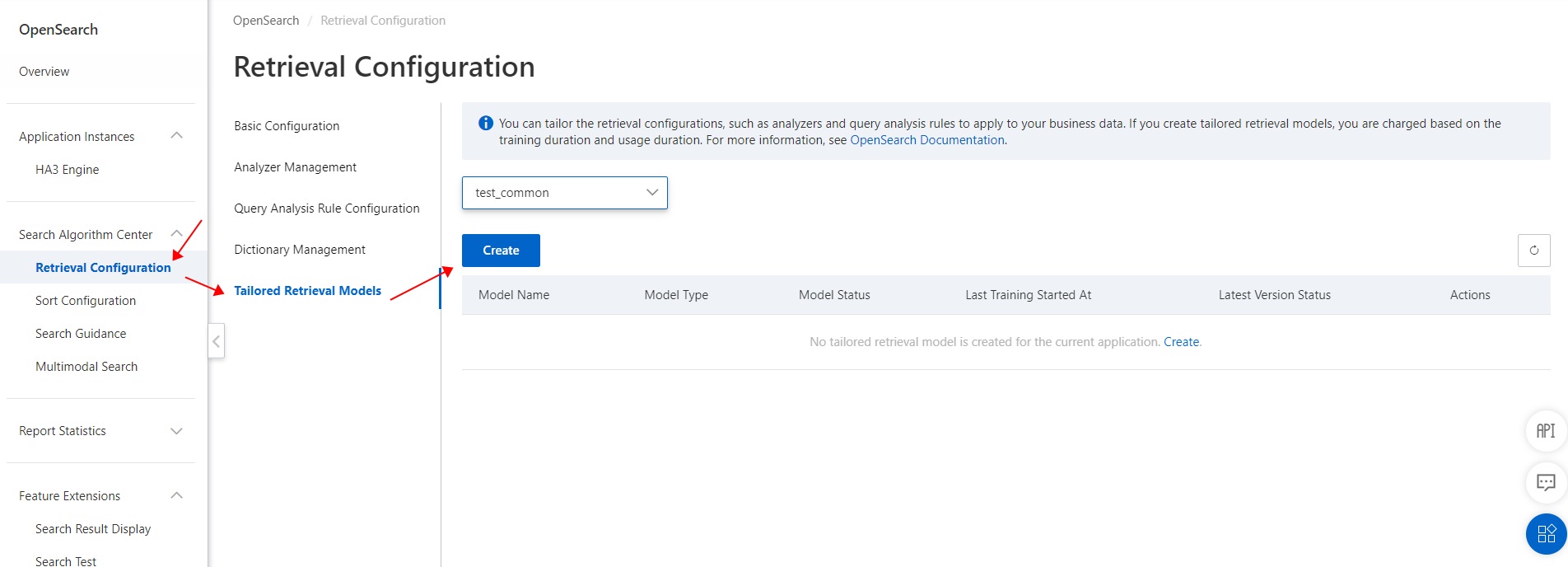
Log in to the OpenSearch console. In the left-side navigation pane, choose Search Algorithm Center > Retrieval Configuration. In the left-side pane, click Tailored Retrieval Models. Select your application, then click Create.
Set the following parameters, then click Submit.
Parameter Description Example Model name Name for the model. Follow your organization's naming conventions. ly_tetsModel type Select Term Weight Analysis Model. The parameters shown depend on the model type. — Training fields Fields from the selected application used for training. — 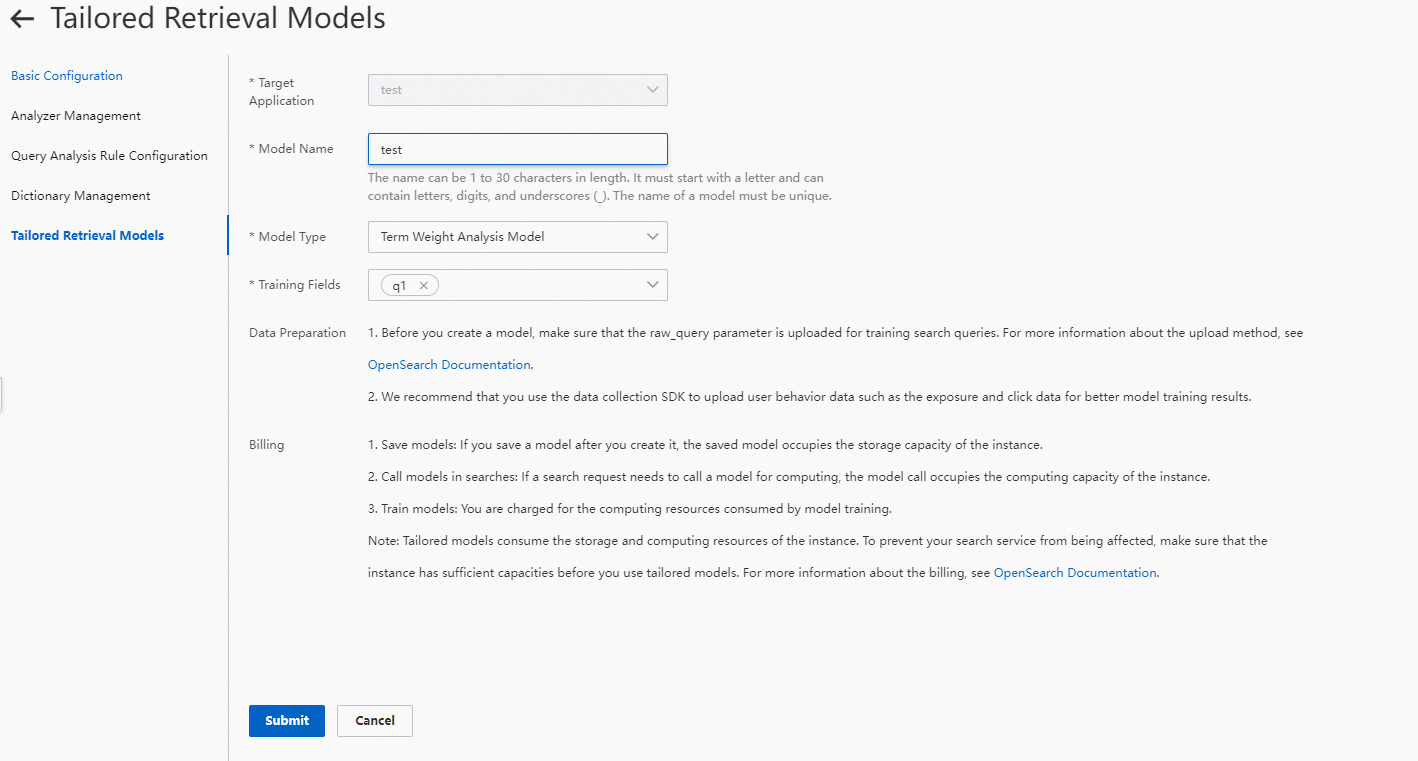
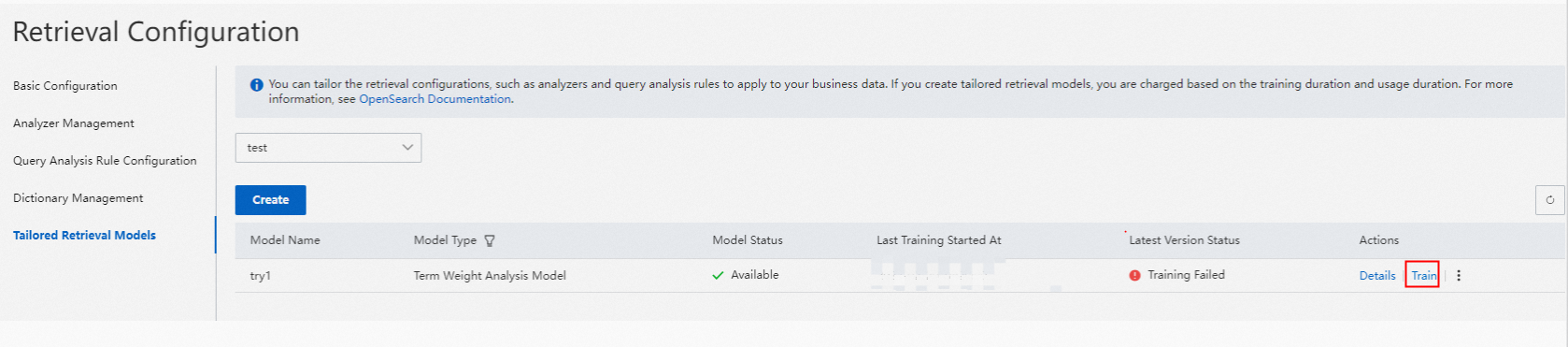
After the model is created, click Train.

Configure a query analysis rule
On the Retrieval Configuration page, click Query Analysis Rule Configuration in the left-side pane. Click Create. In the Create Rule panel, select Term Weight, then set the Dictionaries parameter to either System Built-in Model or Custom Term Weight Analysis Model. Use the following guidance to choose a model:
Model When to use System Built-in Model General-purpose scenarios without specialized terminology or query patterns. No training required. Custom Term Weight Analysis Model Domain-specific applications where your industry's terminology or user query patterns differ from general search. Requires training on your application data. 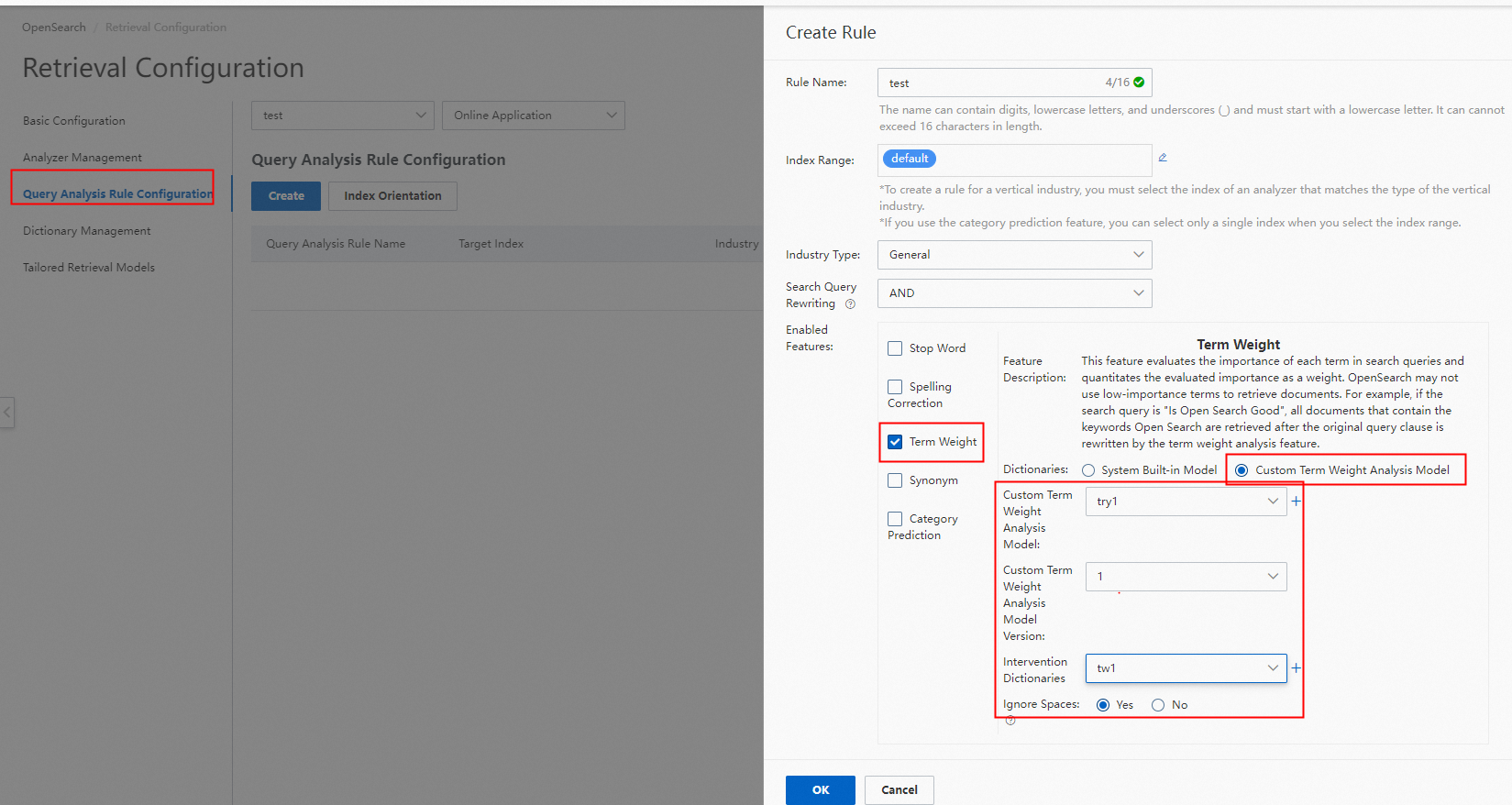
If you select Custom Term Weight Analysis Model, specify the name and version of the model.
Configure an intervention dictionary
Use an intervention dictionary to override term weight decisions for specific search queries — for example, to force a normally low-weight term to be required, or to mark a usually high-weight term as optional.
Intervention dictionary vs. retraining: Use an intervention dictionary for targeted, query-level control of individual search terms. Retrain the model when you need systematic, application-wide adjustments to how term weights are assigned.
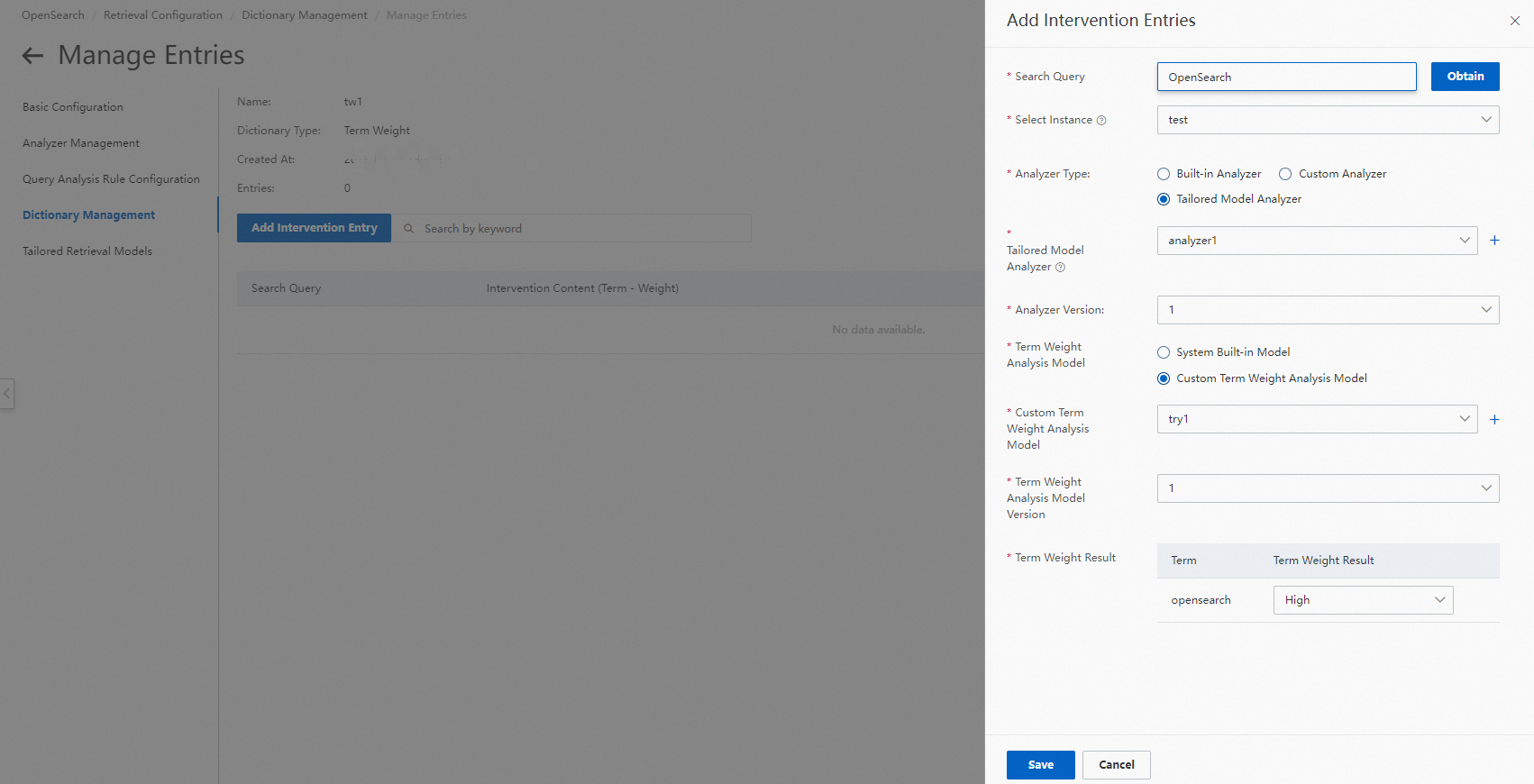
On the Retrieval Configuration page, click Dictionary Management in the left-side pane. Find the intervention dictionary and click Manage Entries in the Actions column. On the Manage Entries page, click Add Intervention Entry. Configure Search Query, Analyzer, and Term Weight Analysis Model, then click Save.
Verify model results
Tailored Retrieval Models page
The Tailored Retrieval Models page lists all models with their Model Name, Model Type, Model Status, Last Training Started At, Latest Version Status, and Actions.
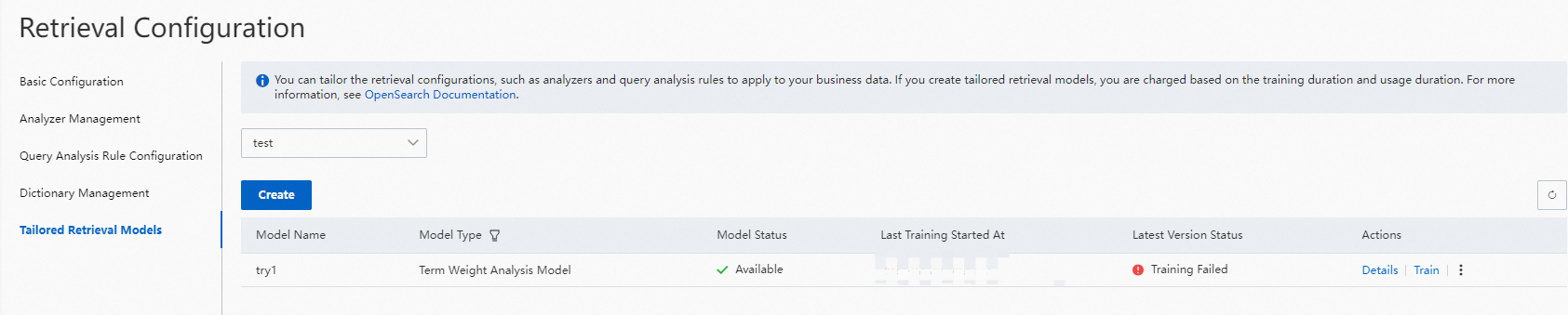
Models referenced by a query analysis rule cannot be deleted.
Model details page
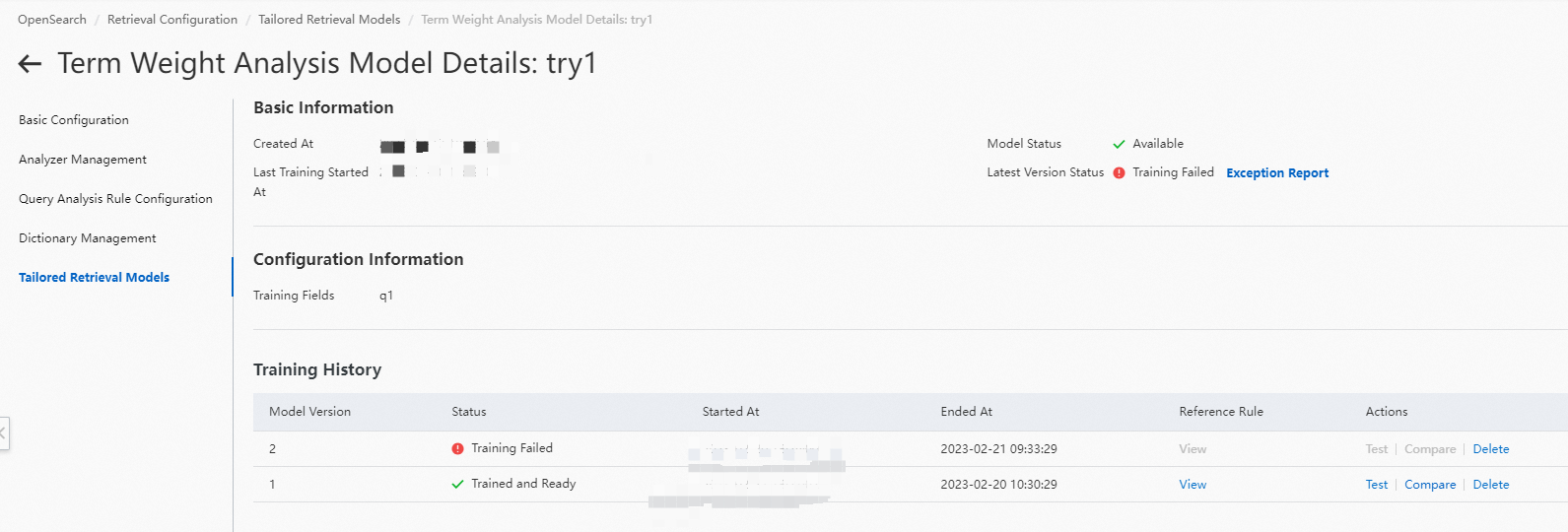
Click Details in the Actions column to open a model's details page. The page has three sections: Basic Information, Configuration Information, and Training History.
In the Training History section, click View in the Reference Rule column to see which query analysis rules reference a particular model version.
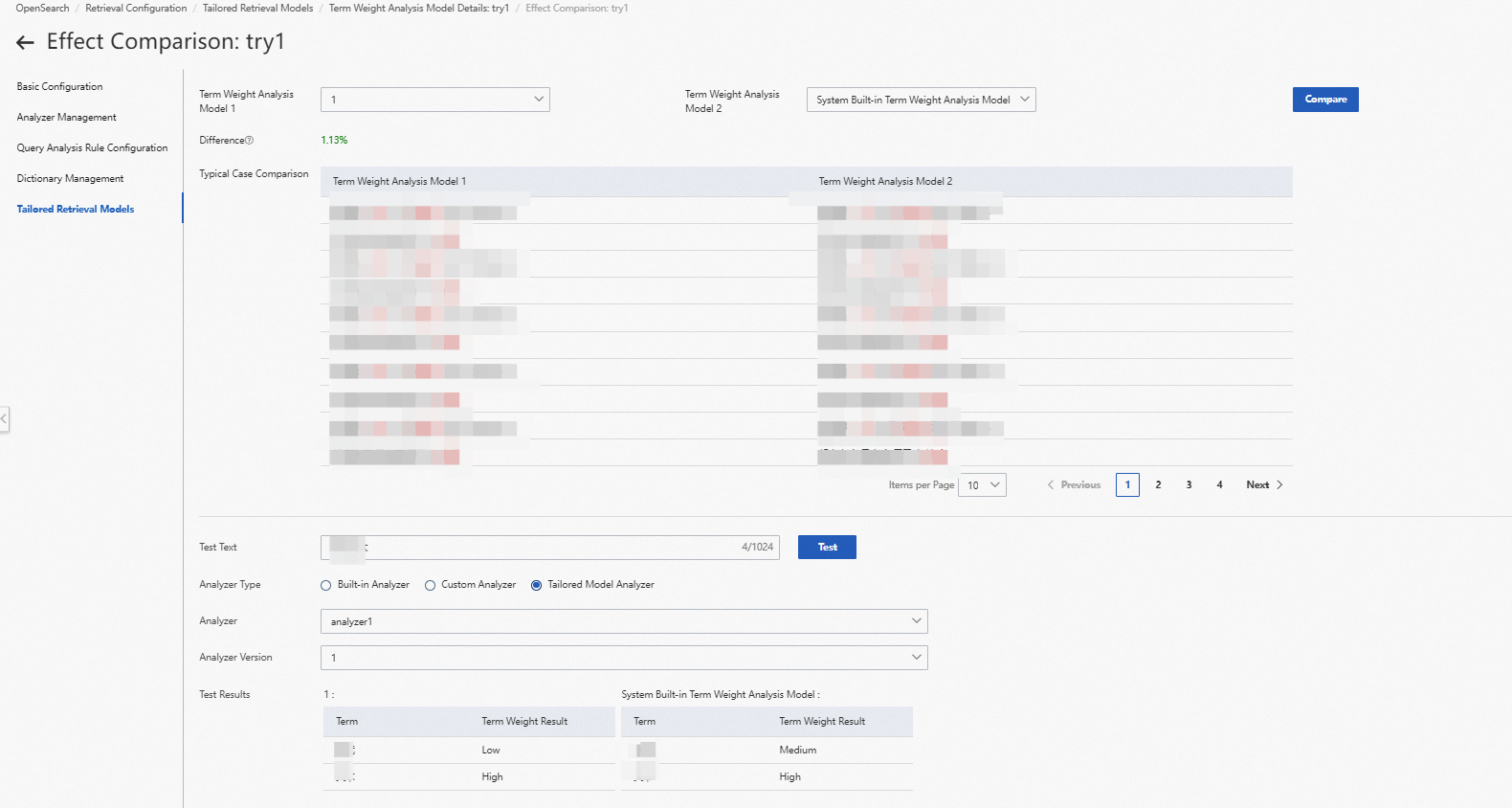
Test the model
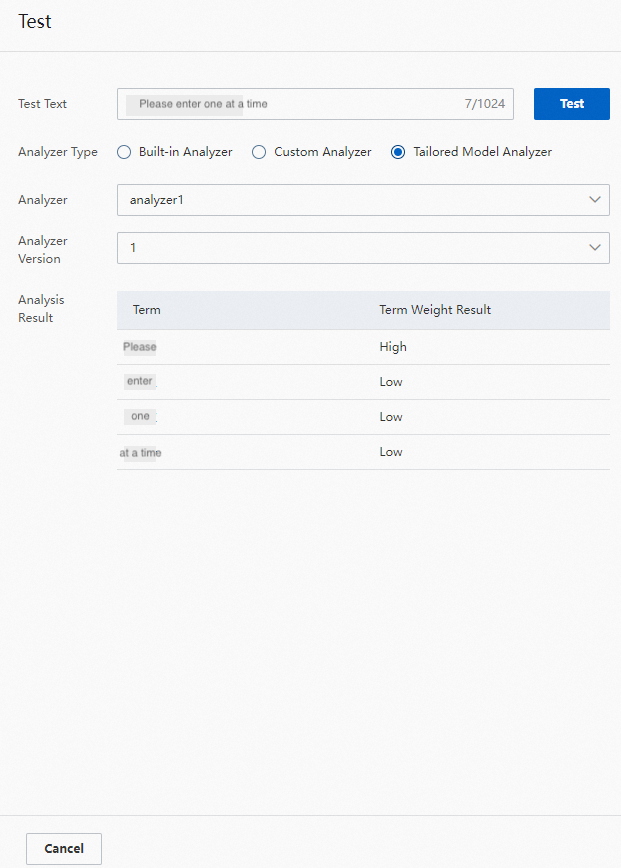
Enter a search query in the Test Text field to see the term weight analysis results for that query.
Compare model versions
Use the Typical Case Comparison section to compare the results of two models side by side — select the system built-in model and any version of the custom model. The comparison displays up to 200 results, including the analyzed text and the output from both models.
Limitations
Term weight analysis models are available only for exclusive applications of Industry Algorithm Edition.
Each application supports a maximum of five tailored retrieval models.
A model is tied to the application it was created for and cannot be shared across applications.