OpenSearch allows you to clear expired documents. In the OpenSearch console, you can manually clear application documents and expired documents, or enable automatic clearing for expired documents. The document clearing feature removes expired documents based on a timestamp field you configure. Two modes are available: Clear Now runs immediately on demand, and Auto Clearing runs automatically at 00:00 every day.
Clearing triggers reindexing. Run clearing operations during low-traffic periods to minimize impact.
Prerequisites
Before you begin, ensure that you have:
An OpenSearch application listed on the Instance Management page
A field of INT type in the primary table that stores UNIX timestamps (in seconds or milliseconds)
Clear documents immediately
Use Clear Now to remove expired documents on demand. Clear Now is the immediate execution of Auto Clearing.
Log on to the OpenSearch console.
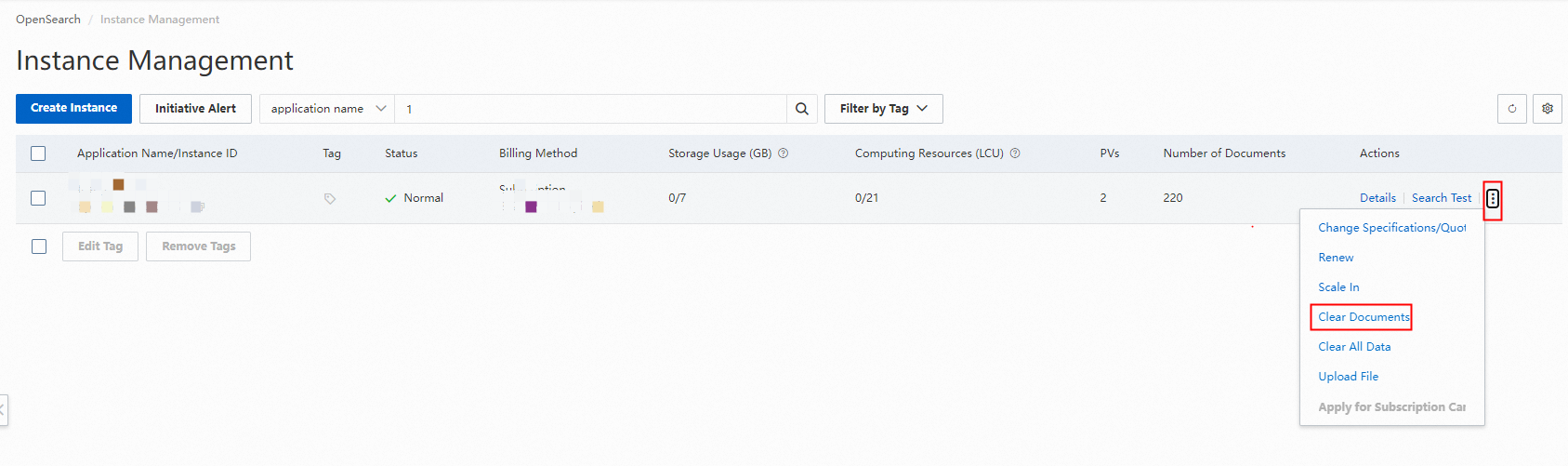
On the Instance Management page, find the target application, click the More icon in the Actions column, and select Clear Documents.
ImportantIf an offline application exists alongside the online application, delete the offline application before proceeding.
In the Clear Documents panel, click Clear Now.
Configure the following parameters:
Parameter Description Reserved field An INT-type field in the primary table whose value is a UNIX timestamp in seconds or milliseconds. Documents in recent X days The number of days of documents to retain. Valid values: 7–180. Unit The unit of the UNIX timestamp in the reserved field. Select Seconds for 10-digit timestamps or Milliseconds for 13-digit timestamps. OpenSearch automatically converts DATETIME-type fields from the data source to millisecond UNIX timestamps. 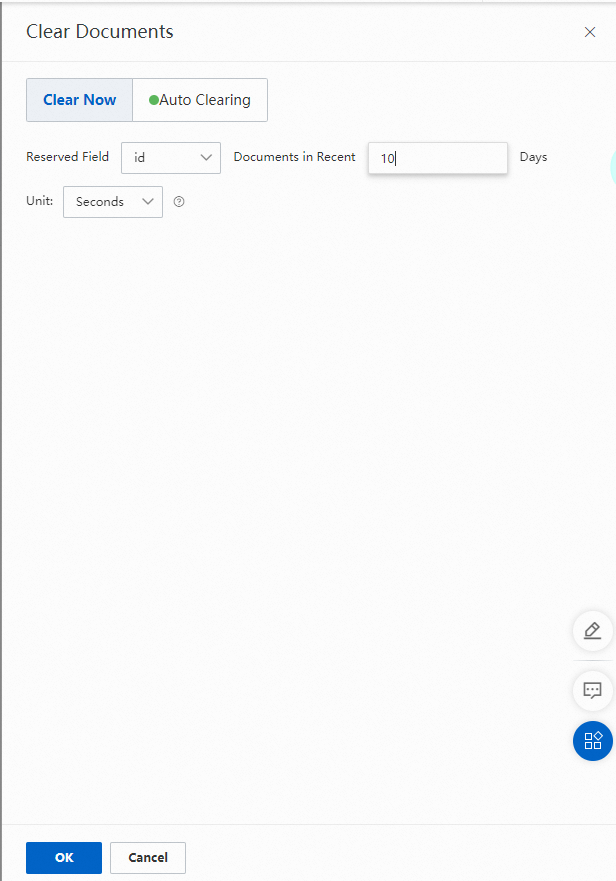
OpenSearch creates an offline application to remove expired documents from the primary table. After clearing completes, the offline application goes online automatically.
Set up automatic clearing
Use Auto Clearing to remove expired documents daily without manual intervention. If your documents are not updated frequently, keep Auto Clearing disabled to avoid unnecessary reindexing.
Log on to the OpenSearch console.
On the Instance Management page, find the target application, click the More icon in the Actions column, and select Clear Documents.
In the Clear Documents panel, click Auto Clearing.
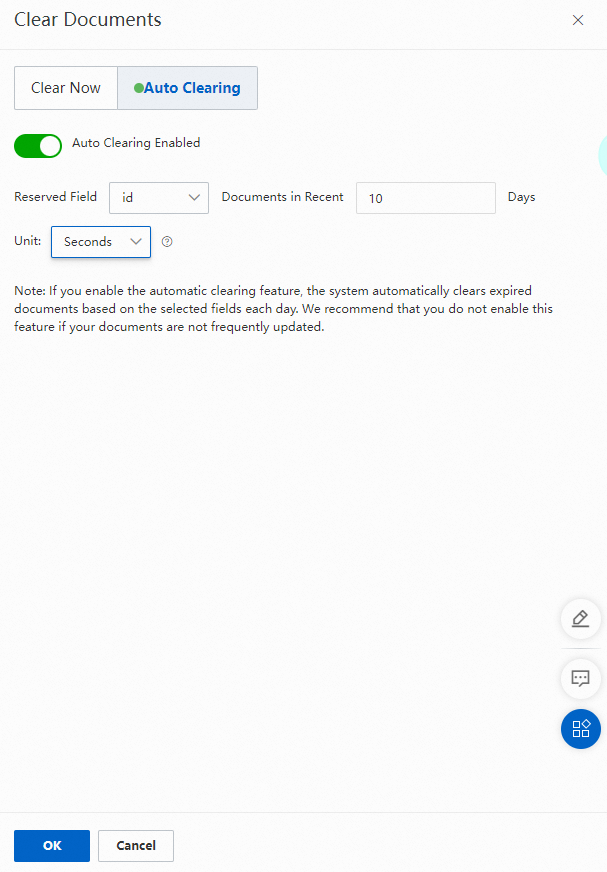
Turn on Auto Clearing Enabled.
Configure the following parameters:
Parameter Description Reserved field An INT-type field in the primary table whose value is a UNIX timestamp in seconds or milliseconds. Documents in recent X days The number of days of documents to retain. Valid values: 7–180. Unit The unit of the UNIX timestamp in the reserved field. Select Seconds for 10-digit timestamps or Milliseconds for 13-digit timestamps. OpenSearch automatically converts DATETIME-type fields from the data source to millisecond UNIX timestamps.
OpenSearch clears expired documents from the primary table daily at 00:00 based on the configured field. Each clearing run creates an offline application that goes online automatically after completing.