Upload a JSON file containing representative sample data to let OpenSearch automatically detect field types and generate your application schema. Use this approach when you have existing data and want to avoid configuring each field manually.
Prerequisites
Before you begin, ensure that you have:
An OpenSearch application in the High-Performance Search Edition console
Access to the Instance Management page
Upload a file to create the schema
Step 1: Prepare the schema file
Create a JSON file with one object whose keys are field names and whose values are representative sample values. The file must use the following structure:
{
  "table_name": {
    "INT": 1,
    "INT_ARRAY": [1, 2, 3, 4],
    "FLOAT": 12.5,
    "FLOAT_ARRAY": [12.1, 12.2, 12.3],
    "DOUBLE": 12.6,
    "DOUBLE_ARRAY": [12.1, 12.2, 12.3],
    "LITERAL": "LITERAL",
    "LITERAL_ARRAY": ["OpenSearch", "Open", "Search"],
    "SHORT_TEXT": "SHORT_TEXT",
    "TEXT": "TEXT",
    "TIMESTAMP": 1624502392077,
    "GEO_POINT": "12 15"
  }
}
You can customize the value of each field based on its intended type.
Step 2: Upload the file
Log in to the OpenSearch console. In the left-side navigation pane, click Instance Management.
Find the target application, then click Configure in the Actions column.
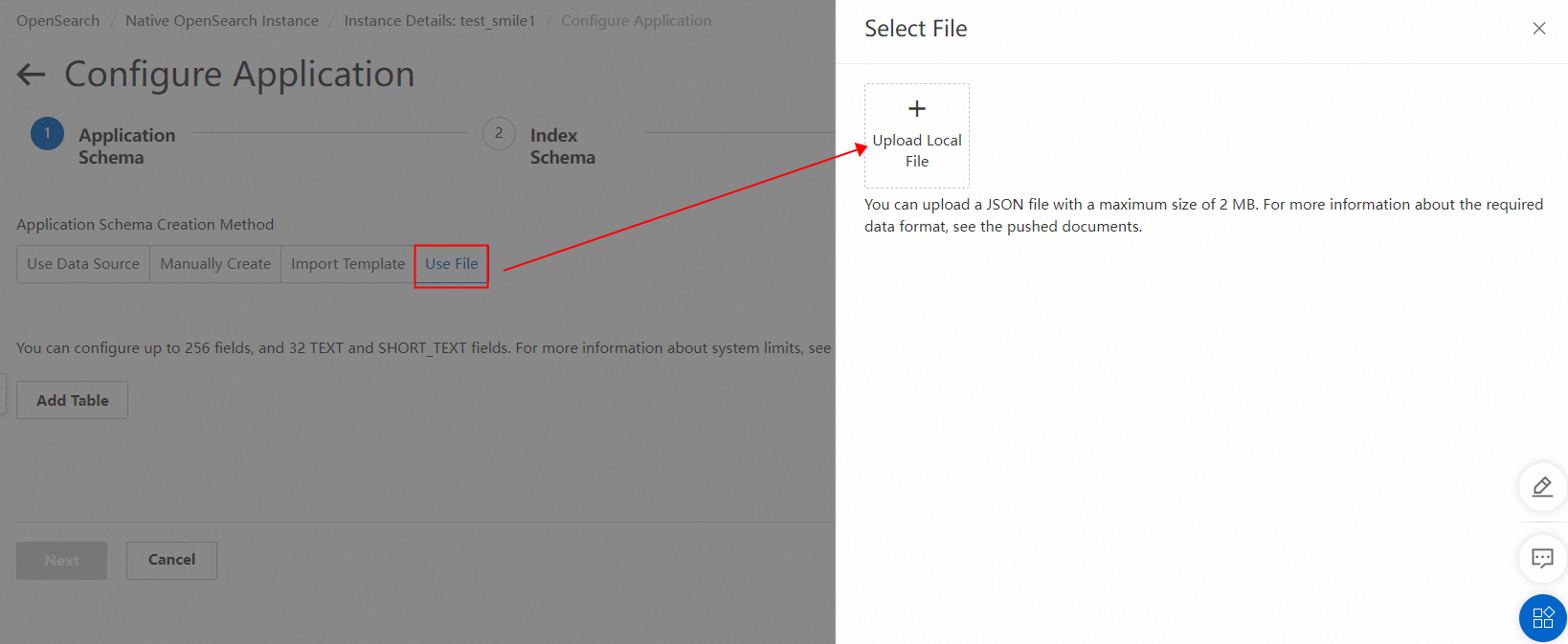
In the Configure Application wizard, go to the Application Schema step, then click Use File.
In the Select File panel, upload the file you prepared in step 1.
Step 3: Review and correct field types
After the file is uploaded, OpenSearch maps each field to a type based on its sample value. Review the auto-detected types and correct any that do not match your requirements.
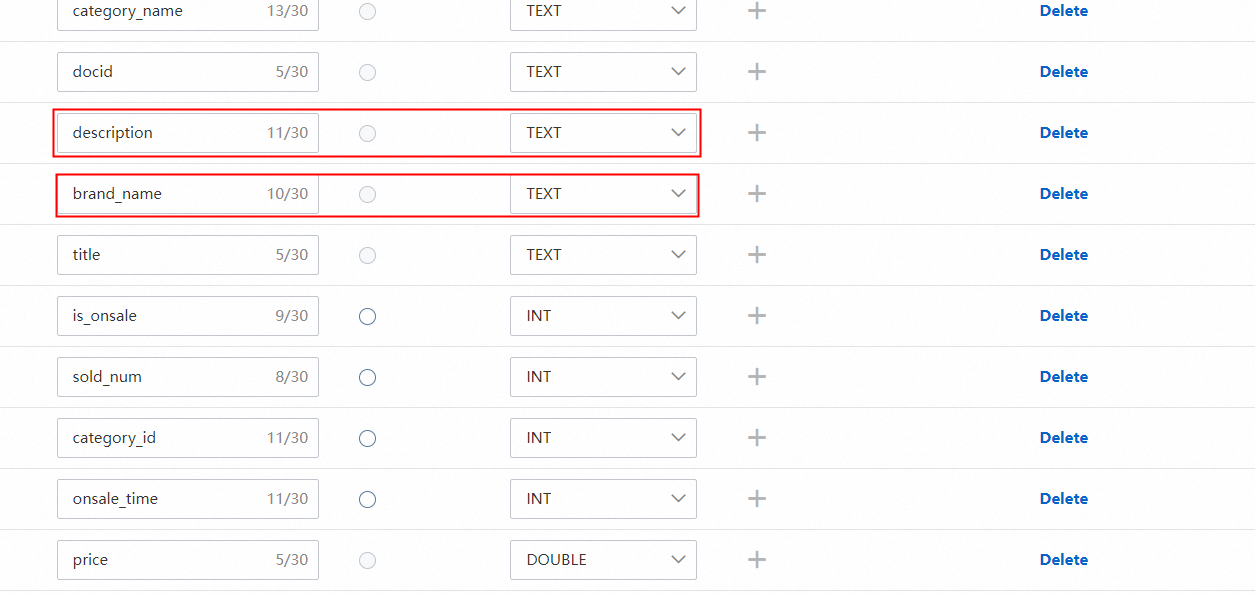
If the system cannot accurately identify the types of specific fields based on field values, the field types that are automatically mapped by the system may not meet your requirements. In this case, you need to modify the field types based on your business requirements.