Use CloudOps Orchestration Service (OOS) (OOS) to run executions from Public Templates or your custom templates. If you understand the risks, select Skip Confirmation for High-risk Tasks to start an automatic execution.
-
Log in to the CloudOps Orchestration Service console.
-
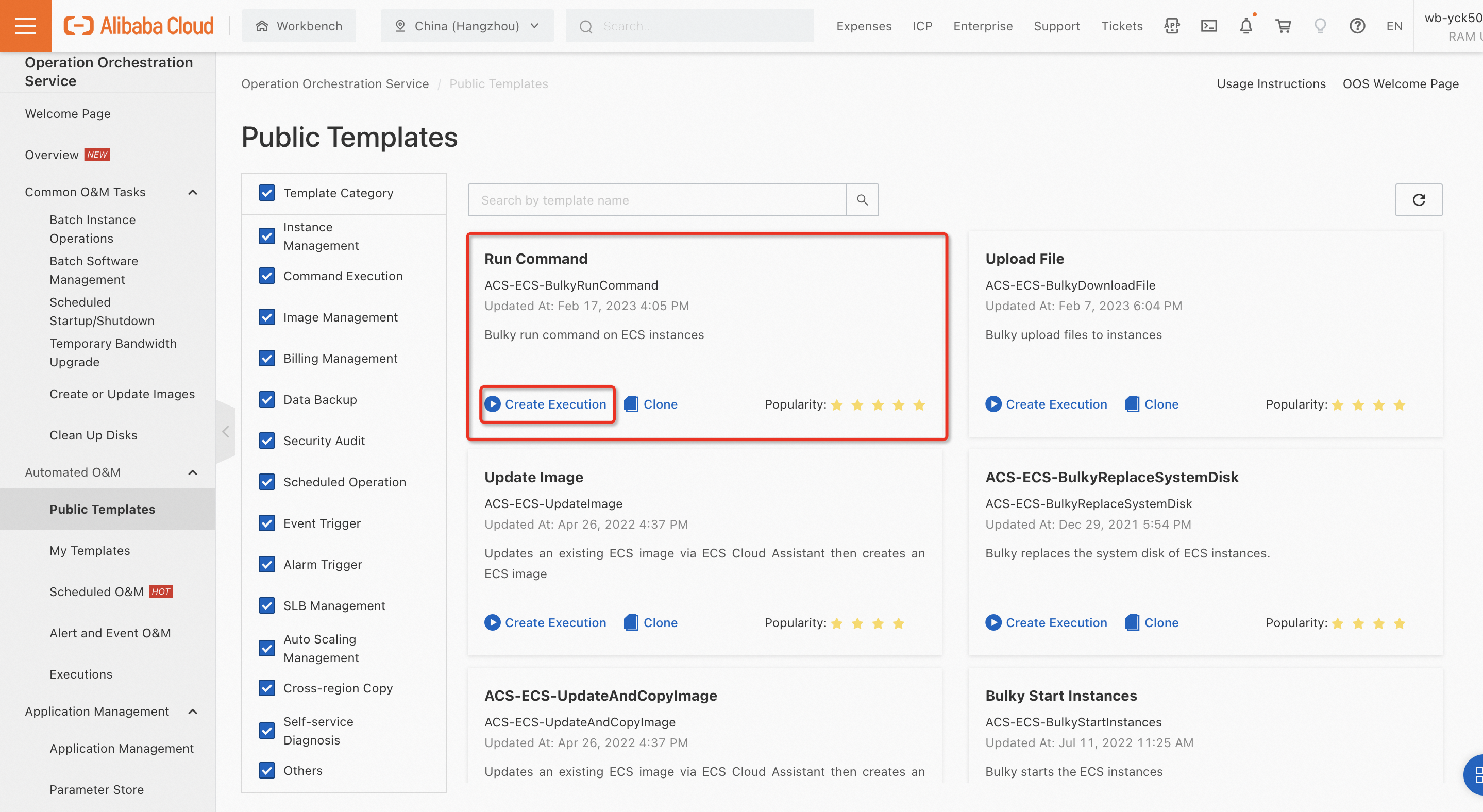
Click Public Template, select a template, and click Create an execution..
-
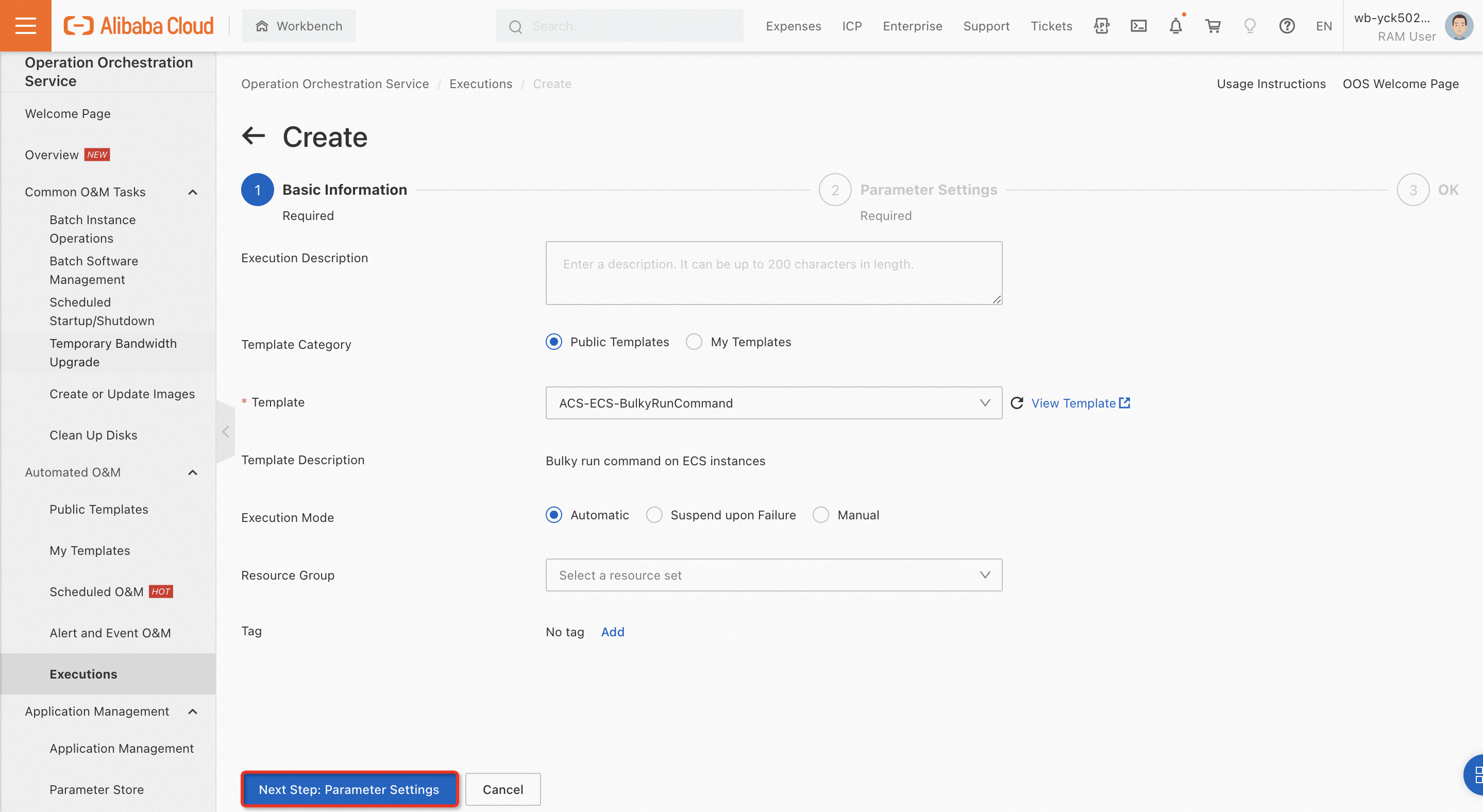
For Execution Mode, select Automatic, and click Next Step: Parameter Settings.
-
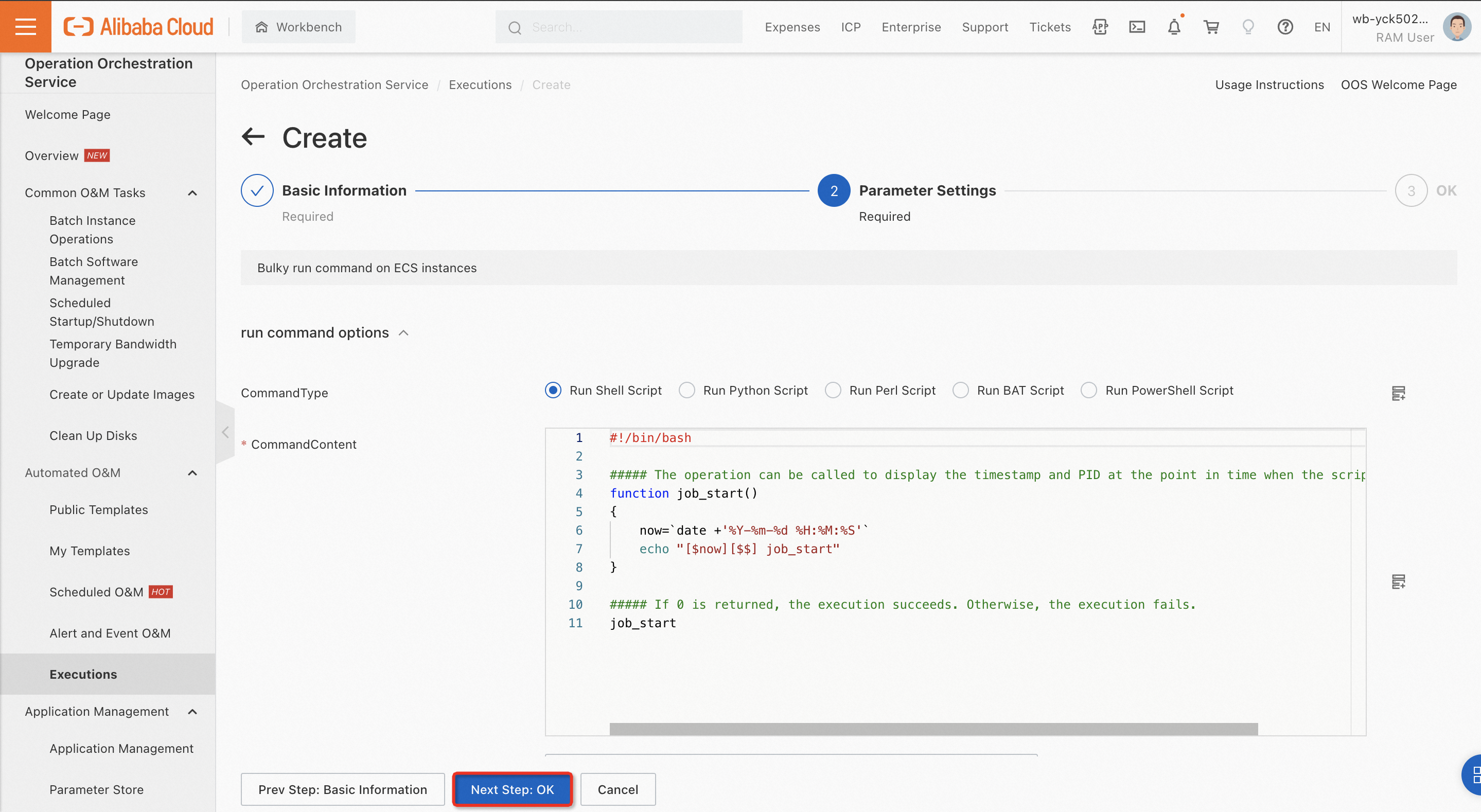
Configure the required parameters for the template. Then, click Next Step: OK.
-
After confirming the parameters, click Create.
-
After the execution is created, select the execution in the Task Execution Management section and click Details to view the execution status.