How it works
Use RoleA in account 123456 to assume RoleB in account 654321. This lets you call resources in account 654321 from account 123456.
Prerequisites
Create RAM roles
Create a RAM role named OOSServiceRole in account 123456 and account 654321. For more information, see Set RAM permissions for OOS.
Configure trust policies
123456/OOSServiceRole:
{
    "Statement": [
        {
            "Action": "sts:AssumeRole",
            "Effect": "Allow",
            "Principal": {
                "Service": [
                    "oos.aliyuncs.com"
                ]
            }
        }
    ],
    "Version": "1"
}
For OOSServiceRole in account 654321:
{
    "Statement": [
        {
            "Action": "sts:AssumeRole",
            "Effect": "Allow",
            "Principal": {
                "RAM": [
                    "acs:ram::123456:root"
                ]
            }
        }
    ],
    "Version": "1"
}
Configure permissions
1. Grant the AliyunSTSAssumeRoleAccess permission to OOSServiceRole in account 123456.
2. Grant permissions for the required resources to OOSServiceRole in account 654321. This topic uses the AliyunECSFullAccess permission as an example.
Procedure
1. Log in to the CloudOps Orchestration Service console using account 123456.
2. Use the template in the Appendix section to create a cross-account execution template.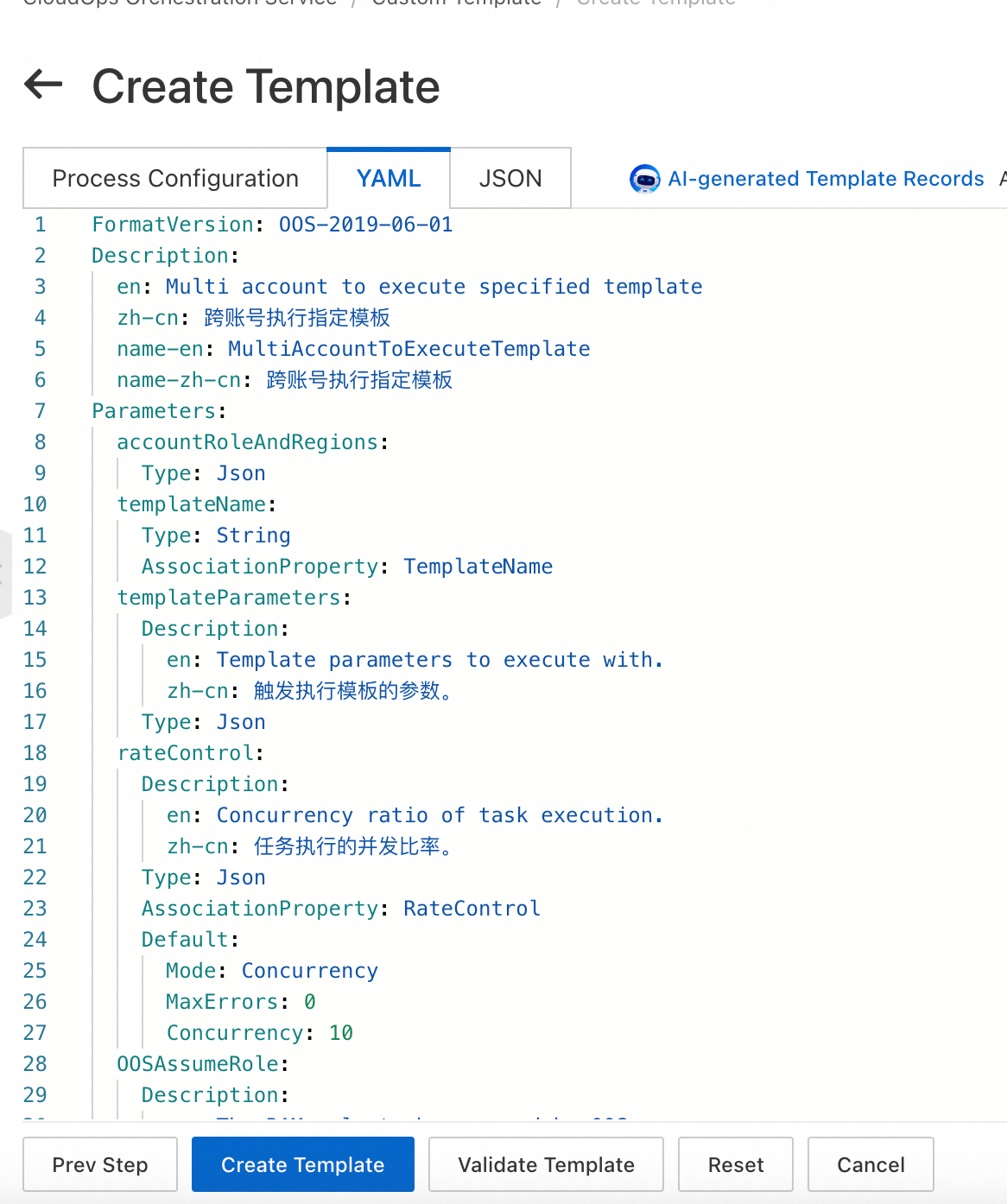
3. Execute the cross-account execution template.
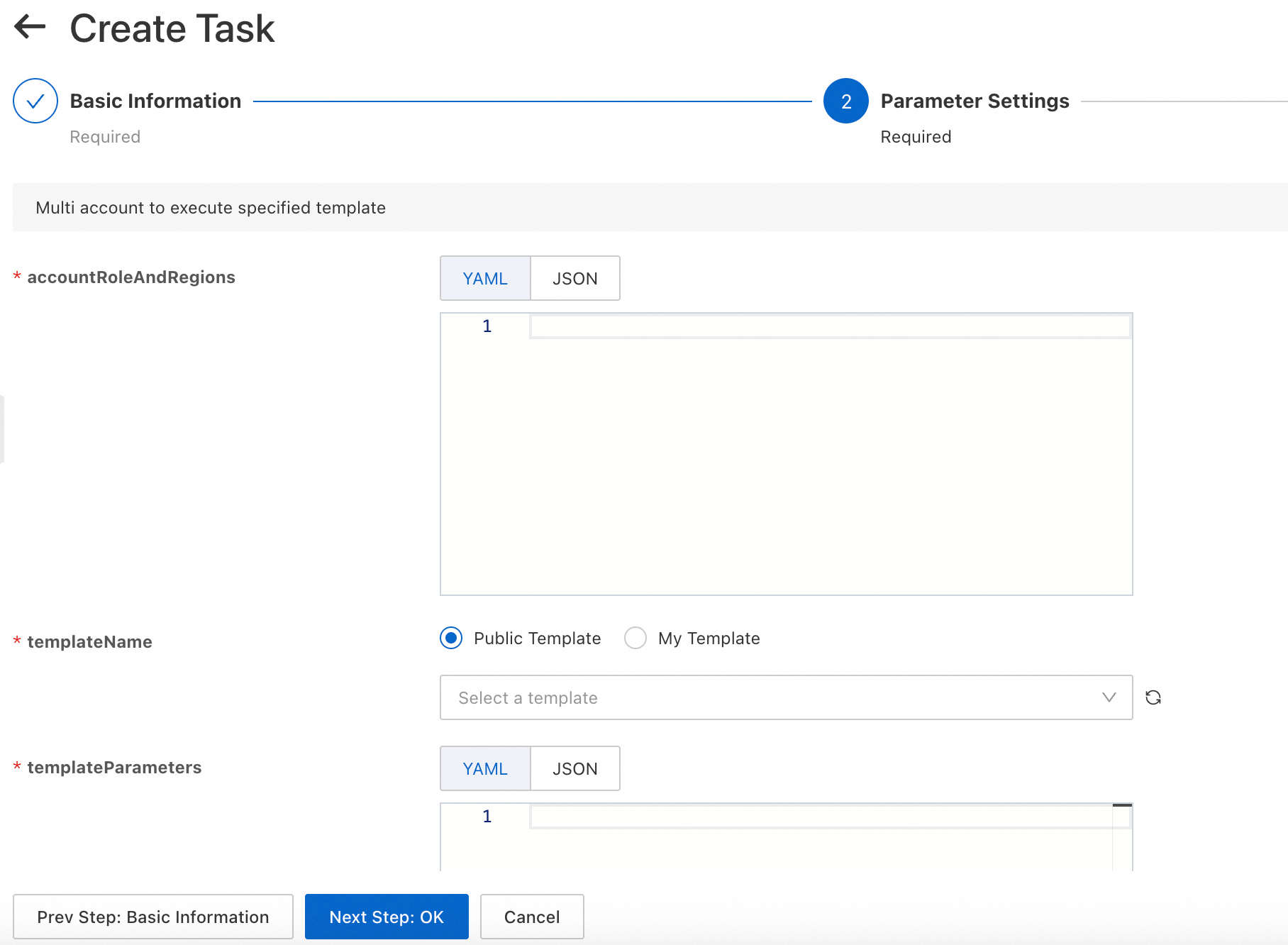
Parameter descriptions:
accountRoleAndRegions:
Executes commands on running ECS instances in the China (Shanghai) and China (Beijing) regions of account 654321.
[
  {
    "OOSAssumeRole": "OOSServiceRole|654321/OOSServiceRole",
    "RegionId": "cn-shanghai"
  },
  {
    "OOSAssumeRole": "OOSServiceRole|654321/OOSServiceRole",
    "RegionId": "cn-beijing"
  }
]
templateParameters:
targets: Selects running instances in the destination region of the destination account.
{
  "commandType": "RunShellScript",
  "commandContent": "echo hello",
  "workingDir": "",
  "windowsPasswordName": "",
  "rateControl": {
    "MaxErrors": 0,
    "Concurrency": 10,
    "Mode": "Concurrency"
  },
  "enableParameter": false,
  "targets": {
    "Type": "All",
    "Parameters": {
      "Status": "Running",
      "RegionId": "{{regionId}}"
    },
    "RegionId": "{{regionId}}"
  },
  "timeout": 600,
  "username": ""
}
Appendix
Cross-account and cross-region execution template
FormatVersion: OOS-2019-06-01
Description:
  en: Multi account to execute specified template
  zh-cn: Execute a specified template across accounts
  name-en: MultiAccountToExecuteTemplate
  name-zh-cn: Execute a specified template across accounts
Parameters:
  accountRoleAndRegions:
    Type: Json
  templateName:
    Type: String
    AssociationProperty: TemplateName
  templateParameters:
    Description:
      en: Template parameters to execute with.
      zh-cn: The parameters used to trigger the template execution.
    Type: Json
  rateControl:
    Description:
      en: Concurrency ratio of task execution.
      zh-cn: The concurrency rate for task execution.
    Type: Json
    AssociationProperty: RateControl
    Default:
      Mode: Concurrency
      MaxErrors: 0
      Concurrency: 10
  OOSAssumeRole:
    Description:
      en: The RAM role to be assumed by OOS.
      zh-cn: The RAM role that OOS assumes.
    Type: String
    Default: OOSServiceRole
RamRole: '{{ OOSAssumeRole }}'
Tasks:
  - Name: executeTemplate
    Action: 'ACS::Template'
    Description:
      en: Execute template.
      zh-cn: Execute the template.
    Properties:
      TemplateName: '{{ templateName }}'
      Parameters:
        'Fn::MergeMap':
          - '{{ templateParameters }}'
          - regionId:
              'Fn::Select':
                - RegionId
                - '{{ACS::TaskLoopItem}}'
          - OOSAssumeRole:
              'Fn::Select':
                - OOSAssumeRole
                - '{{ACS::TaskLoopItem}}'
    Loop:
      RateControl: '{{ rateControl }}'
      Items: '{{ accountRoleAndRegions }}'