Background information
System disks store the operating system, applications, and critical configuration files, making their security essential in cloud environments. CloudOps Orchestration Service (OOS) provides an automated solution for encrypting system disks in bulk, delivering the following benefits:
-
Data protection: encrypts data by using Advanced Encryption Standard 256-bit (AES-256). Even if data is stolen or lost, unauthorized users cannot decrypt it.
-
Compliance: meets data protection regulations such as General Data Protection Regulation (GDPR) and Sarbanes-Oxley (SOX) Act, helping you satisfy industry security standards and regulatory requirements.
-
Easy key management: integrates with Alibaba Cloud Key Management Service (KMS) for enterprise-grade key lifecycle management, simplifying compliance audits and improving security management efficiency.
-
Business continuity: encryption does not affect daily operations or performance of Elastic Compute Service (ECS) instances. You can still restart, reset, snapshot, and create images of instances as expected.
-
Lower costs: automates encryption to eliminate manual operations and potential errors, reducing labor costs with no additional resources required for management.
Prerequisites
During the encryption process, the system disk of an ECS instance is replaced and the instance is restarted. Exercise caution when you perform this operation.
A KMS service key or customer master key (CMK) is available. For more information, see Purchase and enable a KMS instance.
Procedure
-
Log on to the OOS console. In the left-side navigation pane, choose Automated Task > Public Template. On the Public Template page, search for the public template ACS-ECS-BulkyEncryptSystemDisk and click Create Execution.

-
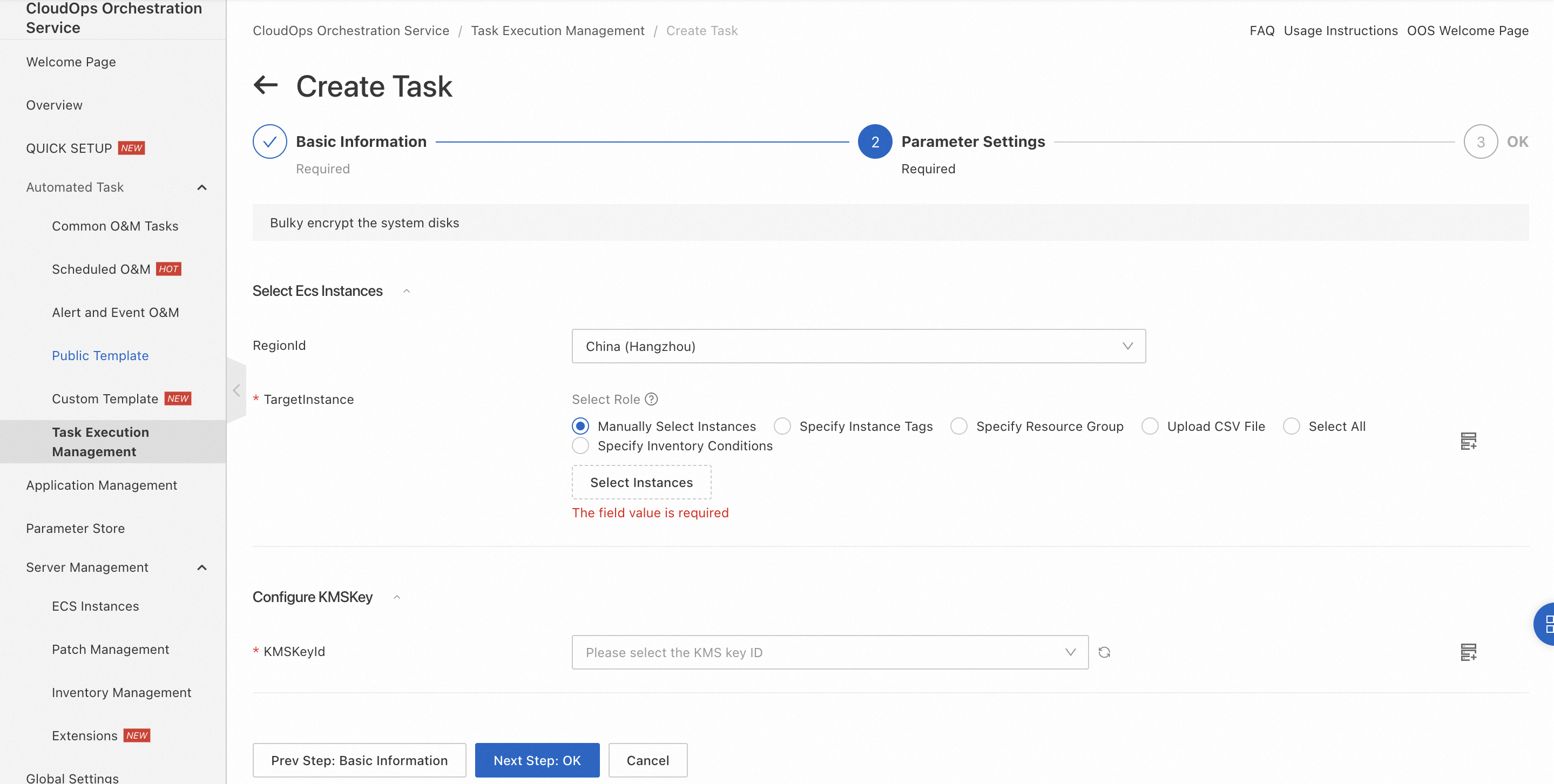
On the Create Task page, configure the following parameters to create an execution:
-
RegionId: the region in which the ECS instances reside.
-
TargetInstance: the ECS instances whose system disks you want to encrypt.
-
KMSKeyId: the KMS key that you want to use to encrypt the system disks.
-
-
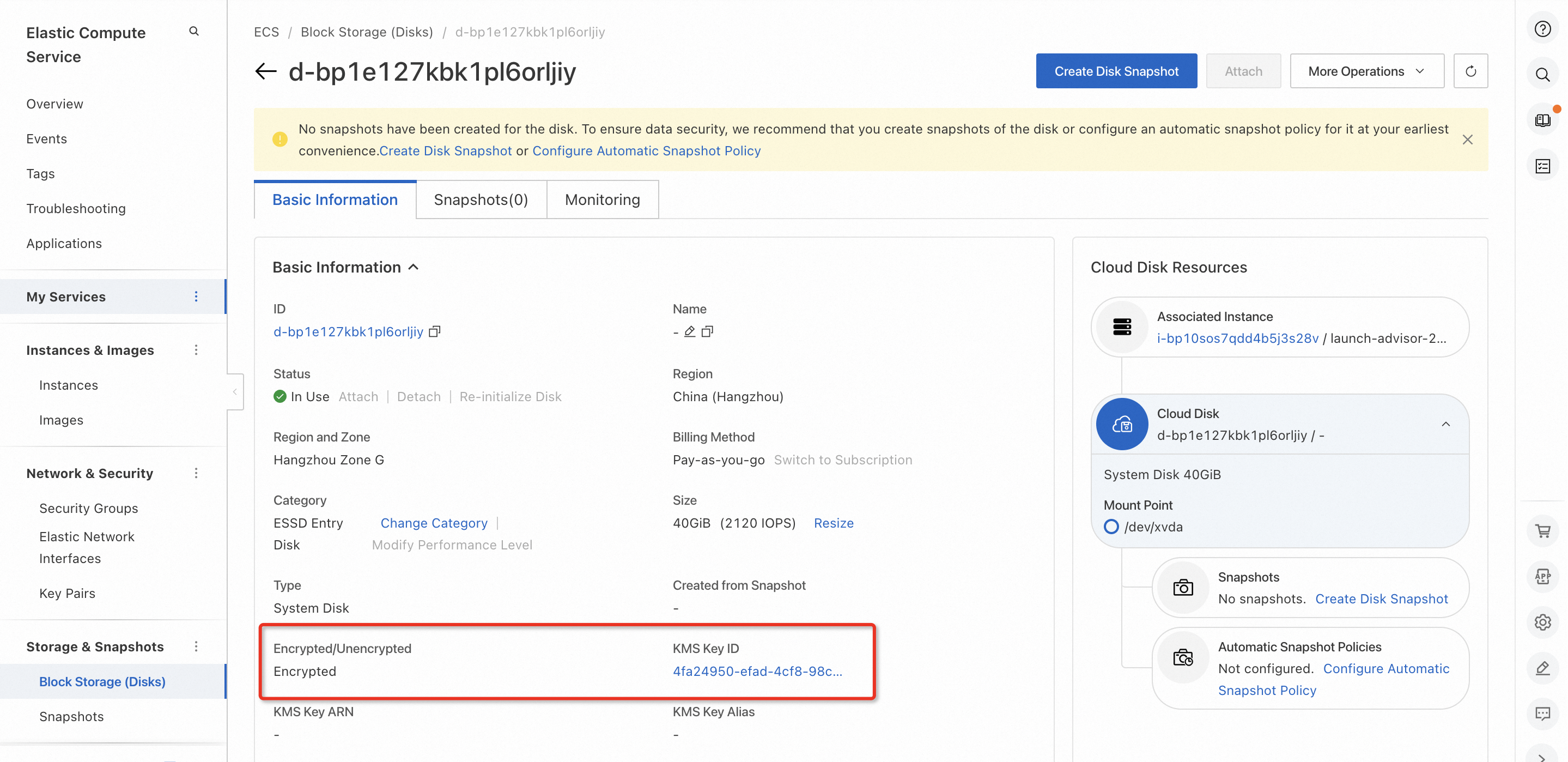
After the execution is successful, verify that the system disks of the selected ECS instances are encrypted.
Execution process
Create a snapshot for the system disk > Create an image from the snapshot > Copy and encrypt the image > Use the encrypted image to replace the system disk
