Use Resource Access Management (RAM) to control access to CloudOps Orchestration Service (OOS) resources at the account level by creating RAM users or RAM groups and attaching specific permission policies.
Use cases
RAM is an access control service provided by Alibaba Cloud. Common use cases for controlling access to OOS include:
-
System O&M administrator: You can create an CloudOps Orchestration Service administrator and grant this administrator group full permissions for CloudOps Orchestration Service, including the ability to create, edit, and execute templates.
-
Template developer: Template developers need permissions to edit templates. You can grant a policy to a developer or developer group that allows members to call actions such as
CreateTemplateandUpdateTemplate. -
Template operator: You can restrict users to only running OOS templates.
-
Template-level authorization: You can authorize specific RAM users or RAM groups to run a template.
Grant the PassRole permission to a RAM user
After you set a RAM role for the OOS service and grant it permissions, only CloudOps Orchestration Service is authorized to use this RAM role. Sub-accounts of CloudOps Orchestration Service are not automatically authorized. A sub-account can use the target RAM role through CloudOps Orchestration Service only after it is granted the PassRole permission for the target RAM role.
-
To allow a sub-account to use all RAM roles that are entrusted to CloudOps Orchestration Service, create the following policy and grant it to the sub-account.
-
For security purposes, you may need to restrict a sub-account to a specific RAM role (such as the default OOSServiceRole) when using CloudOps Orchestration Service. In this case, create the following policy.
Notes:
-
If a RAM role is hardcoded in a template (for example, the default OOSServiceRole) and is not passed as a parameter, the RAM user does not need the PassRole permission to run the template but needs it to create or update the template.
-
If a RAM role is dynamically specified as a parameter during template execution and the template itself does not define a RAM role, the RAM user does not need the PassRole permission to create or update the template but needs it to run the template with the specified role.
-
In the preceding policies, replace {parent_uid} with your Alibaba Cloud account ID.
Policies
Step 1: Create a custom policy
-
Log on to the RAM console.
-
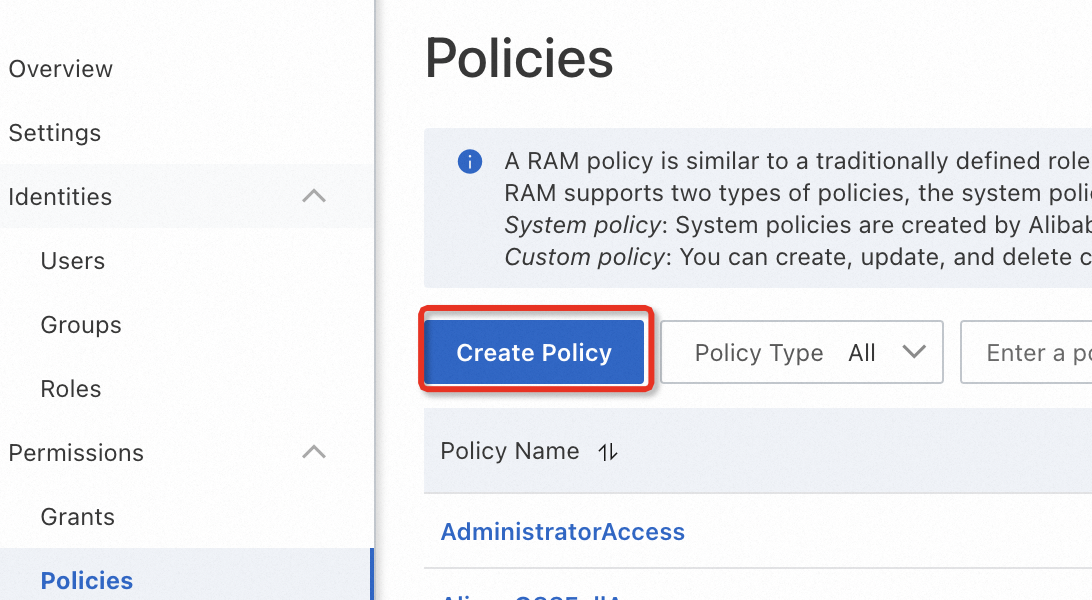
In the left-side navigation pane, choose .
-
Click Create Policy.
-
Click the JSON tab, paste the policy content, and then click OK.
-
-
On the Create Policy page, enter a name and description, and then click OK.
After the policy is created, click Policy Details to view its information. To modify the policy, click Modify Policy Document.
Step 2: Grant permissions to a RAM user
-
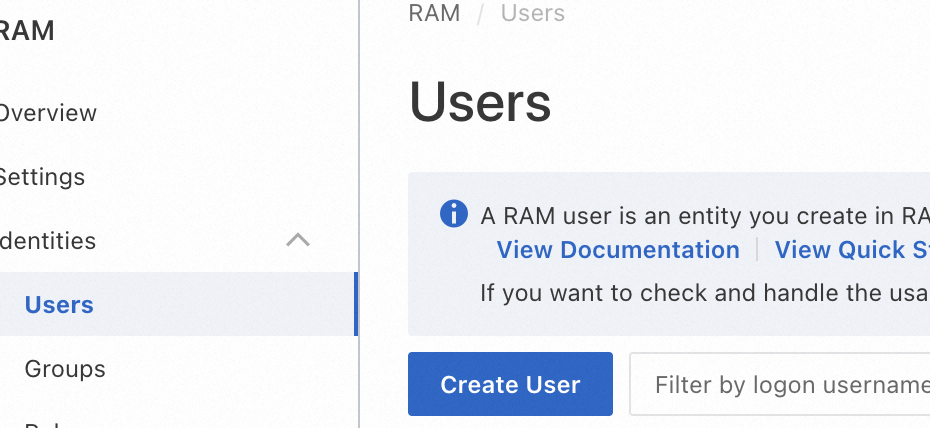
In the left-side navigation pane, choose .
-
Find the target RAM user and click Add Permissions in the Actions column.
-
In the Policies section, select the required system or custom policies.
-
Click OK.