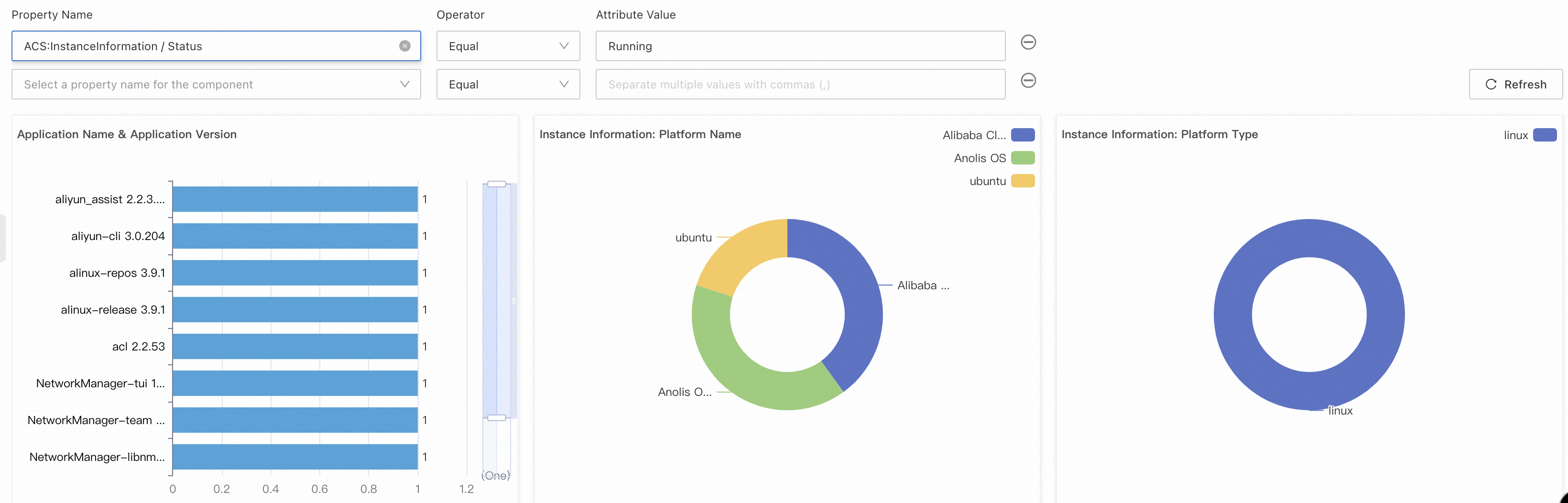
This topic describes how to use the configuration list feature of CloudOps Orchestration Service (OOS) to collect and manage the metadata of Elastic Compute Service (ECS) instances in the Alibaba Cloud computing environment. The metadata includes application information, network configuration, services, file system data, Windows-specific data, and instance details. This topic also describes how to configure and access these data in the OOS console and how to select instances whose data you want to collect. You can select all instances, or manually select one or more instances from the instance list. You can also filter instances by tag or resource group. In addition, you can set the interval at which data is collected. The minimum interval is 30 minutes. You can view and analyze the collected data on the Inventory Overview tab of the Inventory Management page. OOS automatically displays the ECS instances and managed instances that are in the Running state on the Inventory Overview tab.
You can use the configuration list feature of OOS to learn about your Alibaba Cloud computing environment. You can use the configuration list feature to collect metadata from ECS instances. You can configure a configuration list for all managed instances with a few clicks. You can also configure and view the configuration lists in various regions. To use the configuration list feature, log on to the OOS console. In the left-side navigation pane, choose Server Management > Inventory Management.
The following table describes the types of data that can be collected by the configuration list feature in OOS. The table also describes how to select the instances whose data you want to collect and the intervals that you can specify for data collection.
Item | Description |
Metadata type | You can use the configuration list feature to collect data of the following types:
Note:For more information about all types of metadata that can be collected by the configuration list feature, see Metadata types that are supported by a configuration list. |
Instance selection | You can select all ECS instances within your Alibaba Cloud account, manually select one or more instances from the instance list, or select instances of a specific tag or within a specific resource group. |
Collection interval | You can set the collection interval to collect data in minutes, hours, or days. The minimum interval is 30 minutes. |
You can view the collected data on the Inventory Overview tab of the Inventory Management page in the OOS console. You can query data by specifying the predefined filter conditions on this tab.
OOS automatically displays the ECS instances and managed instances that are in the Running state on the Inventory Overview tab.