Install or uninstall extensions on ECS instances
CloudOps Orchestration Service (OOS) lets you install or uninstall extensions on one or more Elastic Compute Service (ECS) instances. Extensions are software components that add capabilities to your ECS instances. From the OOS console, you can create an installation or uninstallation task, select target instances, and monitor task progress.
Prerequisites
Before you install or uninstall an extension, make sure that the following requirements are met:
-
An Alibaba Cloud account with access to CloudOps Orchestration Service (OOS) and Elastic Compute Service (ECS).
-
The target ECS instances are in the Running state.
-
The extension and extension version that you want to install or uninstall are identified.
Procedure
To install or uninstall an extension on one or more ECS instances:
-
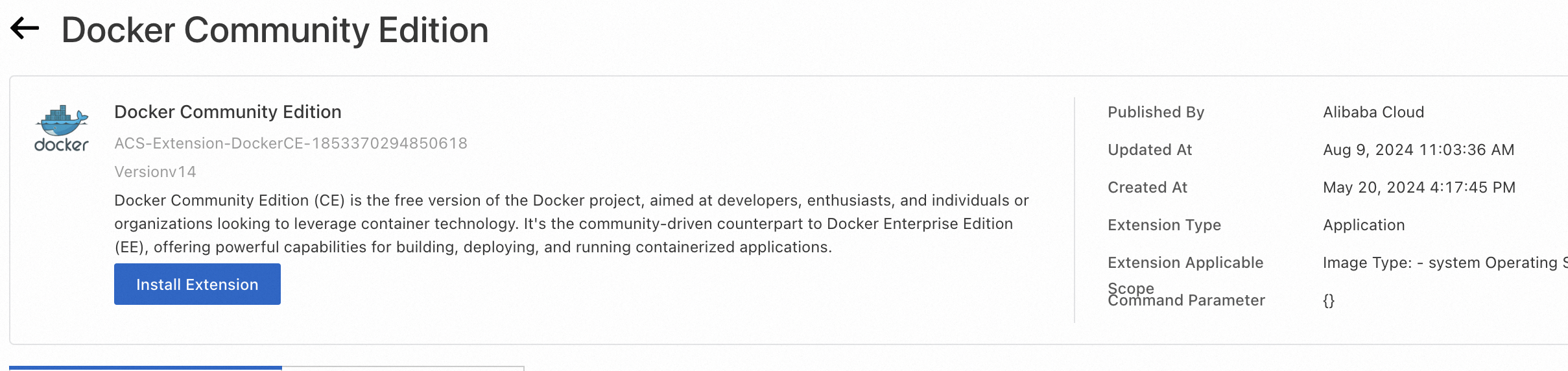
Go to the details page of the extension that you want to install or uninstall. Click Install Extension in the upper-right corner.
-
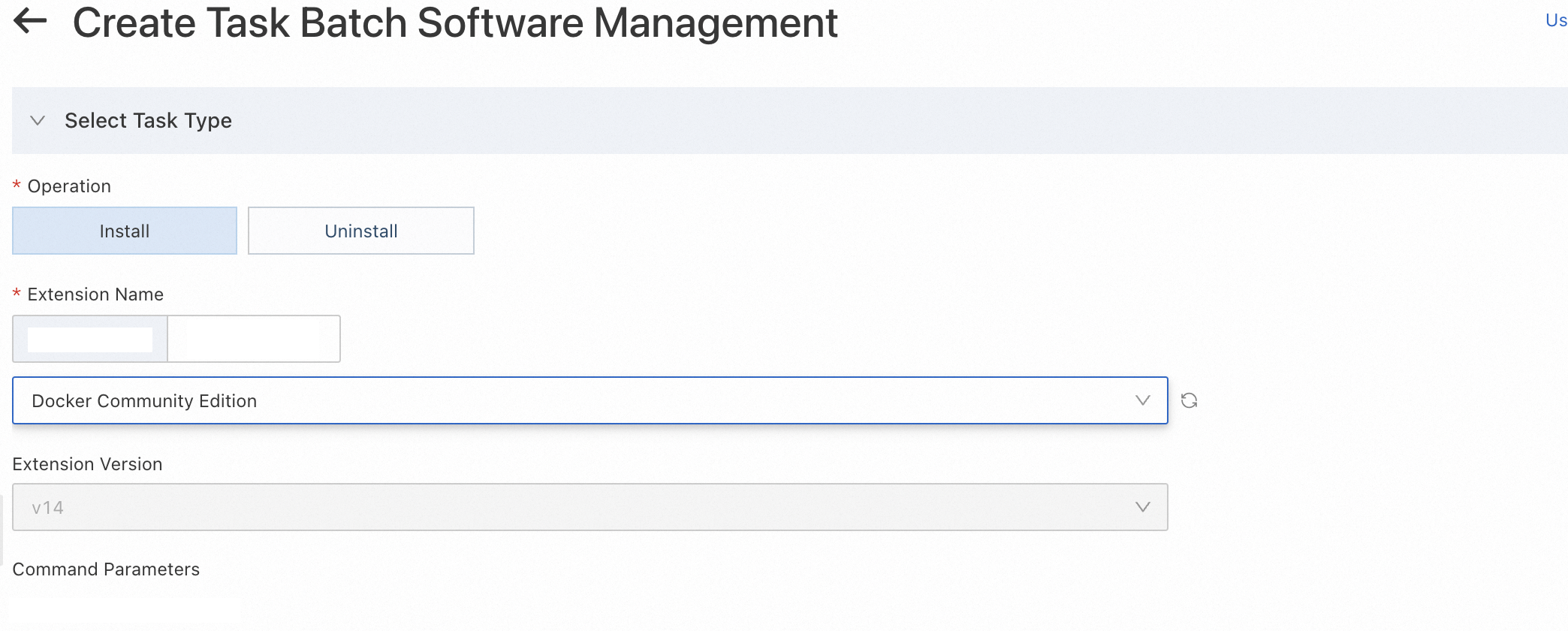
Configure the task and click Create. The task enters the Running state.
-
Set the operation type to installation or uninstallation.
-
Select the version of the extension.
-
Select the ECS instances on which you want to install or uninstall the extension.
-
-
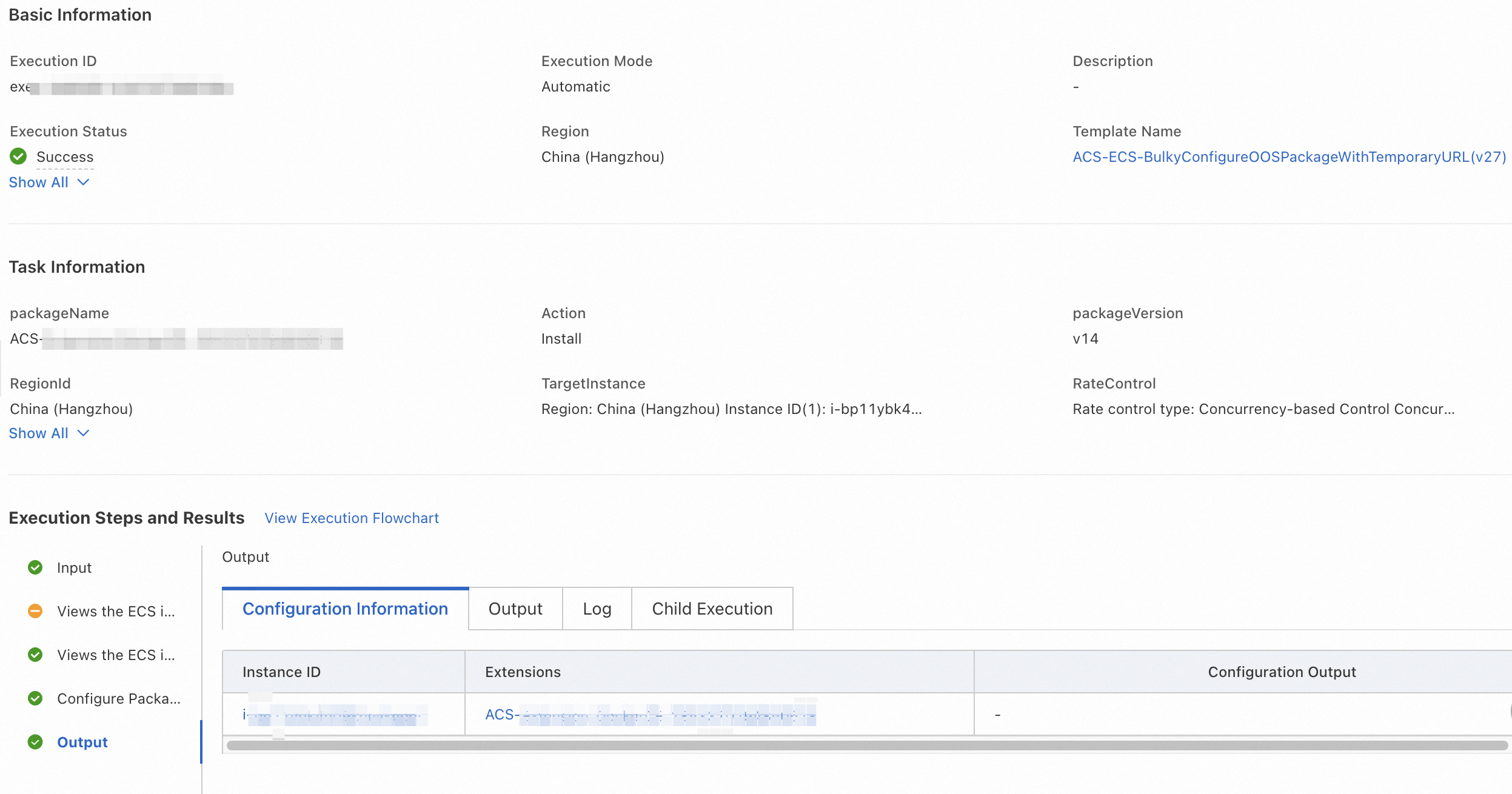
On the task details page, view the overall task status and the execution status on each target ECS instance to confirm whether the extension was successfully installed or uninstalled.
What to do next
After the task is completed, verify that the extension was installed or uninstalled on the target ECS instances.