Write effective prompts to generate high-quality images with Wan - text-to-image V2 . This guide covers prompt structure, visual vocabulary, and practical examples.
Prompt structure
More complete, precise prompts generate higher-quality images. This guide provides two formulas for different needs:
Target users: New users or users seeking inspiration. Use this formula for quick exploration and experimentation.
Prompt = Subject + Setting + Style
| Element | What it controls | Examples |
|---|
| Subject | Main object -- person, animal, plant, object, or imaginary creature | "a golden retriever", "a medieval castle" |
| Setting | Where the subject is -- indoor/outdoor, season, weather, time of day | "in a snowy forest", "at sunset on a beach" |
| Style | Artistic look -- realistic, abstract, painterly | "watercolor style", "cinematic photography" |
Example
| Prompt | Result |
|---|
| 25-year-old Chinese girl, round face, looking at the camera, elegant ethnic costume, commercial photography, outdoor, cinematic lighting, half-body close-up, delicate light makeup, sharp edges. | 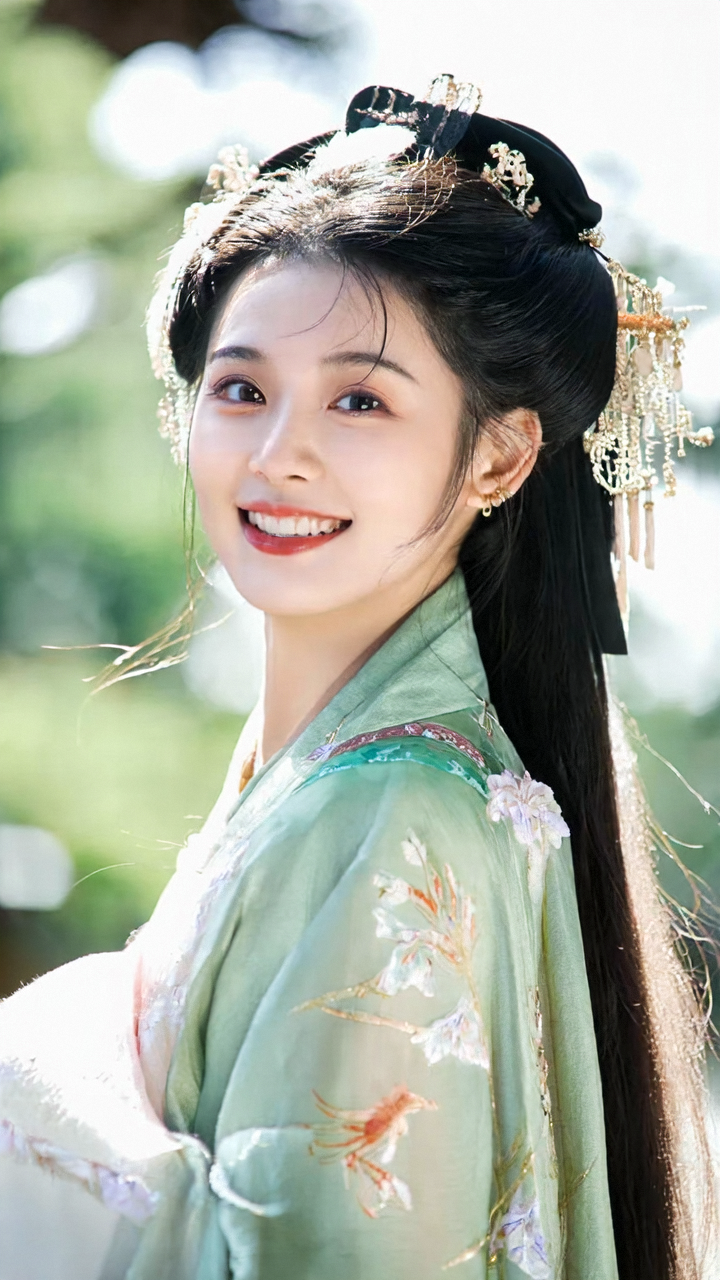 |
Target users: Experienced users. Use this formula for fine-grained control over camera, mood, and detail.
Prompt = Subject + Setting + Style + Camera + Atmosphere + Detail modifiers
| Element | What it controls | Examples |
|---|
| Subject | Main object with specific characteristics and actions | "a cute 10-year-old Chinese girl wearing a red dress" |
| Setting | Detailed environmental characteristics | "surrounded by animal kingdom city street shops" |
| Style | Specific artistic style or visual technique | "watercolor style", "Pixar style", "felt style" |
| Camera | Shot size, angle, lens type, and composition | "close-up", "centered composition", "photographic lens" |
| Atmosphere | Mood and emotional tone | "dreamy", "lonely", "majestic", "childlike wonder" |
| Detail modifiers | Refinements for quality and aesthetics | "4K", "high resolution", "backlight", "natural" |
Example
| Prompt | Result |
|---|
| A panda made of wool felt, wearing a wide-brimmed hat, dressed in a blue police uniform vest, with a belt around the waist, carrying police equipment, wearing blue gloves, leather shoes, in a running posture, felt effect, surrounded by animal kingdom city street shops, premium filter, street lamps, animal kingdom, childlike wonder, adorable appearance, night, bright, natural, cute, 4K, felt material, photographic lens, centered composition, felt style, Pixar style, backlight. | 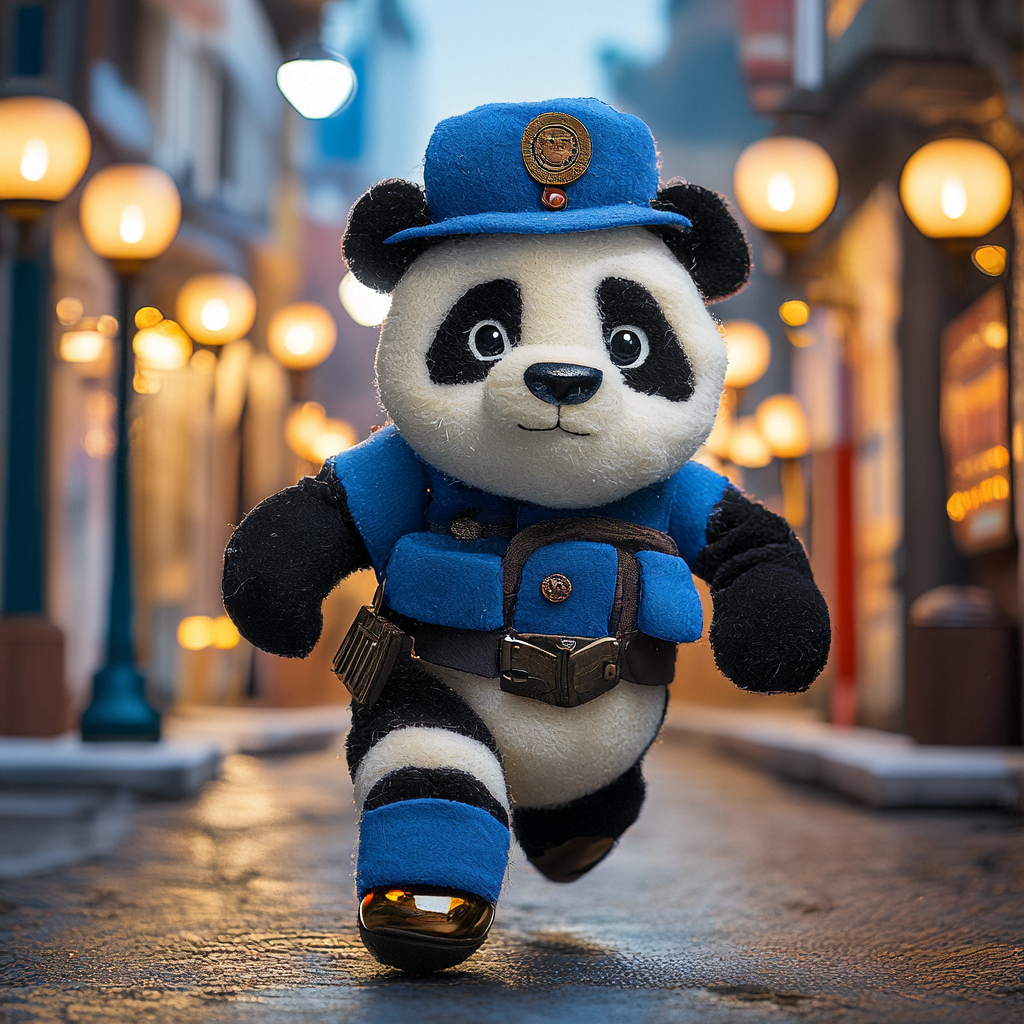 |
Structured prompt template
For maximum control, use these dimensions as a checklist. Include only relevant ones.
| Dimension | Description | Example values |
|---|
| Subject | Main focus of the image | "a cheetah", "an old lighthouse" |
| Action/Pose | What the subject is doing | "running", "looking at the camera" |
| Style | Artistic approach | "3D cartoon", "ink painting", "realistic" |
| Setting | Background environment | "dense forest", "city street at night" |
| Lighting | Light source and quality | "cinematic lighting", "backlight", "neon" |
| Atmosphere | Mood or emotion | "serene", "dramatic", "whimsical" |
| Camera angle | Viewing perspective | "eye level", "bird's eye", "low angle" |
| Shot size | Subject framing | "extreme close-up", "medium shot", "long shot" |
| Lens | Lens simulation | "macro", "telephoto", "fisheye" |
Prompt parameters
The model has two prompt-related parameters:
| Parameter | Description |
|---|
prompt | Describes the image to generate. Supports Chinese and English. |
negative_prompt | Specifies content to exclude from the image. |
Text-to-image V2 also supports prompt rewriting using an LLM.
| Parameter | Description |
|---|
prompt_extend | Enables intelligent prompt rewriting by an LLM. Defaults to true. Keep the default for best results. |
Example request
{
    "input": {
        "prompt": "A flower shop with exquisite windows, beautiful wooden doors, and flowers on display",
        "negative_prompt": "people"
    },
    "parameters": {
        "prompt_extend": true
    }
}
Prompt vocabulary reference
Ready-to-use keywords for five visual dimensions: shot size, perspective, lens type, style, and lighting. Add keywords directly to your prompt.
Shot size
Shot size controls how much of the subject fills the frame -- from long shot to extreme close-up.
| Shot type | When to use | Prompt keyword |
|---|
| Extreme close-up | Highlight facial details, textures, emotions | extreme close-up |
| Close-up | Focus on a single subject with some context | close-up |
| Medium shot | Balance subject and environment | medium shot |
| Long shot | Emphasize environment, show scale | long shot |
Examples
| Shot type | Prompt | Result |
|---|
| Extreme close-up | Extreme close-up shot | High-definition camera, emotional photography, sunset, extreme close-up portrait. | 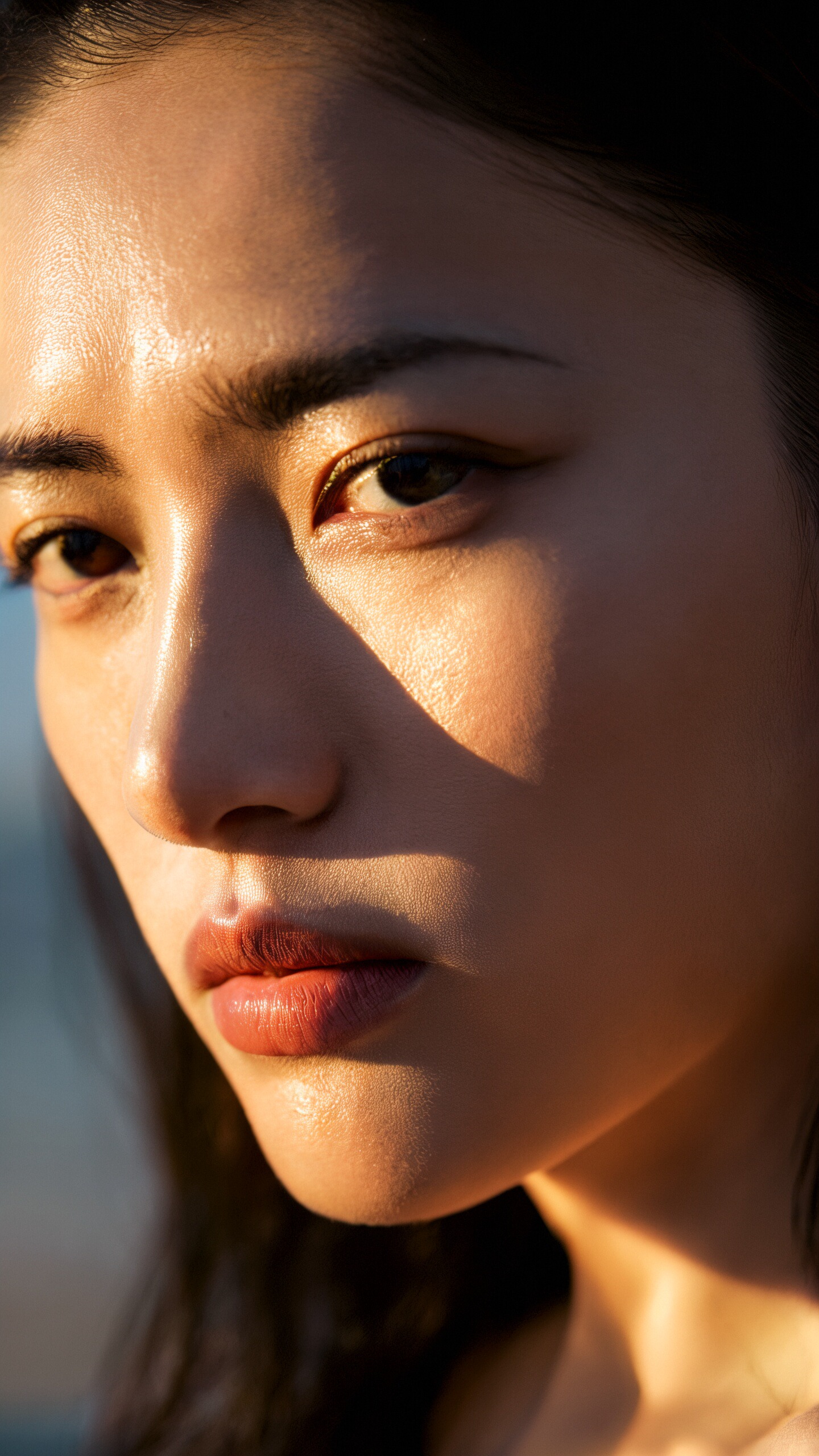 |
| Close-up | Close-up: 18-year-old Chinese girl, ancient costume, round face, looking at the camera, elegant ethnic costume, commercial photography, outdoor, cinematic lighting, half-body close-up, delicate light makeup, sharp edges. | 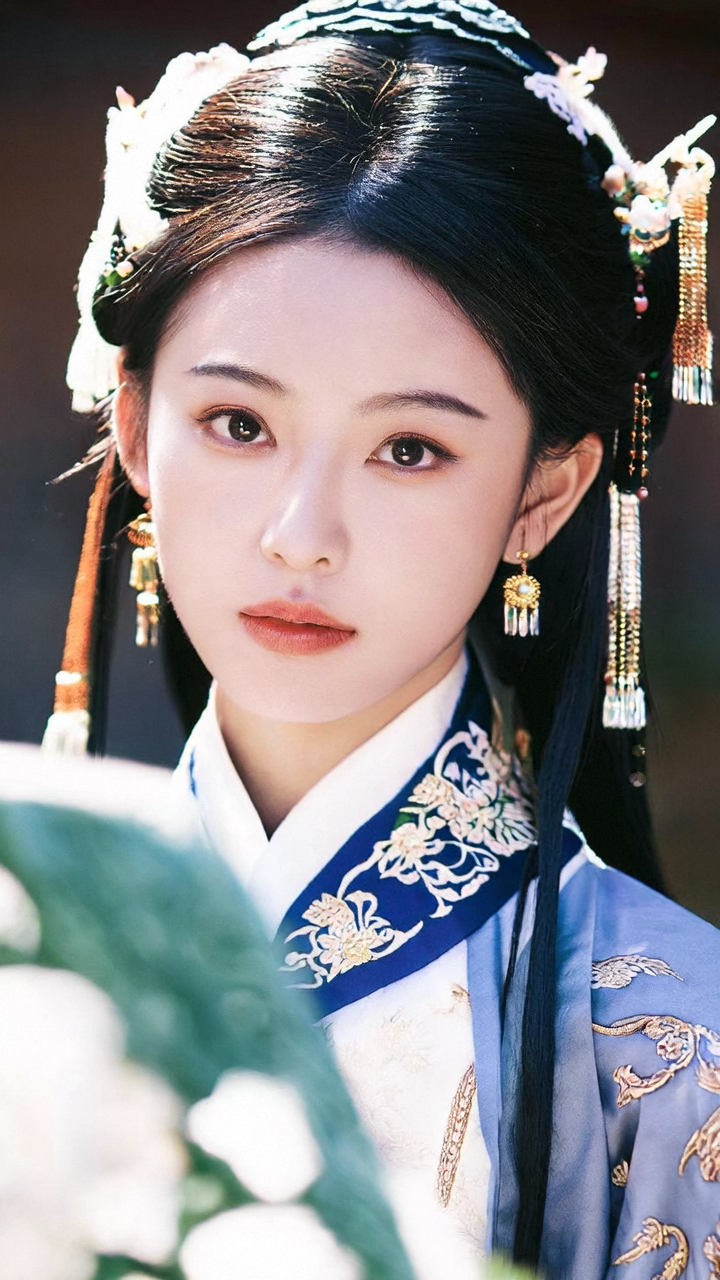 |
| Medium shot | Medium shot | Cinematic fashion glamour photography, young Asian woman, Chinese Miao girl, round face, looking at the camera, elegant dark ethnic costume, medium wide-angle lens, sunny, utopian, shot with a high-definition camera. | 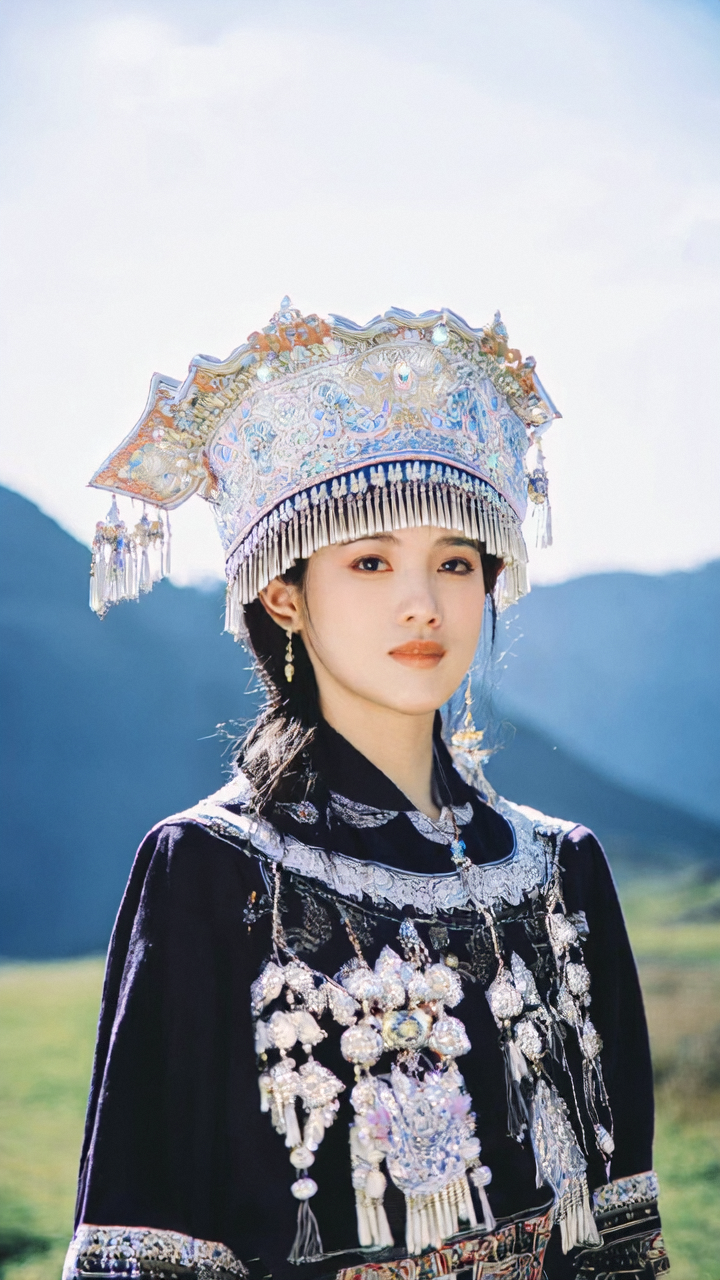 |
| Long shot | Long shot | Shows a long shot, with two small figures standing on a distant mountaintop against a magnificent snowy mountain background, with their backs to the camera, quietly admiring the sunset. The sunset's glow bathes the snow-capped mountains in a golden light, creating a stark contrast with the azure sky. The two people seem captivated by this spectacular natural scene, and the entire image is filled with tranquility and harmony. | 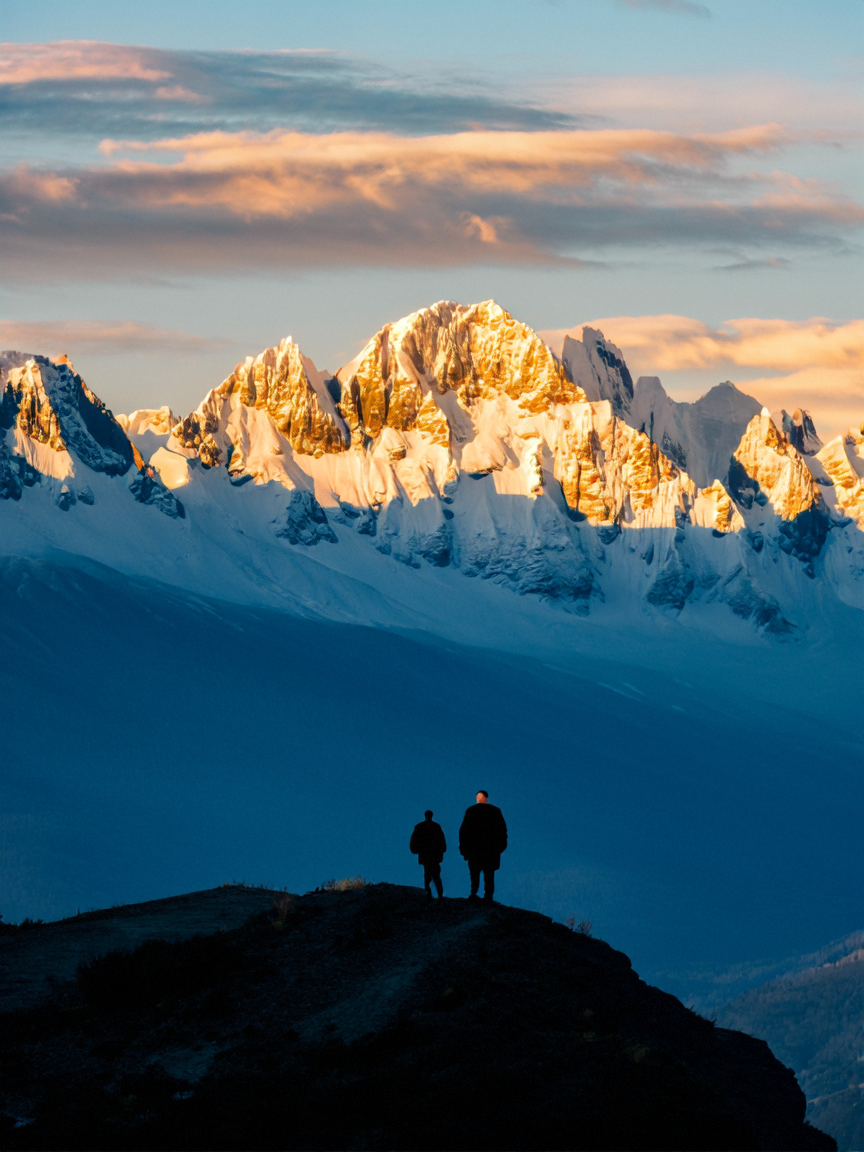 |
Perspective
Perspective controls camera angle relative to the subject.
| Perspective type | When to use | Prompt keyword |
|---|
| Eye level | Natural, relatable viewpoint | eye level perspective |
| Bird's eye | Overview, patterns, scale from above | bird's eye perspective |
| Low angle | Dramatic, imposing, powerful subjects | low angle |
| Aerial | Landscape overview, geographic context | aerial perspective |
Examples
| Perspective | Prompt | Result |
|---|
| Eye level | Eye level perspective | The image shows a grassland scene captured from an eye level perspective, where a flock of sheep leisurely graze on the lush green grass, their wool glowing with a warm golden hue in the weak morning sunlight, creating beautiful light and shadow effects. | 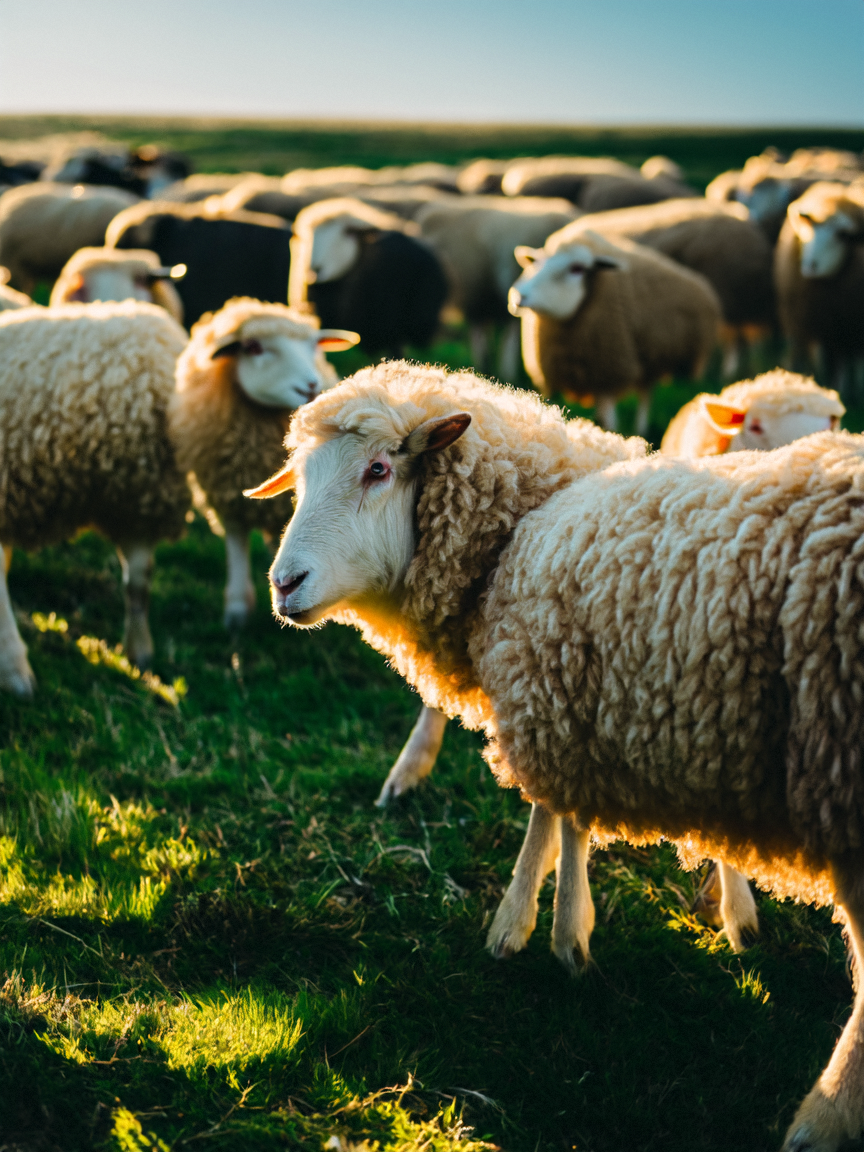 |
| Bird's eye | Bird's eye perspective | The scene depicts a view looking down at the ice lake from the air, with a small boat in the center, surrounded by vortex patterns and vibrant blue seawater. Spiral abyss, the scene is shot from above in a top-down perspective, showing intricate details such as ripples on the surface and layers beneath the snow-covered ground. Gazing out at the cold vast expanse. Creating an awe-inspiring sense of tranquility. | 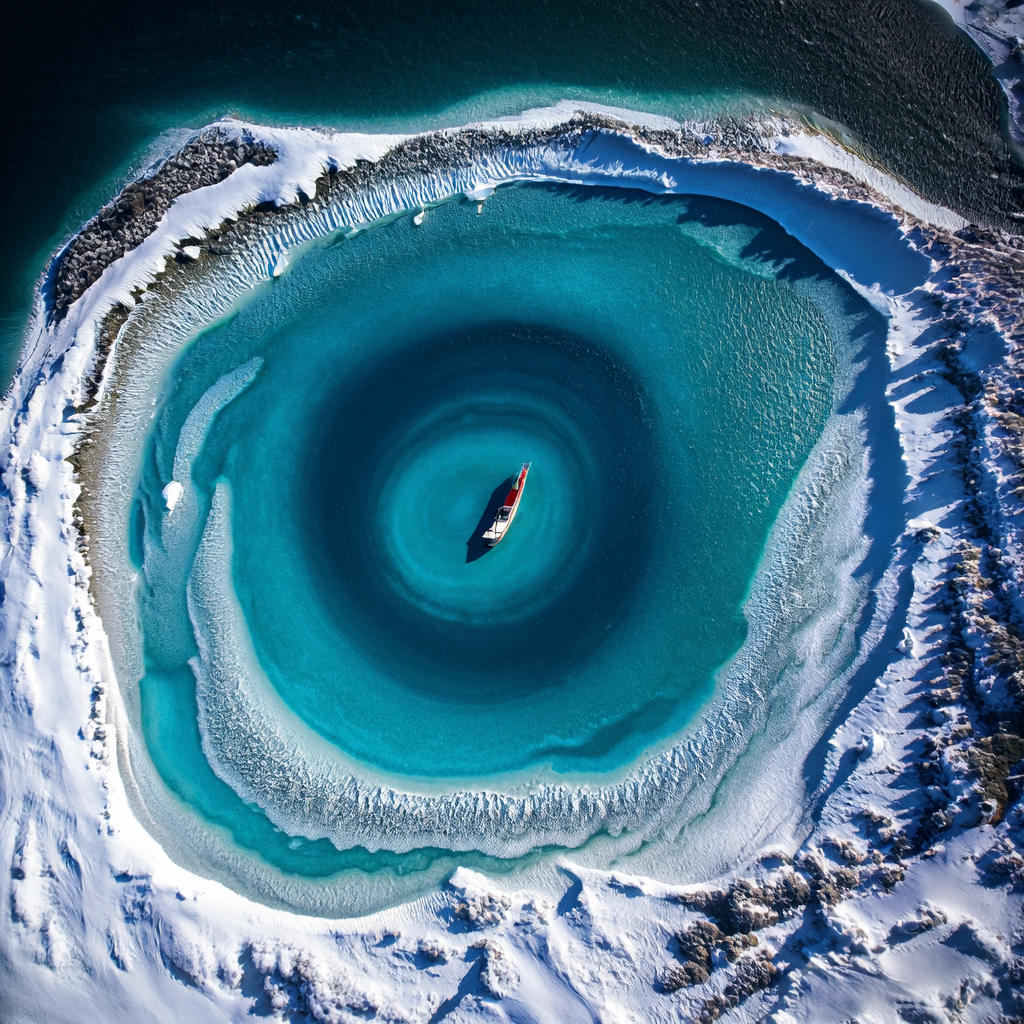 |
| Low angle | Low angle | Shows a spectacular scene in a tropical area, where tall coconut trees stand like towering giants, with lush branches pointing towards the blue sky. The camera uses a low angle perspective, making viewers feel as if they are standing under the trees, experiencing the majesty and vitality of nature. Sunlight filters through the gaps in the leaves, creating dappled light and shadow, adding a touch of mystery and romance. The entire image is filled with tropical flavor, making one almost smell the coconut fragrance and feel the pleasant breeze on their face. | 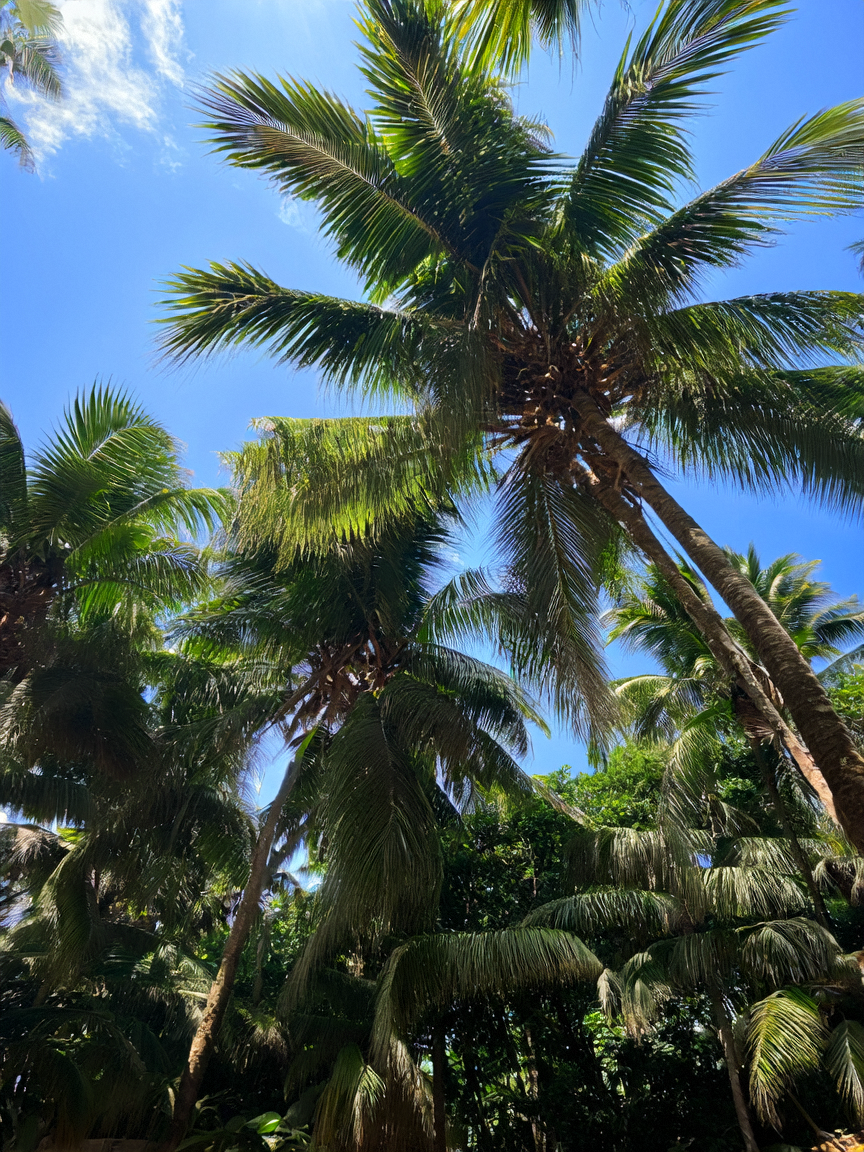 |
| Aerial | Aerial perspective | Shows heavy snow, village, roads, lights, trees. Aerial perspective, realistic effect. | 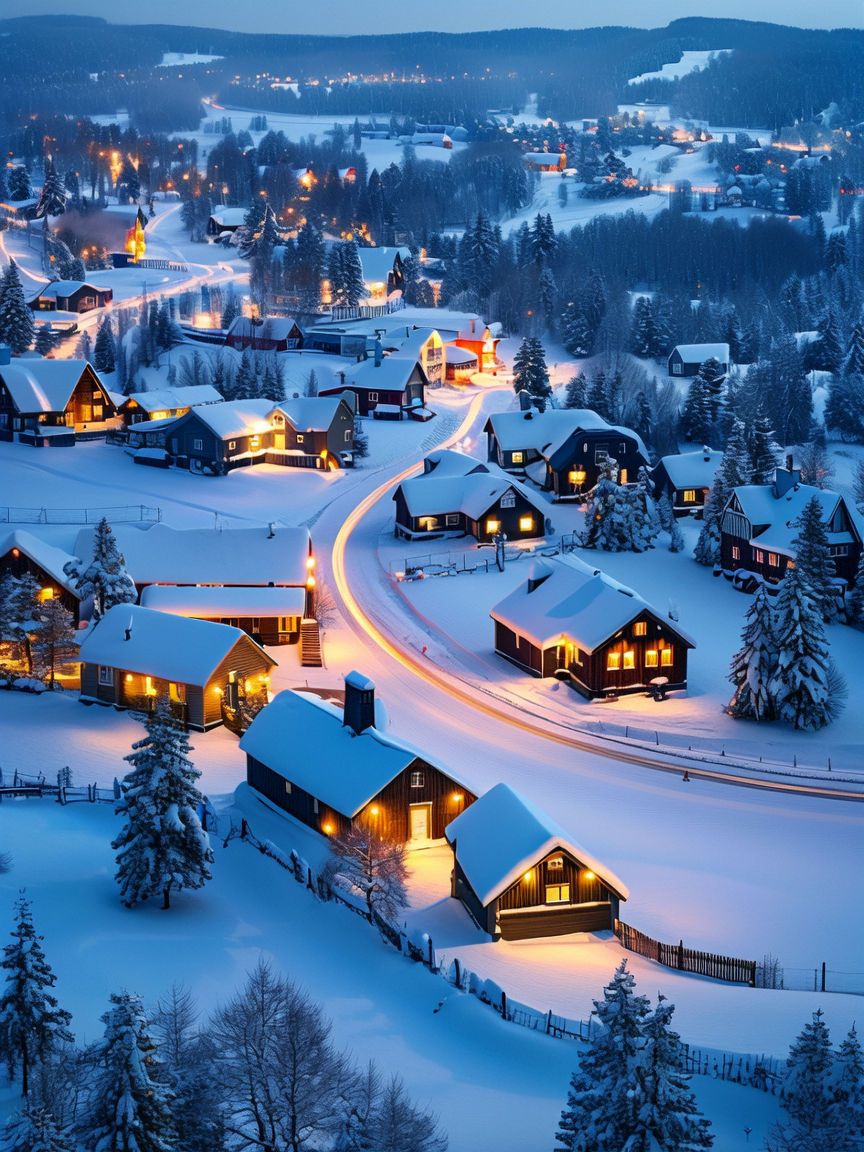 |
Lens type
Lens type simulates different camera lenses and optical characteristics.
| Lens type | When to use | Prompt keyword |
|---|
| Macro | Tiny details, textures, small objects | macro lens |
| Ultra-wide angle | Expansive landscapes, architectural interiors | ultra-wide angle lens |
| Telephoto | Isolated subjects with blurred backgrounds | telephoto lens |
| Fisheye | Exaggerated distortion, creative effects | fisheye lens |
Examples
| Lens type | Prompt | Result |
|---|
| Macro | Macro lens | cherries, carbonated water, macro, professional color grading, clean sharp focus, commercial high quality, magazine winning photography, hyper realistic, uhd, 8K | 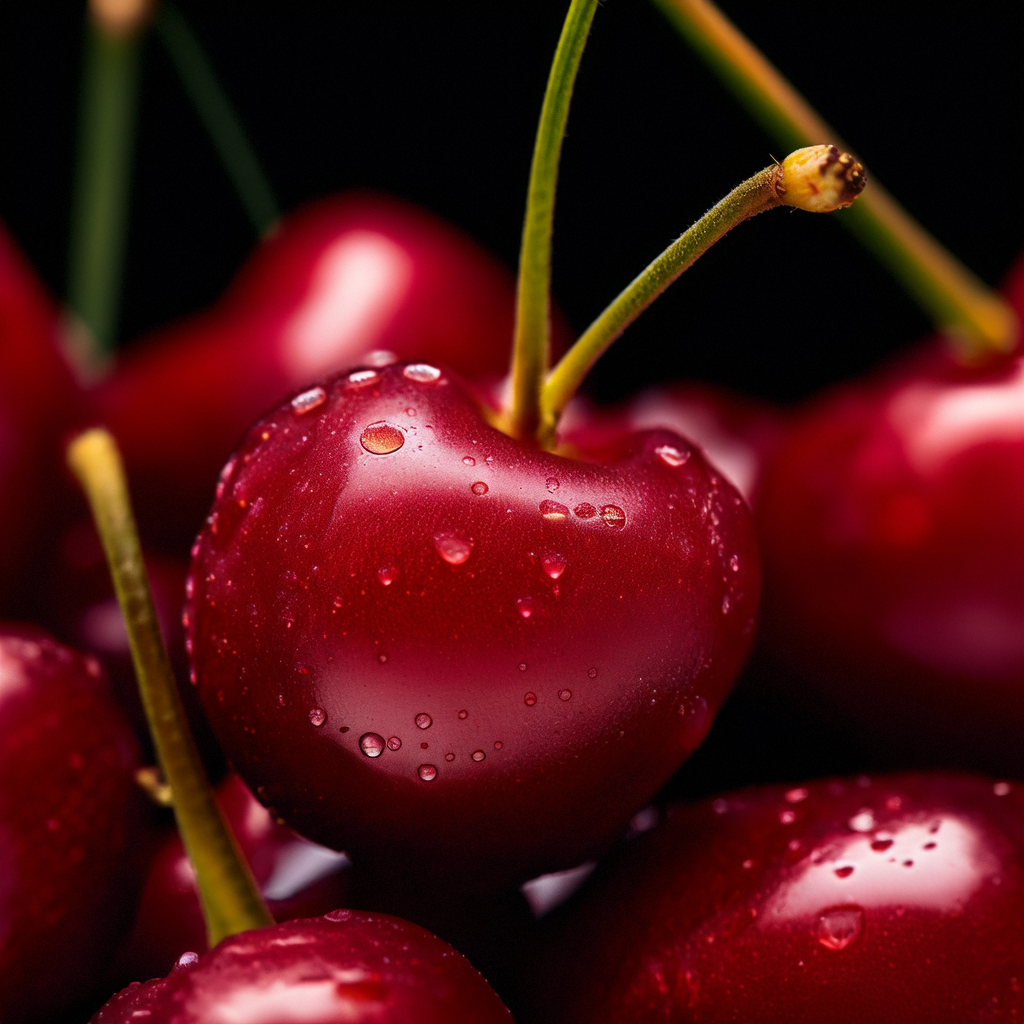 |
| Ultra-wide angle | Ultra-wide angle lens:, island under blue sea and sky, sunlight filtering through tree leaves, casting dappled shadows. | 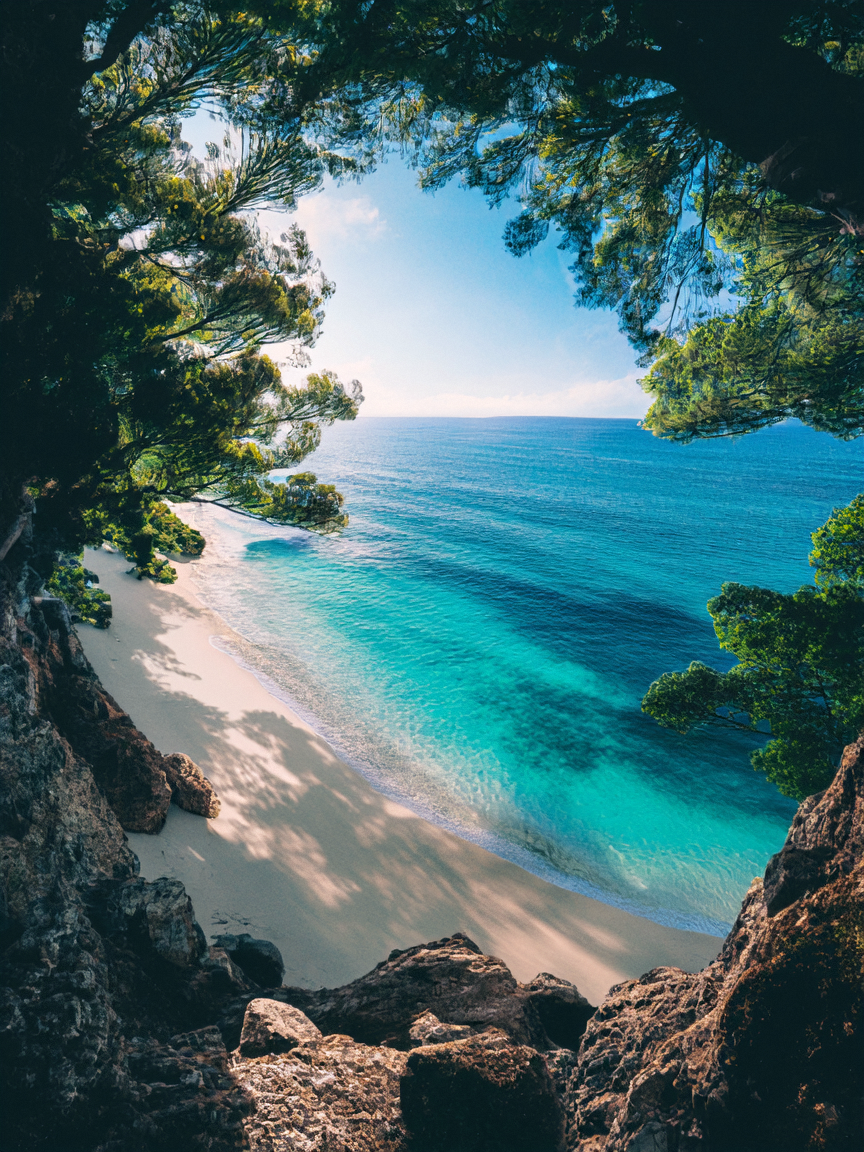 |
| Telephoto | Telephoto lens | Shows a cheetah standing in a lush forest under a telephoto lens, facing the camera, with the background cleverly blurred, making the cheetah's face the absolute focus of the image. Sunlight filters through the gaps in the leaves, creating dappled light and shadow effects on the cheetah, enhancing the visual impact. | 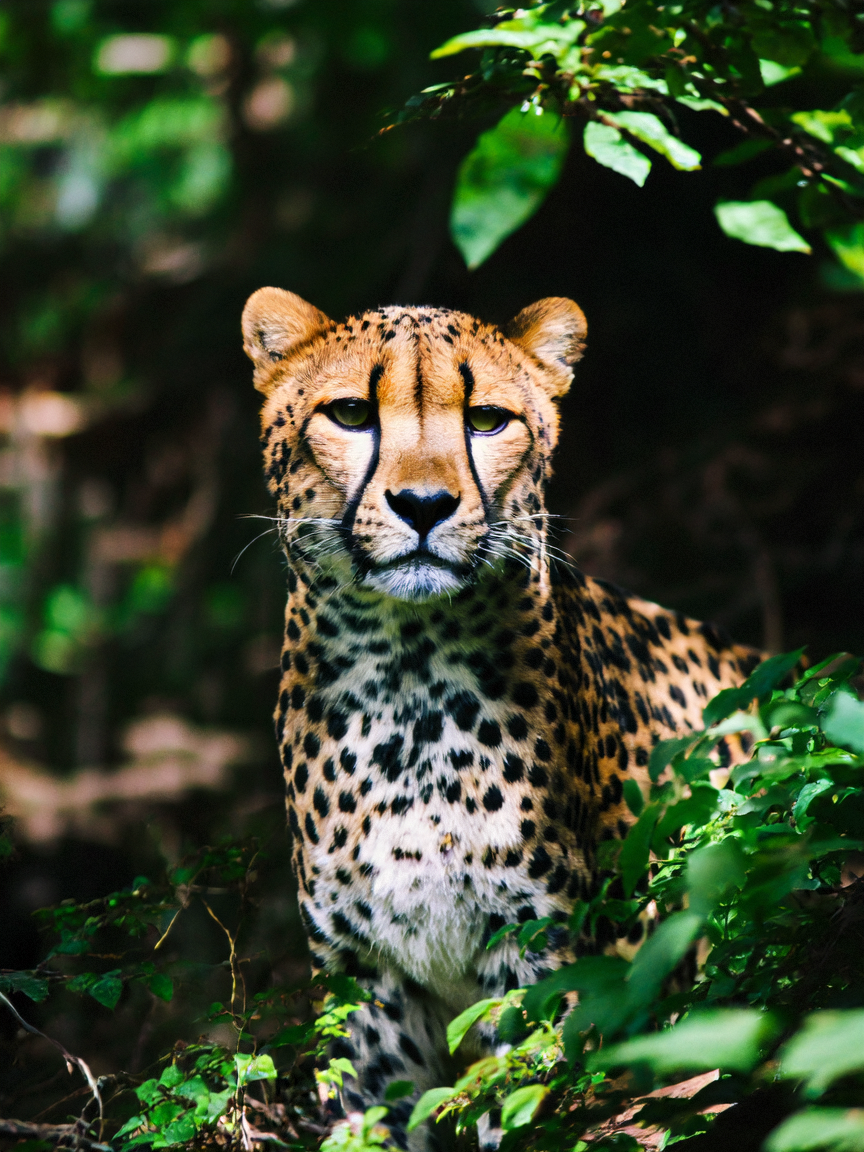 |
| Fisheye | Fisheye lens | Shows a scene where a woman stands and looks directly at the camera under the special perspective of a fisheye lens. Her image is exaggeratedly enlarged in the center of the frame, while the surroundings show strong distortion effects, creating a unique visual impact. | 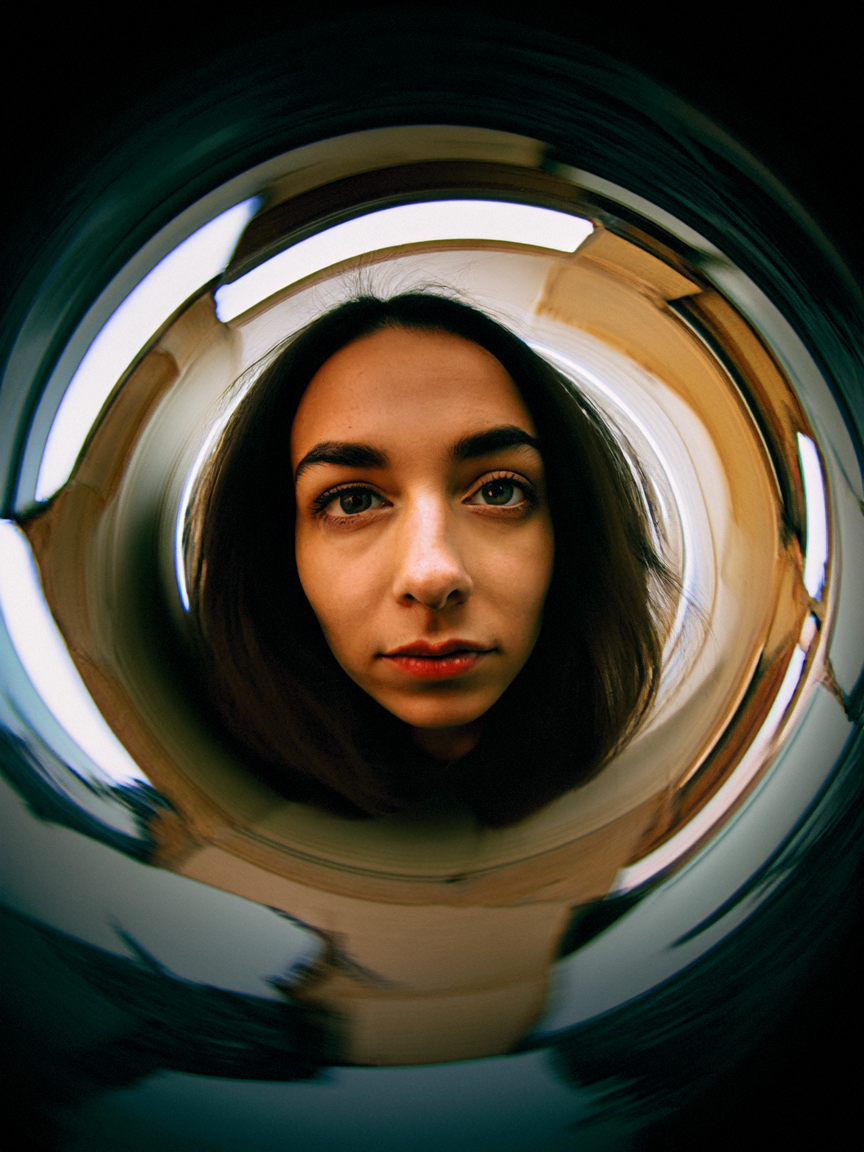 |
Style
Style defines the artistic look and rendering technique.
| Style | When to use | Prompt keyword |
|---|
| 3D cartoon | Animated characters, playful scenes | 3D cartoon style |
| Post-apocalyptic | Dystopian, ruined environments | post-apocalyptic style |
| Pointillism | Impressionist dots, textured appearance | pointillism |
| Surrealism | Dreamlike, impossible scenes | surrealist style |
| Watercolor | Soft, painterly, translucent effects | watercolor |
| Clay | Sculpted, tactile, handmade look | clay style |
| Realistic | Photographic realism, lifelike detail | realistic |
| Ceramic | Glazed, sculpted, porcelain-like | ceramic |
| 3D | Rendered, dimensional, CGI look | 3D, C4D rendering |
| Ink painting | Traditional East Asian brush art | ink painting |
| Origami | Paper-folded, geometric, minimal | origami |
| Gongbi | Fine-detail traditional Chinese painting | Gongbi painting |
| Chinese ink | Ink wash with Chinese aesthetic | Chinese ink style |
Examples
| Style | Prompt | Result |
|---|
| 3D cartoon | Female tennis player, short hair, white tennis outfit, black shorts, returning the ball from the side, 3D cartoon style. | 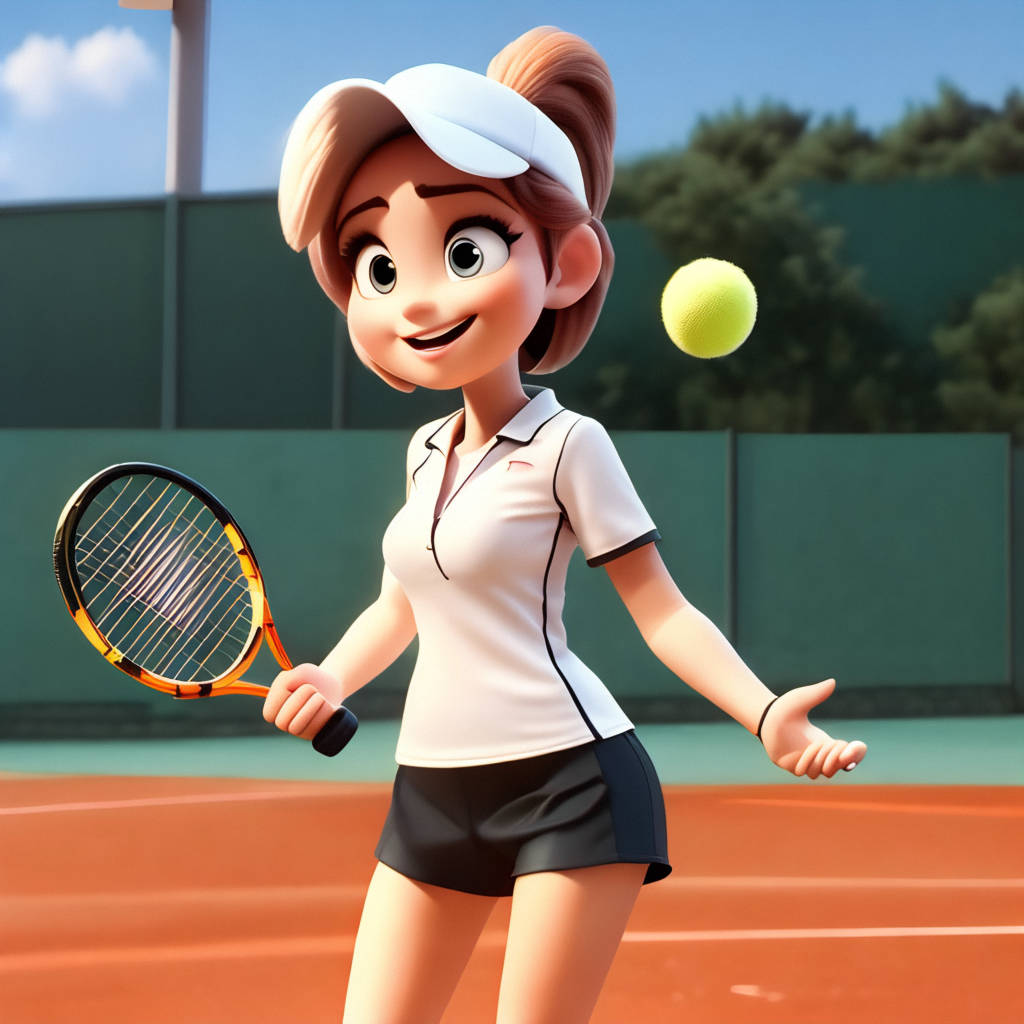 |
| Post-apocalyptic | City on Mars, post-apocalyptic style. | 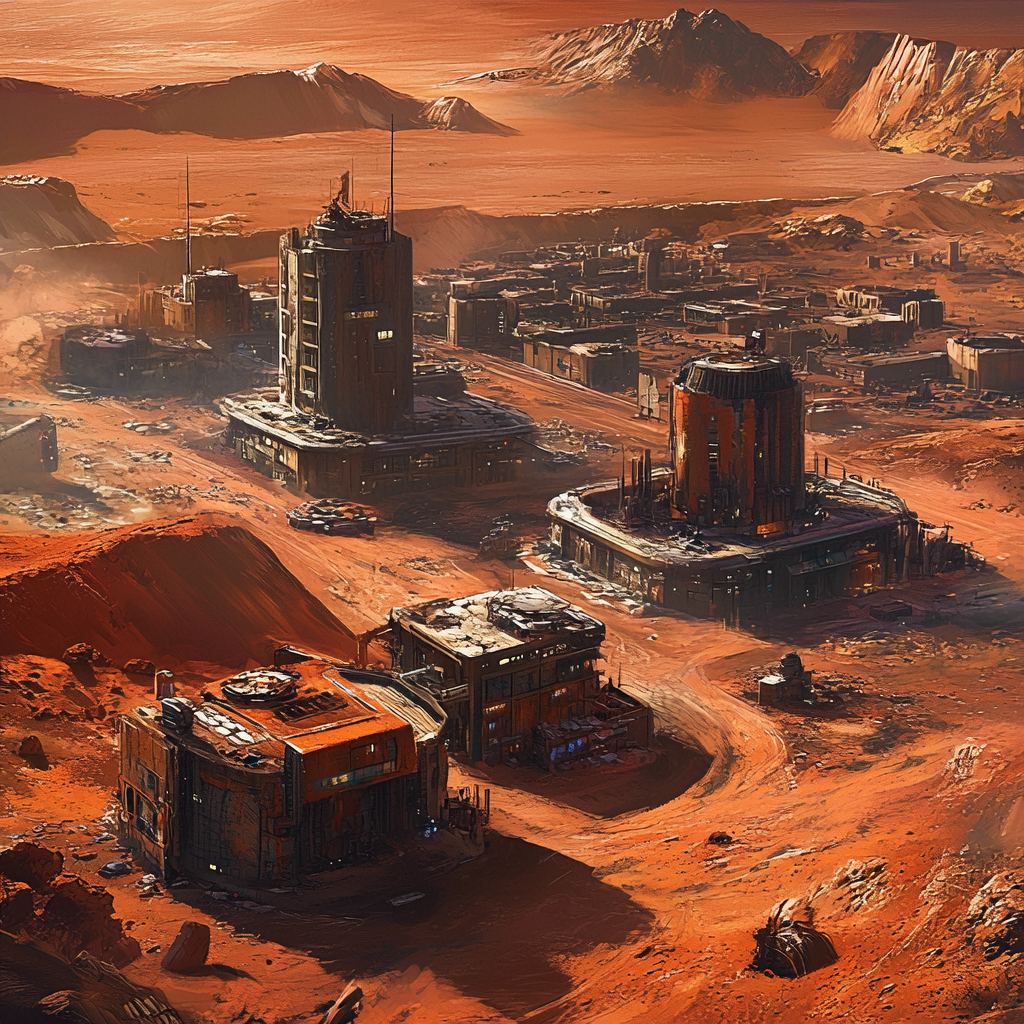 |
| Pointillism | A cute white little house, thatched roof, a snow-covered prairie, bold use of pointillism, Monet feel, clear brushstrokes, blurred edges, primitive edge texture, low saturation colors, low contrast, Morandi colors. | 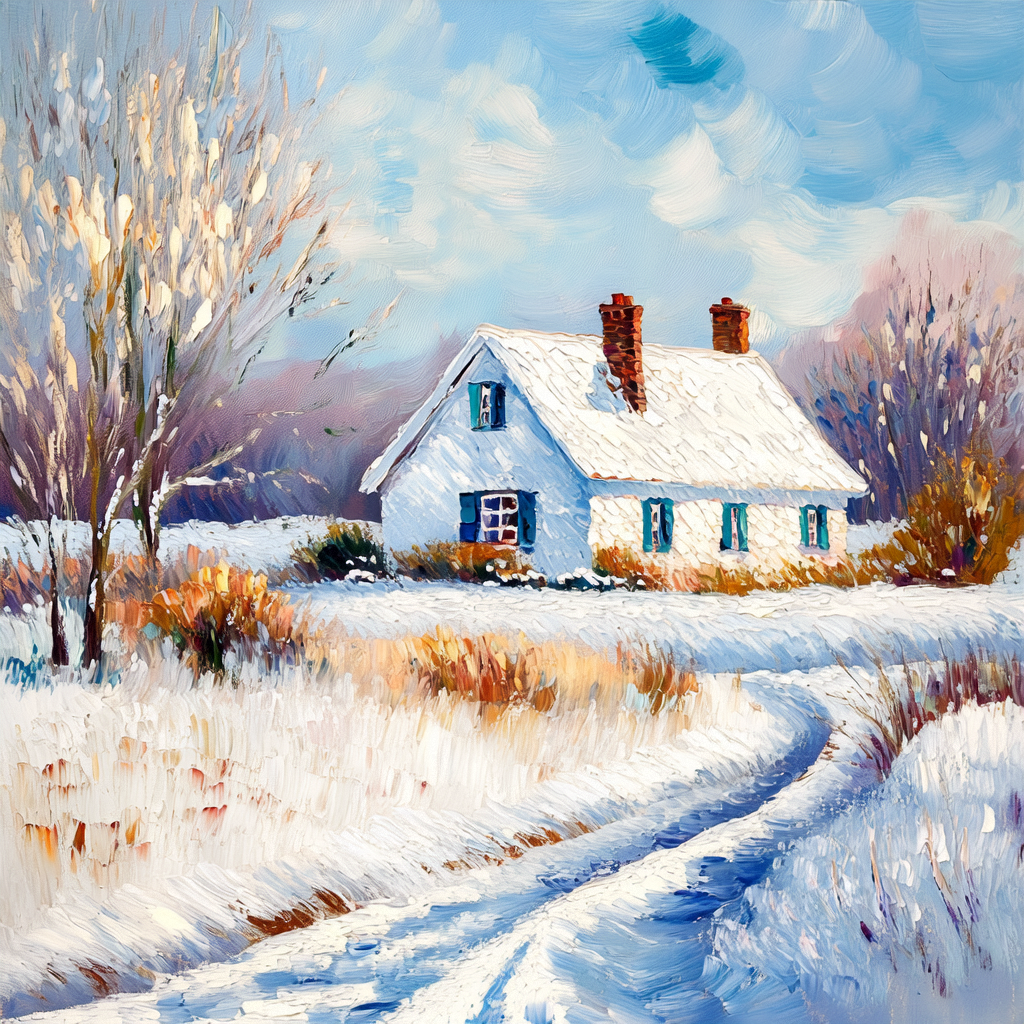 |
| Surrealism | A pink glowing river in a deep gray sea, with a minimalist, beautiful, and aesthetic atmosphere, cinematic lighting with a surrealist style. | 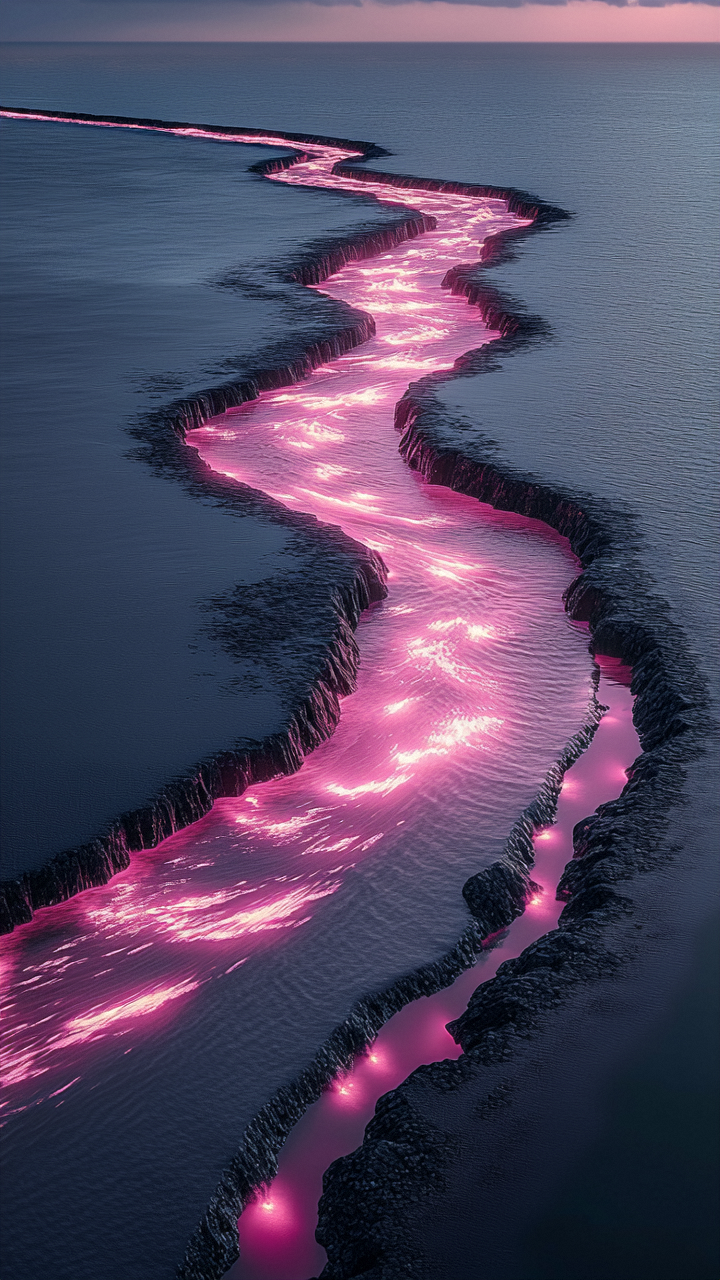 |
| Watercolor | Light watercolor, outside a cafe, bright white background, fewer details, dreamy, Studio Ghibli. | 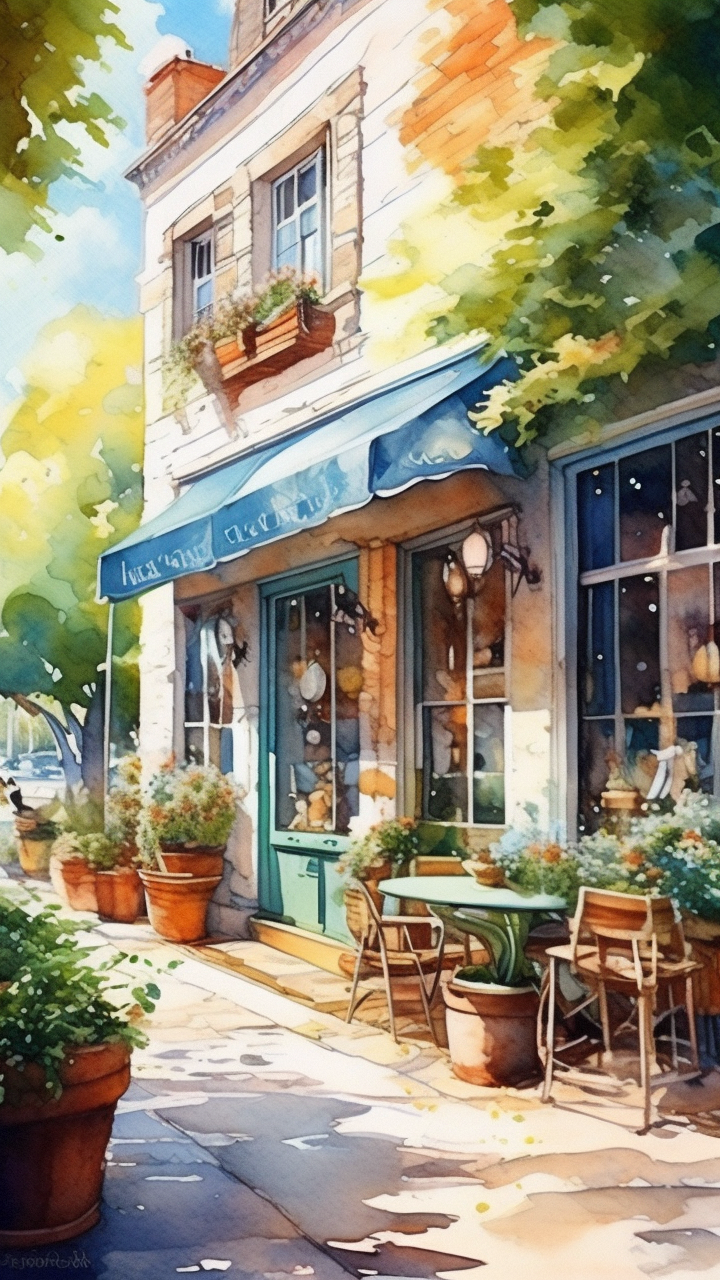 |
| Clay | Clay style, little boy in a blue sweater, brown curly hair, dark blue beret, drawing board, outdoors, seaside, half-body shot. | 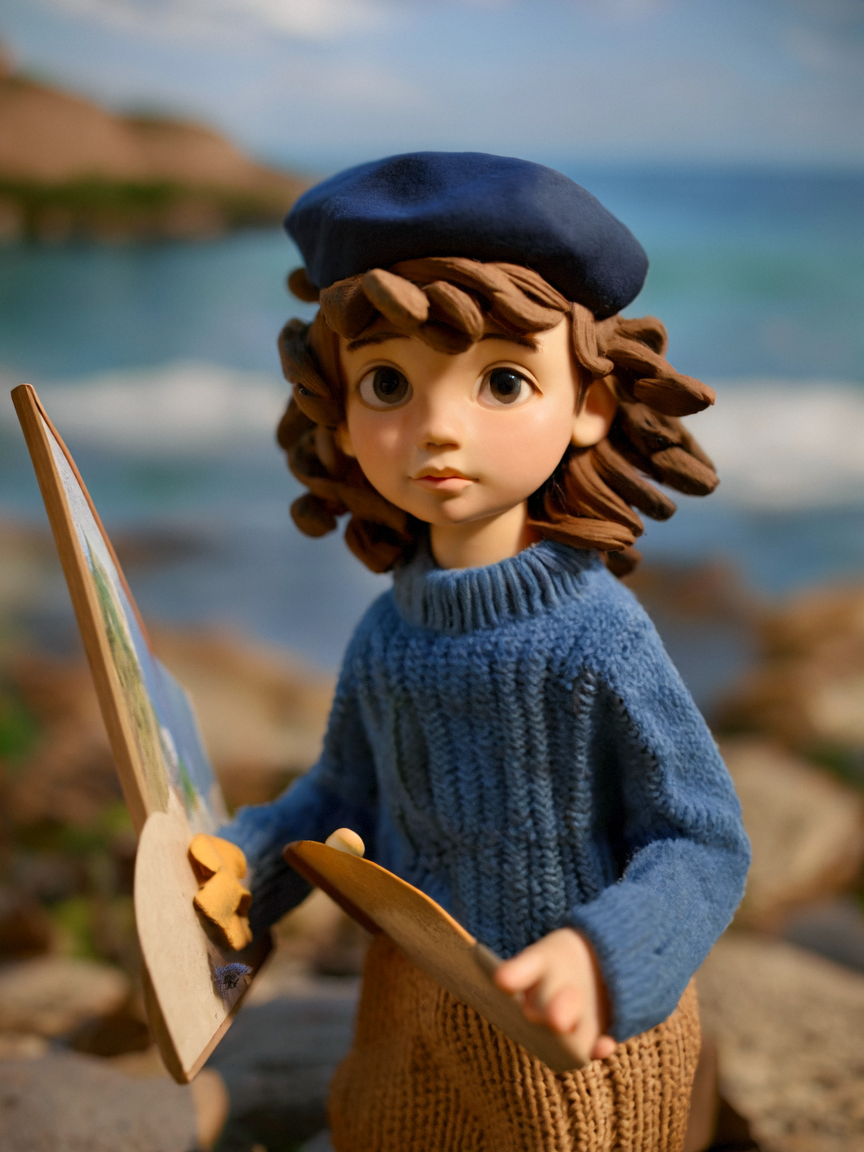 |
| Realistic | Basket, grapes, picnic cloth, hyper realistic still life photography, macro lens, Tyndall effect. | 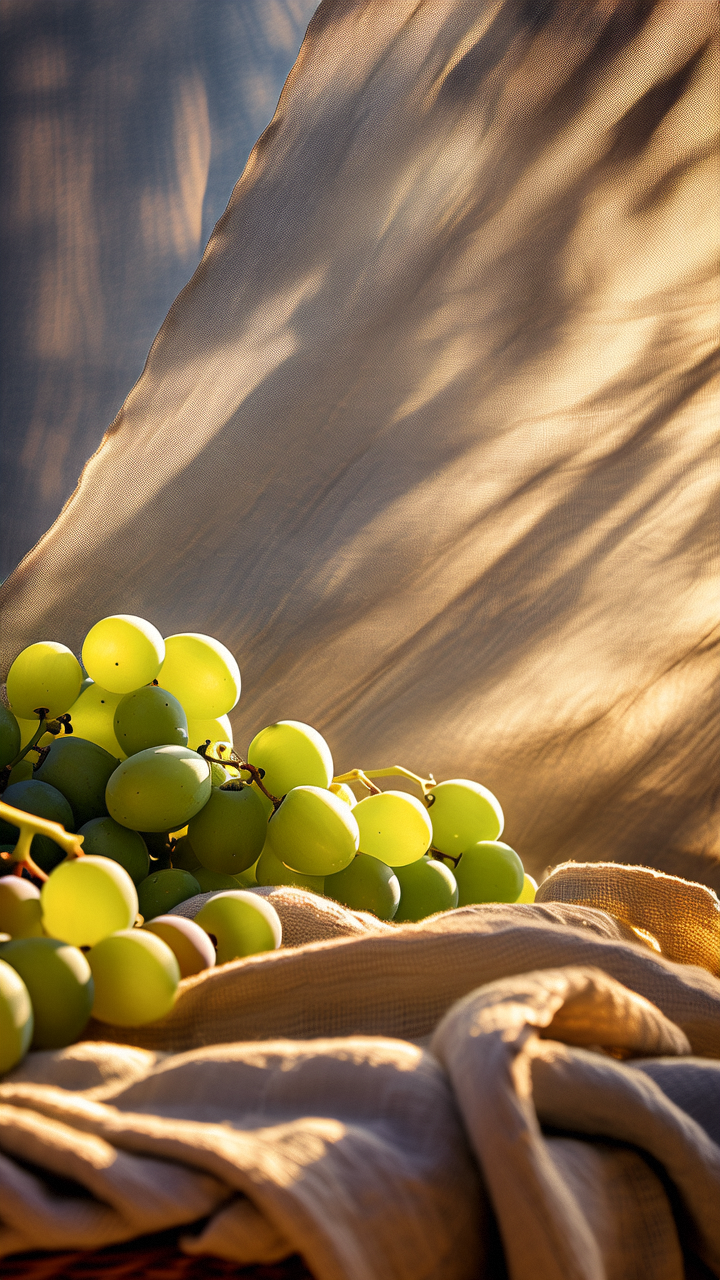 |
| Ceramic | Shows a highly detailed ceramic dog lying quietly on a table with a delicate bell tied around its neck. Each strand of the dog's fur is intricately carved, and the details of its eyes, nose, and mouth are lifelike. | 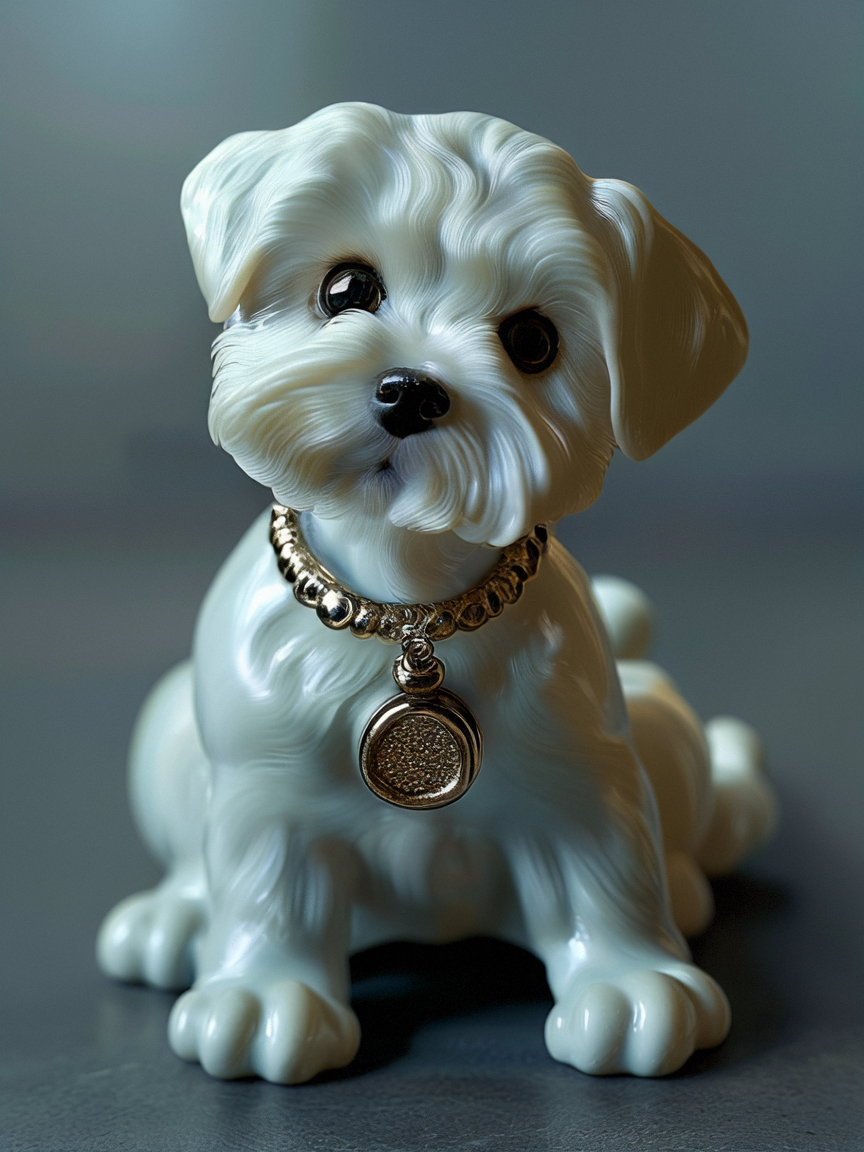 |
| 3D | Chinese dragon, cute Chinese dragon sleeping on white clouds, charming garden, in morning mist, close-up, front view, 3D, C4D rendering, 32k ultra high definition, 32k UHD, Chinese punk, 32k UHD, animal statue, octane rendering, ultra high definition. | 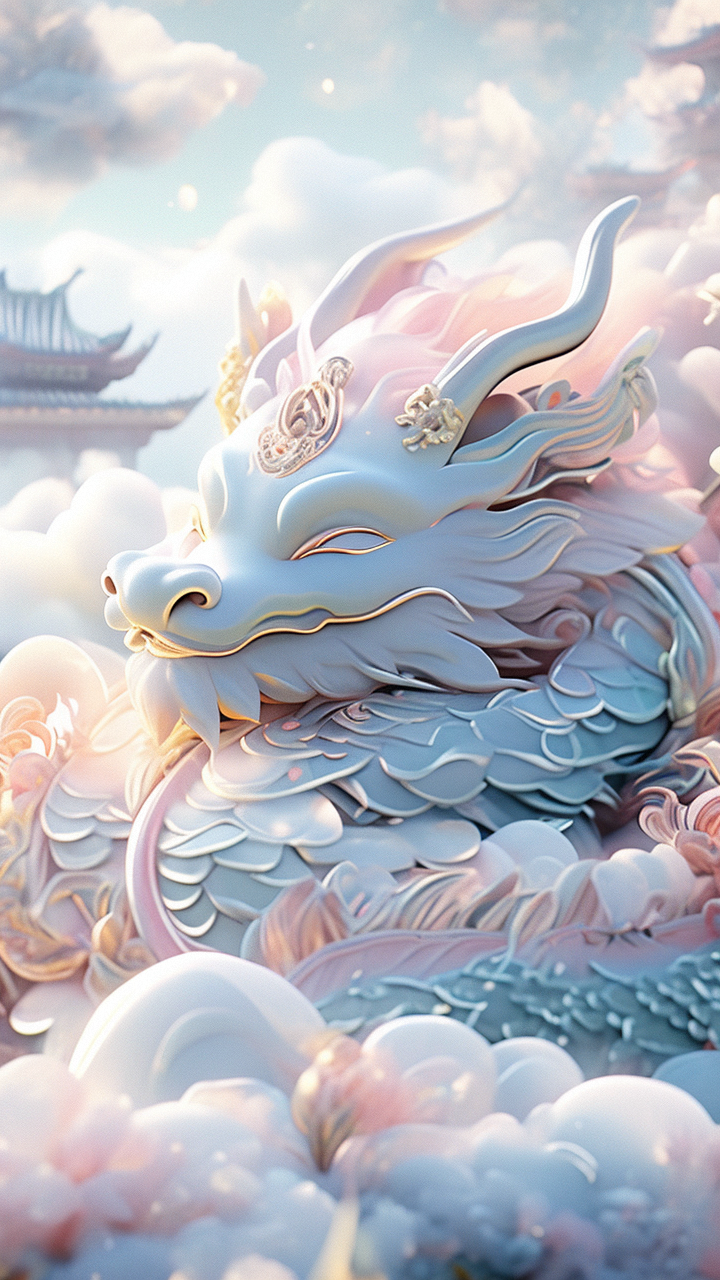 |
| Ink painting | Orchid, ink painting, white space, artistic conception, Wu Guanzhong style, delicate brushstrokes, texture of rice paper. | 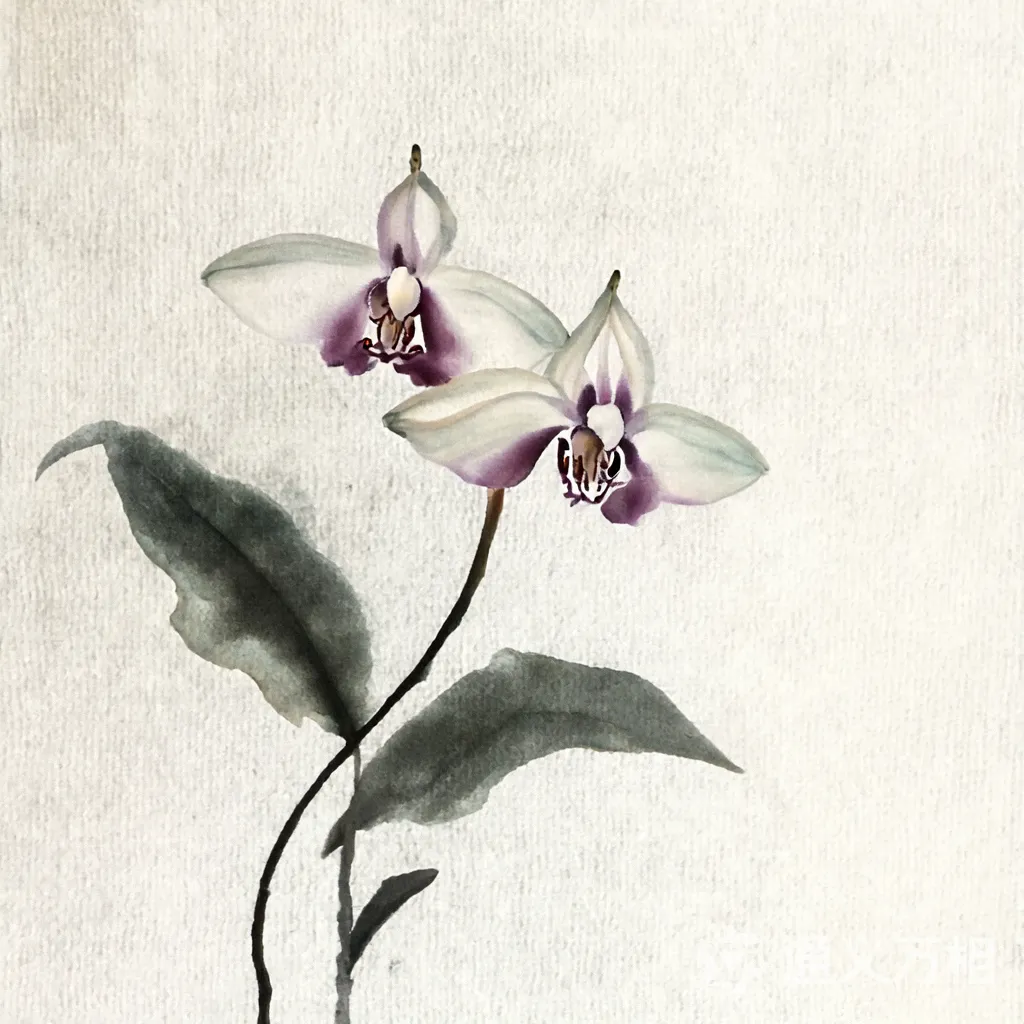 |
| Origami | Origami masterpiece, kraft paper panda, forest background, medium shot, minimalism, backlight, best quality. | 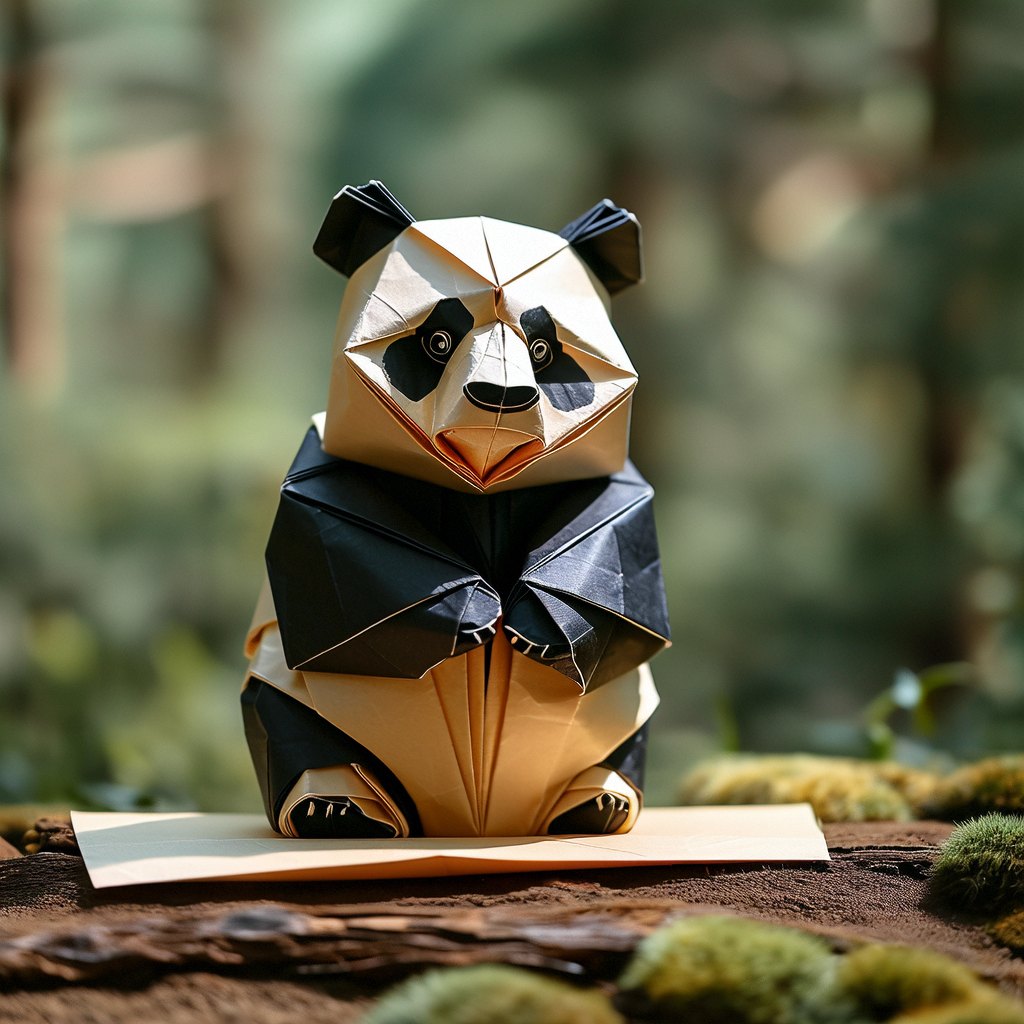 |
| Gongbi | At dawn, a plum blossom stands proudly in the snow, with petals as delicate as silk, dewdrops lightly hanging, showcasing the exquisite beauty of Gongbi painting | 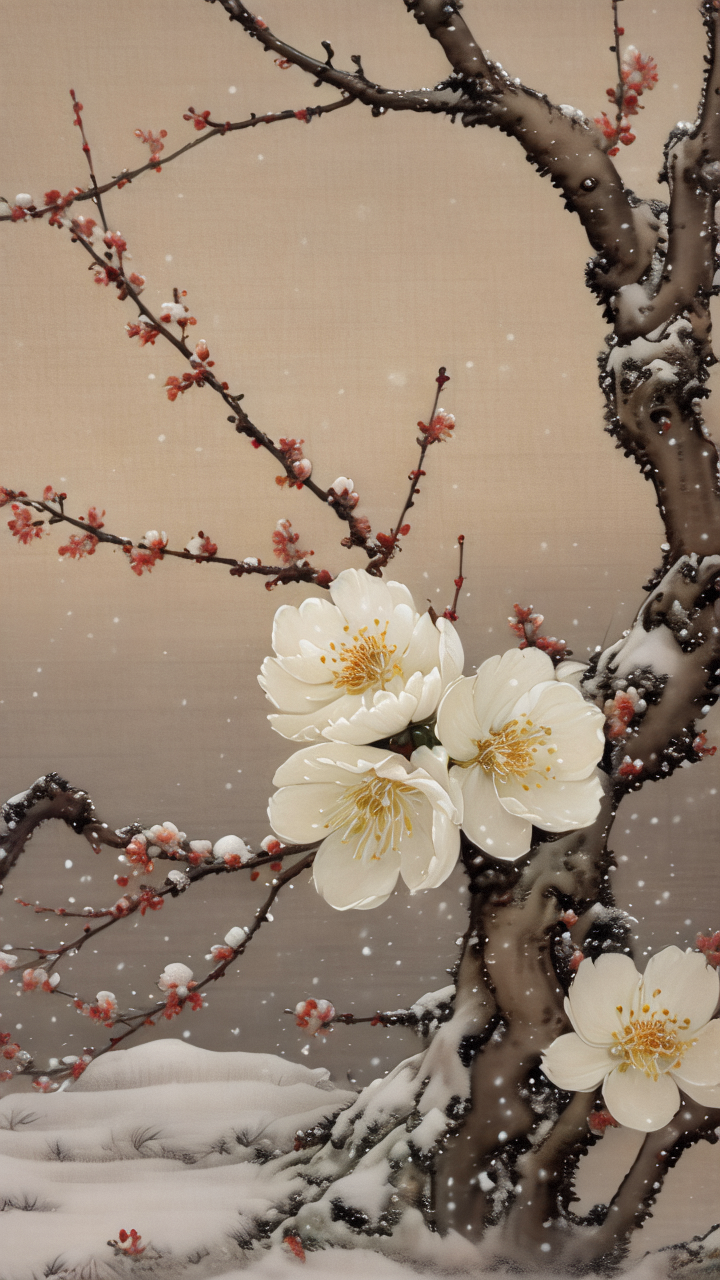 |
| Chinese ink | Chinese ink style, a man with long black hair, golden hairpin, golden butterflies flying around, white clothing, high detail, high quality, deep blue background, with faintly visible ink bamboo forest in the background. | 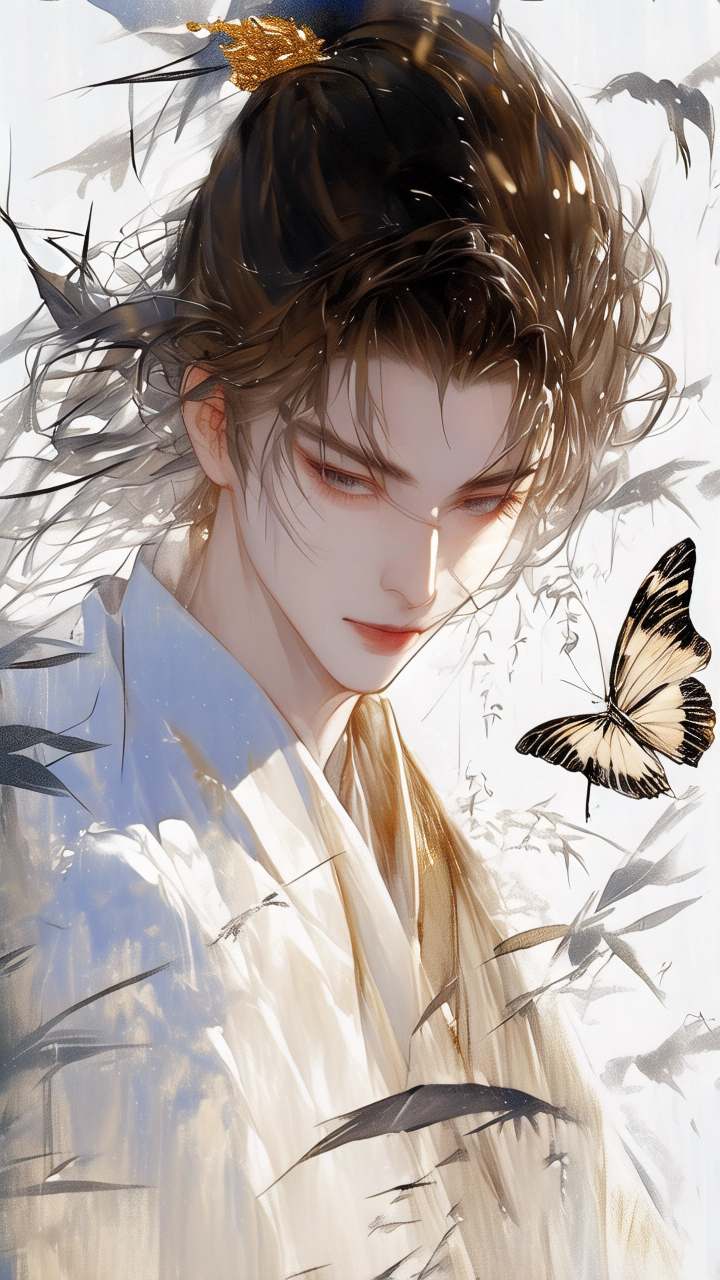 |
Lighting
Lighting sets mood, atmosphere, and visual depth.
| Lighting type | When to use | Prompt keyword |
|---|
| Natural light | Outdoor scenes, realistic warmth | sunlight, moonlight, starlight |
| Backlight | Silhouettes, halo effects, dramatic contours | backlight |
| Neon light | Urban night scenes, cyberpunk aesthetics | neon light |
| Ambient light | Soft, diffused, atmospheric glow | ambient light |
Examples
| Lighting type | Prompt | Result |
|---|
| Natural light | Sunlight, moonlight, starlight | The image shows morning sunlight streaming onto the ground of a dense forest, with silver-white rays penetrating the treetops, creating dappled light and shadow, creating a realistic and serene atmosphere. | 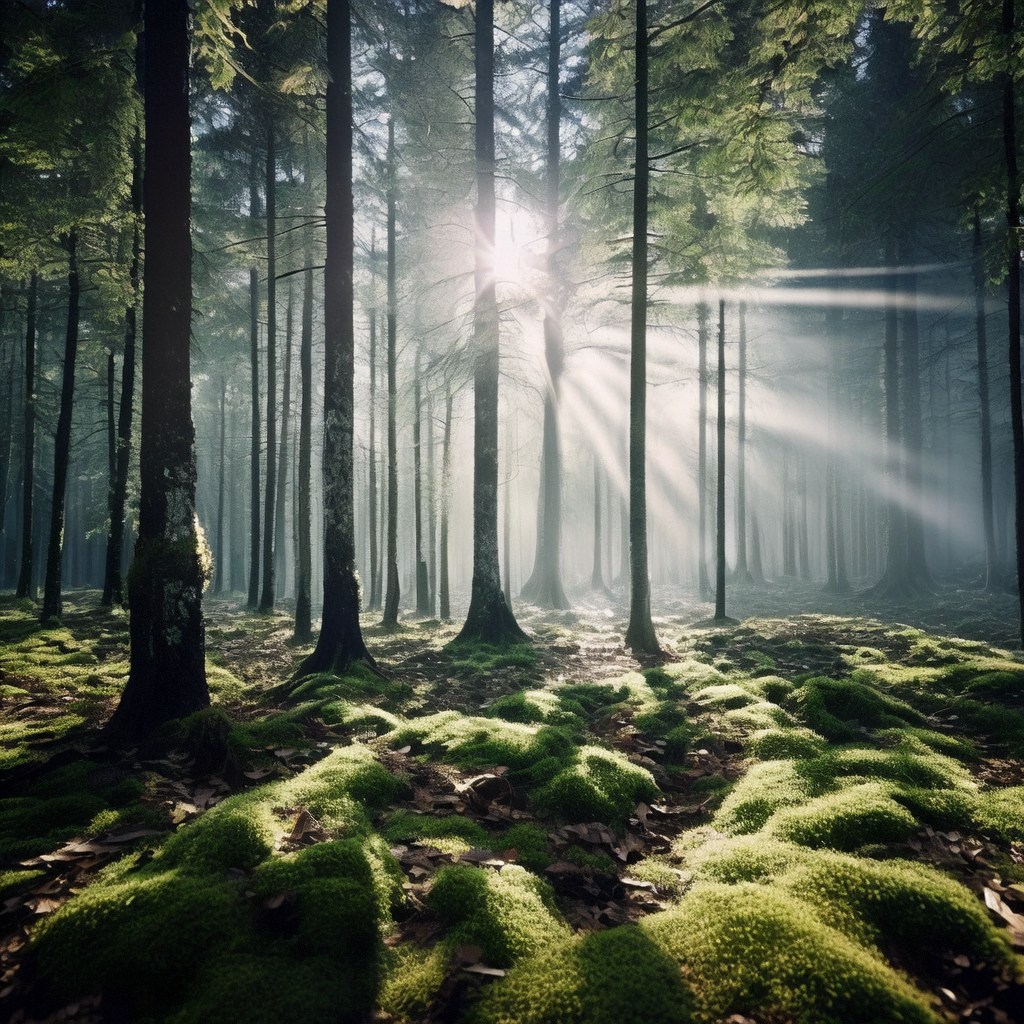 |
| Backlight | Backlight | Shows that in a backlit environment, the model's contour lines become more distinct, with golden light and silk surrounding the model, creating a dreamlike halo effect. The entire scene is full of artistic atmosphere, showcasing high-level photography techniques and creativity. | 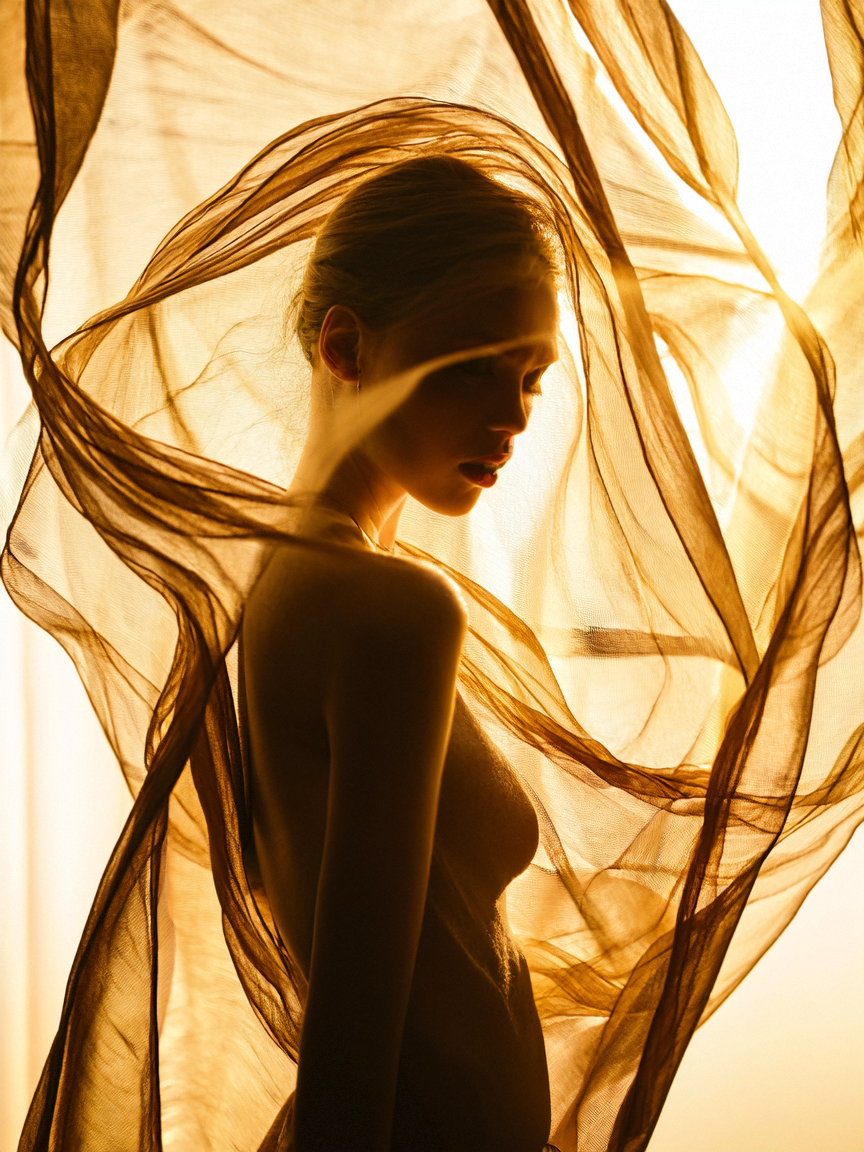 |
| Neon light | Neon light | City street scene after rain, neon lights reflect colorful rays on the wet ground. Pedestrians hurry by with umbrellas, vehicles slowly drive through the bizarre streets, leaving colorful trails. The entire image is filled with the mystery and romance of the urban night, as if each raindrop is telling a story of the city. | 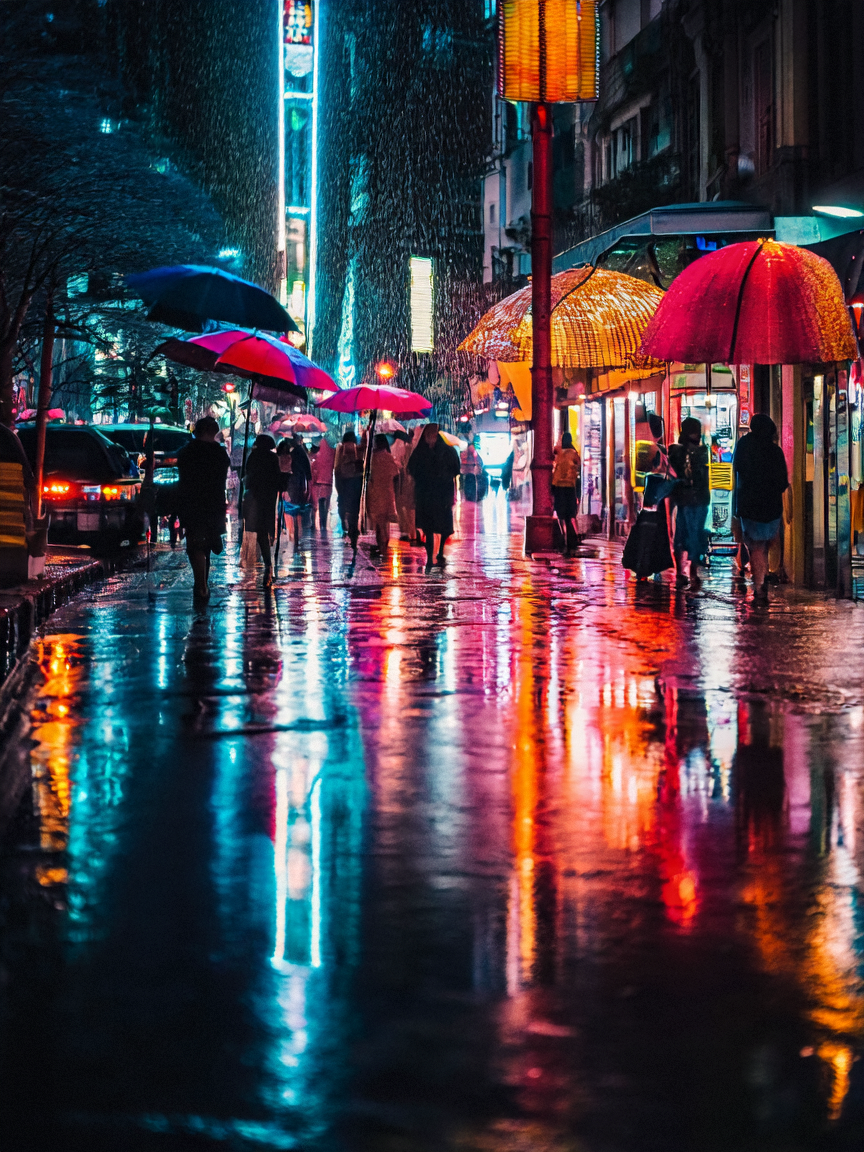 |
| Ambient light | Ambient light | Romantic artistic scene by the river at night, ambient lights gently illuminate the water surface, a group of lotus lanterns slowly drift toward the center of the river, the light and the rippling water surface reflect each other, creating a dreamlike visual effect. | 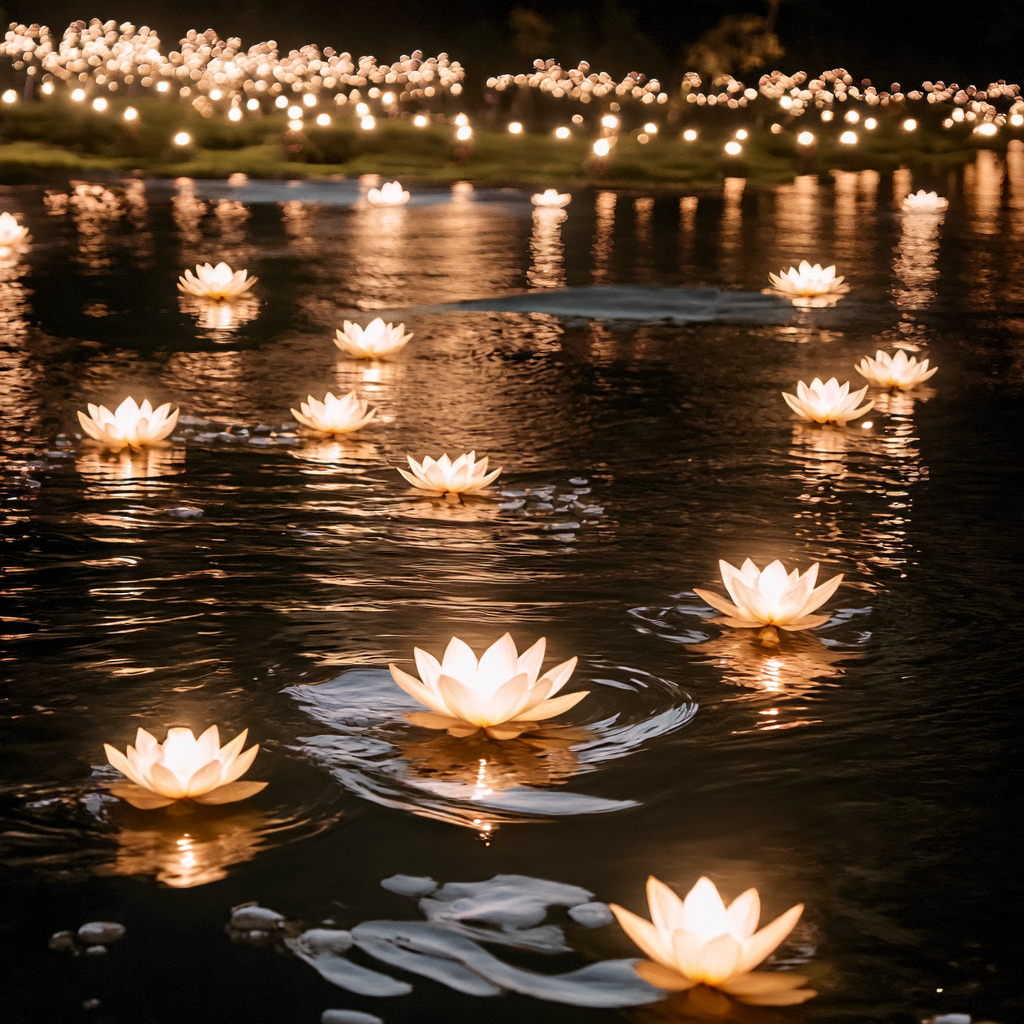 |