Optimize model outputs with a prompt sample library
General-purpose models can struggle with precise, formatted answers for specialized tasks. Using few-shot learning, retrieve relevant examples from predefined high-quality Q&A pairs to guide the model toward more accurate and consistent responses. Use this feature when responses must follow a strict style: customer service, domain-specific Q&A, and formatted content generation.
Demo
Sample library content:
|
User input |
Model output |
|
Explain the term: API (Application Programming Interface) |
Explanation: An API is an interface specification that defines how software components interact. It lets different applications exchange data and call functions through predefined rules and protocols. Analogy: Imagine a restaurant menu. The menu (API) lists the dishes (features) you can order and how to order them (request format). The kitchen (service) prepares the food (response) based on the menu's requirements. You do not need to know how the kitchen works internally. |
|
Explain the term: Blockchain |
Explanation: Blockchain is a distributed, decentralized digital ledger technology. It records transaction data in a growing chain of cryptographically linked "blocks". This makes the data difficult to tamper with and improves transparency and security. Analogy: Think of a bank ledger that many people maintain together and can all see. Each new transaction is recorded as a new entry and locked with a password. Once this ledger is written, it is very difficult for one person to secretly modify it. |
|
Explain the term: Quantum Entanglement |
Explanation: Quantum entanglement is a strange quantum mechanical phenomenon. When two or more particles are linked, their states are interdependent. No matter how far apart they are, measuring the state of one particle instantly affects the state of the other. Analogy: Imagine you have a pair of magic gloves. When you put on the left-hand glove, the other glove instantly becomes the right-hand glove, no matter where it is. Their states are instantly linked. |
With this sample library, the model follows the structure and analogy style from samples. Comparison:
|
Without the prompt sample library
|
Using the prompt sample library
|
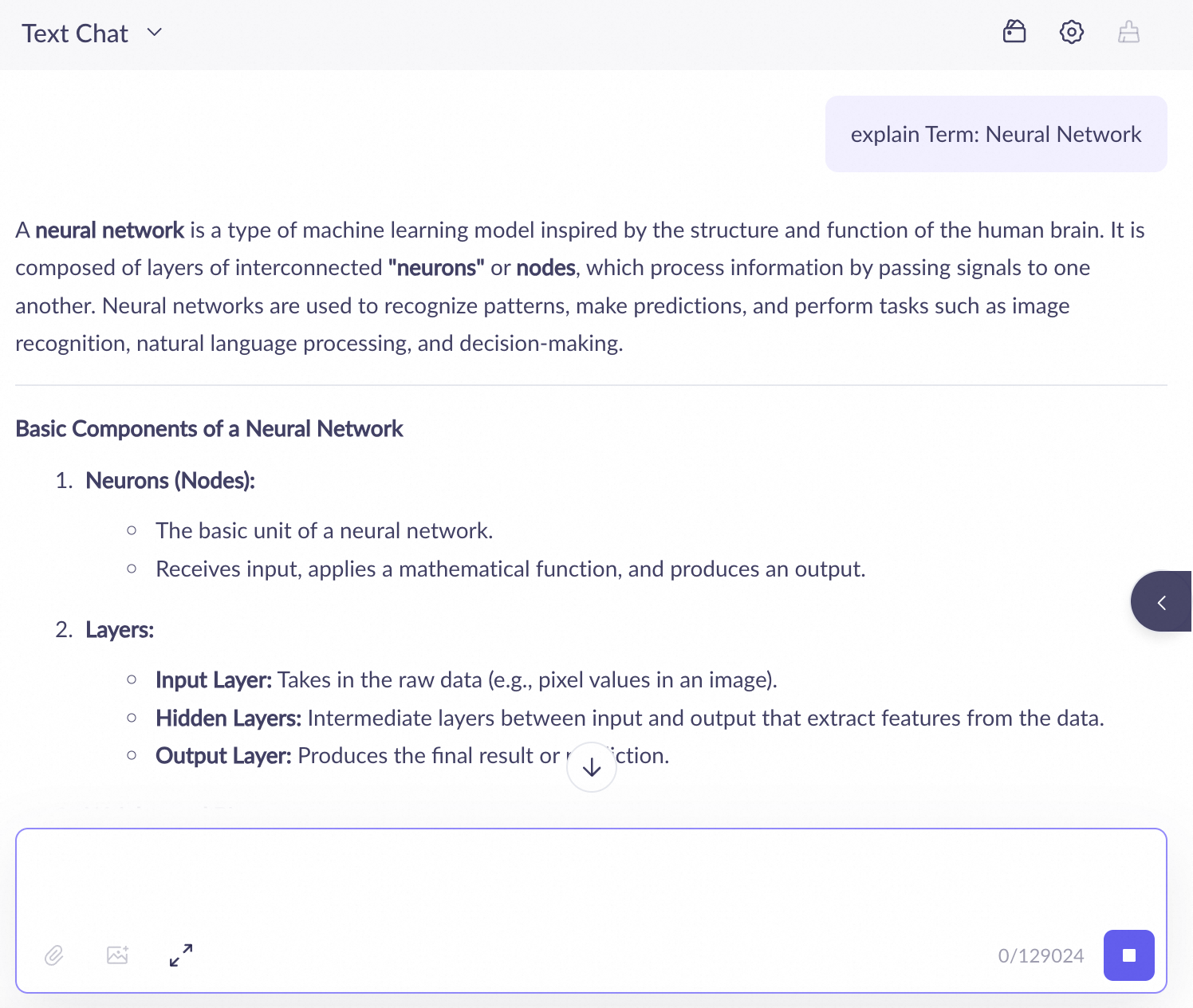
Create and use a prompt sample library
1. Create a prompt sample library
-
Go to the Sample Library page. Click Create Sample Library (first library) or the
 icon to create one.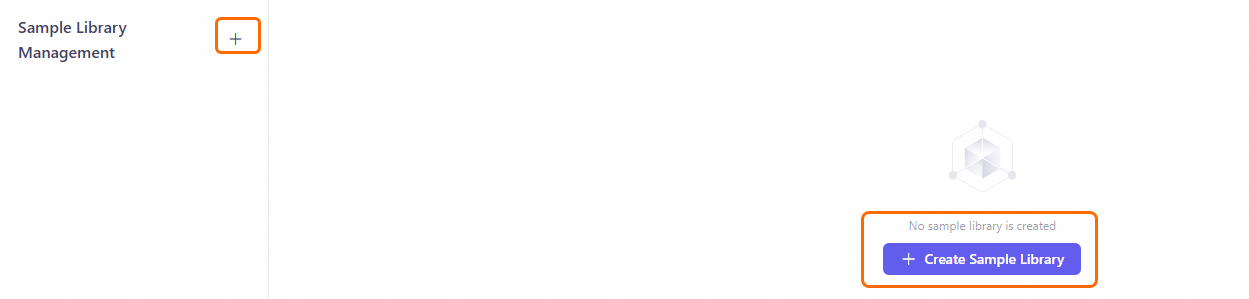
-
Enter a name and select an import method: Manual Input or Batch Import.
Manual input
Enter user input and model output. Click Add Sample to add more samples.
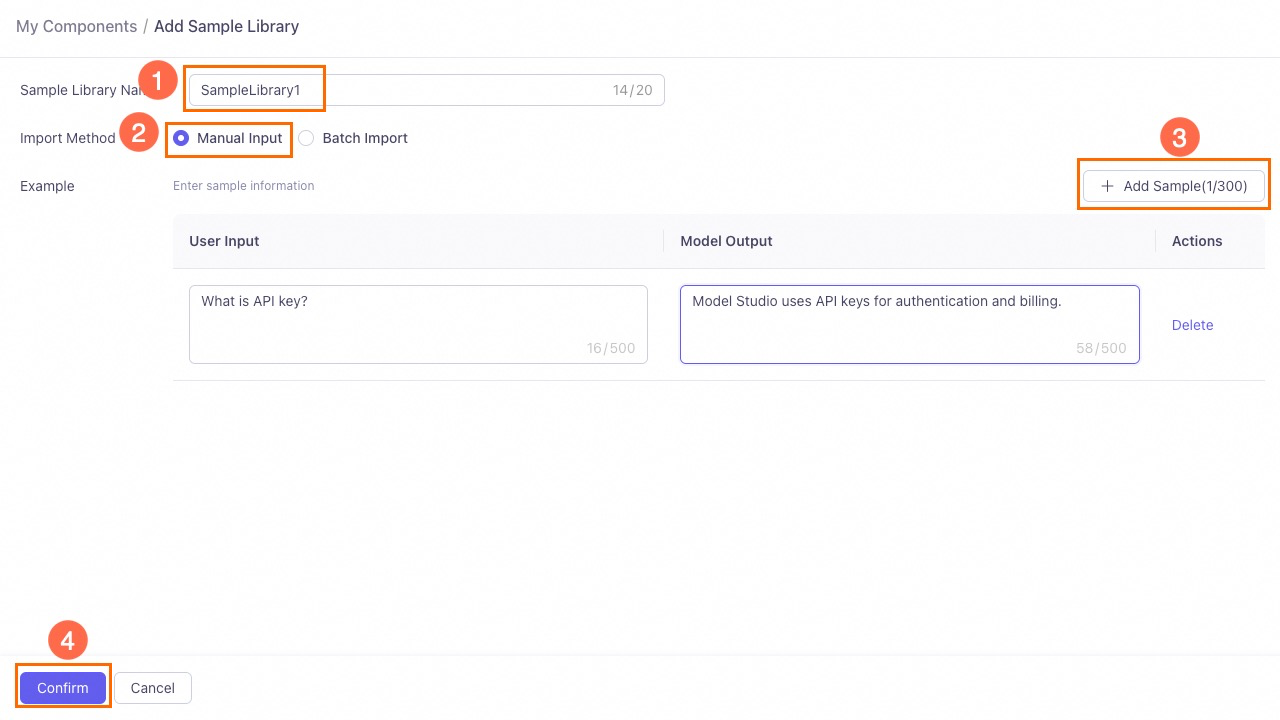
Batch import
Download the template, fill it out, and upload it. The feature supports Excel files up to 20 MB and 100 samples per import.

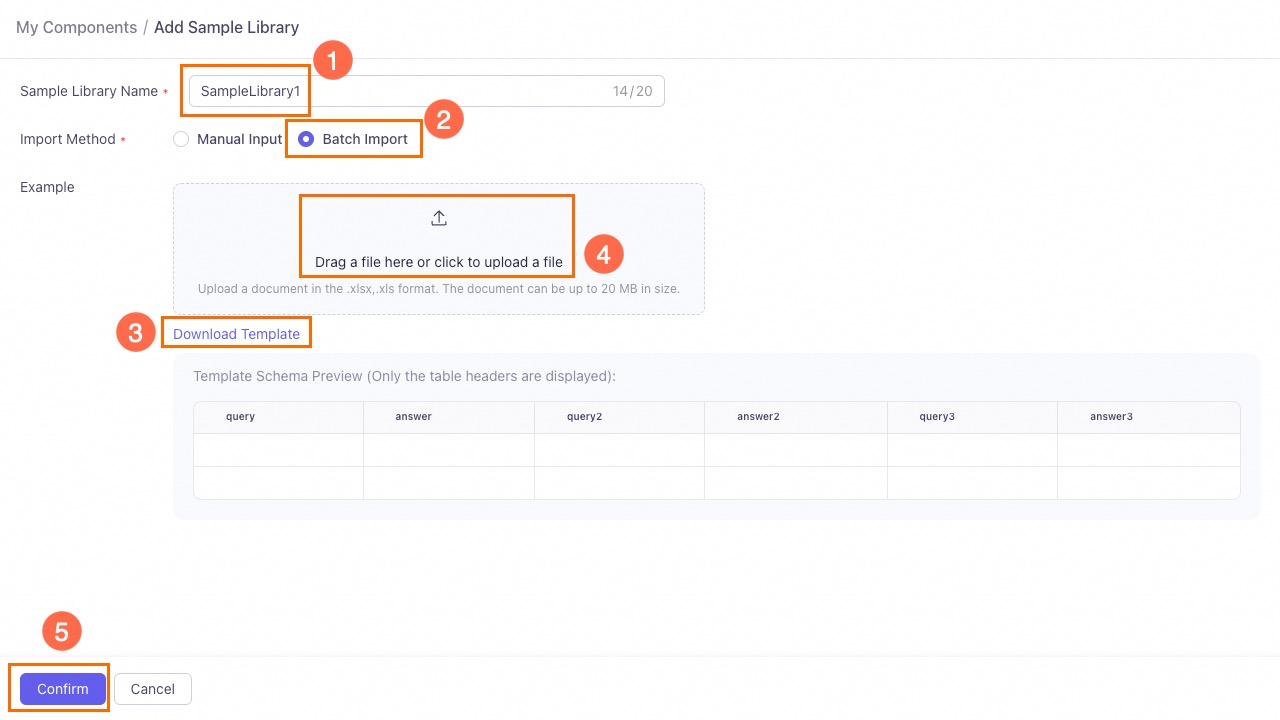
2. Use the sample library in an agent application
Associate the sample library with an agent application to activate it.
-
Make sure you have an agent application.
-
Go to the Application Management page. Find the target agent application and click Configure on the application card.
-
Enable the Sample Library switch. Add a sample library and select the one you created. An application supports up to 5 libraries using multi-channel recall.
Multi-channel recall: The system retrieves samples from all libraries, ranks them, and selects the K most relevant (configurable) to inject into the context.
NoteYou cannot manually set the retrieval order.
-
Optional: Click Configure to adjust recalled segments. Default: 5, maximum: 10.
-
Publish the application to apply the configuration.
3. Test and validate
Console debugging
In the debugging interface, enter a sample-related query, e.g., Explain the term: Neural Network.
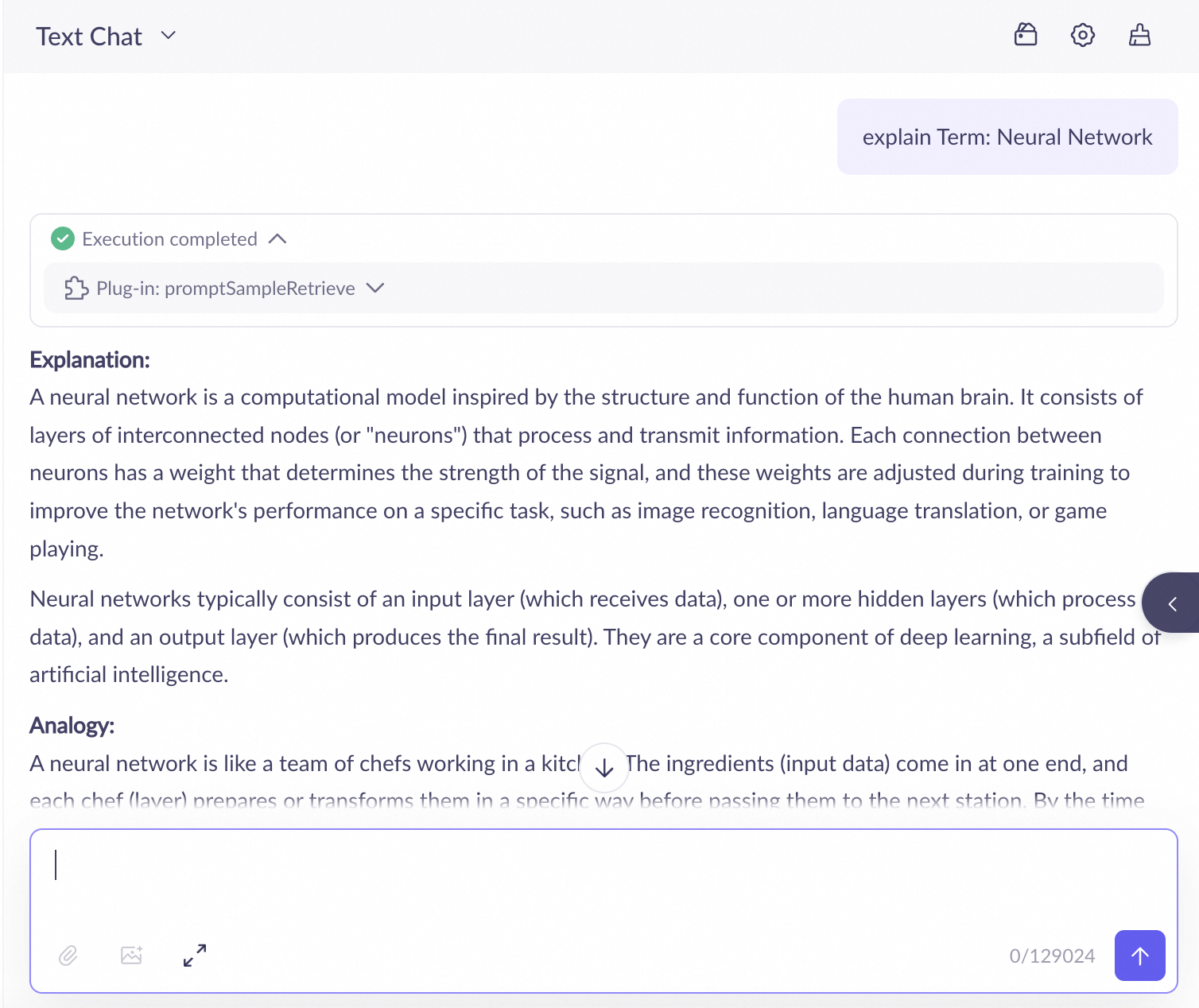
Click Prompt Sample Retrieval to view the retrieval's input and output.
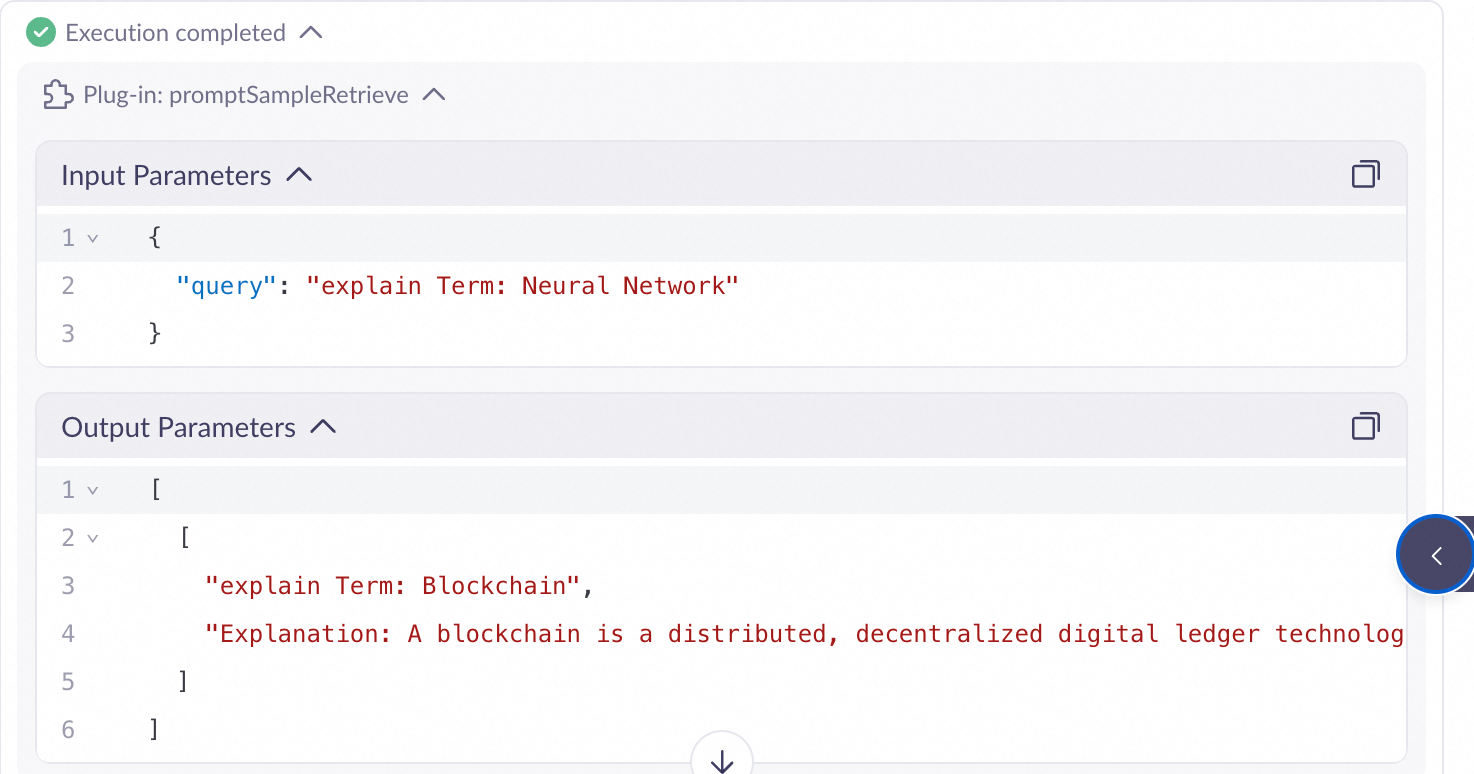
API calls
When calling the application API, set has_thoughts to true. The response's thoughts field contains detailed retrieval information for debugging and validation. For a call example, see Application calls.
Manage sample libraries and samples
Manage sample libraries
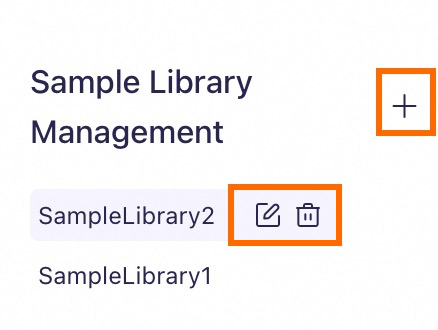
-
Add: Click the
icon next to Sample Library Management to create one. -
Delete: Hover over the target sample library and click the
icon to delete it.You cannot delete libraries referenced by applications. To delete, remove the reference from the application's configuration in Application Management.
-
Rename: Hover over the target sample library and click the
icon.
 icon next to Sample Library Management to create one.
 icon to delete it.
 icon.
icon.Manage samples
Select a sample library:
-
Add: Click Enrich Sample or Import Data to add samples.
-
Delete: In the Actions column for the target sample, click Delete.
-
Modify: In the Actions column for the sample that you want to modify, click Modify. Modify the User Input or Model Output content, and then click Save.
Limits
-
Sample library capacity: Each sample library can contain up to 300 samples.
NoteThis limit balances performance and accuracy. Large libraries increase latency. Split samples beyond 300 into multiple libraries by topic (e.g., "Product Features", "After-Sales Policy").
-
Application association limit: Each agent application can be associated with up to 5 sample libraries.
NoteThe system retrieves from all libraries in parallel.
-
Recalled segment limit: A single request can recall up to 10 sample segments to inject into the context.
NoteAdjust this in application configuration to control context length and balance performance with token costs.
-
File import limit: For batch imports, this feature supports Excel files up to 20 MB. You can import up to 100 samples at a time.
Billing
The prompt sample library feature does not incur storage or management fees.
However, enabling this feature increases token consumption for model calls, affecting costs. Additional tokens come from recalled samples injected into the context.
Cost estimation formula: Total Input Tokens ≈ User Query Tokens + Total Tokens of All Recalled Samples + System Instruction Tokens
FAQ
-
What is the relationship between a sample library and a sample?
A sample library contains up to 300 samples (each: user input + model output). Libraries organize samples; you can create multiple with different names for applications.