Coding Plan is an AI coding subscription from Alibaba Cloud Model Studio. It charges a fixed monthly fee and provides a monthly request quota to use in AI coding tools such as Qwen Code, Claude Code, Cline, and OpenClaw (formerly Moltbot or Clawdbot).
Coding Plan supports only the Singapore region and the global deployment mode. Model inference runs globally, and your inputs and outputs will be transferred across borders. Ensure your use complies with applicable laws and regulations.
Advantages
Latest Qwen models: Supports Qwen's latest flagship reasoning model, qwen3-max-2026-01-23, and the latest code generation model, qwen3-coder-plus. They have powerful coding agent capabilities, excel at tool calling and environment interaction, and provide excellent coding performance. They also have general-purpose Q&A capabilities for tasks such as dialogue, translation, and summarization.
Cost-effective subscription: Charges a fixed monthly fee. Up to 90,000 requests per month meets frequent demands at a predictable cost.
Compatible with tools: Supports AI coding tools that comply with the OpenAI API and Anthropic API specifications, such as Qwen Code, Claude Code, Cline, and OpenClaw (formerly Moltbot and Clawdbot).
Overview
Limited-time offer
From 00:00:00 (UTC+8) on January 16, 2026 to 23:59:59 (UTC+8) on March 31, 2026, new Alibaba Cloud users who have added a payment method (excluding accounts with enterprise discounts, reseller accounts, or RAM users) can claim a first-month discount coupon on the promotion page.
50% off coupon: Provides a 50% discount on both the Lite and Pro plans, up to a maximum of $100.
This limited-time offer is available only to new Alibaba Cloud users, defined as users who have never placed a paid order for more than $0 on Alibaba Cloud.
Each eligible account can claim the coupon only once.
The coupon cannot be combined with other coupons or discounts.
Supported models
Coding Plan supports the following Qwen models:
Latest flagship reasoning model:
qwen3-max-2026-01-23Latest code generation model:
qwen3-coder-plus
In Coding Plan, qwen3-max-2026-01-23 cannot use its native web search, web extractor, or code interpreter tools. You can use MCP, external tools, or skills instead.
Pricing and quota
A single complex question may trigger 10 to 20 model calls. Each model call counts as one request against your quota. Actual quota consumption is usually higher than the number of questions asked. Pricing and quotas for each plan:
Type | Lite | Pro |
Price | $10/month | $50/month |
5-hour limit Dynamically resets 5 hours after each request. | Up to 1,200 requests | Up to 6,000 requests |
Weekly limit Resets at 00:00:00 (UTC+8) every Monday. | Up to 9,000 requests | Up to 45,000 requests |
Monthly limit Resets at 00:00:00 (UTC+8) on the subscription date of the next month. | Up to 18,000 requests | Up to 90,000 requests |
Quota consumption details
A single user question may trigger multiple model calls. Each model call counts as one request against your quota. Typical quota consumption includes:
Simple Q&A or code generation: Usually triggers 5–10 model calls.
Code refactoring or complex tasks: May trigger 10–30 or more model calls.
Actual quota consumption depends on task complexity, context size, number of tool calls, and other factors. You can check your actual usage in the Coding Plan console.
Quick integration
Before you subscribe
Coding Plan subscriptions are non-cancellable and non-refundable after purchase. Review the following before subscribing:
Account restrictions: Only Alibaba Cloud accounts can subscribe to and use this plan. RAM users are not supported.
No API calls allowed: The quota can only be used in coding tools. Do not use it for API calls in automated scripts, custom application backends, or any non-interactive batch calling scenarios. Using the plan’s API key outside the permitted scope is considered a violation or abuse and may result in subscription suspension or API key revocation.
1. Subscribe to Coding Plan
Go to the Coding Plan subscription page. Select and purchase a plan based on your needs.
Only Alibaba Cloud accounts can subscribe to and use this plan. RAM users are not supported.
After your purchase, go to the Coding Plan console to view usage, upgrade, or renew your plan. Alternatively, go to the Model Studio homepage, click Settings in the upper-right corner, and select Subscription Plan in the navigation pane on the left to access the console.

2. Get the specific API key and base URL
After you subscribe to Coding Plan, get and configure your plan-specific API key and base URL. This ensures that you can use the service and that usage is correctly deducted from your quota.
API Key: Go to the Coding Plan console to get your plan-exclusive API key in the format
sk-sp-xxxxx. Do not confuse this with the general-purpose Model Studio API key (format:sk-xxxxx).
Base URL: Use the corresponding fixed base URL below based on the API protocol supported by your AI tool. Do not confuse it with the general-purpose Model Studio base URL (
dashscope.aliyuncs.xxx).OpenAI-compatible:
https://coding-intl.dashscope.aliyuncs.com/v1Anthropic-compatible:
https://coding-intl.dashscope.aliyuncs.com/apps/anthropic
3. Connect to AI tools
Coding Plan works with the AI tools listed below. To use it with other tools, ensure they support the OpenAI or Anthropic API protocols and allow custom endpoint configuration.
Qwen Code
Run the following command in your terminal to install Qwen Code
npm install -g @qwen-code/qwen-code@latestConfigure environment variables
macOS
Run the following command in your terminal to check your default shell type.
echo $SHELLSet the environment variables based on your shell type by running the following commands:
Zsh
# Replace YOUR_API_KEY with your plan-specific API key echo 'export OPENAI_API_KEY="YOUR_API_KEY"' >> ~/.zshrc echo 'export OPENAI_BASE_URL="https://coding-intl.dashscope.aliyuncs.com/v1"' >> ~/.zshrc echo 'export OPENAI_MODEL="qwen3-coder-plus"' >> ~/.zshrcBash
# Replace YOUR_API_KEY with the API key for your plan. # Detect and select a configuration file, prioritizing .bash_profile over .bashrc. if [ -f ~/.bash_profile ]; then CONFIG_FILE=~/.bash_profile elif [ -f ~/.bashrc ]; then CONFIG_FILE=~/.bashrc else CONFIG_FILE=~/.bash_profile fi echo 'export OPENAI_API_KEY="YOUR_API_KEY"' >> "$CONFIG_FILE" echo 'export OPENAI_BASE_URL="https://coding-intl.dashscope.aliyuncs.com/v1"' >> "$CONFIG_FILE" echo 'export OPENAI_MODEL="qwen3-coder-plus"' >> "$CONFIG_FILE" source "$CONFIG_FILE"Run the following command in your terminal for the environment variables to take effect.
Zsh
source ~/.zshrcBash
source ~/.bash_profile
Windows
CMD
Run the following commands in CMD to set the environment variables.
REM Replace YOUR_API_KEY with your plan-specific API key setx OPENAI_API_KEY "YOUR_API_KEY" setx OPENAI_BASE_URL "https://coding-intl.dashscope.aliyuncs.com/v1" setx OPENAI_MODEL "qwen3-coder-plus"Open a new CMD window and run the following commands to check if the environment variables have taken effect.
echo %OPENAI_API_KEY% echo %OPENAI_BASE_URL% echo %OPENAI_MODEL%
PowerShell
Run the following commands in PowerShell to set the environment variables.
# Replace YOUR_API_KEY with your plan-specific API key. [Environment]::SetEnvironmentVariable("OPENAI_API_KEY", "YOUR_API_KEY", [EnvironmentVariableTarget]::User) [Environment]::SetEnvironmentVariable("OPENAI_BASE_URL", "https://coding-intl.dashscope.aliyuncs.com/v1", [EnvironmentVariableTarget]::User) [Environment]::SetEnvironmentVariable("OPENAI_MODEL", "qwen3-coder-plus", [EnvironmentVariableTarget]::User)Open a new PowerShell window and run the following commands to check if the environment variables have taken effect.
echo $env:OPENAI_API_KEY echo $env:OPENAI_BASE_URL echo $env:OPENAI_MODEL
Integrate with Qwen Code
Open your terminal and navigate to your project directory. Run the following command to start Qwen Code.
cd path/to/your_project qwenAfter starting Qwen Code, select OpenAI for identity authentication and confirm the environment variable configuration.

If the interface shown above does not appear, enter
/authto set the authentication method.Use Qwen Code.

Switch models
Switch when starting Qwen Code: Run
qwen --model <model_name>in the terminal to specify a model, such asqwen --model qwen3-max-2026-01-23. This applies to a single session.Switch during a conversation: Enter the
/authcommand, select OpenAI, and reset the model.
Claude Code
Install Claude Code
macOS
Run the following command in your terminal to install Claude Code.
npm install -g @anthropic-ai/claude-codeWindows
To use Claude Code on Windows, first install WSL or Git for Windows. Then, run the following command in WSL or Git Bash.
npm install -g @anthropic-ai/claude-codeConfigure environment variables
To integrate with Claude Code, configure the API key and base URL.
macOS/Linux
Create and open the configuration file
~/.claude/settings.json.~is your home directory. If the.claudedirectory does not exist, create it by runningmkdir -p ~/.claudein your terminal.nano ~/.claude/settings.jsonEdit the configuration file. Replace YOUR_API_KEY with the API key from your Coding Plan.
{ "env": { "ANTHROPIC_AUTH_TOKEN": "YOUR_API_KEY", "ANTHROPIC_BASE_URL": "https://coding-intl.dashscope.aliyuncs.com/apps/anthropic", "ANTHROPIC_MODEL": "qwen3-coder-plus" } }Open a new terminal window for the environment variables to take effect.
Windows
On Windows, you can set the base URL and API key from Alibaba Cloud Model Studio as environment variables in CMD or PowerShell.
CMD
Run the following commands in CMD to set the environment variables.
REM Replace YOUR_API_KEY with the API key for your plan. setx ANTHROPIC_AUTH_TOKEN "YOUR_API_KEY" setx ANTHROPIC_BASE_URL "https://coding-intl.dashscope.aliyuncs.com/apps/anthropic" setx ANTHROPIC_MODEL "qwen3-coder-plus"Open a new CMD window and run the following commands to check if the environment variables have taken effect.
echo %ANTHROPIC_AUTH_TOKEN% echo %ANTHROPIC_BASE_URL% echo %ANTHROPIC_MODEL%
PowerShell
Run the following commands in PowerShell to set the environment variables.
# Replace YOUR_API_KEY with your plan-specific API key [Environment]::SetEnvironmentVariable("ANTHROPIC_AUTH_TOKEN", "YOUR_API_KEY", [EnvironmentVariableTarget]::User) [Environment]::SetEnvironmentVariable("ANTHROPIC_BASE_URL", "https://coding-intl.dashscope.aliyuncs.com/apps/anthropic", [EnvironmentVariableTarget]::User) [Environment]::SetEnvironmentVariable("ANTHROPIC_MODEL", "qwen3-coder-plus", [EnvironmentVariableTarget]::User)Open a new PowerShell window and run the following commands to check if the environment variables have taken effect.
echo $env:ANTHROPIC_AUTH_TOKEN echo $env:ANTHROPIC_BASE_URL echo $env:ANTHROPIC_MODEL
Integrate with Claude Code
Open your terminal and navigate to your project directory. Run the following command to start Claude Code:
cd path/to/your_project claudeAfter Claude Code starts, authorize it to execute files.

Select
qwen3-coder-plusin Claude Code.
Switching models
When starting Claude: Run
claude --model <model_name>, for example,claude --model qwen3-max-2026-01-23.During a conversation: Run
/model <model_name>, for example,/model qwen3-max-2026-01-23.
Cline
In the VSCode IDE, search for and install Cline from the extension marketplace.
After installation, click the Cline icon in the left sidebar. Click Bring my own API key. In the pop-up window, select OpenAI Compatible as the API Provider and configure the following parameters.
If you have used Cline before, click the settings button in the upper-right corner to configure it.
Item
Example value
API Provider
OpenAI Compatible
Base URL
https://coding-intl.dashscope.aliyuncs.com/v1
OpenAI Compatible API Key
sk-sp-xxxxxxx
Model ID
qwen3-coder-plus
After the configuration is complete, click Done in the upper-right corner.
To switch models, click the gear icon in the upper-right corner and modify the Model ID.

OpenClaw (formerly Moltbot, Clawdbot)
Follow these steps to deploy and use Moltbot locally.
Moltbot/Clawdbot has been renamed to OpenClaw, but some commands may not have migrated yet. If you receive a
command not found: openclawerror when using a new command likeopenclaw dashboard, switch back to an older command such asclawdbot dashboardormoltbot dashboard.A local deployment of Moltbot is risky because it requires system-level permissions. We recommend deploying it on an Elastic Compute Service (ECS) instance. For more information, see the Openclaw solution.
Run the following command to install Moltbot.
macOS
curl -fsSL https://openclaw.ai/install.sh | bashWindows
iwr -useb https://openclaw.ai/install.ps1 | iexFollow the prompts to complete the Moltbot configuration. Refer to the following sample configuration:
Item
Configuration
I understand this is powerful and inherently risky. Continue?
Select "Yes"
Onboarding mode
Select "QuickStart"
Model/auth provider
Select "Skip for now". You can configure this later.
Filter models by provider
Select "All providers"
Default model
Use the default configuration.
Select channel (QuickStart)
Select "Skip for now". You can configure this later.
Configure skills now? (recommended)
Select "No". You can configure this later.
Enable hooks?
Press the space bar to select an option and press Enter to proceed to the next step.
How do you want to hatch your bot?
Select "Hatch in TUI".
Configuring and using the model
Configure in the Web UI
Run the following command to open the Web UI.
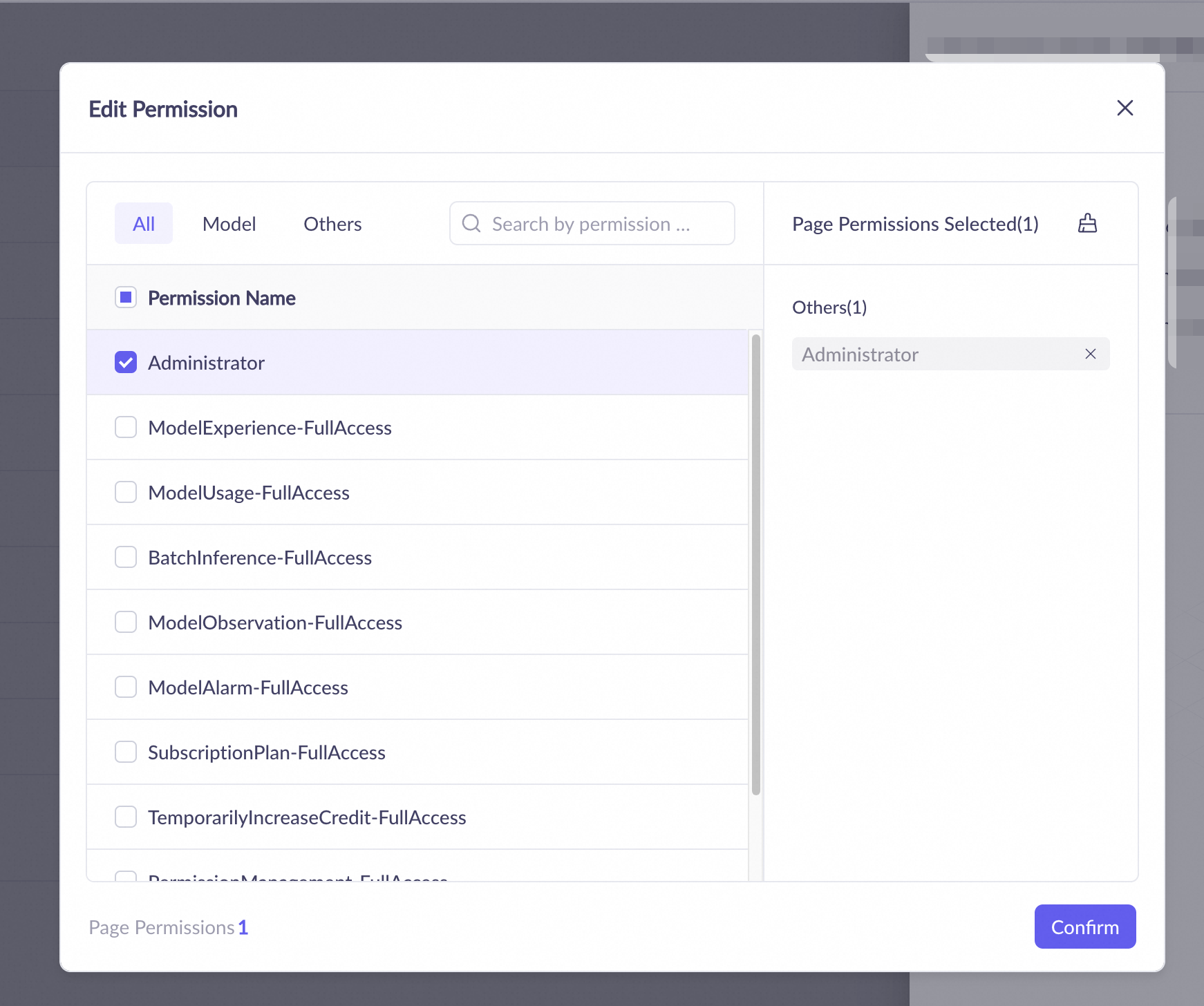
openclaw dashboardIn the menu bar on the left, choose . Copy and paste the following configuration, and replace YOUR_API_KEY with your Coding Plan-specific API key.
{ "meta": { "lastTouchedVersion": "2026.1.24-3", "lastTouchedAt": "2026-01-28T09:43:38.258Z" }, "models": { "mode": "merge", "providers": { "bailian": { "baseUrl": "https://coding-intl.dashscope.aliyuncs.com/v1", "apiKey": "YOUR_API_KEY", "api": "openai-completions", "models": [ { "id": "qwen3-max-2026-01-23", "name": "qwen3-max-thinking", "reasoning": false, "input": [ "text" ], "cost": { "input": 0, "output": 0, "cacheRead": 0, "cacheWrite": 0 }, "contextWindow": 262144, "maxTokens": 65536 } ] } } }, "agents": { "defaults": { "model": { "primary": "bailian/qwen3-max-2026-01-23" }, "models": { "bailian/qwen3-max-2026-01-23": { "alias": "qwen3-max-thinking" } }, "maxConcurrent": 4, "subagents": { "maxConcurrent": 8 } } }, "messages": { "ackReactionScope": "group-mentions" }, "commands": { "native": "auto", "nativeSkills": "auto" }, "gateway": { "mode": "local" } }
In the upper-right corner, click Save and then click Update.
Configure in the terminal
Run the following command in your terminal to open the Moltbot configuration file.
nano ~/.openclaw/openclaw.jsonCopy and paste the following configuration, and replace YOUR_API_KEY with your Coding Plan-specific API key.
{ "meta": { "lastTouchedVersion": "2026.1.24-3", "lastTouchedAt": "2026-01-28T09:43:38.258Z" }, "models": { "mode": "merge", "providers": { "bailian": { "baseUrl": "https://coding-intl.dashscope.aliyuncs.com/v1", "apiKey": "YOUR_API_KEY", "api": "openai-completions", "models": [ { "id": "qwen3-max-2026-01-23", "name": "qwen3-max-thinking", "reasoning": false, "input": [ "text" ], "cost": { "input": 0, "output": 0, "cacheRead": 0, "cacheWrite": 0 }, "contextWindow": 262144, "maxTokens": 65536 } ] } } }, "agents": { "defaults": { "model": { "primary": "bailian/qwen3-max-2026-01-23" }, "models": { "bailian/qwen3-max-2026-01-23": { "alias": "qwen3-max-thinking" } }, "maxConcurrent": 4, "subagents": { "maxConcurrent": 8 } } }, "messages": { "ackReactionScope": "group-mentions" }, "commands": { "native": "auto", "nativeSkills": "auto" }, "gateway": { "mode": "local" } }After you add the configuration, save the file and return to the terminal. Run the following commands in the terminal for the changes to take effect.
# Method 1: Stop the service, then start it again openclaw gateway stop # Wait 2–3 seconds, then start the service openclaw gateway start # Method 2: Restart directly openclaw gateway restart
Run the following commands in the terminal to use Moltbot in the Web UI or TUI.
Web UI
openclaw dashboard
TUI
openclaw tui
Other tools
In addition to the tools listed above, Coding Plan supports third-party tools compatible with the OpenAI or Anthropic API protocols that allow custom endpoint configuration.
Some tools (such as Tongyi Lingma Personal Edition and the Cursor Free Edition) do not support custom endpoints and cannot use Coding Plan.
OpenAI-compatible:
Base URL:
https://coding-intl.dashscope.aliyuncs.com/v1API Key: Enter your Coding Plan-specific API key.
Model:
qwen3-coder-plusorqwen3-max-2026-01-23
Anthropic-compatible:
Base URL:
https://coding-intl.dashscope.aliyuncs.com/apps/anthropicAPI Key: Enter your Coding Plan-specific API key.
Model:
qwen3-coder-plusorqwen3-max-2026-01-23
Subscription management
Auto-renewal
When you subscribe to a Coding Plan, select auto-renewal to prevent service interruption when the plan expires. The auto-renewal cycle is monthly, and the renewal fee is automatically deducted at the real-time price before the instance expires. Cancel auto-renewal at any time on the Renewal page.
Upgrades and downgrades
Upgrade from Lite to Pro: The upgrade fee is calculated based on the price difference for the remaining days. After the upgrade, the available quota for the rest of the month will be increased proportionally based on your remaining quota.
Cannot downgrade from Pro to Lite. Wait for your Pro plan to expire and then purchase a new Lite plan.
FAQ
Common errors and solutions
Error message | Possible cause | Solution |
401 invalid access token or token expired | The API key is invalid, expired, empty, in the wrong format, or does not match the endpoint environment. | Check that the API key is the specific key for your Coding Plan. Ensure it is copied completely and without any spaces. Confirm that your subscription is active. |
model 'xxx' is not supported | The model name is misspelled, has incorrect capitalization, contains spaces, or is an unsupported model. | The model name must be |
403 invalid api-key | The general-purpose Model Studio base URL was used by mistake. | Anthropic-compatible: OpenAI-compatible: |
404 status code (no body) | Incorrect base URL path. For example, in Claude Code, the base URL was incorrectly set to | Anthropic-compatible: OpenAI-compatible: |
Connection error | The base URL is misspelled or there is a network issue. | Check the spelling of the base URL domain name and your network connectivity. |
hour allocated quota exceeded | The request quota per 5 hours has been used up. | Wait 5 hours for the quota to be automatically restored, or upgrade to Pro. |
week allocated quota exceeded | The weekly request quota has been used up. | Wait until 00:00:00 (UTC+8) on Monday for the quota to reset, or upgrade to Pro. |
month allocated quota exceeded | The monthly request quota has been used up. | Wait until 00:00:00 (UTC+8) on your monthly subscription renewal date for the quota to reset, or upgrade to Pro. |
Why am I still being charged for model API calls after subscribing to Coding Plan?
This may occur for the following reasons:
If your AI tool is using a general-purpose Model Studio API key (
sk-xxxxx) and a general-purpose base URL (without the "coding" keyword), the calls cannot be deducted from your Coding Plan quota and will incur separate pay-as-you-go charges. To resolve this, configure your tool with the correct plan-specific credentials, see 2. Obtain the specific API key and base URL.The charges may be from API calls made before you subscribed to Coding Plan. Bill generation can be delayed by hours during peak times. For example, if you make an API call at 16:00 and subscribe to Coding Plan at 19:00, a bill generated at 19:30 will include charges for the call made at 16:00. The actual billing time prevails, see Bill inquiry and cost management.
Can I use models other than qwen3-coder-plus and qwen3-max-2026-01-23?
Currently, Coding Plan supports only qwen3-coder-plus and qwen3-max-2026-01-23.
How many Coding Plans can be active on each account at the same time?
Each account can have only one active Coding Plan subscription at a time, regardless of whether it is Lite or Pro.
Can I use the Model Studio free trial with Coding Plan?
Coding Plan is an independent subscription product, and its billing and quota systems are not part of Model Studio's free quota.