This topic describes how to troubleshoot crashes that occur after you reinforce an Android application.
If your application runs normally before hardening but crashes on startup after hardening, this may be because the hardening service detected a runtime risk and terminated the application. This crash may be an intended result of the hardening policy's protection mechanism.
Troubleshoot using hardening service logs
If the application crashes on startup, filter the logs and check for the following keywords:
DEFENDER
These logs are generated by the hardening Service.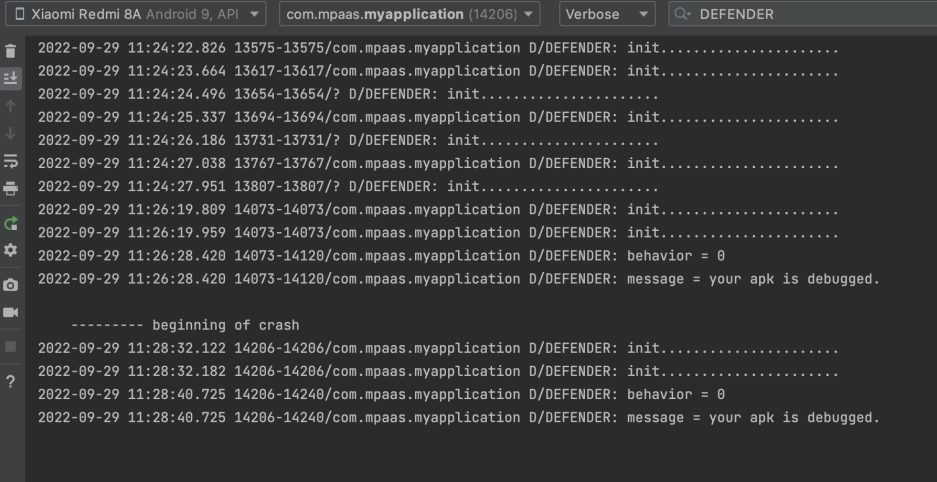
behavior
The value after behavior indicates the action taken:
0 indicates that the application is closed, 1 indicates that a log is printed, and 2 indicates that a pop-up window is displayed.
The text after the message keyword indicates the reason for the crash.
jaffer
The appearance of jaffer may indicate a signature issue, such as the application being re-signed.
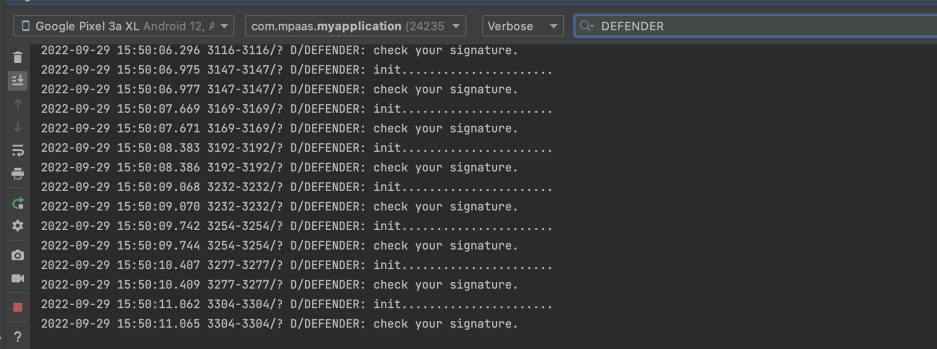
A "check your xxxx" message indicates that a specific risk was detected.
Troubleshoot using application crash logs
FATAL
This keyword indicates a fatal error. The stack trace that follows provides the reason for the crash.